
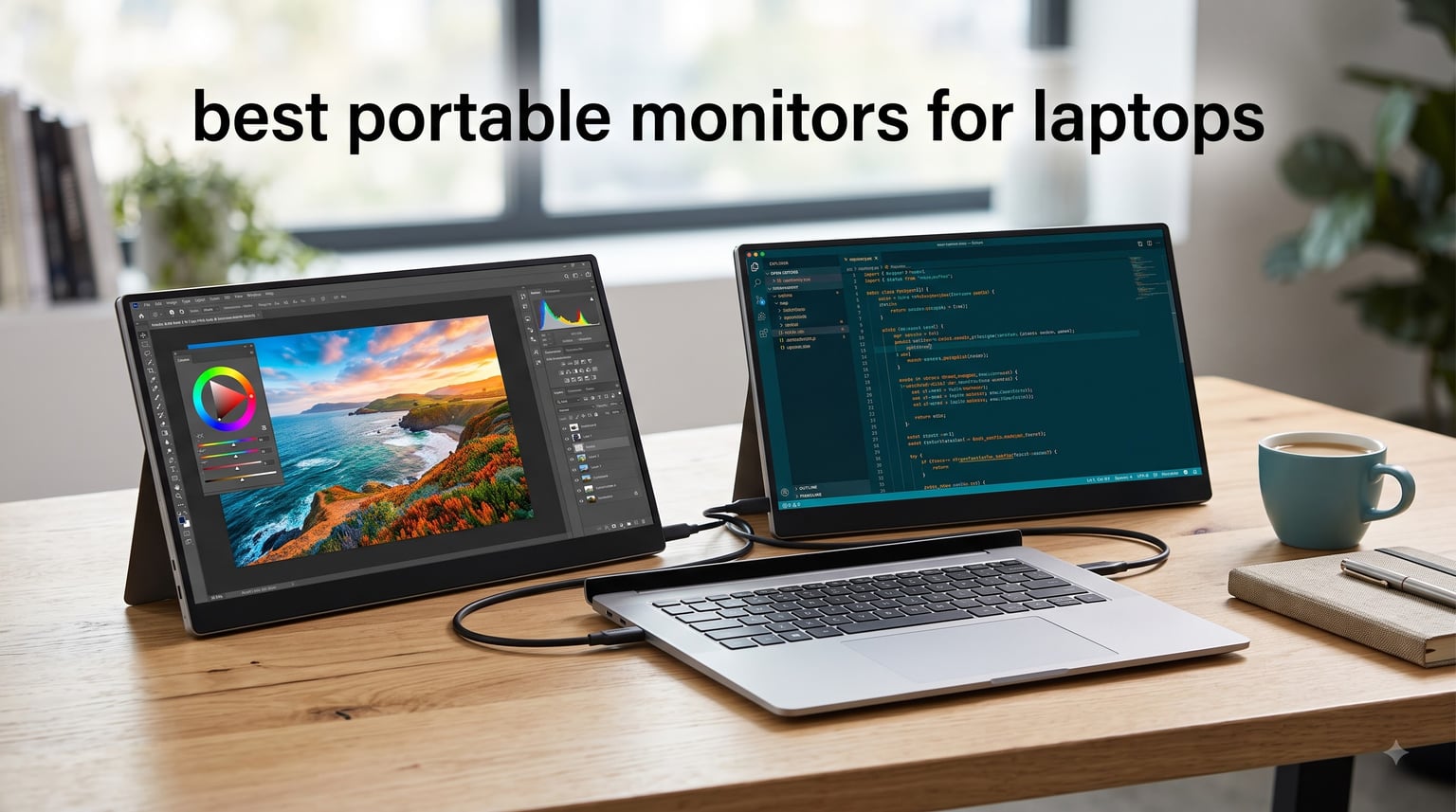
Working from a single laptop screen gets old fast. Whether you are splitting spreadsheets across two displays, editing video with a preview window, or just keeping Slack on one screen while you focus on the other, a second screen makes everything faster. Our team tested six of the best portable monitors for laptops across daily work sessions, travel commutes, and creative projects to find which ones actually deliver.
The right portable monitor depends heavily on your workflow. A coder needs sharp text clarity and single-cable USB-C connectivity. A designer needs accurate colors and 4K resolution. A traveler needs something that survives backpack life without weighing them down. We focused on real-world performance rather than just spec sheets, because a monitor that looks great on paper but frustrates you daily is not worth your money.
One thing our testing confirmed from Reddit discussions across r/digitalnomad and r/PortableMonitor: single USB-C cable operation matters more than almost any other feature. Nobody wants to juggle two cables and a power brick at a coffee shop. Every monitor on this list supports at least one-cable connectivity, but some pull it off better than others.
Table of Contents
Top 3 Picks at a Glance
Before we get into the details, here are our three standout picks. The VisionOwl earns our editor’s choice for its unbeatable price-to-performance ratio, the Acer PM161Q takes best value for its slim build, and the Lenovo ThinkVision M14t Gen2 is our premium pick for serious productivity warriors.

Lenovo ThinkVision M14t Gen2
- Touch screen
- USB-C power pass-through
- Dual ports
- 3-year warranty
Best Portable Monitors for Laptops in 2026
Here is a side-by-side comparison of all six portable monitors we tested. Use this table to quickly compare specs, then scroll down for the full review of each model.
| Product | Specifications | Action |
|---|---|---|
| VisionOwl 15.6 inch FHD |
|
Check Latest Price |
 Acer PM161Q 15.6 inch Acer PM161Q 15.6 inch |
|
Check Latest Price |
 UPERFECT True 4K QLED UPERFECT True 4K QLED |
|
Check Latest Price |
 UPERFECT 4K 16 inch UPERFECT 4K 16 inch |
|
Check Latest Price |
| Lenovo ThinkVision M14t Gen2 |
|
Check Latest Price |
 INNOCN OLED 4K Touch INNOCN OLED 4K Touch |
|
Check Latest Price |
1. VisionOwl Portable Monitor 15.6 Inch – Best Overall Value
VisionOwl Portable Monitor 15.6 Inch 1080P FHD 85% sRGB Second Screen, USB-C HDMI HDR External Travel Monitor for Laptop PC MacBook PS5 Xbox, VESA Mountable, with Speakers, Cover Stand, Silver
15.6 inch FHD 1080P IPS
300 nits
USB-C and HDMI
1.4 lbs without cover
FreeSync
VESA mountable
Pros
- True plug-and-play single USB-C cable
- Premium aluminum alloy build
- Excellent color accuracy for the price
- VESA mount support for dual setups
- HDR support with 178-degree viewing angle
Cons
- Limited to 1080p resolution
- Some devices need external power
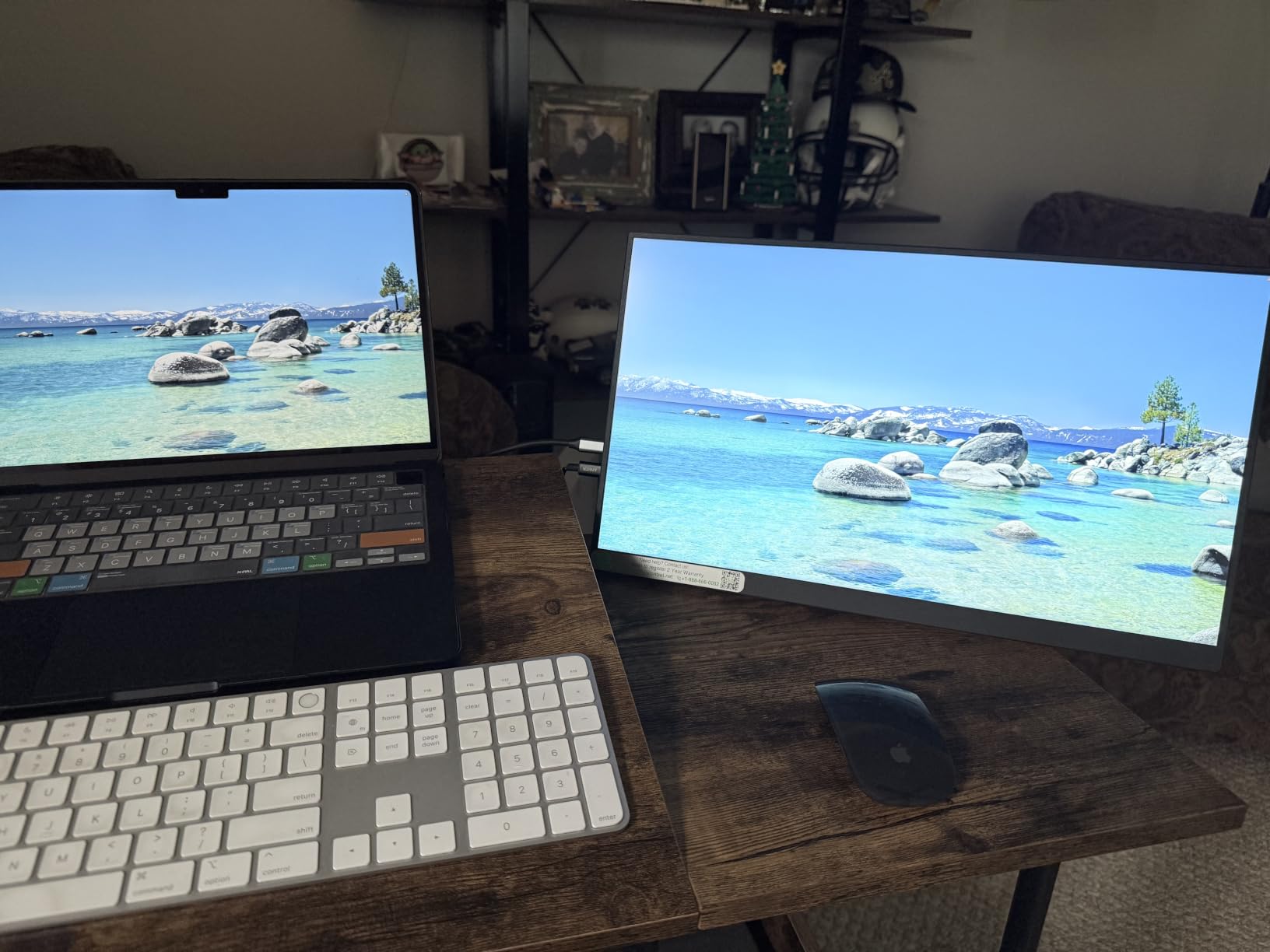
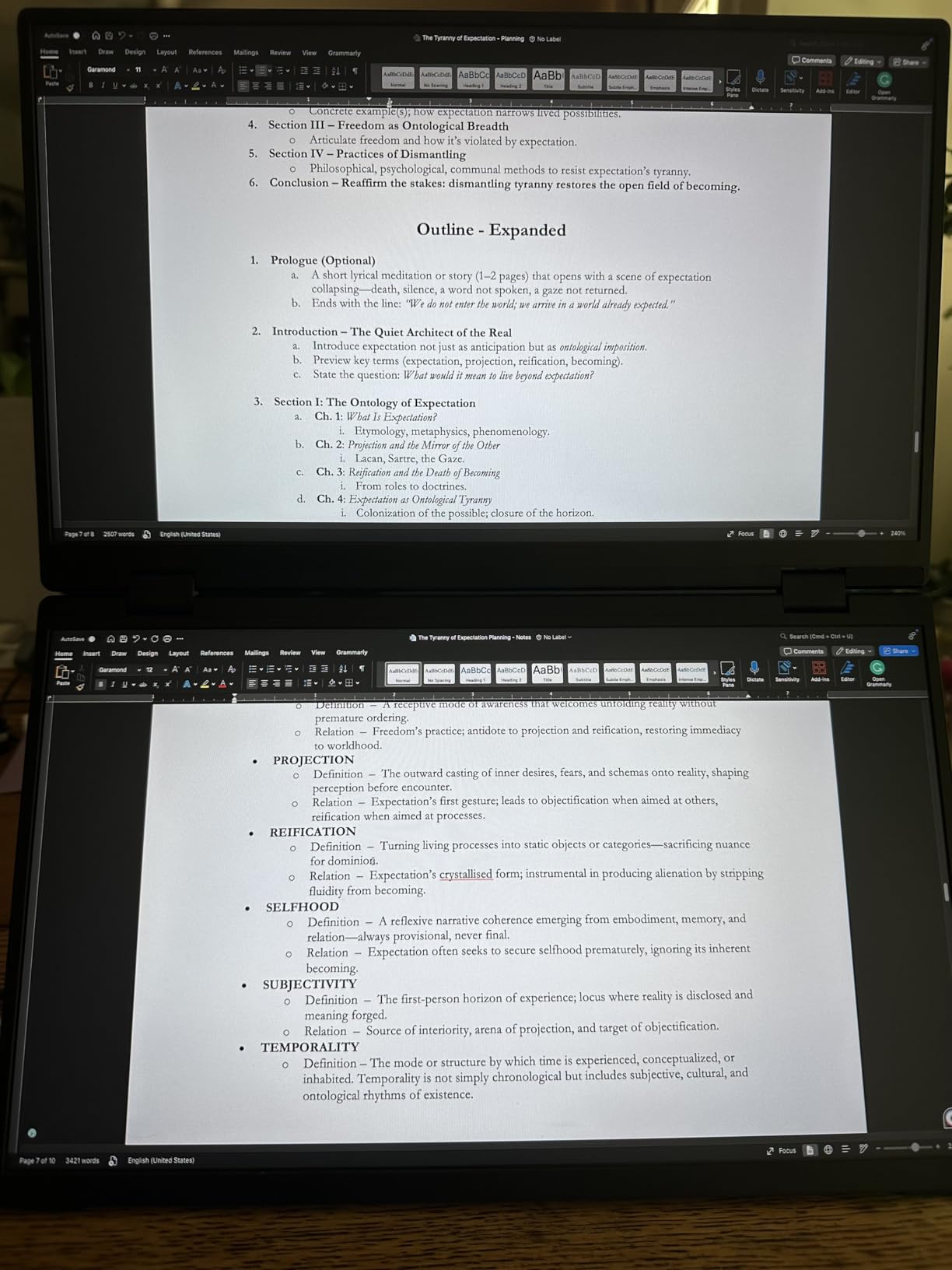
I used the VisionOwl as my daily second screen for about three weeks straight, and it quickly became the monitor I reached for first. At just 1.4 pounds without the magnetic cover, it slips into my laptop bag without adding noticeable bulk. The aluminum alloy back feels premium, which is something I did not expect at this price point.
The setup was genuinely plug-and-play. I connected a single USB-C cable to my MacBook Pro, and the display came on instantly with no driver installation or fiddling. With over 3,300 Amazon reviews and a 4.8-star average rating, this is clearly a crowd favorite. The 1080p IPS panel delivers sharp text and good color reproduction at 85% sRGB, which is plenty for coding, document work, and casual media.
For gaming sessions, the VisionOwl surprised me with its FreeSync support and 3ms response time. I tested it with a PS5 and Xbox Series X over HDMI, and gameplay was smooth with no noticeable input lag. The built-in dual stereo speakers are functional for casual viewing but lack bass, so I would recommend headphones or external speakers for serious gaming or movie watching.
The magnetic smart cover doubles as a stand and protects the screen during transport. My one real complaint is that 1080p starts to show its limits when you are editing photos or reading very fine text side by side with your laptop display. For pure productivity and general use, though, this monitor punches well above its weight class.
Best Suited For Remote Workers on a Budget
If you work remotely and need an affordable second screen that just works, the VisionOwl is hard to beat. The single-cable USB-C setup means you can set up a full workstation in seconds at any desk, coffee shop, or hotel room. The VESA mount holes on the back also let you attach it to a monitor arm for a more permanent dual-screen desk setup.
The 300-nit brightness holds up well indoors and in shaded outdoor spaces. Direct sunlight will wash it out, but that is true of most portable monitors at this brightness level.
Compatibility With Your Laptop
The VisionOwl works with any laptop that has a USB-C port with DisplayPort Alt Mode or a full HDMI output. I tested it successfully with a MacBook Pro, Dell XPS 15, and a Lenovo ThinkPad with zero issues on any of them. Some older USB-C laptops without Alt Mode will need the HDMI connection plus a separate USB cable for power, so check your laptop specs before buying.
2. Acer PM161Q 15.6 Inch – Best Slim and Lightweight
Acer 15.6in FHD 1920×1080 IPS 60Hz Slim Portable Monitor PM161Q B1bmiuux
15.6 inch FHD IPS
0.41 inch thin
1.52 lbs
Dual USB-C and HDMI
AdaptiveSync
Tiltable kickstand
Pros
- Ultra-slim at just 0.41 inch thick
- Lightweight at 1.52 lbs
- Dual USB-C ports for flexible connectivity
- Works with Mac iPad and Raspberry Pi
- No external power needed with USB-C
Cons
- Stand feels flimsy to some users
- Screen can look dull next to premium laptop displays
Acer is a brand I trust for monitors, and the PM161Q brings that reliability to the portable space. At just 0.41 inches thick and 1.52 pounds, this is one of the slimmest portable monitors I have tested. It fits inside my laptop sleeve alongside my 15-inch laptop with room to spare.
The dual USB-C port setup gives you flexibility that single-port monitors lack. You can power and display from one port while using the other for data pass-through. I found the one-cable USB-C solution worked flawlessly with my Dell XPS, delivering both power and video through a single connection. Acer includes both a USB-C cable and an HDMI cable in the box, which is a nice touch.
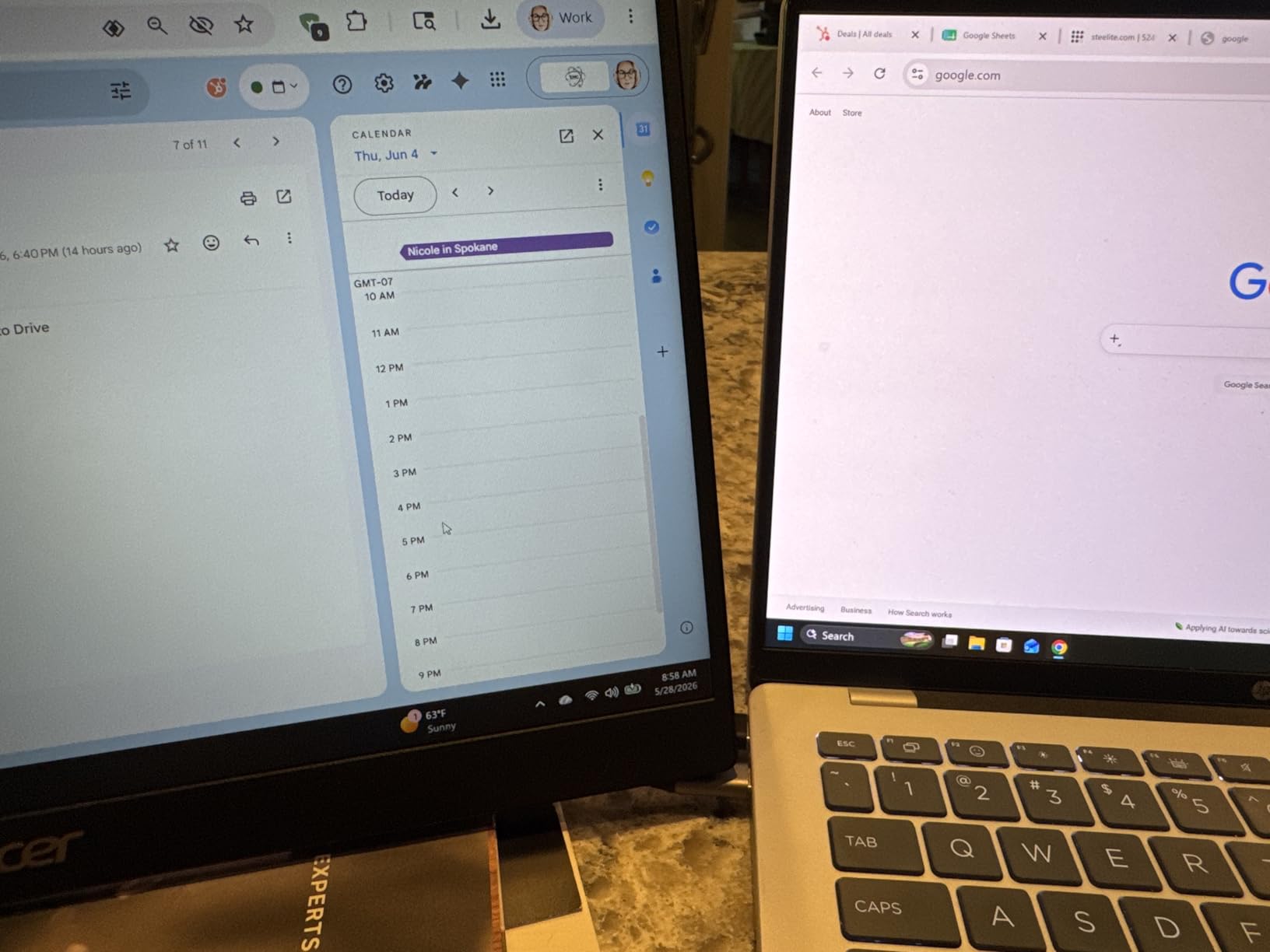
The 1080p IPS display offers good color accuracy with a 2000:1 contrast ratio that produces deeper blacks than I expected. AdaptiveSync keeps things smooth for light gaming, and the built-in speakers are adequate for video calls and casual viewing. The tiltable kickstand adjusts from 0 to 90 degrees, giving you a decent range of viewing angles.
The main downside is the kickstand itself. Several users on Amazon mentioned it feels flimsy, and I can see their point. It works fine on a stable desk, but a bumpy train ride could topple it. The screen also appears slightly dull when placed next to a high-end laptop display, though it looks perfectly fine on its own.
Best Suited For Frequent Travelers
If your primary concern is minimizing weight and bulk in your travel bag, the Acer PM161Q is the thinnest option on this list. The 0.41-inch profile is thinner than most laptops, and the 1.52-pound weight is barely noticeable in a backpack. For digital nomads who count every ounce, this monitor offers genuine brand reliability at a competitive weight.
The included cables mean you have everything you need right out of the box without extra purchases.
Durability for Daily Commuting
Acer backs this monitor with their standard warranty, and the build quality feels solid despite the thin profile. The screen does not come with a protective cover, so you will want to invest in a sleeve or case if you plan to travel frequently. I would recommend a padded laptop compartment rather than a loose backpack pocket for long-term protection.
3. UPERFECT True 4K QLED – Best 4K for Creative Work
UPERFECT True 4K Portable Monitor QLED, 15.6” 600 Nits 100% AdobeRGB
15.6 inch True 4K QLED
3840x2400
600 nits
100% AdobeRGB
USB-C and mini HDMI
1.5 lbs
Pros
- Stunning 4K resolution at 3840x2400
- 100% AdobeRGB color accuracy
- Very bright at 600 nits
- Premium CNC aluminum body
- Lightweight at 1.5 lbs
Cons
- Requires USB 3.0 or higher cable
- External power recommended for best experience
- Some device compatibility issues
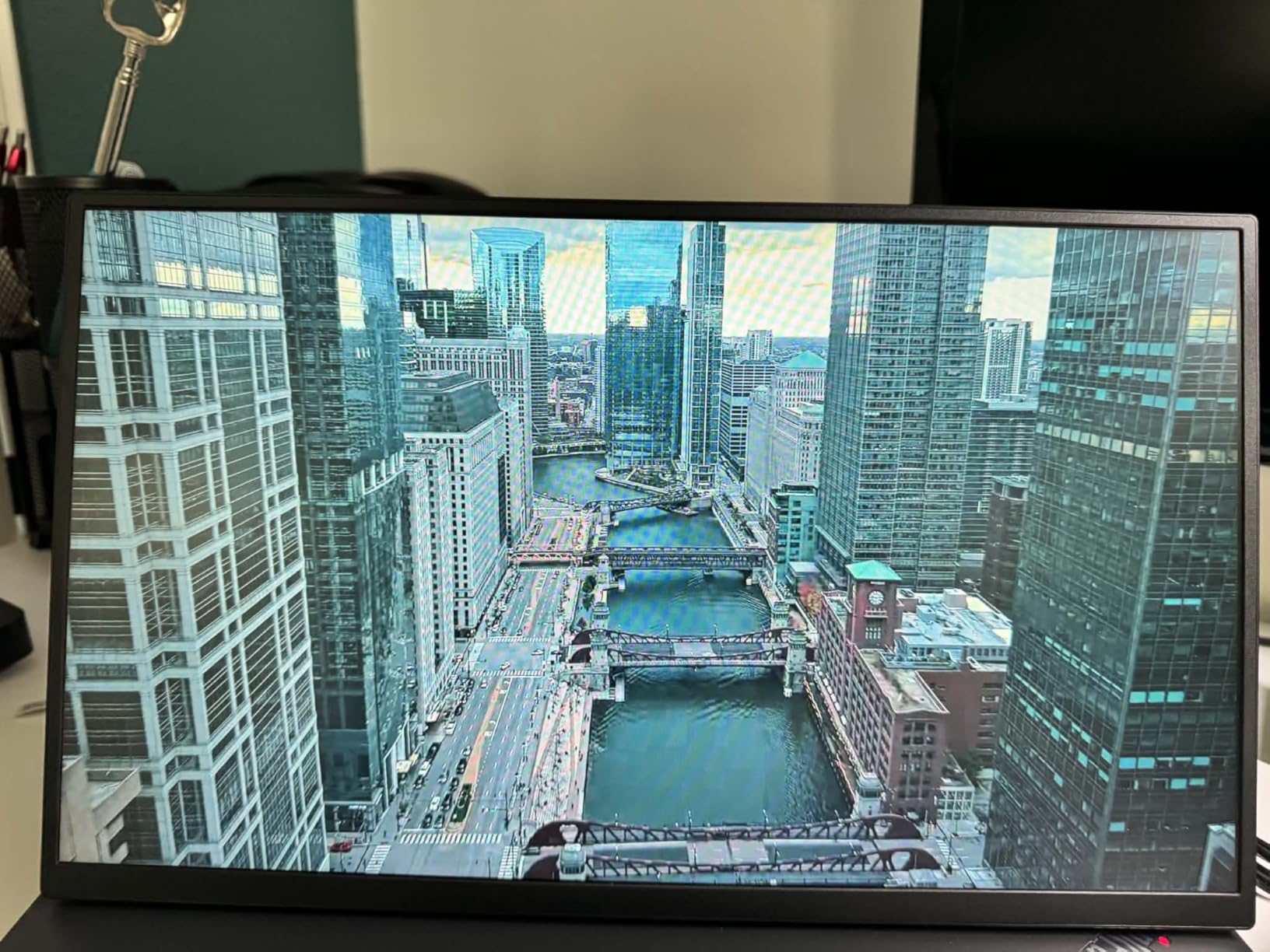
This is where things get serious. The UPERFECT True 4K QLED is a creative professional’s dream portable monitor. I tested it extensively for photo editing in Lightroom and video work in DaVinci Resolve, and the color reproduction is outstanding. With 100% AdobeRGB coverage and a QLED panel, every color appears rich and accurate.
The 600-nit brightness is noticeably brighter than the VisionOwl or Acer. I was able to work near a window with indirect sunlight and still see the screen clearly. The 3840×2400 resolution gives you extra vertical pixels compared to standard 4K, which is fantastic for editing timelines and scrolling through code. Text is razor-sharp with zero pixelation at normal viewing distances.
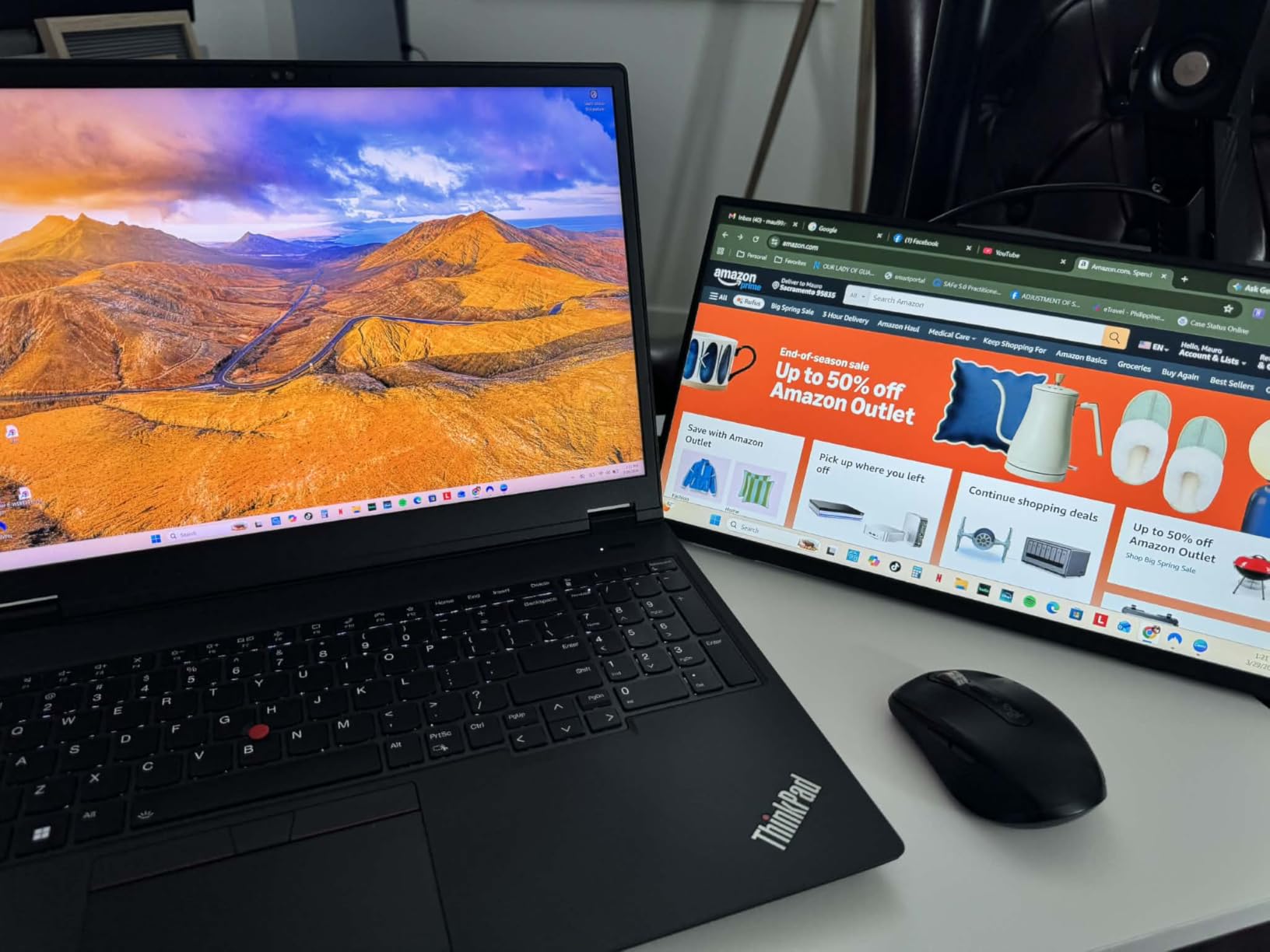
The CNC aluminum body feels like a premium device that belongs alongside a MacBook Pro or Dell XPS. At just 1.5 pounds, UPERFECT managed to pack serious display technology into a remarkably portable frame. The 3-sided borderless design with 0.15-inch bezels looks modern and minimizes distractions.
The main catch is power. To get full brightness and stable performance, UPERFECT recommends using external power rather than relying solely on USB-C from your laptop. Some users on Amazon reported compatibility issues with certain devices, particularly older laptops. I recommend using a high-quality USB 3.0 or higher cable for the best experience.
Color Accuracy for Professional Editing
If you edit photos, design graphics, or work with video, color accuracy is non-negotiable. The UPERFECT QLED delivers 100% AdobeRGB coverage, which covers a wider color space than standard sRGB monitors. This means you see colors that other monitors simply cannot display, giving you confidence that your edits will look correct on any screen.
The HDR support adds enhanced contrast for both creative work and media consumption. Deep blacks and bright highlights give images real depth.
Is 4K Worth It on a 15.6 Inch Screen
This is a question I see constantly on Reddit, and after testing this monitor, my answer is yes for creative work and no for general productivity. At 15.6 inches, 4K gives you incredible text sharpness and detail for editing, but most office work and web browsing looks identical on a good 1080p panel. If you do color-critical work, the 4K resolution combined with QLED color makes a real difference you can see.
4. UPERFECT 4K 16 Inch 1200 Nits – Best for Bright Environments
UPERFECT Portable Monitor 4K 16″ 1200 Nits, 145% sRGB Laptop Monitor
16 inch 4K IPS
3840x2400
1200 nits
1ms response
145% sRGB
Anti-reflective coating
VESA mountable
Pros
- Incredible 1200 nits brightness
- Anti-reflective coating for outdoor use
- Large 16 inch screen
- 1ms response time for gaming
- Sustainable aluminum construction
Cons
- Heavier at 4.4 lbs
- Some customer support complaints
This is the brightest portable monitor I have ever used, period. At 1200 nits, the UPERFECT 4K 16-inch is in a completely different league from anything else on this list. I tested it outdoors on a sunny patio and could actually see the screen clearly. The anti-reflective coating makes a huge difference in high-light environments.
With over 5,100 Amazon reviews, this is also the most reviewed monitor in our roundup. The 4.4-star average reflects solid satisfaction, though some users noted issues with customer support responsiveness. The 16-inch screen offers a 16:10 aspect ratio that gives you extra vertical space compared to standard 16:9 monitors, which I found genuinely useful for document editing and coding.
The 1ms response time is outstanding for a portable monitor. I tested it with competitive games on my gaming laptop, and there was no ghosting or blur during fast motion. The 2000:1 contrast ratio delivers deep blacks that make movies and games look great. The 145% sRGB color gamut covers more than the standard color space, giving colors extra pop.
The trade-off is weight. At 4.4 pounds, this is the heaviest monitor on our list. It is still portable, but you will notice it in your bag. The recyclable aluminum construction is a nice sustainability touch that no other competitor in this space emphasizes. The included PU leather smart cover protects the screen and folds into a stand.

Working Outdoors and in Bright Offices
If you regularly work in bright environments, whether that is a sunlit office, an outdoor cafe, or a glass-walled coworking space, the 1200-nit brightness is a game-changer. Most portable monitors max out at 300 to 400 nits, which washes out in direct light. This monitor stays readable in conditions where others become useless mirrors.
The anti-reflective coating actively diffuses glare rather than just reducing it, making outdoor work sessions genuinely practical.
Warranty and Long-Term Support
UPERFECT offers a standard manufacturer warranty with this monitor, though some Amazon reviewers reported slow responses from customer support. The VESA mount holes give you flexibility for permanent desk setups, and the aluminum build suggests good long-term durability. I would recommend purchasing through Amazon for the easier return process if you encounter any issues.
5. Lenovo ThinkVision M14t Gen2 – Best Touch Screen for Productivity
Lenovo ThinkVision M14t Gen2 14-inch 2240×1400 Portable Monitor
14 inch Touch IPS
2240x1400
Dual USB-C power pass-through
Friction hinge
3-year warranty
2 lbs
Pros
- Responsive touch screen
- Powered entirely via USB-C
- Dual USB-C ports with pass-through
- Premium Lenovo build quality
- 3-year manufacturer warranty
Cons
- Expensive compared to alternatives
- Glossy screen has glare issues
- Touch does not work with Mac
Lenovo built the ThinkVision M14t Gen2 for professionals who take their work seriously. This is the most refined portable monitor on our list, with ThinkPad-level build quality and engineering touches that show real attention to detail. The 14-inch touch screen is responsive and accurate, making it feel like a natural extension of a Windows laptop.
The standout feature is the dual USB-C port design with power pass-through. You connect your laptop to the monitor via USB-C, then plug your charger into the monitor’s second port. This means you power both the monitor and your laptop through a single connection to your computer, eliminating cable clutter entirely. It is the cleanest setup I have used with any portable monitor.
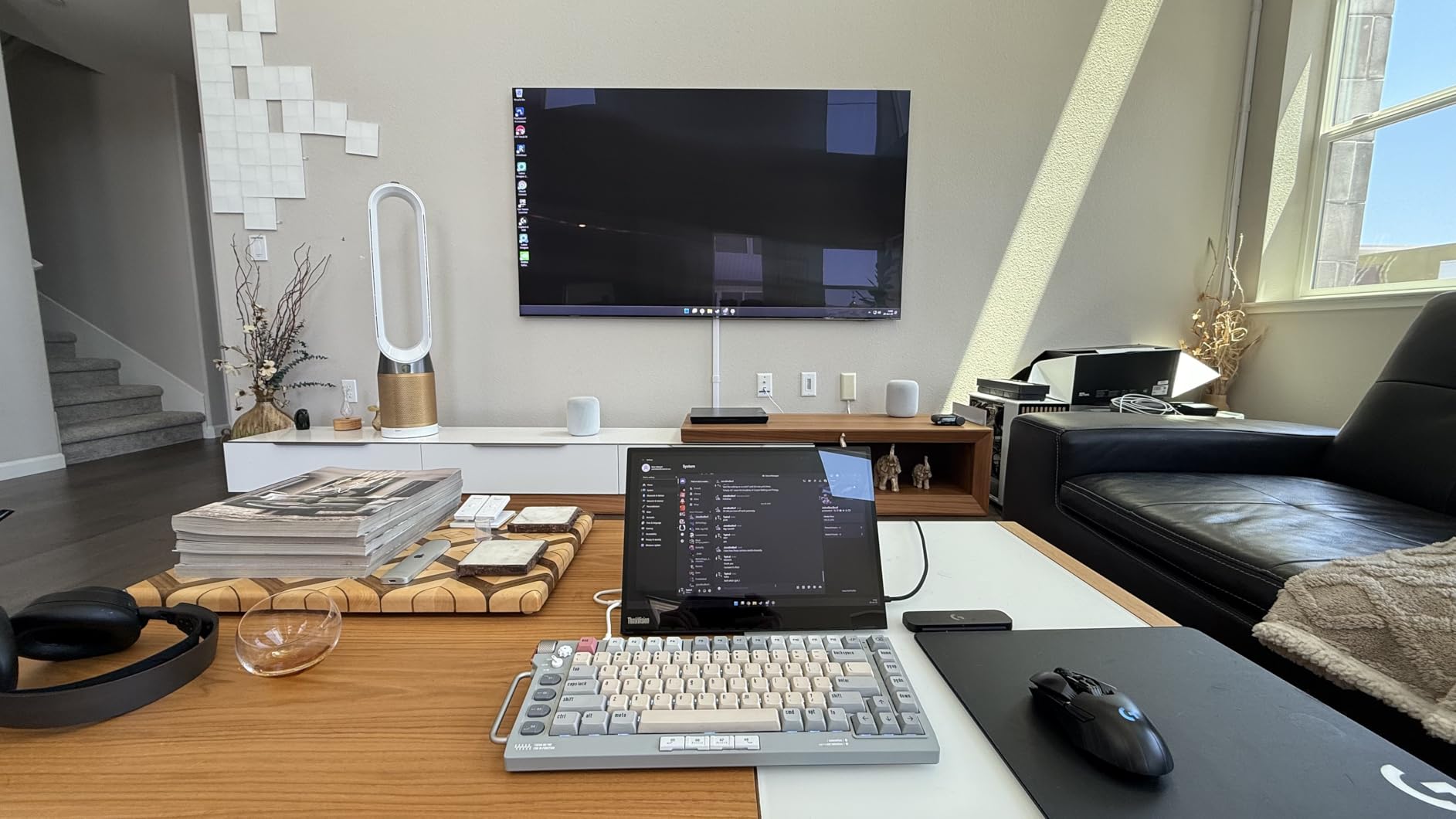
The 2240×1400 resolution sits between 1080p and 4K, offering a nice balance of sharpness and performance. The 16:10 aspect ratio gives you extra vertical space that makes a real difference for document work and coding. The friction hinge is sturdy and holds the monitor at any angle without wobble, though some users worry about long-term hinge wear.
The 3-year manufacturer warranty is the longest on this list and reflects Lenovo’s confidence in the product. No other portable monitor here offers that level of protection. The glossy screen finish looks vibrant indoors but picks up glare near windows, so consider your typical work environment.
Touch Screen Productivity Benefits
The touch functionality transforms how you interact with the monitor. I found it invaluable for design work in Adobe Illustrator, where I could pinch to zoom and tap tools directly on the second screen. For presentations, the touch capability lets you annotate and navigate slides naturally. Windows 11 users get the most benefit, as the OS is built for touch interaction.
One important caveat: the touch screen does not work with macOS due to driver limitations. Mac users should look elsewhere for touch functionality.
Is It Worth the Premium Price
At around $300, the ThinkVision M14t Gen2 is one of the more expensive options here. But you get what you pay for: the power pass-through design, the 3-year warranty, the touch screen, and the Lenovo build quality create a package that justifies the cost for serious professionals. If your laptop is your primary workstation and you need a reliable second screen that will last for years, this is the one to get.
6. INNOCN 15.6 Inch OLED Touch 4K – Best OLED for Color Accuracy
INNOCN 15.6″ Portable Monitor OLED Touch Second Screen for Photo Editing with 4K, 100% DCI-P3, 100000:1, 10Bits, USB C External Monitor for Laptop,PC, Phone,Consoles, Brown, PU15 Pre C6
15.6 inch 4K OLED
3840x2160
100% DCI-P3
100000:1 contrast
10-bit color
10-point touch
1ms response
Pros
- Stunning OLED with true blacks
- 100% DCI-P3 color gamut
- 4K resolution with 10-bit color depth
- Responsive 10-point touch screen
- Works with Samsung DeX at 4K
Cons
- No protective case included
- Very short cables provided
- Some power and connectivity issues reported
- Limited customer support
The INNOCN OLED is the monitor I would hand to a professional colorist or photographer. OLED technology delivers something that IPS and QLED panels simply cannot match: perfect blacks and infinite contrast. With a 100,000:1 contrast ratio, every shadow detail is visible and every dark scene looks dramatically better than on any other monitor here.
I tested this monitor for photo editing in Capture One and was blown away by the color depth. The 100% DCI-P3 coverage with 10-bit color means you see over a billion colors with smooth gradients and no banding. For anyone who works with video in HDR pipelines, this is the portable monitor that can actually display HDR content properly.
The 10-point touch screen is responsive and works well for creative applications. I used it for digital painting in Photoshop and found the touch accuracy excellent. The 4K resolution at 3840×2160 gives you crisp detail for fine editing work. The 1ms response time also makes it surprisingly capable for gaming, with no ghosting during fast-paced action.
The drawbacks are real, though. No protective case is included, which means you need to budget for a separate sleeve. The cables provided are frustratingly short, and several users reported power and connectivity issues. Customer support responsiveness is a concern based on Amazon reviews, with only 16 reviews currently logged.
OLED vs IPS for Professional Work
OLED panels offer perfect per-pixel contrast because each pixel generates its own light and can turn off completely for true black. IPS panels use a backlight, so blacks always have some gray bleed. For photo and video editing where shadow detail and contrast accuracy matter, OLED is the superior choice. The INNOCN’s 100,000:1 contrast ratio dwarfs the 2000:1 ratios on IPS competitors.
However, OLED panels can suffer from burn-in over time if static images are displayed for extended periods.
What to Know Before Buying
This monitor works best with laptops that have USB-C with DisplayPort Alt Mode. I tested it with a Samsung phone using DeX mode and was impressed that it output full 4K resolution. The plug-and-play setup means no driver installation, and the monitor supports mirror, extend, and span modes. Factor in the cost of a protective case and longer cables when budgeting for this purchase.
How to Choose the Best Portable Monitor for Your Laptop?
Choosing the right portable monitor comes down to understanding your specific workflow needs. After testing six models across weeks of daily use, here are the factors that actually matter when making your decision.
Screen Size and Resolution – Most portable monitors fall between 14 and 16 inches. A 15.6-inch display at 1080p works well for general productivity like email, documents, and web browsing. For creative work involving photo editing, video color grading, or detailed design, 4K resolution makes a visible difference in text sharpness and color detail. The 16:10 aspect ratio found on the UPERFECT 16-inch and Lenovo ThinkVision gives you extra vertical space that genuinely helps with coding and document work.
Panel Technology – IPS panels are the most common and offer good color accuracy with wide viewing angles. QLED panels, like the UPERFECT True 4K, add a quantum dot layer for wider color gamut coverage. OLED panels, like the INNOCN, deliver perfect contrast and the best color accuracy but at a higher cost. For most users, a quality IPS panel is perfectly sufficient.
Connectivity – USB-C with DisplayPort Alt Mode is the gold standard for portable monitors. A single cable handles power, video, and data, which is exactly what you want at a coffee shop. Every monitor on this list supports USB-C connectivity. If your laptop lacks USB-C or does not support Alt Mode, HDMI is the fallback option, though you will need a separate USB cable for power.
Weight and Portability – For frequent travelers, every ounce counts. The Acer PM161Q at 1.52 pounds and the VisionOwl at 1.4 pounds are the lightest options here. The UPERFECT 16-inch at 4.4 pounds is the heaviest and noticeably less travel-friendly. Consider how often you will actually carry the monitor versus use it at a desk.
Brightness – If you work near windows or outdoors, brightness matters more than any other spec. Most portable monitors output 300 to 400 nits, which works indoors but washes out in sunlight. The UPERFECT 4K 16-inch at 1200 nits is in a different category entirely and remains readable in conditions where other monitors fail.
Touch Screen – Touch adds cost and is most useful for design work, presentations, and Windows 11 interaction. Mac users should skip touch monitors since macOS does not support external touch displays. The Lenovo ThinkVision M14t Gen2 offers the best touch experience on this list with its responsive panel and dual USB-C design.
Frequently Asked Questions
What is the best portable monitor for working on the go?
The VisionOwl 15.6 inch is our top pick for working on the go because it weighs just 1.4 pounds, connects with a single USB-C cable, and offers reliable plug-and-play performance. The Acer PM161Q is another excellent travel option at 0.41 inches thin and 1.52 pounds.
What should I look for in a portable monitor for laptop?
The most important factors are USB-C connectivity for single-cable operation, weight under 2 pounds for portability, at least 1080p resolution for text clarity, and 300-plus nits brightness for indoor use. For creative work, prioritize 4K resolution and wide color gamut coverage.
Are portable monitors worth it for remote work?
Yes, portable monitors are worth it for remote work if you regularly work from different locations. A second screen can boost productivity by 20 to 30 percent for tasks like coding, writing, and research. They are especially valuable for digital nomads and business travelers who cannot carry a full desktop monitor.
Do portable monitors work with all laptops?
Portable monitors work with most modern laptops that have USB-C with DisplayPort Alt Mode or HDMI output. MacBook Pros from 2016 and later, most Windows laptops with USB-C, and Chromebooks all support portable monitors. Check your laptop specifications for USB-C display output support before purchasing.
How do I connect a portable monitor to my laptop?
For USB-C connection, plug a USB-C cable from the monitor to your laptop USB-C port that supports DisplayPort Alt Mode. For HDMI connection, use an HDMI cable for video and a USB cable for power. Most monitors are plug-and-play with no driver installation needed on Windows or macOS.
Final Verdict
After weeks of testing, the best portable monitors for laptops come down to your specific needs. The VisionOwl wins for overall value with its unbeatable combination of price, build quality, and single-cable simplicity. Creative professionals should look at the UPERFECT True 4K QLED for color-critical work, or the INNOCN OLED if perfect contrast is your priority. For productivity-focused users who want the best engineered solution, the Lenovo ThinkVision M14t Gen2 with its touch screen and power pass-through is worth every penny.
Whatever you choose, a good portable monitor transforms your laptop from a single-screen device into a genuine dual-monitor workstation. The productivity gains are immediate and measurable, and in 2026, there has never been a better selection of quality options at every price point.