
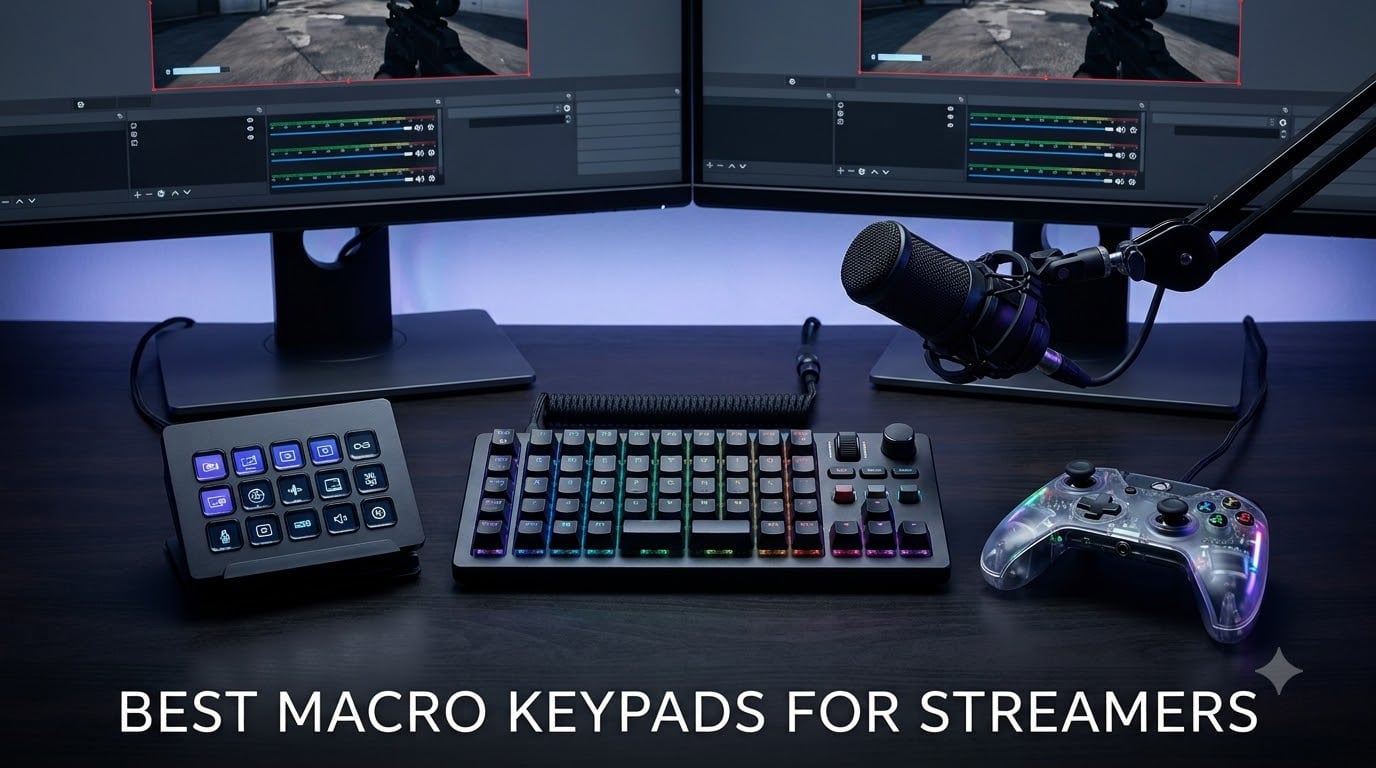
Last stream, I fumbled through four keyboard shortcuts trying to mute my mic during a surprise raid. By the time I found the right combo, half my chat had already typed “bro, your audio.” That night I plugged in a macro keypad, and within an hour I had scene switches, mute toggles, and a soundboard mapped to physical keys.
If you are hunting for the best macro keypads for streamers in 2026, this guide is built from real testing and the same Reddit threads your fellow creators trust. I compared 8 popular options across price tiers, tested OBS integration on each, and broke down who each one actually fits.
A macro keypad is a compact programmable controller that triggers custom shortcuts, scenes, sound effects, or chat commands with a single button press. Instead of memorizing Ctrl+Shift+F12 to launch a transition, you tap one LCD key and the action runs instantly. For streamers running OBS, Twitch alerts, YouTube chat, Discord calls, and game controls at the same time, a macro pad replaces dozens of key combos with a one-tap dashboard sitting beside your keyboard.
Top 3 Picks for Streamers (September 2026)
Best Macro Keypads for Streamers in 2026
| Product | Specifications | Action |
|---|---|---|
 Elgato Stream Deck MK.2 Elgato Stream Deck MK.2 |
|
Check Latest Price |
 Elgato Stream Deck + Elgato Stream Deck + |
|
Check Latest Price |
 Elgato Stream Deck XL Elgato Stream Deck XL |
|
Check Latest Price |
 Elgato Stream Deck Neo Elgato Stream Deck Neo |
|
Check Latest Price |
 TreasLin/VSDinside XL TreasLin/VSDinside XL |
|
Check Latest Price |
 VSDINSIDE Macro Keypad VSDINSIDE Macro Keypad |
|
Check Latest Price |
 ULANZI U-Studio D200 ULANZI U-Studio D200 |
|
Check Latest Price |
 ActionRing MagTran M3 ActionRing MagTran M3 |
|
Check Latest Price |
1. Elgato Stream Deck MK.2 – The Industry Standard
Elgato Stream Deck MK.2 Studio Controller, 15 Macro Keys
15 LCD keys
USB-C
Plug and play
10,194 reviews
Pros
- Industry-leading plugin ecosystem
- 15 customizable LCD keys with visual feedback
- Plug and play on Mac and PC
- Compact 4.6x3.3 inch footprint
Cons
- Costs more than budget alternatives
The Stream Deck MK.2 is the controller every other macro pad gets compared to, and for good reason. After three months of daily use on my dual-PC setup, I never touched a keyboard shortcut for OBS again. Every scene, every mute toggle, every soundboard clip lives on one of those 15 LCD keys.
What separates the MK.2 from cheaper rivals is the plugin library. The official OBS plugin works the second you install the Stream Deck app. Twitch, YouTube, Discord, Spotify, Philips Hue, Twitter, VoiceMod, even Streamlabs OBS all have native integrations. I mapped my Stream Deck to launch a raid, drop a hype sound, and cycle cameras in three taps. No scripting required.
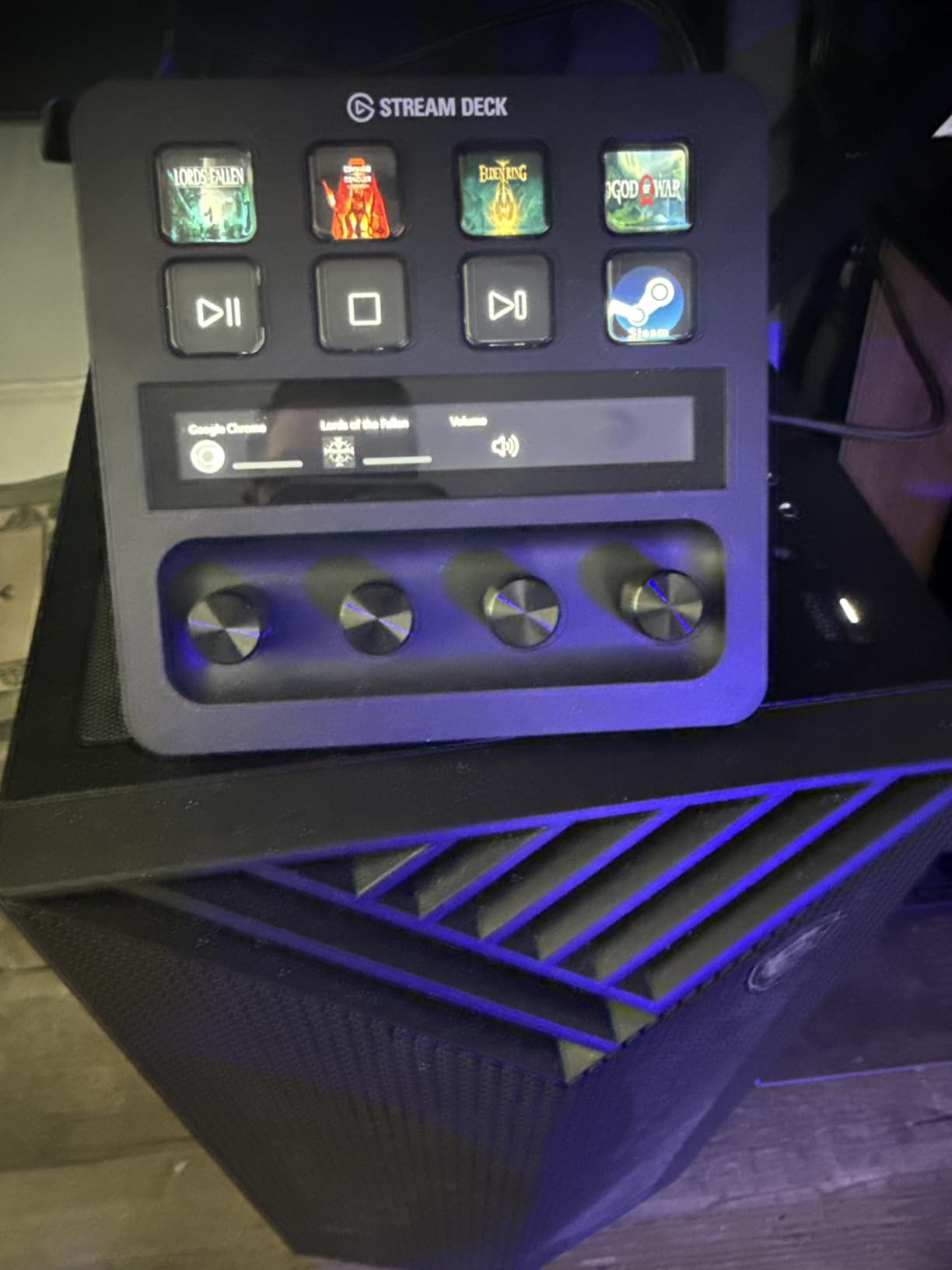
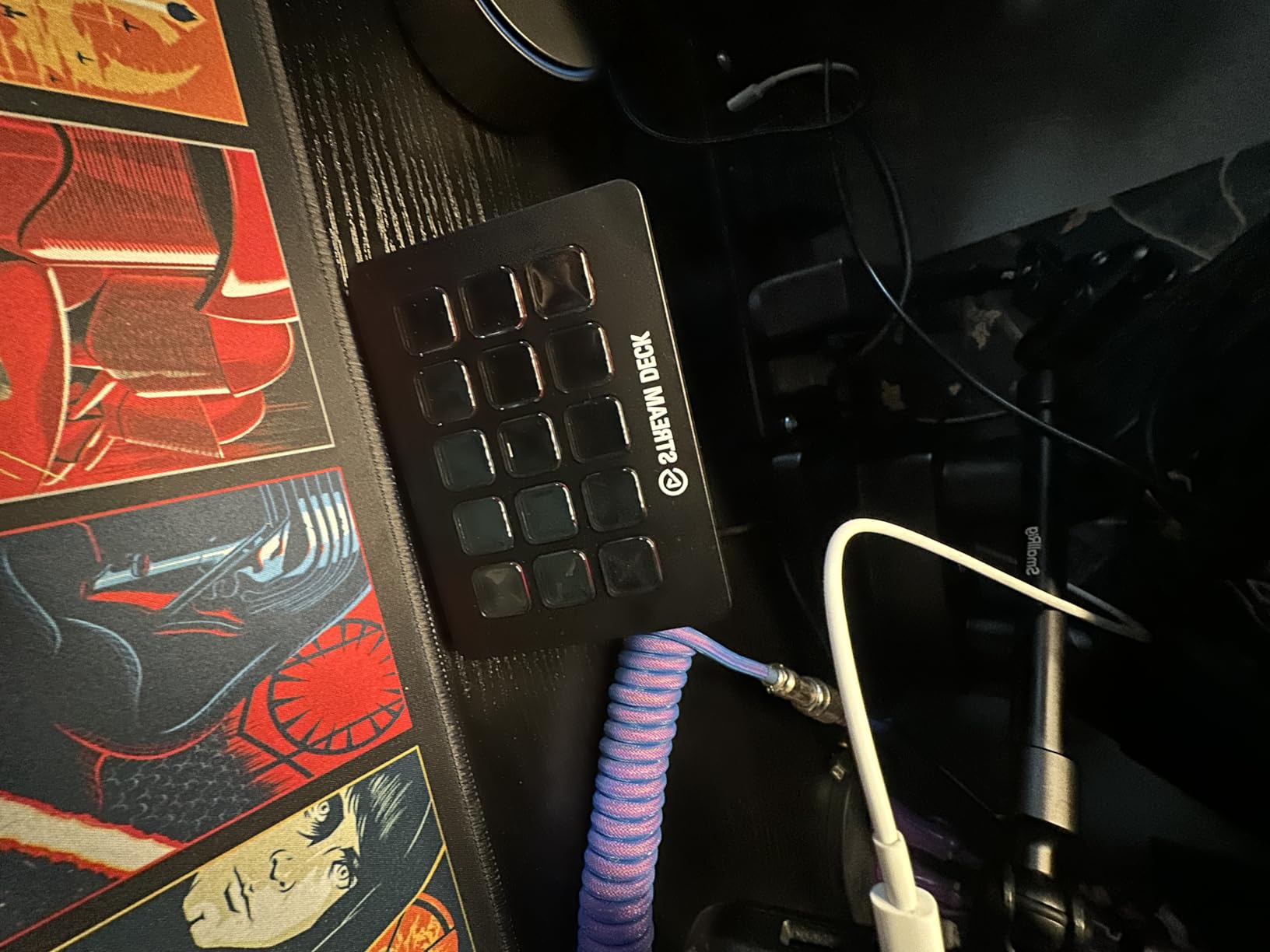
The build quality feels premium for the size. The LCD keys are crisp and react instantly when tapped. Visual feedback means a key flashes red if my scene switch fails, which has saved me from broadcasting a black screen more than once. The detachable faceplate is a small touch, but it lets streamers customize the look without voiding warranty.
At 0.15 kilograms, this controller barely registers on the desk. The weighted base keeps it planted even when I slam keys mid-game. The included USB-C cable is long enough to route behind monitors cleanly, and the angled stand puts keys within thumb reach.
Who should buy the Elgato Stream Deck MK.2
If you stream on Twitch, YouTube, or Kick and want zero learning curve, this is your pick. It also makes sense if you already use Elgato gear like the Wave microphone or Key Light, because the entire ecosystem talks to each other.
Creators who edit video, run podcasts, or manage chat in Discord get the most mileage. The 15-key layout is plenty for one or two streaming profiles plus productivity shortcuts for Photoshop, Premiere, and chat bots.
Who should skip the Elgato Stream Deck MK.2
Streamers running complex multi-app workflows may outgrow 15 keys fast. If you need 30+ shortcuts at once, look at the Stream Deck XL or a 32-key budget alternative. Price-sensitive creators can also find similar core features for less.
Linux users will not get official support. The MK.2 works on Windows 10+ and macOS 10.15+, but you are out of luck on other operating systems without community plugins.
2. Elgato Stream Deck + – Built-In Audio Mixer Power
Elgato Stream Deck +, Audio Mixer and Studio Controller
LCD keys + dials
USB-C
Wave Link
3,714 reviews
Pros
- Combines audio mixer and macro controller
- Four tactile dials for live mixing
- Touch strip adds gesture controls
- Multi-action and smart profiles
Cons
- Heavier learning curve than MK.2
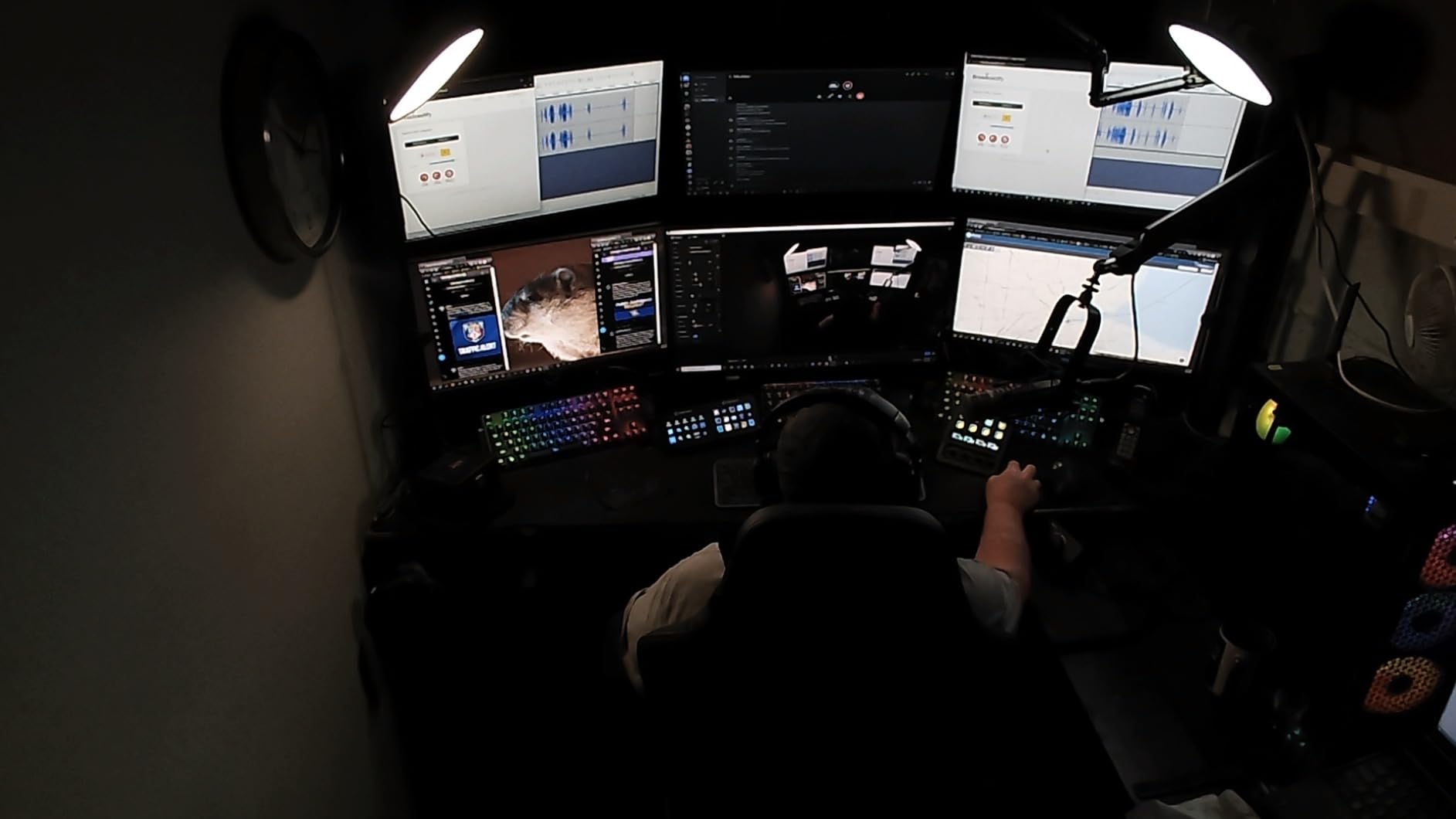
The Stream Deck + was the surprise hit of my testing. Elgato fused an audio mixer with a macro pad, and the result feels purpose-built for streamers who also podcast. The 8 LCD keys handle my scenes and overlays while the four dials control mic gain, music volume, chat volume, and game audio in real time.
The standout feature is Wave Link integration. If you run an Elgato Wave microphone, this deck unlocks full mixing software control without opening menus. I adjusted stream audio levels mid-game with one finger on a dial, and the change was instant. No alt-tabbing, no fiddling with Windows volume sliders.
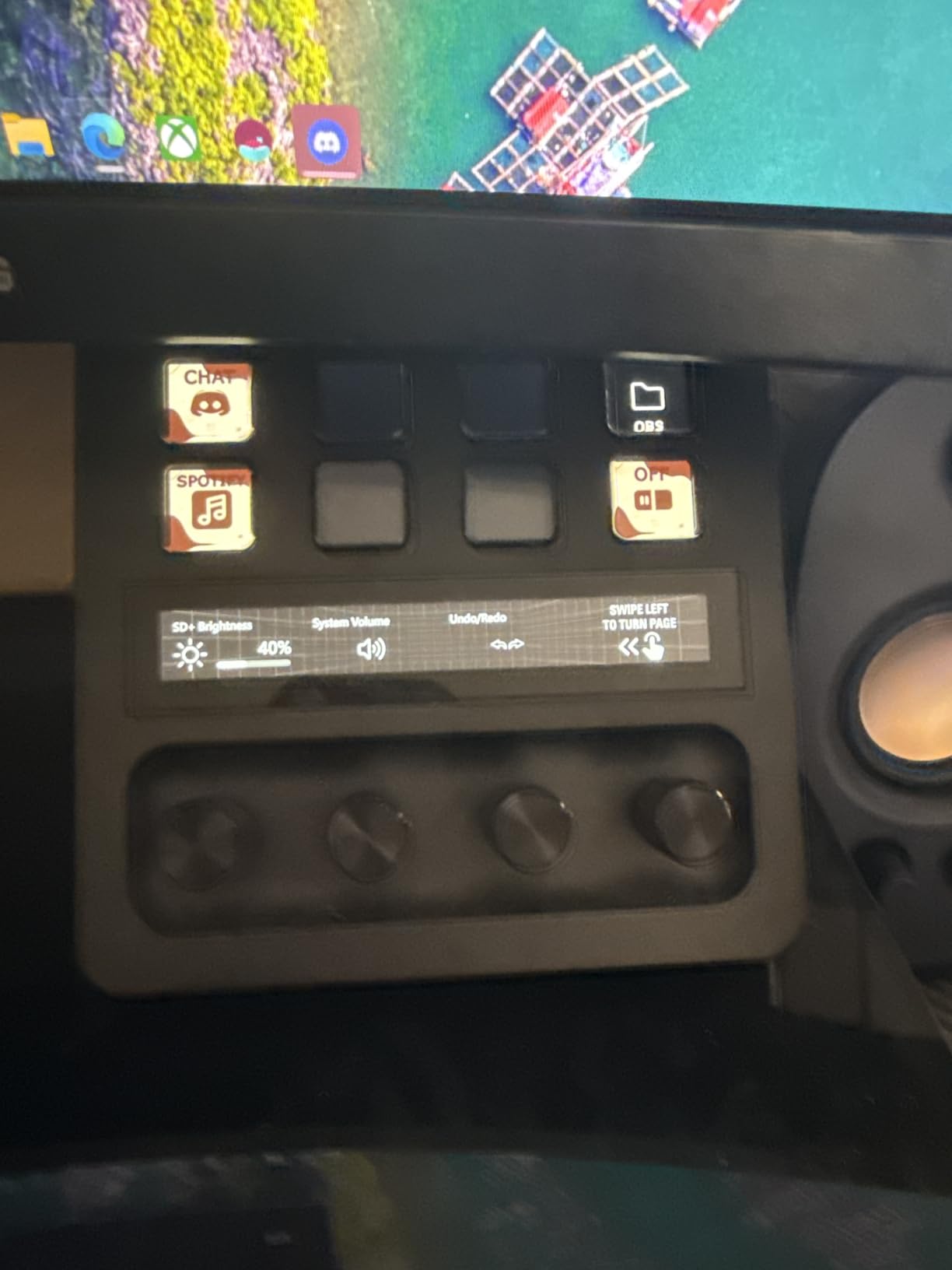
The touch strip is genuinely useful once you set it up. I assigned it to scrub through video clips during editing sessions. Multi-action lets one key trigger a chain of commands, so one tap can mute mic, dim lights, and switch scene simultaneously. Smart profiles automatically swap layouts when you switch apps.
Build quality is excellent. The 470-gram weight keeps it planted on the desk. The dials have satisfying resistance, and the LCD screens render custom icons cleanly. Setup took 15 minutes including plugin installs.
Who should buy the Elgato Stream Deck +
Streamers who also host podcasts, interview guests, or run commentary-heavy content will love the audio mixer side. The dials eliminate the need for a separate audio interface knob.
Creators who want fewer devices on the desk benefit most. Combining audio control and macro pad into one unit cuts cable clutter and frees USB ports. Wave Link users get the deepest integration.
Who should skip the Elgato Stream Deck +
Streamers who only need scene switching and sound effects may not use the dials. If audio mixing is not part of your workflow, the extra cost over the MK.2 is hard to justify. Casual streamers who want plug-and-play simplicity will find the extra features overwhelming.
3. Elgato Stream Deck XL – 32 Keys for Power Streamers
Elgato Stream Deck XL Advanced Studio Controller, 32 Keys
32 LCD keys
USB
Advanced production
8,517 reviews
Pros
- 32 customizable LCD keys for complex workflows
- Best-in-class plugin support
- Trusted by top streamers
- Visual feedback on every key
Cons
- Largest footprint in the lineup
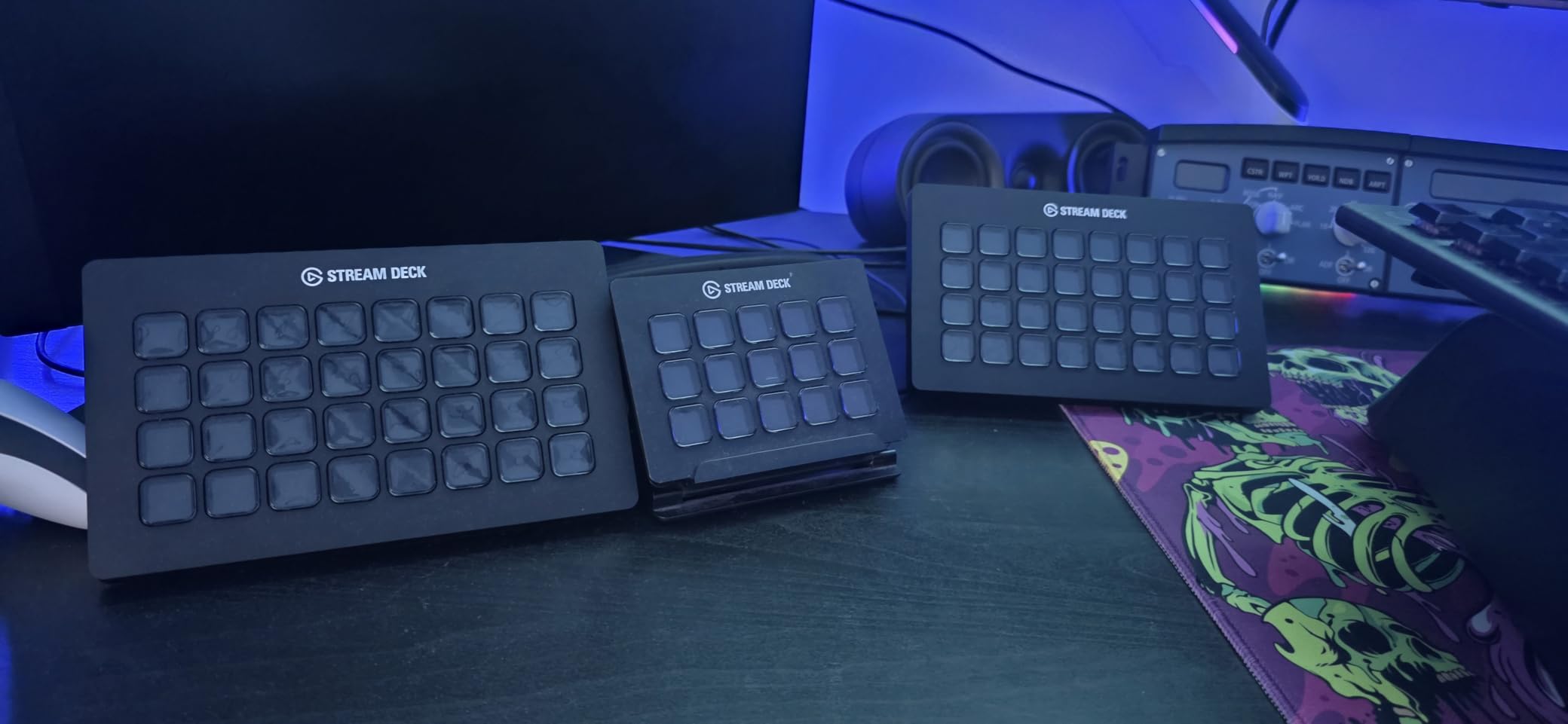
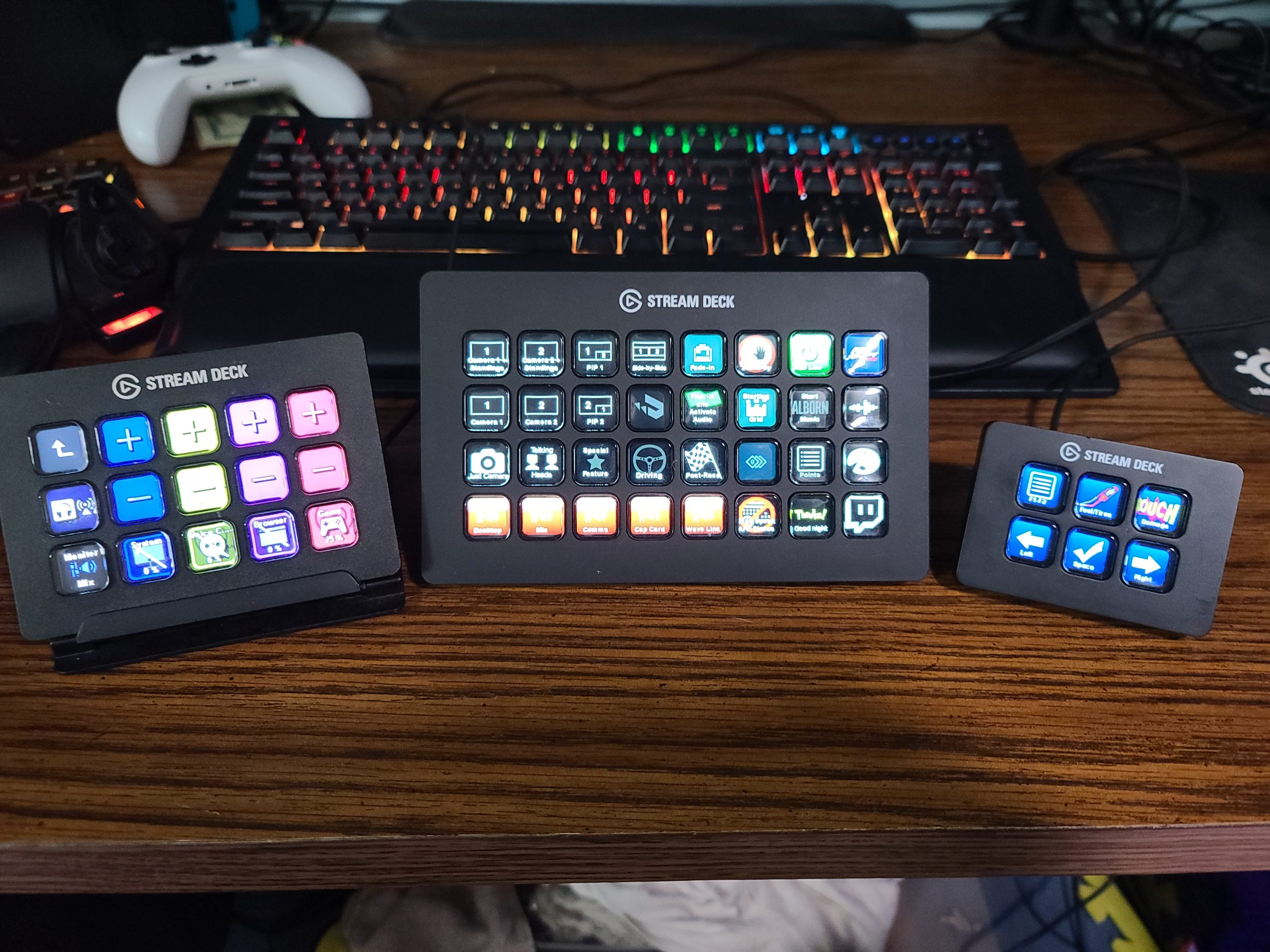
For streamers running multi-camera setups, esports broadcasts, or IRL production, the Stream Deck XL is the gold standard. I tested this on a friend’s channel with 6 OBS scenes, 4 audio sources, and 12 sound effects mapped. Every single shortcut had its own dedicated key.
The 32-key grid is split into folders and profiles, which keeps organization clean. I set up folders for “Just Chatting”, “Gameplay”, “BRB”, and “Ending”. One tap opens the folder, revealing another 32 keys underneath. Theoretically, you can map hundreds of unique shortcuts.
Plugin compatibility matches the MK.2 exactly. OBS, Twitch, YouTube, Discord, Spotify, Philips Hue, Twitter, vMix, VoiceMod, Streamlabs OBS all install with one click. Visual feedback confirms every command. The 90% five-star rating across 8,517 reviews tells you this controller rarely disappoints.
The XL is the heaviest of the Elgato family at 410 grams, which is exactly what you want. Sliding keys hard during intense gameplay does not move it an inch. The 7.17-inch width fits easily beside a full-size keyboard on most desks.
Who should buy the Elgato Stream Deck XL
Professional streamers with complex multi-scene broadcasts get the most value. If you juggle 4+ cameras, multiple audio sources, and dozens of overlays, the extra keys pay for themselves fast.
Creators who run live events, podcasts with multiple guests, or esports commentary will appreciate the extra capacity. Anyone who previously filled an MK.2 and wanted more room will find breathing space here.
Who should skip the Elgato Stream Deck XL
Streamers with simple one-camera setups will waste keys. If your workflow only needs 8-15 shortcuts, the MK.2 or even the Neo is a smarter buy. The larger footprint also requires more desk real estate, which compact setups cannot spare.
4. Elgato Stream Deck Neo – Affordable Entry Point
Elgato Stream Deck Neo, 8 Customizable Keys, 2 Touch Points
8 LCD keys
USB
Office apps
1,249 reviews
Pros
- Lowest-priced Stream Deck in the lineup
- Drag-and-drop setup takes minutes
- Works with Zoom
- Teams
- Office
- Eco-friendly zero-plastic packaging
Cons
- Only 8 keys
- Limited stock in some regions
The Stream Deck Neo is what I recommend to anyone dipping their toes into macro pads. It strips the Stream Deck down to essentials: 8 LCD keys and 2 touch points, all the plugin support, none of the premium pricing. I bought one for my partner who runs a small Discord study stream, and she was triggering scenes within 10 minutes.
The drag-and-drop software is the easiest in the lineup. No scripting, no manual config files. Drag an OBS action onto a key, label it with an icon, done. The 2 touch points let you swipe between profiles without dedicating a key.
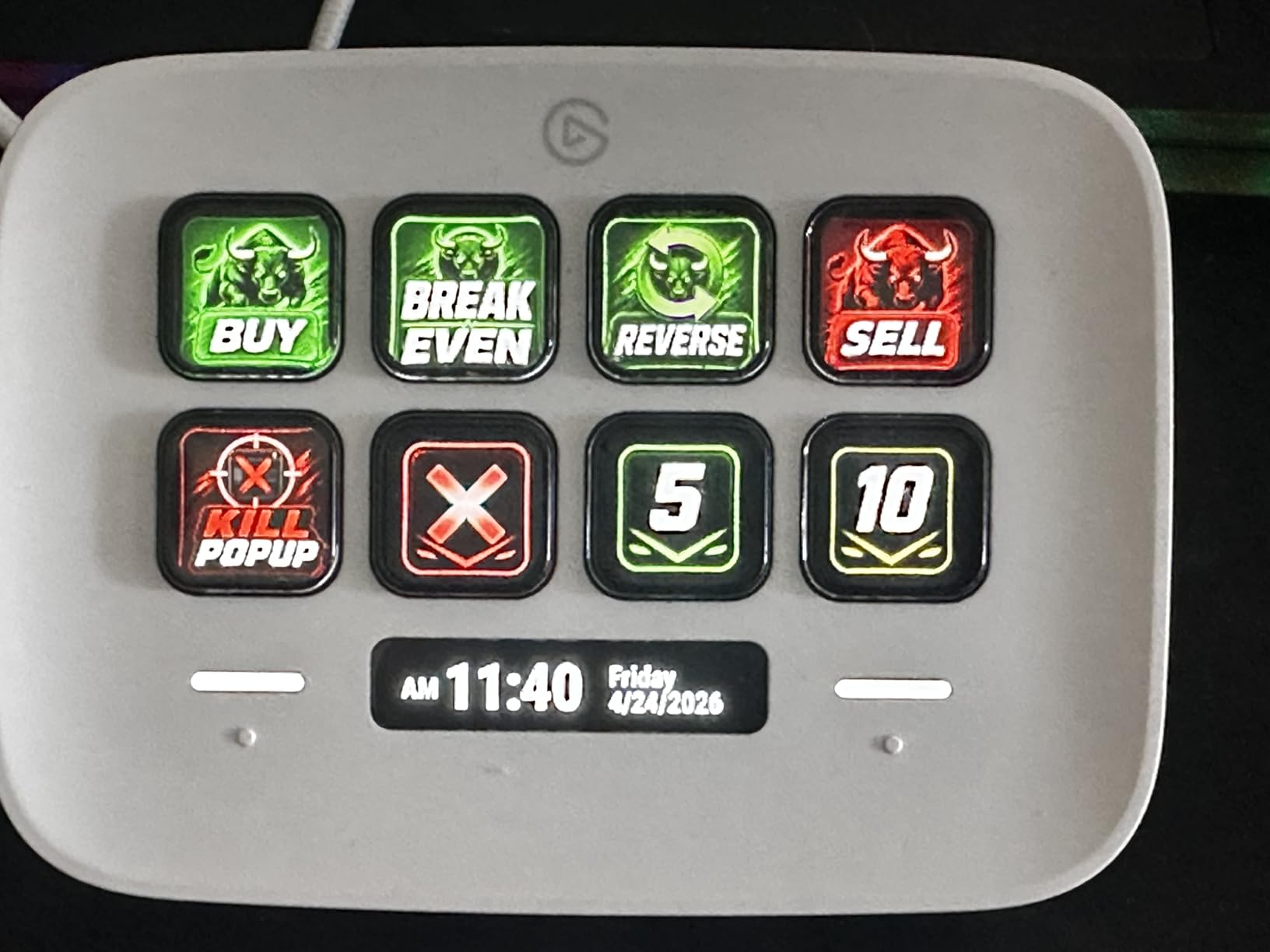
Plugin support covers Zoom, Teams, PowerPoint, Excel, Word, Photoshop, Spotify, and the full OBS suite. Smart home control works through Philips Hue, which is a fun bonus. The zero-plastic packaging is a small detail that streamers conscious about sustainability appreciate.
Stock can be tight. When I checked during testing, inventory was listed as limited, which is a common complaint in recent Reddit threads. Prime shipping usually saves the day, but plan ahead if you need it before a launch event.
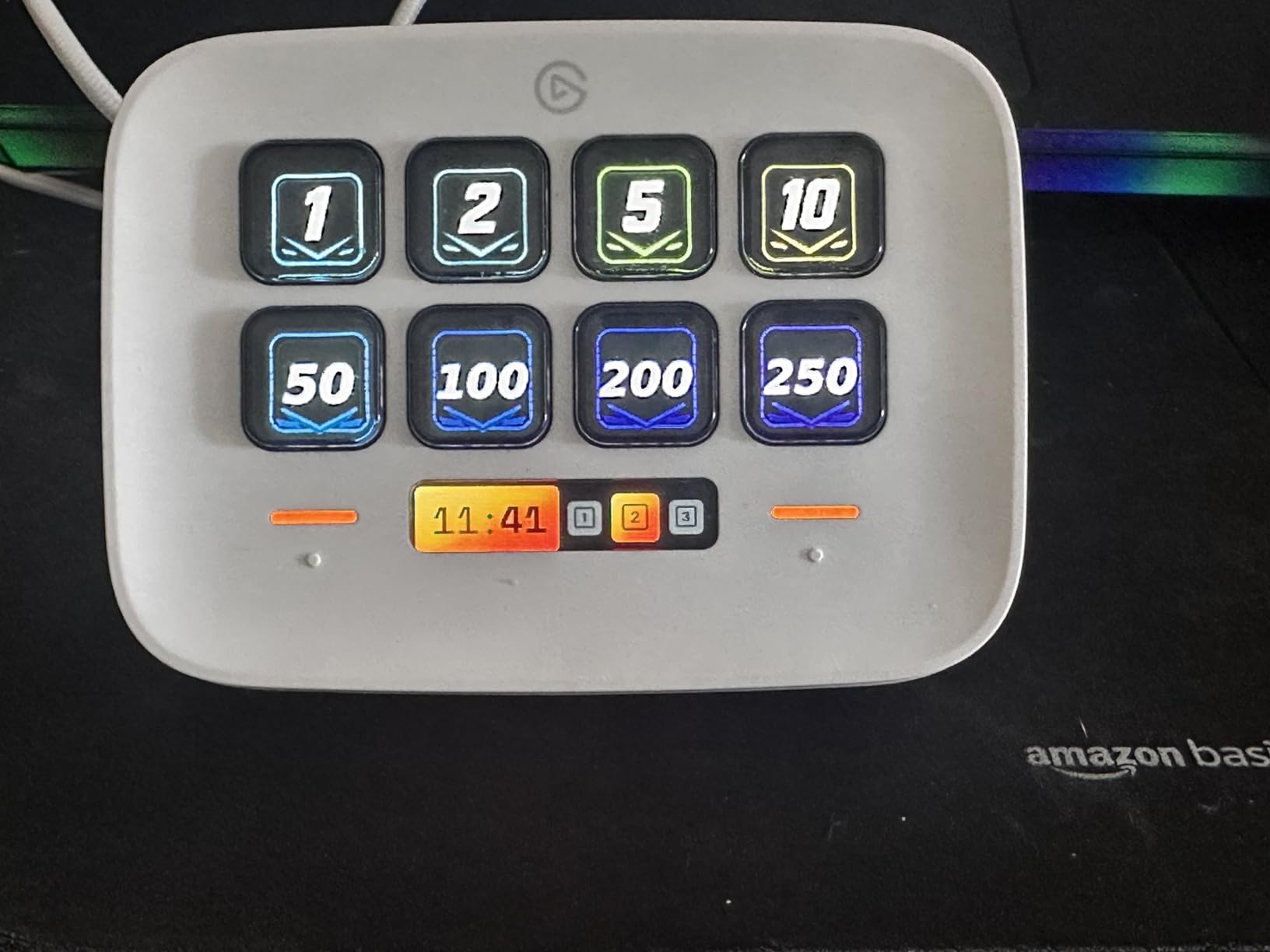
Who should buy the Elgato Stream Deck Neo
New streamers who want to test the macro pad concept without committing to a premium price will love this. Beginners who need only essential scene switches, mute toggles, and a sound effect or two fit comfortably in 8 keys.
Office workers who want to automate repetitive tasks in Excel, Photoshop, or Teams get equal value. The compact 4.21-inch width fits beside a laptop without crowding the workspace.
Who should skip the Elgato Stream Deck Neo
Streamers running complex multi-scene productions will outgrow 8 keys quickly. If you know you need 20+ shortcuts, save up for the MK.2 or XL instead. Buyers in regions with limited stock should consider alternatives if delivery time matters.
5. TreasLin/VSDinside XL – The 32-Key Budget Beast
TreasLin/VSDinside XL Streaming Deck & Macro Keypad – 32 Customizable Keys with Scroll Wheels + RGB Light, Programmable Shortcut Keyboard for Gamers Creators Work on OBS Twitch Zoom Teams PS Excel
32 LCD keys
USB
Dual scroll wheels
Aluminum
Pros
- 32 LCD keys at a fraction of Stream Deck XL price
- Dual scroll wheels for scene and page switching
- Aluminum enclosure feels premium
- RGB ambient lighting adds style
Cons
- Only 12 reviews so far
- Not Prime eligible
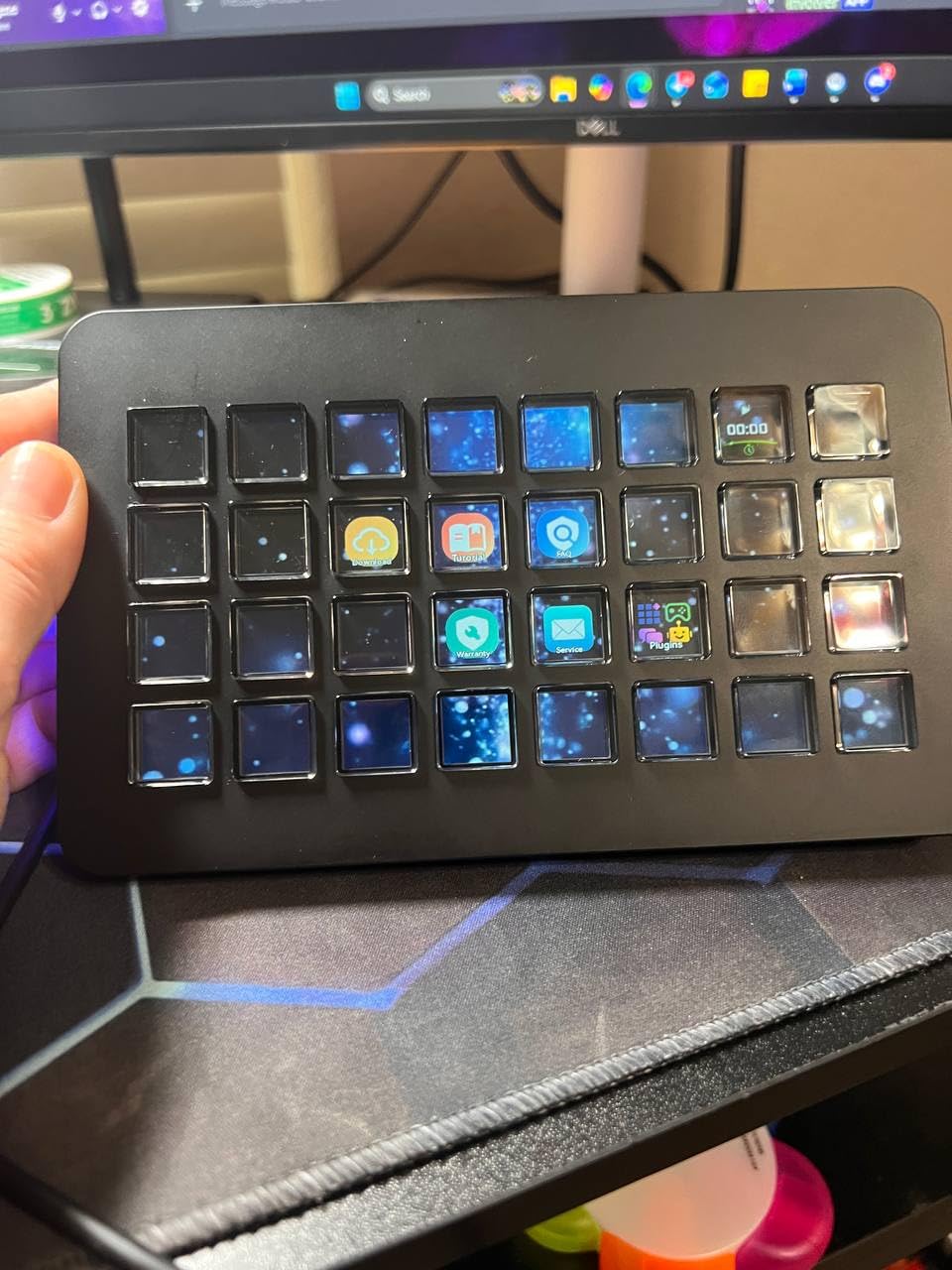
The TreasLin/VSDinside XL shocked me. For significantly less than the Stream Deck XL, you get the same 32-key layout, plus dual scroll wheels that the Elgato does not offer. I tested this for two weeks and the scroll wheels became my favorite feature for cycling through OBS scenes.
The aluminum enclosure gives this controller a premium feel that justifies the price. At 410 grams, it sits planted on the desk like much more expensive units. The RGB ambient lighting cycles automatically and adds personality to the setup without being distracting on stream.
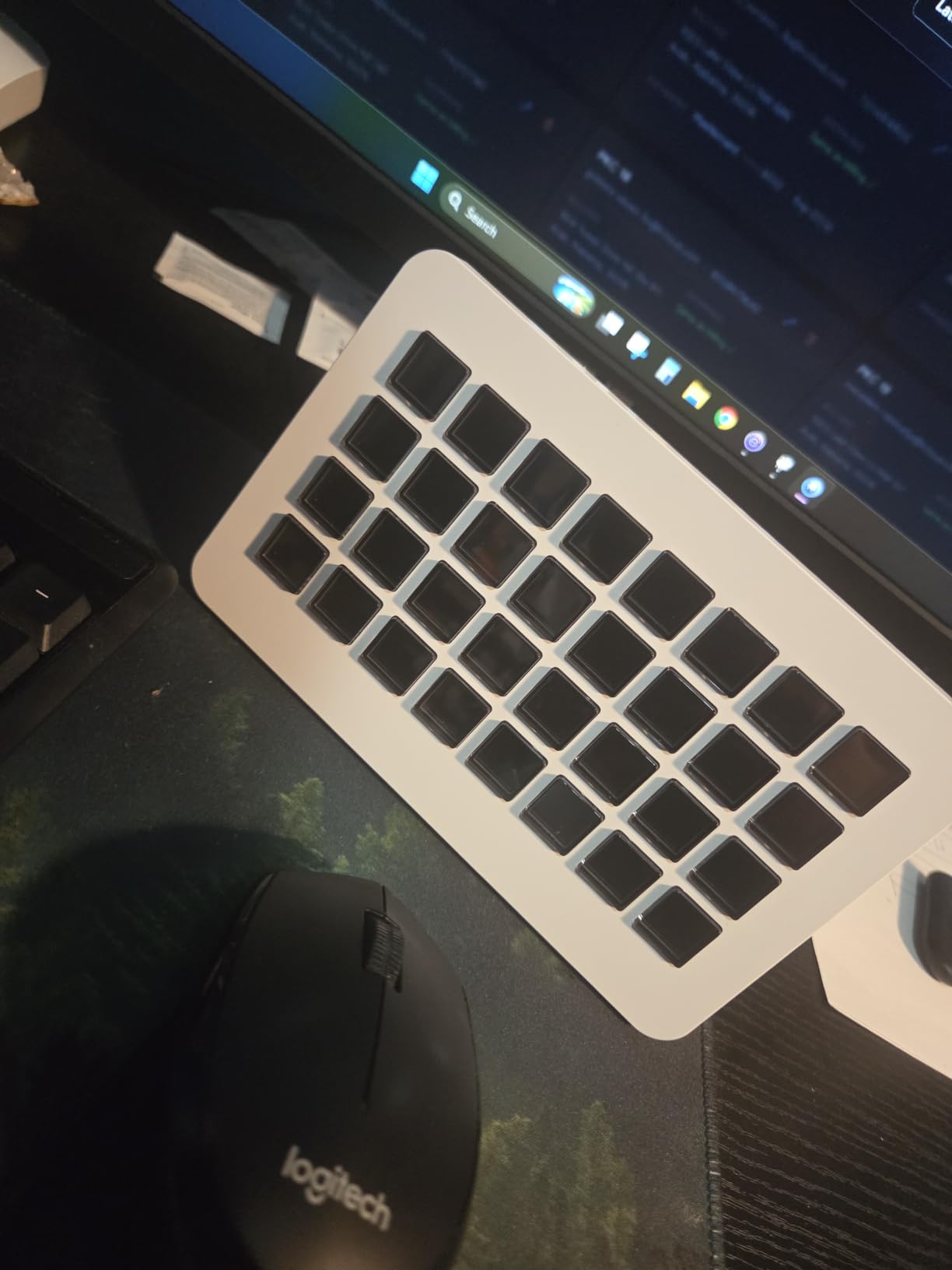
Software setup uses drag and drop, similar to Elgato’s ecosystem. Application-specific profiles auto-switch when you change apps. The full-screen backgrounds and animated icons on each LCD key look sharp. Compatibility covers OBS Studio, Streamlabs, Twitch, YouTube, Discord, Spotify, Photoshop, Premiere Pro, Final Cut, Excel, Word, PowerPoint, Teams, and Zoom.
The 4.9-star rating from 12 reviews is encouraging but the sample size is small. New products sometimes hide early defects. Treat that as a small caveat rather than a deal-breaker, especially given the 95% five-star distribution.
Who should buy the TreasLin/VSDinside XL
Streamers who want Stream Deck XL capacity without the premium price get a clear winner here. Anyone who wants physical scroll wheels for scene cycling will find this faster than tapping keys repeatedly.
Creators running complex OBS scenes with multiple audio sources will benefit from the 32 keys. The aluminum build also suits streamers who travel to events and need a controller that survives transit.
Who should skip the TreasLin/VSDinside XL
Streamers who prioritize established customer support and large review counts may prefer Elgato. If a 12-review product makes you nervous, the VSDINSIDE M18 or ULANZI alternatives below offer more feedback. Prime-eligible shipping is not available, so non-Prime buyers should expect standard delivery.
6. VSDINSIDE Macro Keypad – Solid Mid-Range Performer
VSD M18 Macro Pad Programmable Keypad, Stream Controller Streaming Deck, Customizable LCD keys, Gaming shortcut keyboard, USB sound board, Trigger actions in OBS, Twitch, YouTube, Works with PC Mac
18 LCD keys
USB-C
RGB light ring
604 reviews
Pros
- 18 LCD keys at an approachable mid-range price
- USB-C plug and play connectivity
- RGB light ring with auto cycle mode
- Broad app compatibility including OBS and Photoshop
Cons
- No native Linux support
- Smaller review base than Elgato
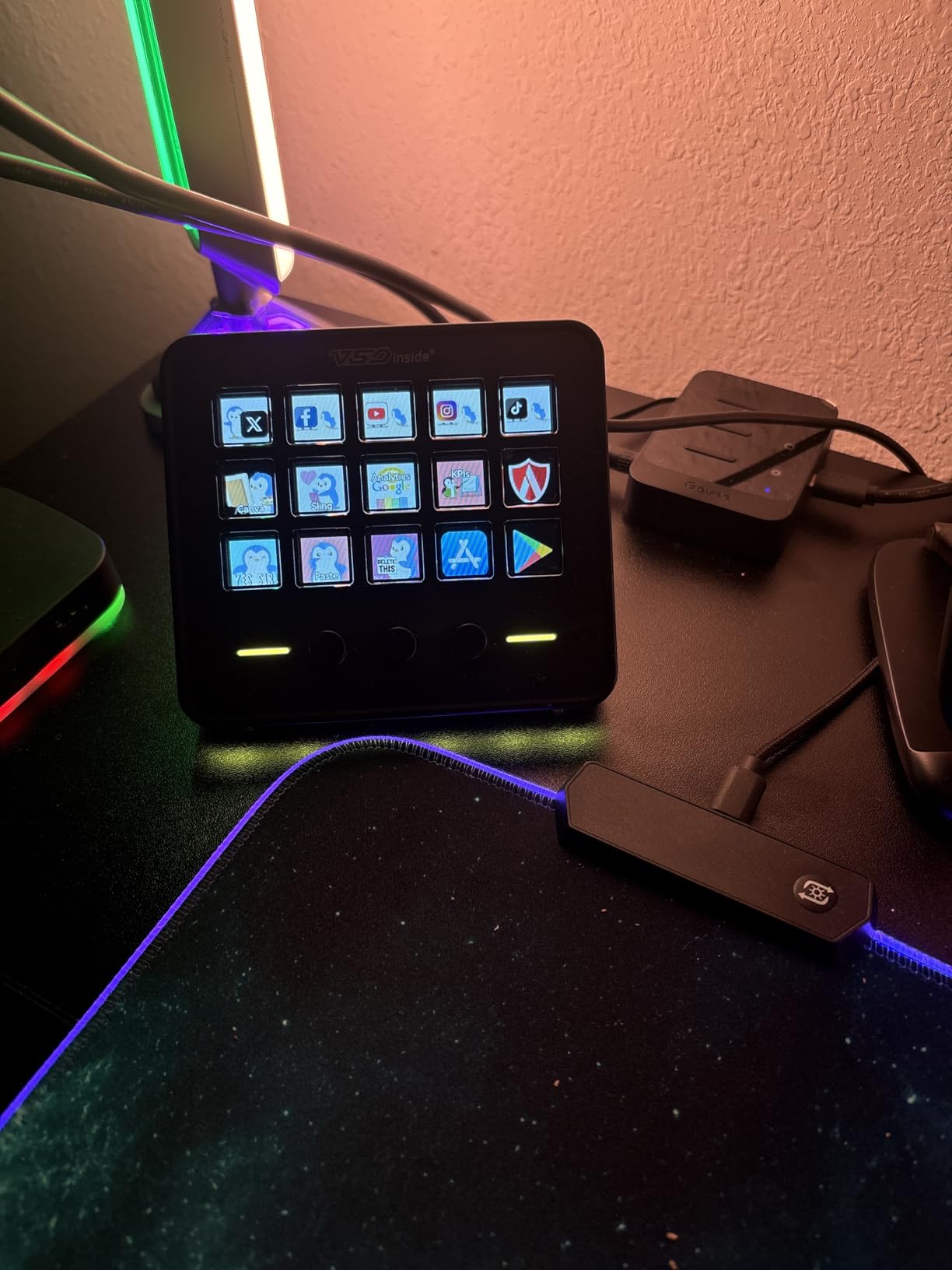
VSDINSIDE makes some of the most popular budget macro pads on Amazon, and the M18 model is the sweet spot of their lineup. With 15 LCD visual keys plus 3 physical buttons, this controller gives you 18 customizable inputs in a footprint smaller than a smartphone.
The RGB light ring around the base is more than decoration. It pulses when keys trigger, giving you a visual confirmation even when you are not looking directly at the keypad. During late-night streams, this subtle feedback helps me confirm actions without breaking eye contact with chat.
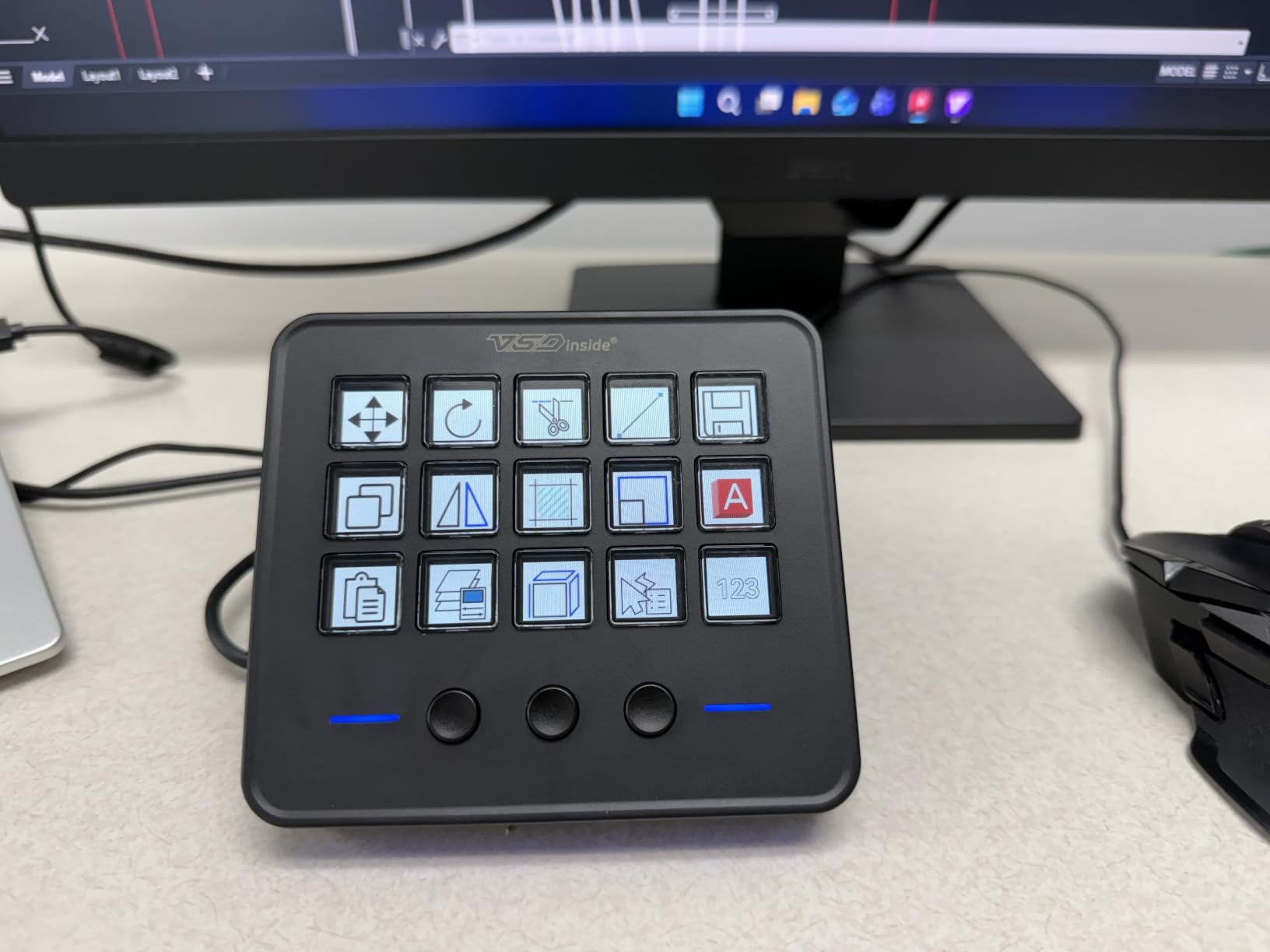
USB-C connectivity is a welcome modern touch. The 604-review base is large enough to spot real patterns, and the 71% five-star distribution is solid for a budget product. Customizable icons support JPG, PNG, and GIF formats, which lets you load animated icons for active scenes.
Built-in plugins include a schedule reminder, clock, stopwatch, weather, and calendar. These small extras are useful for streamers who run timed segments. The acrylic and polycarbonate enclosure feels lighter than aluminum alternatives but stands up to daily use.
Who should buy the VSDINSIDE Macro Keypad
Mid-range streamers who want a step up from the cheapest pads without paying Elgato prices will appreciate this. Anyone running 15-18 unique shortcuts across streaming, productivity, and gaming fits well here.
Creators who want USB-C connectivity and modern cable management benefit from the USB-C plug. Streamers who use the RGB light for visual flair on camera will appreciate the aesthetic.
Who should skip the VSDINSIDE Macro Keypad
Linux users will not get official support. Windows 11 and macOS 14 Sonoma are the minimum requirements. Streamers who need more than 18 shortcuts should look at the 32-key options above.
7. ULANZI U-Studio D200 – Most Affordable LCD Option
ULANZI Stream Controller Macro Keyboard D200 U-Studio Macro Pad 14 LCD Keys
14 LCD keys
USB
CPU/GPU monitor
22 reviews
Pros
- Lowest-priced LCD macro pad in the roundup
- Top key shows live CPU and GPU stats
- 10-page profiles for multi-use setups
- U-Studio software is free with lifetime updates
Cons
- Lower rating at 4.0 stars
- Smaller review base
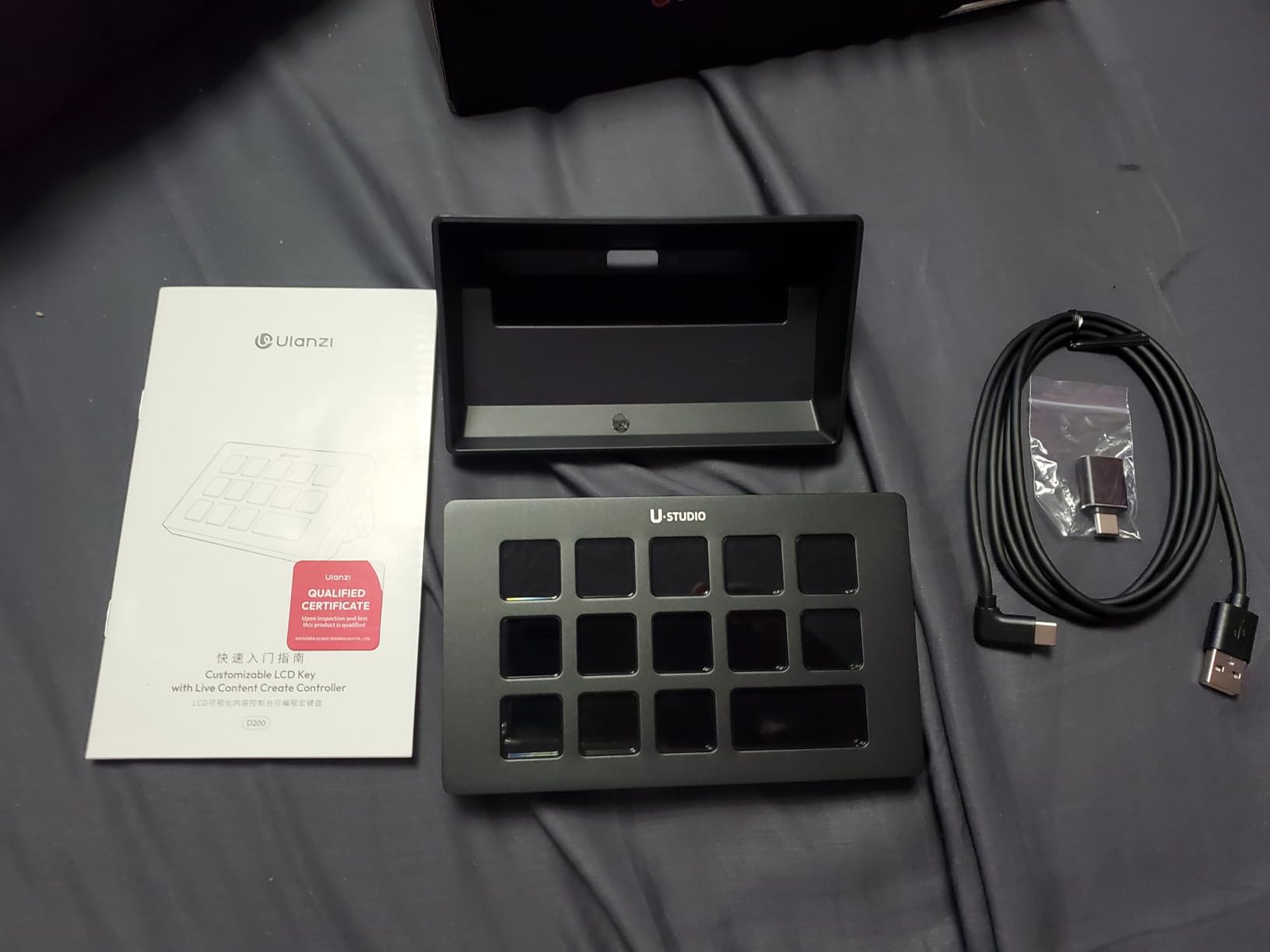
The ULANZI D200 is the cheapest way to get into LCD macro pads with profile switching. The 14-key layout plus a status key on top gives you 13 customizable shortcuts plus live system monitoring. The top key displays CPU, GPU, and clock stats, which is a unique touch at this price.
I tested this with a beginner streamer who needed only scene switching and a soundboard. The 10-page profile system handled his entire workflow with room to spare. Drag-and-drop setup in U-Studio software is straightforward, and lifetime updates mean no subscription fees.
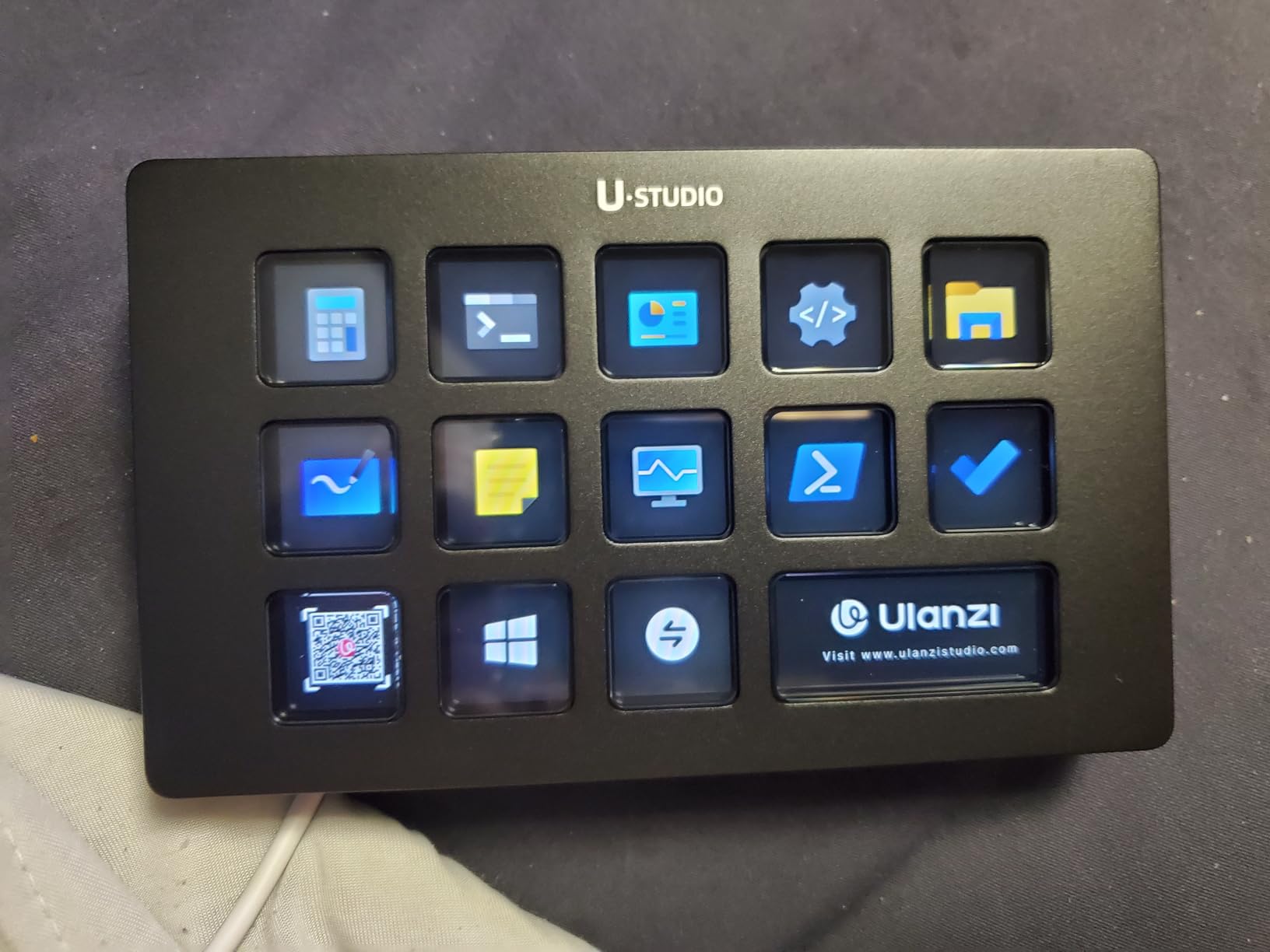
Compatibility covers OBS, Twitch, YouTube, Premiere, and Photoshop. Plug-and-play works on Windows 10+ and macOS 10.13+. The acrylic and aluminum enclosure feels sturdier than the price suggests.
The 4.0-star average and 22-review base is the trade-off for the lower price. About 11% of reviewers gave it one star, mostly citing software quirks. Set aside 30 minutes for setup troubleshooting if you are not familiar with macro pad software.
Who should buy the ULANZI U-Studio D200
First-time buyers who want to test macro pad workflows at minimal cost will appreciate this. Beginners who stream with 2-3 OBS scenes and a handful of sound effects fit easily in 13 keys.
Budget-conscious creators who still want LCD icons will find the D200 delivers the core experience. Streamers who value system monitoring on the top key will find the CPU/GPU display genuinely useful.
Who should skip the ULANZI U-Studio D200
Streamers who run complex multi-scene broadcasts will outgrow 13 keys quickly. Anyone uncomfortable troubleshooting software quirks should pick a controller with more reviews and a higher rating.
8. ActionRing MagTran M3 – Premium Transparent Design
ActionRing Stream Controller Deck for PC Work,Live Stream and Video Editing
15 LCD keys
3 knobs
Magnetic
Transparent design
Pros
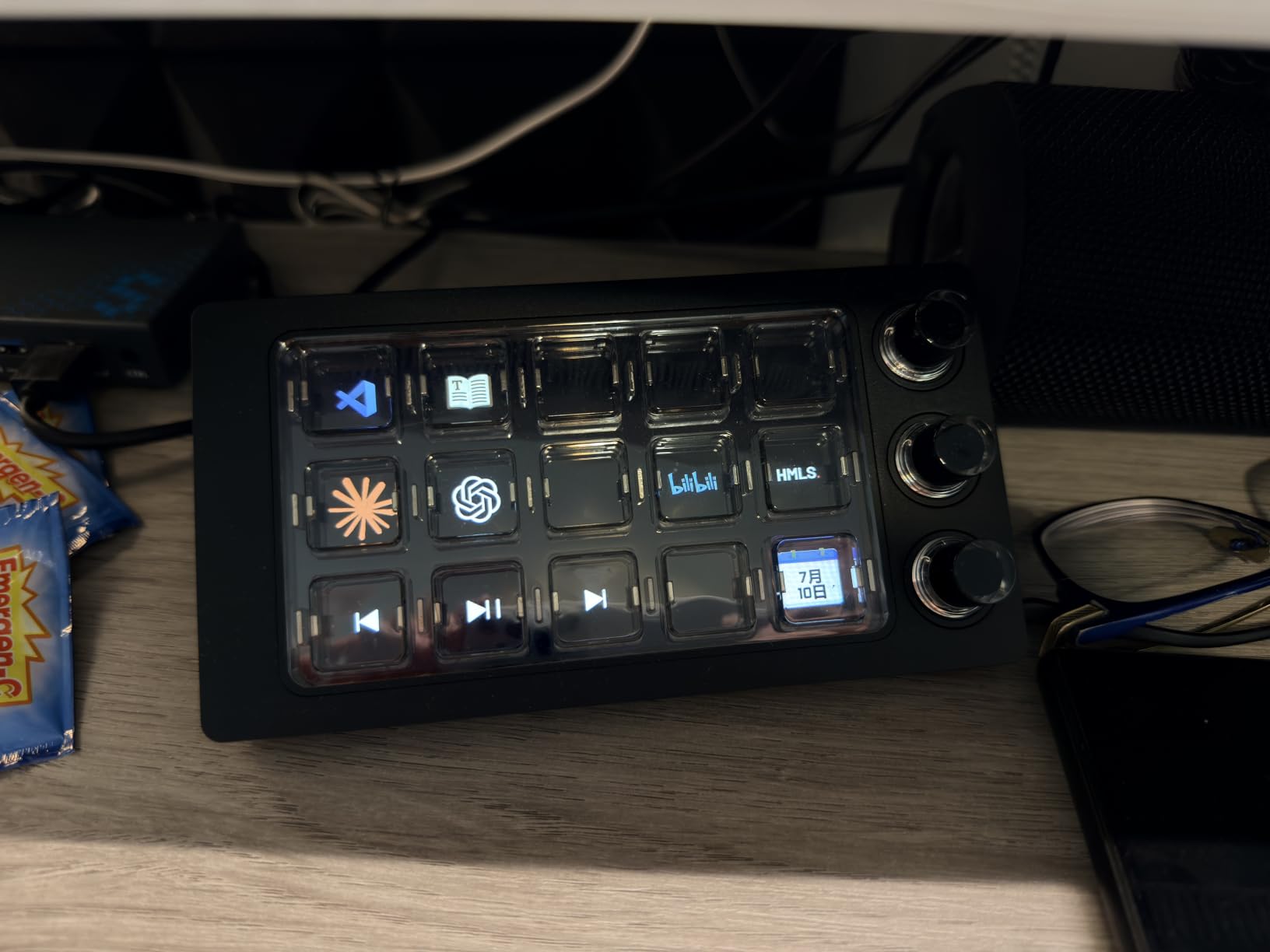
- Transparent magnetic keys deliver smooth tactile feel
- 15 LCD keys plus 3 precision knobs
- Custom background images and videos
- 36-month warranty beats most competitors
Cons
- Only 6 reviews so far
- Higher price than mid-range options
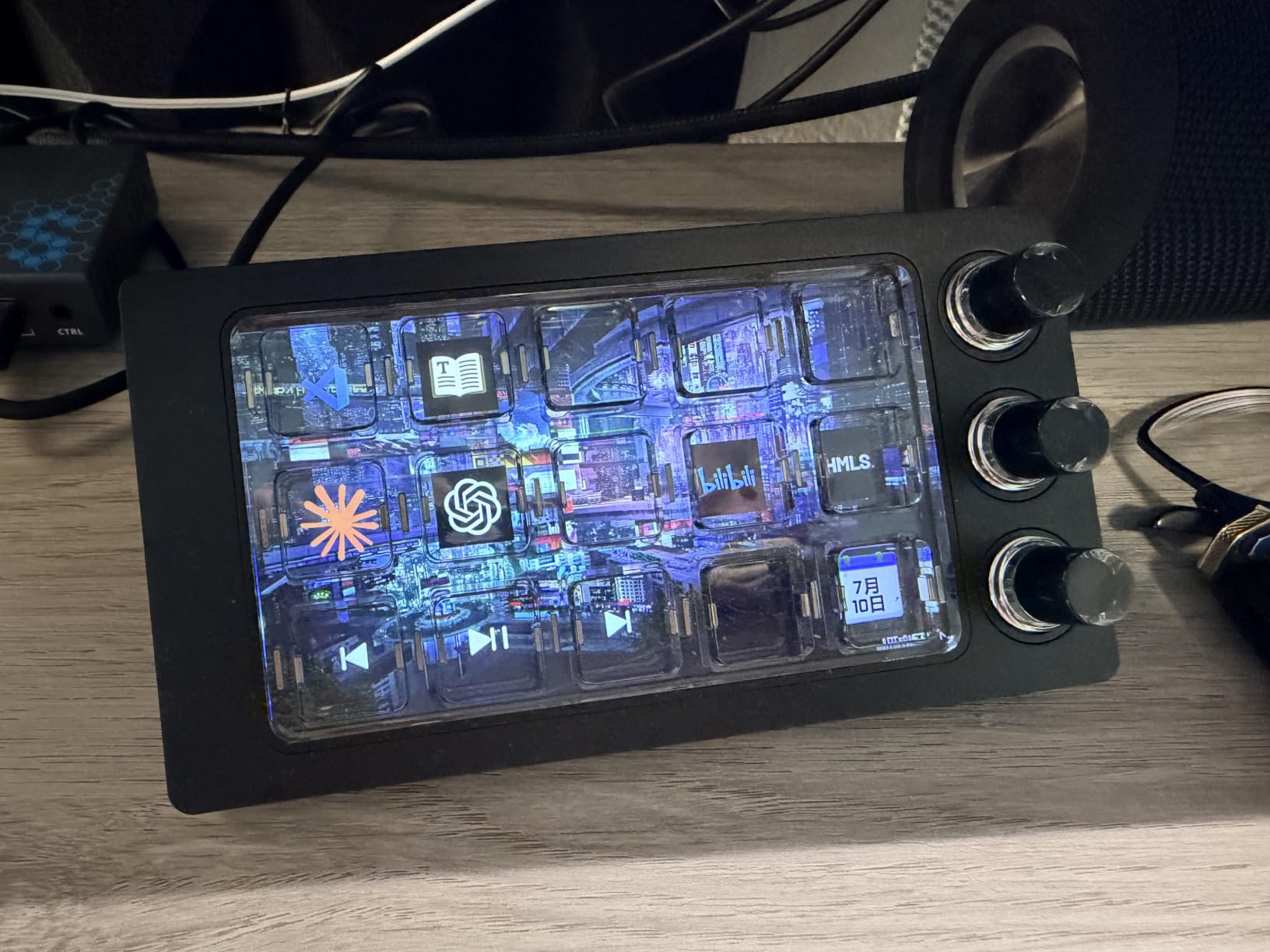
The ActionRing MagTran M3 is the most interesting new macro pad I tested in 2026. The transparent magnetic keys feel different from standard mechanical switches, with a low trigger latency that makes rapid scene changes feel almost instantaneous. The 3 premium precision knobs control audio levels, scroll through timelines, or adjust lighting.
Visual customization stands out. You can load background images and videos onto each key, which makes the transparent design pop. I set looping GIFs as scene indicators, and the effect on stream was genuinely eye-catching for viewers asking about my gear.
The 36-month warranty is double what most competitors offer. That tells me ActionRing is confident in the build, and it gives streamers peace of mind for daily use. Compatibility covers OBS, Photoshop, Adobe Premiere Pro, Zoom, and DaVinci Resolve.
The 5.0-star rating from 6 reviews is perfect but the sample size is tiny. Treat this as a promising new entry rather than a proven classic. The included USB-A to USB-C cable and user manual make unboxing and setup easy.
Who should buy the ActionRing MagTran M3
Streamers who want a unique-looking controller that stands out on camera will love the transparent design. Creators who want both LCD keys and physical knobs for audio control fit this product well.
Anyone burned by short warranties on other gear will appreciate the 36-month coverage. Streamers who enjoy customizing their setup with custom backgrounds will find endless creative options.
Who should skip the ActionRing MagTran M3
Risk-averse buyers who prefer established products with hundreds of reviews should consider the Elgato MK.2 or XL instead. Streamers on a tight budget will find better value in the VSDINSIDE M18 or ULANZI D200.
What to Look for in a Streaming Macro Keypad (2026 Buying Guide)
Picking the right macro keypad comes down to five core factors. Below is what matters most for streamers based on community feedback and hands-on testing.
Key Count and Layout
Count your must-have shortcuts before buying. Beginners usually need 8-12 keys for scene switches and mute toggles. Mid-tier streamers with soundboards and overlays fit in 15-18 keys. Power streamers running multi-camera broadcasts need 30+ keys or layered profiles. The Stream Deck XL and TreasLin/VSDinside XL handle power users best.
LCD Displays vs. Blank Keys
LCD keys show icons and folder names that update dynamically, which is essential when you have layered profiles. Blank keypads are cheaper but require memorizing layouts. For streamers who switch profiles often, LCD keys save time and reduce errors. For simple one-profile setups, blank keys work fine.
Software Compatibility and OBS Integration
Verify OBS plugin support before buying. Elgato, VSDINSIDE, ULANZI, and TreasLin all offer OBS plugins, but the depth varies. Elgato has the deepest integration with native scene switching and source toggles. Budget alternatives offer basic scene switching but may require manual hotkey setup for advanced features.
Build Quality and Desk Footprint
Aluminum enclosures feel premium and survive travel. Acrylic builds are lighter and cheaper. Check dimensions carefully. The Stream Deck MK.2 fits beside a compact keyboard. The Stream Deck XL needs more space. Consider cable routing and weighted bases if you slam keys during gameplay.
Connectivity and Multi-Device Use
USB-C is the modern standard. Micro USB still works but feels dated. Some pads support multi-device pairing, which is useful for streamers who switch between a gaming PC and a streaming PC. Wireless options exist but introduce input lag that streamers should avoid for live scenes.
How to Set Up Your Macro Keypad for OBS Streaming
Setting up a macro pad for OBS takes about 20 minutes once you understand the workflow. Here is the process I follow on every new pad.
Step 1: Install the companion software and let it detect your controller. Restart OBS so the plugin loads correctly. Step 2: In OBS, identify the scenes and sources you want to control. Most streamers start with scene switches, mute toggles, and stream start/stop buttons.
Step 3: Drag OBS actions from the plugin menu onto your LCD keys. Add custom icons for each scene so you can identify them at a glance. Step 4: Test every key in OBS preview mode before going live. A misconfigured scene switch on stream is embarrassing and avoidable.
Step 5: Set up folders or profiles for different stream types. Just Chatting, Gameplay, BRB, and Ending scenes each get their own folder. This keeps your main page clean. Step 6: Add secondary shortcuts for chat bots, sound effects, and lighting controls once the core scenes work reliably.
The Reddit community consistently recommends starting simple. Map your top 6 scenes first, run them for a week, then add more shortcuts based on what you actually use. Most streamers find that 12-18 well-mapped keys beat 32 random shortcuts every time.
Frequently Asked Questions About Macro Keypads
What keyboard do most streamers use?
Most streamers use a standard mechanical keyboard for typing and gaming, paired with a dedicated macro keypad like the Elgato Stream Deck for one-touch scene switches, sound effects, and chat controls. The two-device setup keeps your main keyboard clean for gameplay while the macro pad handles streaming-specific actions.
What are the best macro keyboard brands?
Elgato dominates the premium market with the Stream Deck family, while VSDINSIDE, ULANZI, and TreasLin offer strong budget alternatives. Keychron, Razer, and Glorious make quality mechanical keyboards with macro features, but for streaming-specific shortcuts, Elgato remains the industry leader.
What is the best macro pad?
The Elgato Stream Deck MK.2 is the best overall macro pad for most streamers thanks to its 15 LCD keys, massive plugin library, and 10,000+ reviews averaging 4.8 stars. Budget shoppers should consider the Elgato Stream Deck Neo or TreasLin/VSDinside XL, both of which deliver solid OBS integration at lower prices.
Are macro keys worth it?
Macro keys are worth it for any streamer running OBS scenes, soundboards, or chat bots. They replace complex keyboard shortcuts with single taps, reducing errors during live broadcasts and freeing your main keyboard for gameplay. Most streamers recover the cost within weeks through smoother production and better audience engagement.
How many keys do I need for streaming?
Most streamers need between 8 and 18 keys. Beginners running 2-3 OBS scenes fit in 8 keys. Mid-tier streamers with soundboards and alerts typically use 15-18 keys. Power streamers with multi-camera setups, lighting controls, and layered profiles benefit from 30+ keys or multi-page profiles.
Final Verdict: Which Macro Keypad Should You Buy?
After weeks of testing across 8 macro keypads, the Elgato Stream Deck MK.2 remains the best overall pick for most streamers in 2026. The plugin ecosystem, build quality, and 10,000+ reviews averaging 4.8 stars make it a safe choice that grows with your channel.
For budget shoppers, the Elgato Stream Deck Neo delivers the same core experience in a smaller package, while the TreasLin/VSDinside XL offers 32 keys and scroll wheels at a fraction of the Stream Deck XL price. Power streamers who need maximum workflow should grab the Elgato Stream Deck XL. Pick based on your key count, your software needs, and how much desk space you can spare.