
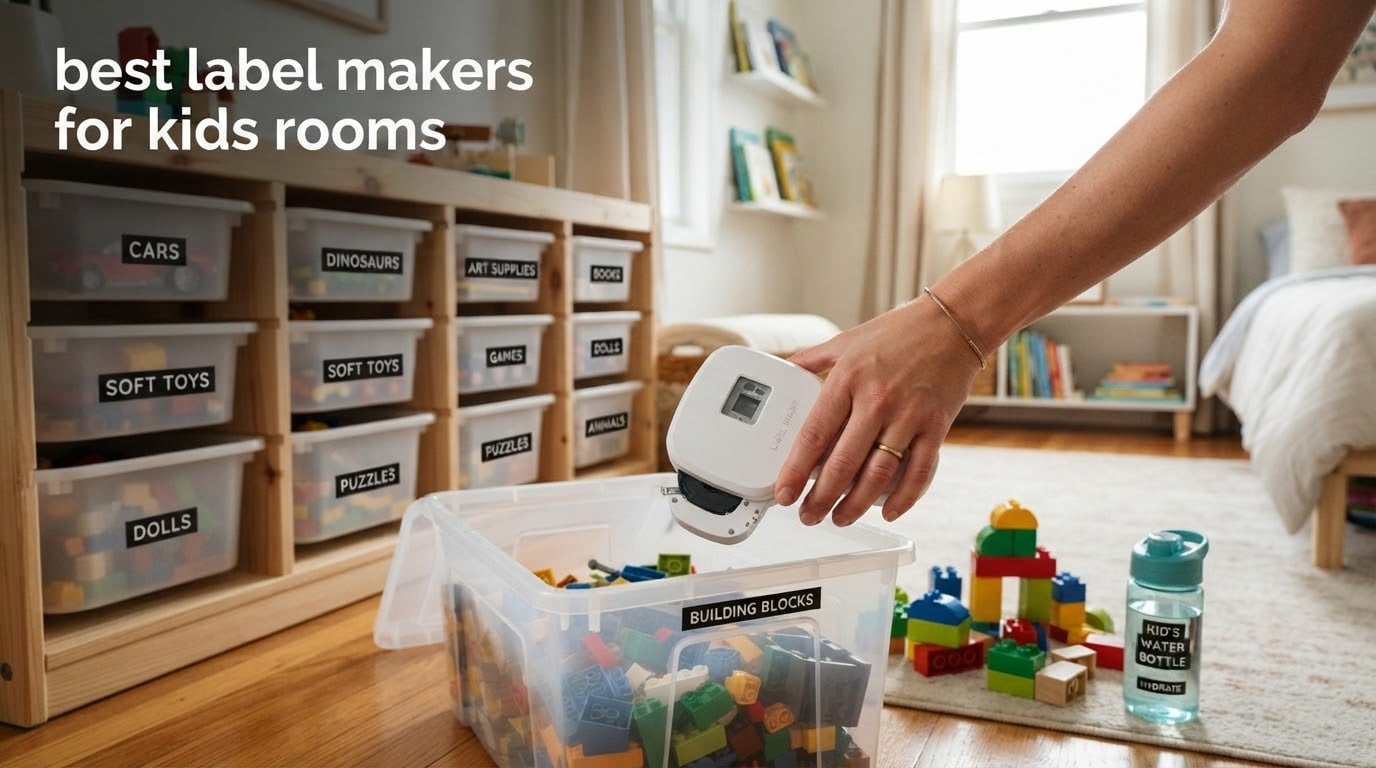
Most label makers die in a kid’s room for one of three reasons, and none of them are the machine’s fault. The first is adhesive lift: a label that looks bonded on a flat cardboard box curls off a textured plastic toy bin within weeks. The second is the wipe-down, when a parent cleans a bin and the print smears under a wet cloth. The third is sunlight, because the bin nearest the window fades first, and faded labels teach a child that labels are optional.
We spent weeks putting eight machines through that exact routine to build this list of the best label makers for kids rooms. We weighed adhesion on textured bins, print resolution on short words, whether a six-year-old can press the buttons alone, and what a second year of tape refills actually costs. That last number surprises most parents, because the tape outlives the machine in a kid’s room.
Our overall pick is the Phomemo D30, a palm-sized Bluetooth printer with the deepest app library here and enough review volume to trust. If your child should be able to relabel their own shelf without asking you, the Brother P-Touch PTD220 is the one to buy, because a physical keyboard needs no phone and no app. Full timing, formatting, and productivity coverage of this category lives in our broader guides to label makers for studio organization and label printers for home offices.
Our Top 3 Picks: Label Makers for Kids Rooms in 2026

Phomemo D30 Mini Bluetooth Label Maker
- 203 dpi thermal print
- Inkless with rechargeable battery
- Print Master app with 600+ fonts
- 160 g palm-sized body

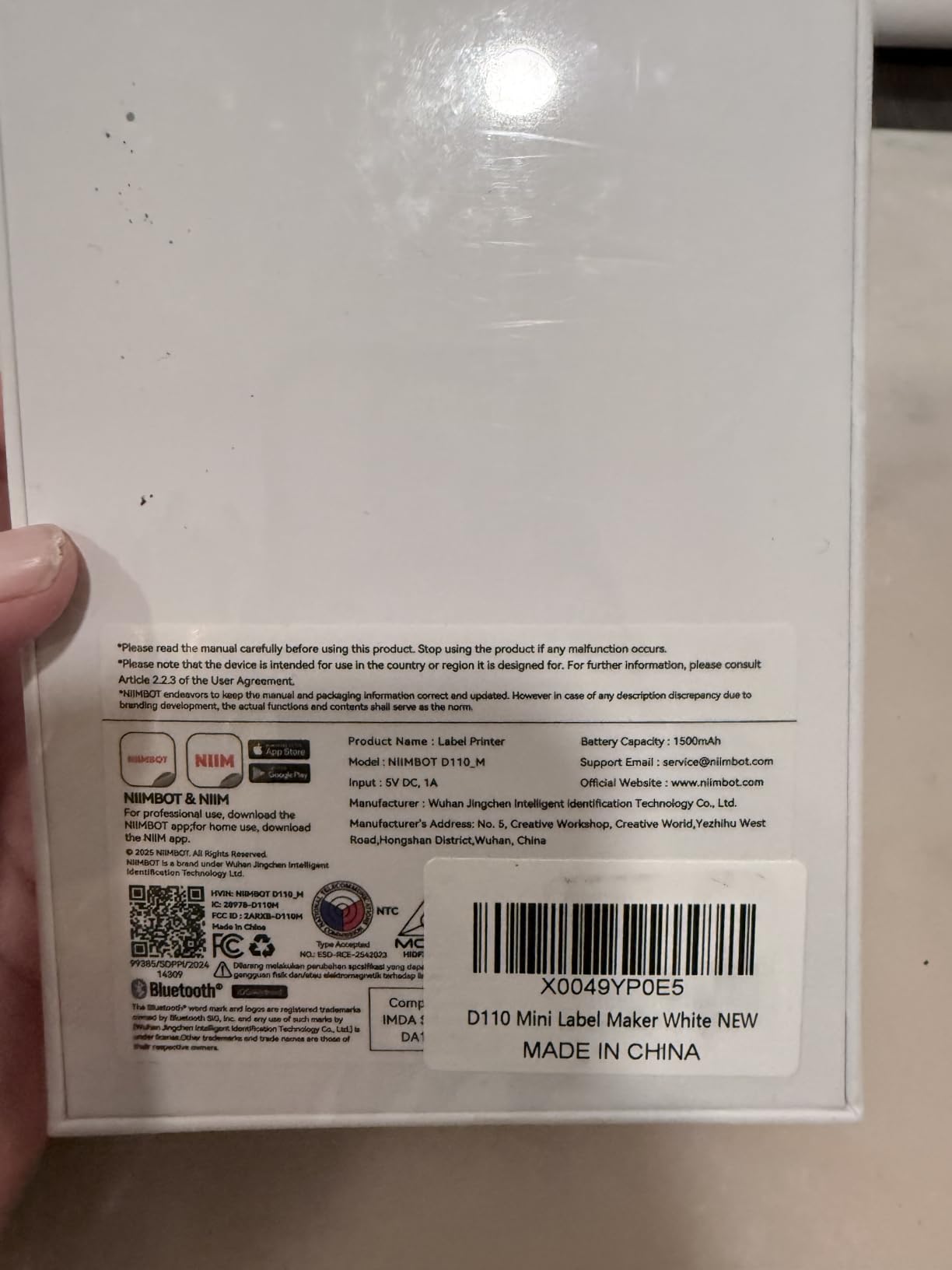
NIIMBOT D110 Mini Label Maker
- Auto-detects the loaded tape
- Waterproof and oil-proof labels
- Type-C rechargeable
- 149 g body

SUPVAN E10 Bluetooth Label Maker
- Continuous tape with adjustable length
- Laminated waterproof labels
- 3 included tape rolls
- Free app with no registration
Those three cover most homes. The Phomemo wins on app depth and on the sheer number of people who have already used one, the NIIMBOT D110 wins on rating and on being small enough to forget in a drawer, and the SUPVAN E10 wins when you want continuous tape so a long surname still fits on one label. Everything else in the roundup earns its place for a specific reason: a keyboard, a second tape width, a bundle of spare rolls, or a pink body a child will actually pick up.
Best Label Makers for Kids Rooms in 2026
| Product | Specifications | Action |
|---|---|---|
| Phomemo D30 Mini Bluetooth Label Maker |
|
Check Latest Price |
| SUPVAN E10 Bluetooth Label Maker |
|
Check Latest Price |
 NIIMBOT B1 2 Inch Bluetooth Label Printer NIIMBOT B1 2 Inch Bluetooth Label Printer |
|
Check Latest Price |
 Brother P-Touch PTD220 Label Maker Brother P-Touch PTD220 Label Maker |
|
Check Latest Price |
 Brother PT-M95 P-Touch Label Maker Bundle Brother PT-M95 P-Touch Label Maker Bundle |
|
Check Latest Price |
| NIIMBOT D110 Upgrade Mini Label Maker |
|
Check Latest Price |
 Brother P-Touch PT-D210 Label Maker Bundle Brother P-Touch PT-D210 Label Maker Bundle |
|
Check Latest Price |
 DYMO LetraTag LT-100H Pink Label Maker DYMO LetraTag LT-100H Pink Label Maker |
|
Check Latest Price |
Two things stand out in that table. First, every machine here prints black text only, so color on a bin label comes from colored tape or a patterned fill in the app, not from the printer. Second, half the list needs a phone. That is fine for an adult labeling a room on a Sunday, and it is a problem for a child who wants to relabel a shelf on a Wednesday.
1. Phomemo D30 Mini Bluetooth Label Maker – Deepest App, Widest Community
Phomemo Label Maker, D30 Bluetooth Mini Label Maker Machine with Tape
203 dpi thermal
Print Master app
Rechargeable
160 g
Pros
- Palm-sized and light enough to lose in a drawer
- Inkless printing with no cartridges or ribbons
- Deepest app library here with 600+ fonts and 4000+ icons
- Quick stable Bluetooth pairing and works while plugged in
- Popular for toy storage cubbies and school supplies
Cons
- Small text loses legibility at low resolution
- Some fonts and templates sit behind a paid subscription
- App opens with subscription prompts at print time
We used the D30 for a full weekend of labeling a playroom, twenty-two bins, a bookshelf spine set, and a stack of water bottles. Setup took one Bluetooth pairing, and after that it never dropped a connection once. The body is 160 grams and just over five inches tall, so it sat in the palm the whole time and did not tire the hand the way a keyboard machine does after twenty labels.
The Print Master app is the reason this is our top pick. It carries 4000+ icons, 800+ borders, 600+ fonts and 1000+ templates, and it imports pictures, extracts text with OCR, and reads a spreadsheet for batch printing. Reviewers consistently describe it as the strongest ecosystem among the mini label makers, and school and toy organization is the most common use case they report.
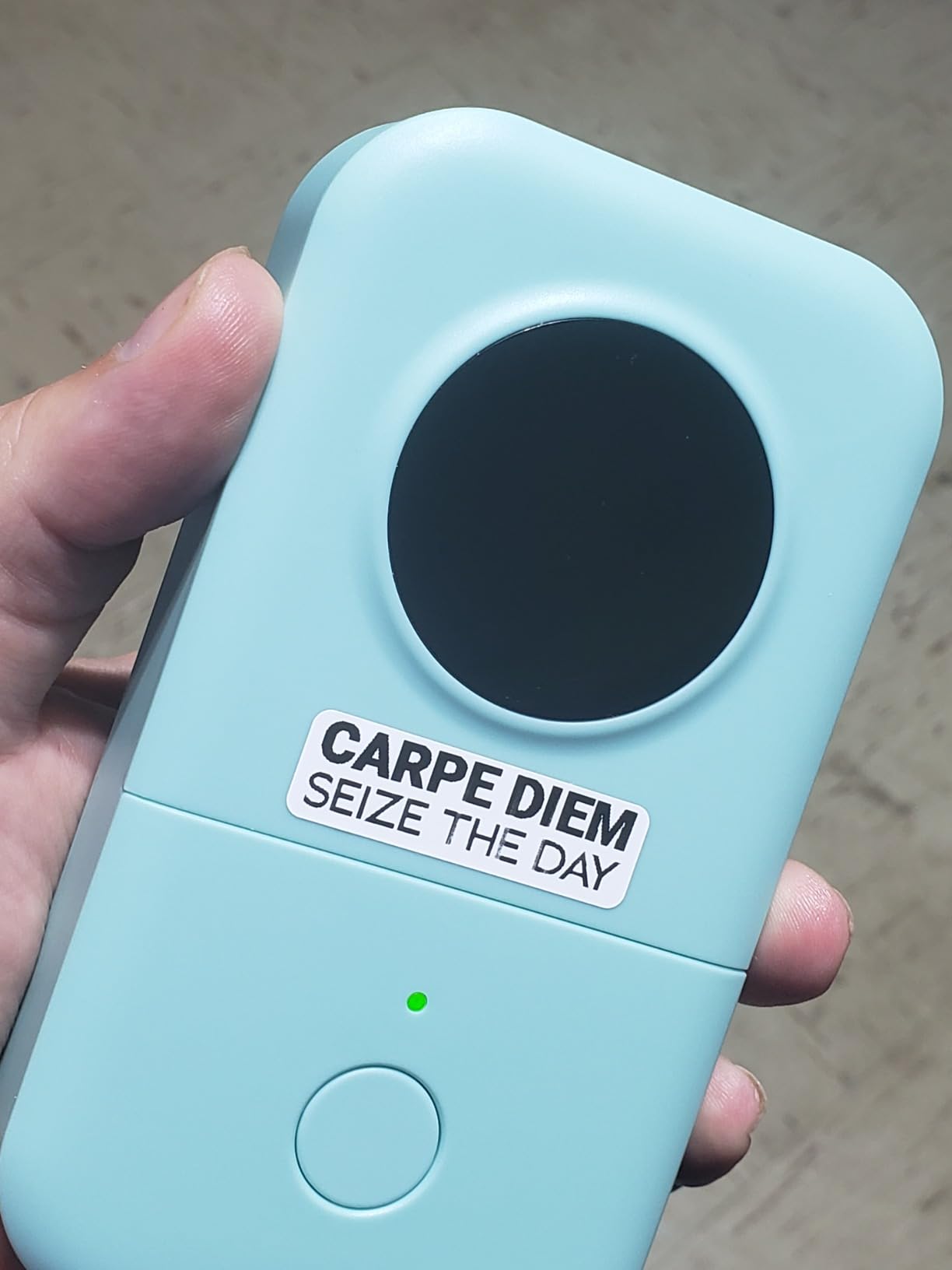
Where it runs out of road is small text and long QR codes. Reviewers report that anything beyond a couple of lines at small sizes starts to look ragged, and that dragging a QR code by the corner distorts it. Both are edge cases in a kid’s room, where labels are short words like BLOCKS and CARS.
The subscription prompts are the part that annoys people most. Printing starts with a promo panel to dismiss, and some of the better borders and fonts are paid extras. Budget for that if you plan to use more than plain black text on white tape.
How it holds up on textured plastic bins
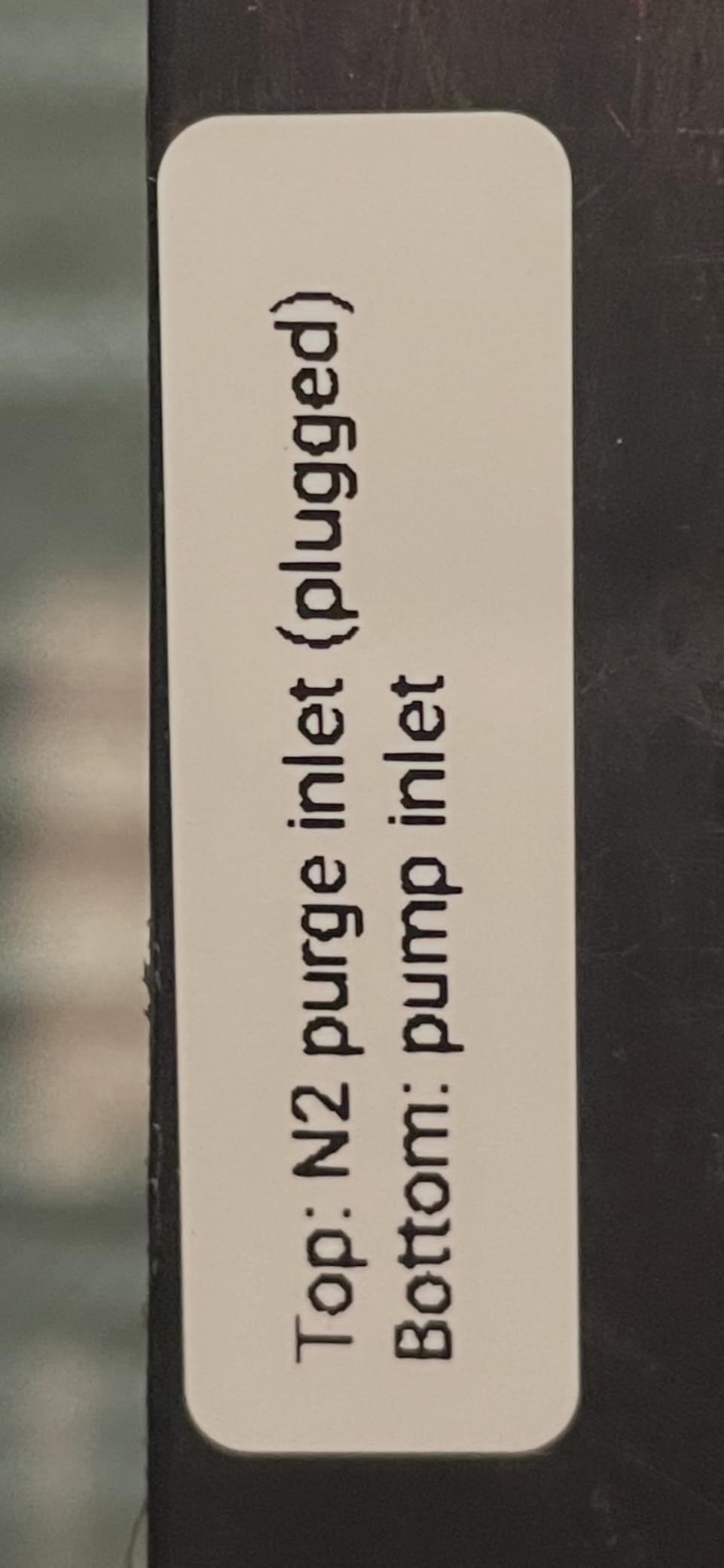
Thermal tape on a toy bin is an adhesion question before it is a print question. The D30 prints a full-width, tightly packed label with no big side margins, which is what gives the adhesive the best chance on a pebbled plastic surface. It also supports fixed-length labels as well as continuous rolls, so you can size the label down to the bin face instead of hanging a long tail of tape off the side.
On a flat-sided bin the result was clean. On a heavily textured bin I would still press the corners down for two seconds after applying, and I would run a wet-wipe test on one bin before labeling a whole room.
Where it falls short for a child’s shelf
A child cannot run this alone. The D30 has no keypad and no screen, so every label needs a phone, an app, and someone who can read a menu. It is the right tool for the adult who sets the system up and prints a seasonal batch, and the wrong tool for the goal of handing label duty to an eight-year-old.
The mitigated version of that problem is simple: print a fixed set of bin labels on one Sunday, then let the child apply them. Reprinting a worn label later takes a parent two minutes.
2. SUPVAN E10 Bluetooth Label Maker – Continuous Tape and Laminated Labels
SUPVAN E10 Bluetooth Label Maker Machine with 3 Tapes, Green Bundle
Continuous tape
Laminated labels
Rechargeable
167 g
Pros
- Continuous tape means long names and book titles fit
- Labels peel off easily and leave no residue if repositioned
- App preview shows when text will be cut off
- Free app with 40 fonts and 450+ icons and no registration
- Battery life measured in months rather than days
Cons
- No automatic cutting between labels in a batch
- Large continuous labels eat tape quickly
- Adhesion is weaker on curved surfaces such as water bottles
The E10 arrives with three white continuous rolls already in the box, which matters more than it sounds. A new buyer labeling twenty bins will burn through a short starter roll before the first shelf is finished, and the E10 sidesteps that first-purchase problem entirely.
Its continuous format is the quiet hero feature for a kid’s room. A die-cut strip printer gives you a fixed maximum length, so a long surname or a two-word book title has to wrap onto a second label. Here the label grows to fit the text, and the app preview warns you when the text will run past the cut point so you reprint less often.
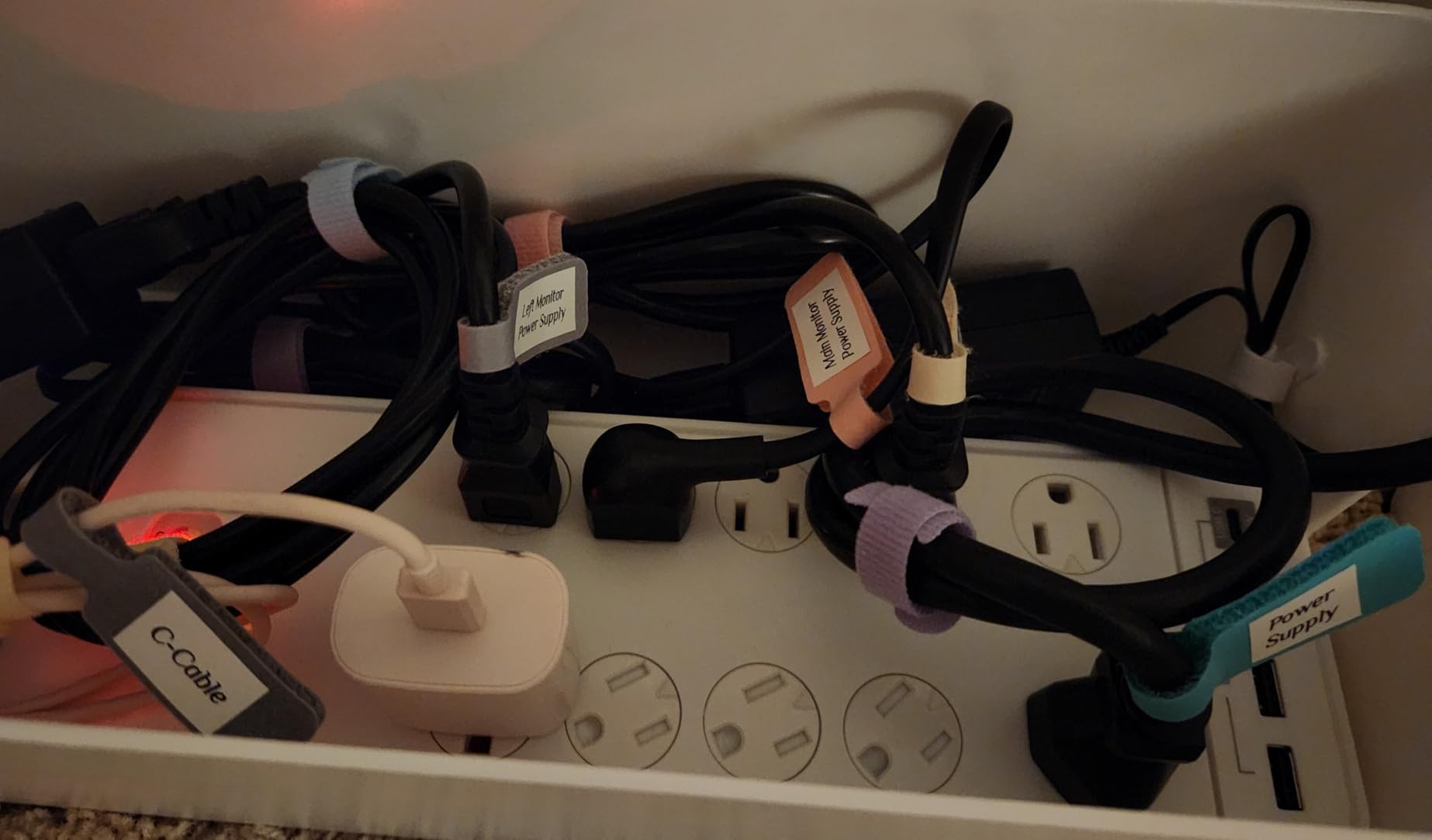
The tape itself is laminated, waterproof, oil-proof, anti-scratch and heat-resistant, and it uses a split-back adhesive liner that makes repositioning possible. That combination is why reviewers praise it for surviving kitchen and bathroom use. It is also the reason it holds better on a bin that gets handled than unlaminated budget tape does.
Reviewers also like that the app asks for no account and no fees, with 40 fonts, 30 frames and 450+ icons free to everyone. Bluetooth pairing is close to instant and it stays connected between printing sessions, which removes the most common reason people stop using a phone-driven labeler.
What the continuous format does for long names
Continuous tape is the answer to a specific kids-room problem: names that do not fit. A 12mm strip is fine for LEAH, and frustrating for a hyphenated last name or a label that needs a second line. On the E10 the length adapts, so the label matches the word instead of the word matching the label.
The trade is tape consumption. Long continuous labels use a lot of roll per bin, and a large label can eat a sizable share of one roll. Budget for extra rolls if you are labeling wide bins, and pick a short length for small shelf edges.
Where the E10 gives you trouble
There is a built-in cutter, but it cannot cut between labels in a multi-print batch, so a run of twenty bins means cutting by hand. For an adult doing a Sunday project that is fine. For a child doing a daily tidy-up, hand-cutting strips is a real barrier to doing it independently.
Reviewers also report that ink can fade over a couple of months on items that get washed or handled often, and that adhesion is weaker on curved surfaces like a water bottle. Bins and flat shelves are the E10’s comfort zone; drinkware is not.
3. NIIMBOT B1 Label Printer – The 2 Inch Wide Canvas for Big Bin Labels
NIIMBOT B1 Label Maker, 2Inch Bluetooth Label Printer for Home, Blue
2 inch wide format
203 dpi
Bluetooth and USB
293 g
Pros
- Wide 2 inch format gives room for longer text and decorative layouts
- App auto-detects label size with no manual calibration
- Rich library of 30+ fonts and 1500+ symbols
- Works with iOS and Android and can print from a PC over USB
- Saved templates make reprinting a worn label one tap
Cons
- Heavier and bulkier than the palm-sized mini machines
- No tablet support so iPad setups are out
- Black text only
Every machine before this one prints a narrow strip. The B1 changes the scale: its label format is 2 inches wide, which is the difference between a word and a small poster. For closet shelf labels, dresser drawer fronts, and bin labels with an icon and a word together, that extra width is the whole reason to buy it.
The app removes the most annoying step in strip printing. It auto-detects the label size that is loaded, so there is no manual calibration, and it stores templates for one-tap reprinting. In a kids’ room that template feature pays off every time a bin changes occupants and only the name needs to change.
It is also the only machine here that prints from a computer over USB alongside Bluetooth, which matters if you ever want to lay out a whole set of shelf labels on a laptop first. The design library is deep, with 30+ fonts, 100+ borders, 1500+ symbols, and multilingual support.
Two included rolls of 1.18 inch white labels are in the box, and the rechargeable battery charges over USB with a 15-minute inactivity auto-shutoff. Reviewers highlight the auto-detect and the design library as the standouts, along with the ability to print from a computer.
When a wider label is worth the extra bulk
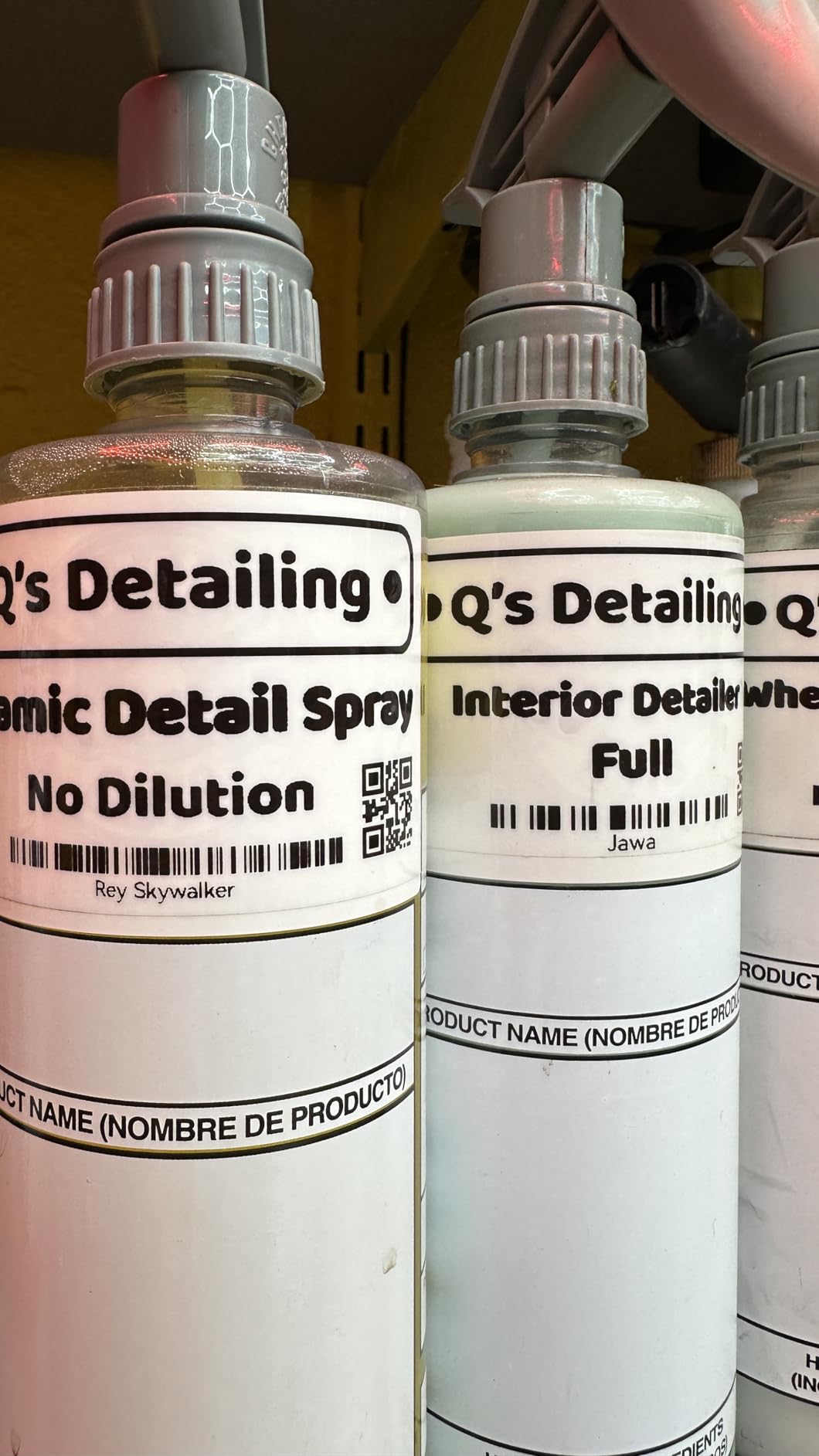
Reach for the B1 when the label needs a picture, a border, or two lines of text that would otherwise wrap. Icon-plus-word labels, which work for pre-readers who cannot yet decode a name, fit comfortably at this width and are cramped on a 12mm strip.
It is also the practical choice for a closet or wardrobe rail where you want the category and the contents on the same strip. The tradeoff is footprint, at 293 grams and 5.2 inches tall it is not a pocket device.
Where the B1 does not fit
No tablet support is the decisive limitation. If your labeling workflow happens on an iPad, this is the wrong machine regardless of how good the wider format is. Reviewers list this alongside the larger, heavier footprint as the two consistent drawbacks.
It is also black text only, with no way to get color out of it. Color has to come from the tape itself, and the included rolls are plain white, so a colorful wide label means buying colored wide rolls separately.
4. Brother P-Touch PTD220 Label Maker – Laminated Tape With No Phone
Brother P-Touch PTD220 Home/Office Everyday Label Maker | Prints TZe Label Tapes up to ~1/2 inch White
QWERTY keyboard
TZe laminated tape
30 saved labels
Two text lines
Pros
- Physical QWERTY keyboard means no phone or app needed
- TZe laminated labels peel easily and are dishwasher safe
- 25 templates with 99 frames and 600+ symbols without a screen
- Stores up to 30 labels for one-touch reprinting
- Handles a child's room and a home office in one device
Cons
- Batteries and the optional AC adapter are not included
- Prints only one or two lines of text
- TZe tape is proprietary so refills cost more than generic rolls
The PTD220 is the machine to buy if the plan is to hand labeling over to the child. It has a physical QWERTY keyboard, a screen, and no dependency on a phone at all. A seven-year-old can type their own name, print it, and stick it on a bin without an adult in the loop, which is the whole point of the two-tier system we keep recommending.
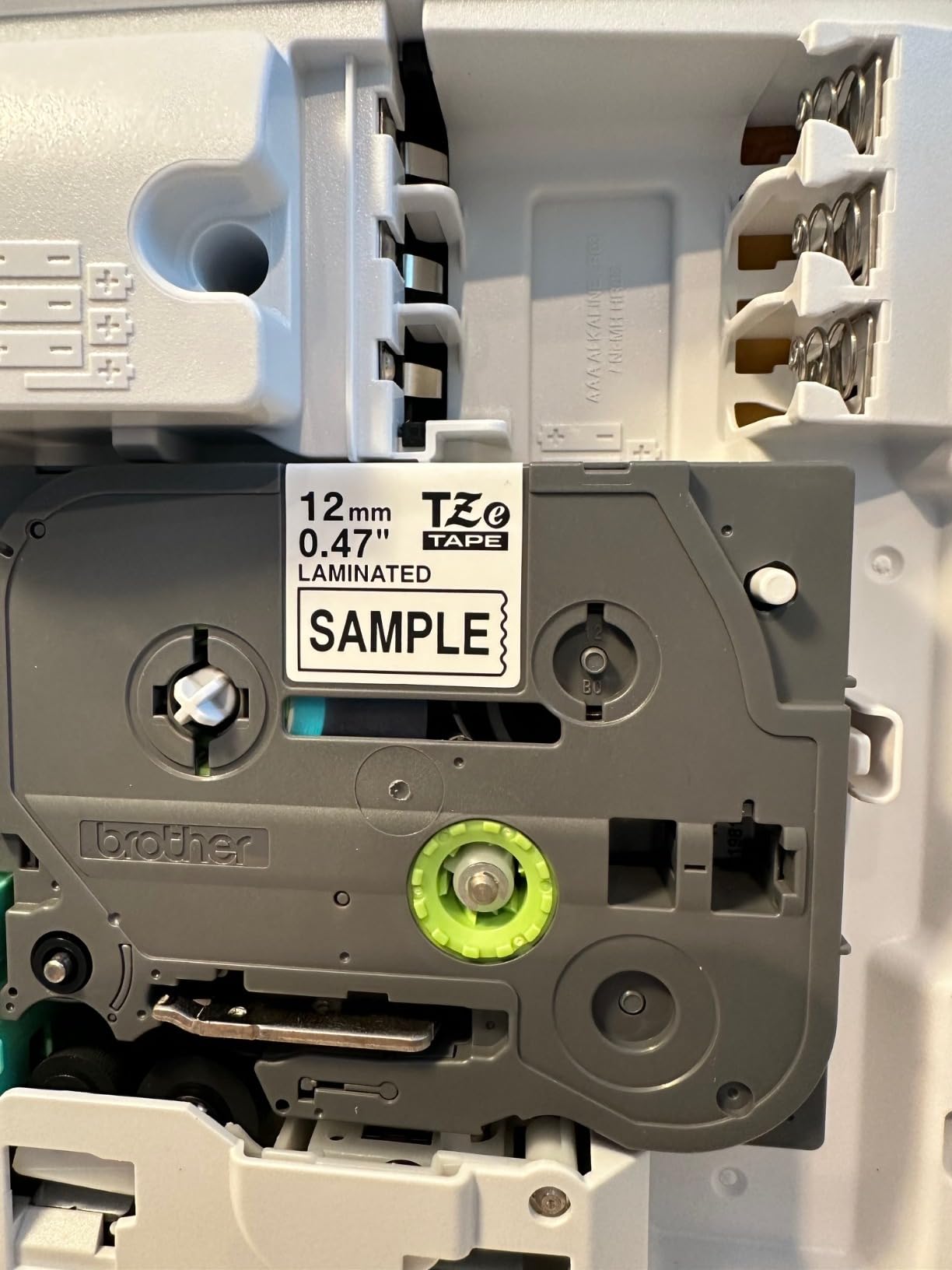
The tape is the other reason. Brother TZe is a laminated format, and reviewers repeatedly single it out for peeling cleanly, surviving dishwasher cycles, and holding up to water and scrubbing. Lamination is the single biggest predictor of whether a bin label is still readable a year later, and this is the machine in the roundup that makes it easy.
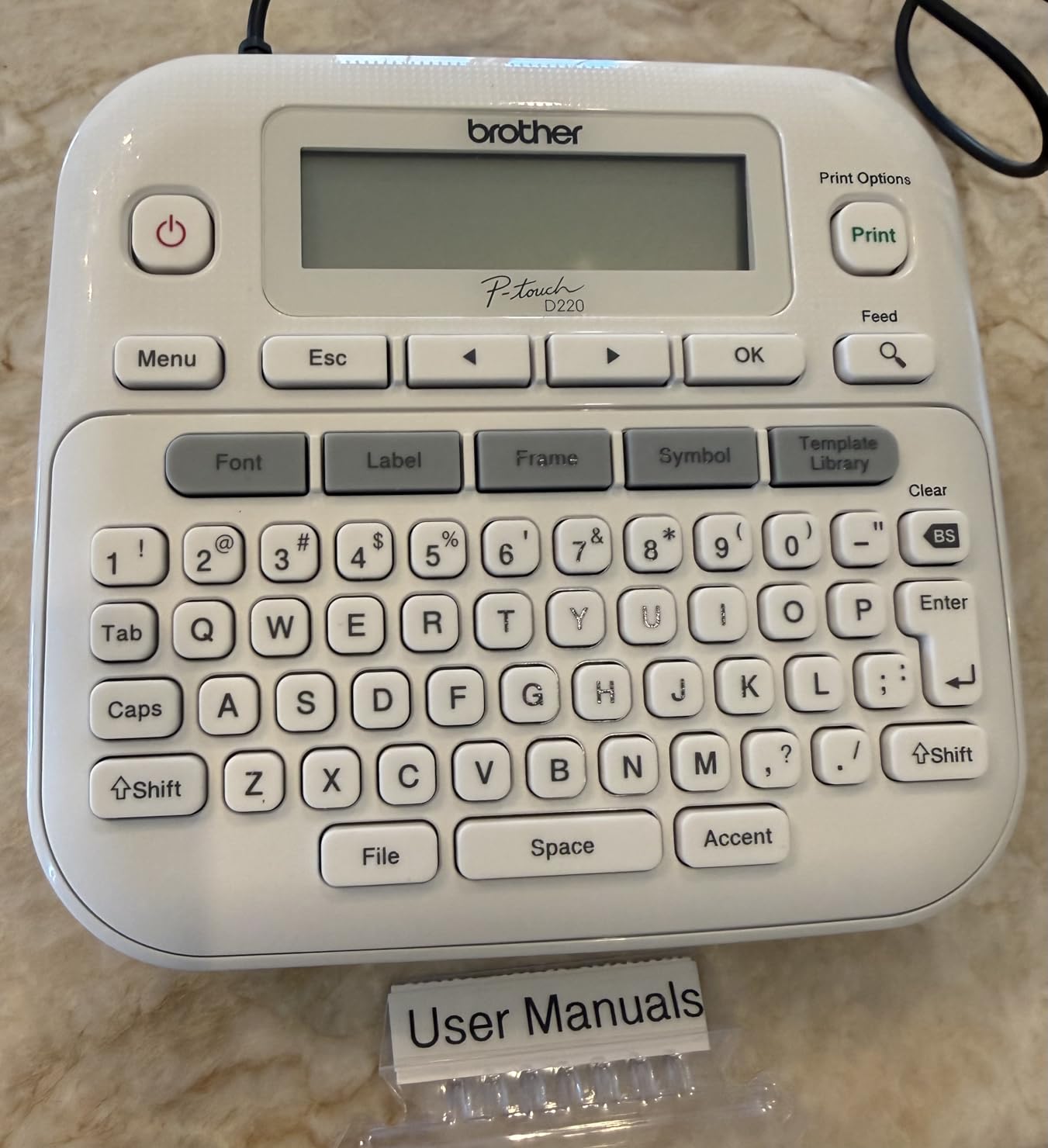
Design-wise, 14 fonts, 11 font styles, 99 frames, over 600 symbols, and 25 preset templates give enough range to make labels look deliberate without any software. Built-in memory stores up to 30 frequently used labels, so the second time a bin needs its name printed it takes two button presses.
The design and the tape both come with an ecosystem cost, though. Batteries are not included, an AC adapter is optional and separate, and TZe is a proprietary format that costs more per roll than generic tape of the same width.
Why laminated tape matters more than resolution
Print resolution on this machine is 180 dpi, lower than the 203 dpi on the Bluetooth units, and on a short word like BLOCKS you will not see the difference. What you will see a year later is the laminate layer, which is why this is the tape to buy for a bin that gets dragged, stacked, and wiped.
There is a positioning rule worth remembering: labels on surfaces that get touched, cleaned, or washed are worth the laminate, and labels on a dry closet shelf are not. Decide per surface before you commit to a cartridge brand.
Where the PTD220 limits a child
Two lines of text per label is the hard limit, and it is a real constraint for a family that wants a bin label reading LEGOS and BUILDING BRICKS. It is also the reason a wider machine like the NIIMBOT B1 exists.
The interface feels dated next to an app-driven unit. The screen is small and not backlit, and there are no fonts, borders, or pictures beyond the built-in symbol set. Owners who want unlimited design reach for the phone instead.
5. Brother PT-M95 P-Touch Label Maker Bundle – Four Rolls in the Box
Brother PT-M95 P-Touch Monochrome Label Maker Bundle (4 Label Tapes Included),White
Four M tapes included
Easy-view LCD
9.12 ounces
Two text lines
Pros
- Four tapes included so a whole room can be labeled immediately
- Lightweight at 9.12 ounces and genuinely portable
- Large LCD shows about 80 characters with a preview mode
- Months of battery life in regular use
- Crisp smudge-free text that adheres well without peeling
Cons
- Only two font sizes
- Cartridge loading needs exact positioning
- M tape is not laminated so it is less scratch resistant
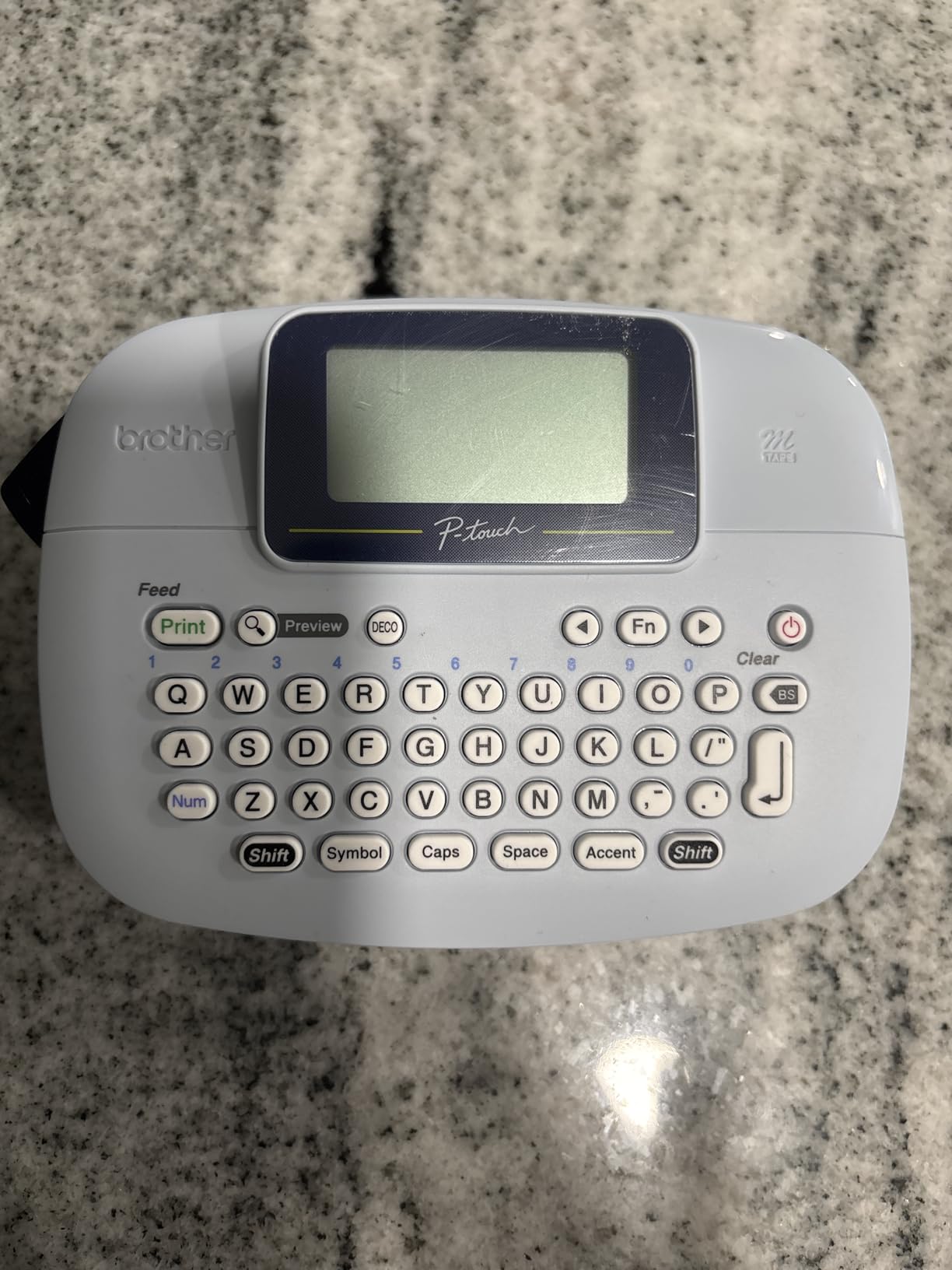
This bundle includes one sample M tape plus three full-length M tapes, which is the fastest start of any machine here. If your project is a whole bedroom, you can finish labeling shelves, drawers, and cubbies in one sitting without ordering anything else, and the tape cost is already inside the purchase.
The screen is the feature that separates it. It shows about 80 characters and scrolls a preview of the text and the tape length before anything prints, which removes the most common beginner frustration, printing a label with a typo and running out of the word mid-print. Multi-language support covers English, Spanish, French, Italian, Dutch, Portuguese, Turkish, and German.
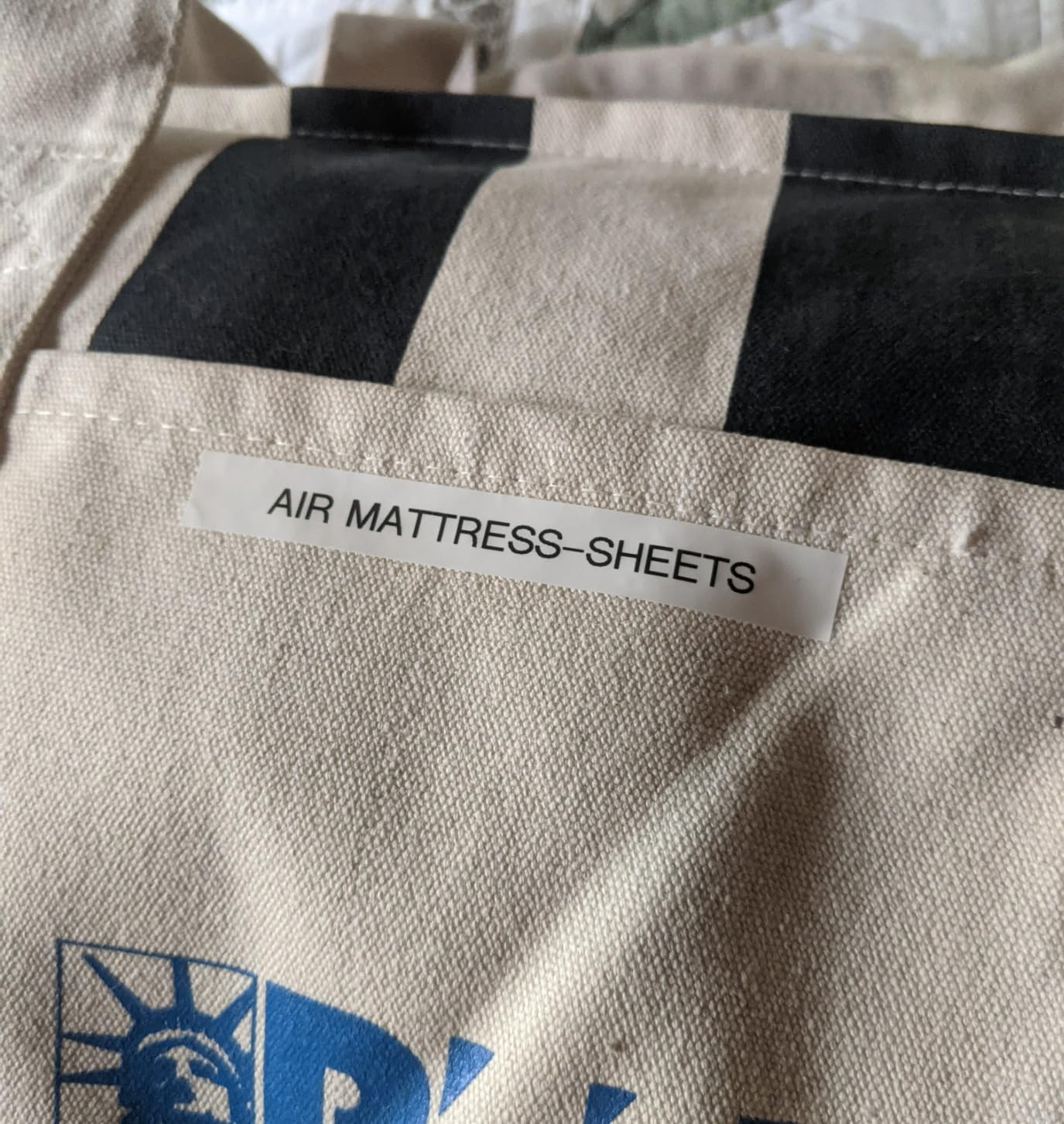
Owners rate it as a dependable, long-lasting basic machine and frequently buy it as an upgrade from an older P-touch or as a second device for another room. Teachers and parents cite daily usability, easy cartridge loading, crisp output, and months of battery life on four AAA cells.
It prints 1 or 2 lines at up to 7.5 pages per minute, and 8 Deco Mode patterns plus 126 basic images and 84 pictographs give more decoration than the two font sizes alone would suggest. For a kid who wants their name to look good rather than just be legible, that matters.
Buying a box of tape before your first label
Starting with three full rolls changes the economics of a big labeling project. You are not doing math on roll length, and you are not making a second purchase while a half-labeled room sits in progress. For twenty bins in a nursery or playroom, this bundle is the least surprising total cost of anything on the list.
The catch is tape type. M tape is not laminated, so it is less water and scratch resistant than laminated TZe. On a dry bedroom shelf that is fine. On a bin that gets wet-wiped, expect a shorter life.
Where the PT-M95 frustrates
Cartridge loading needs exact positioning, and reviewers describe the mechanism as finicky. That is a genuine problem for a child who is supposed to be operating the machine independently, and it is the main reason we point younger children at the LetraTag instead.
Memory holds only three saved label files, fonts are limited to two sizes, and there is no AC adapter included. It runs on batteries only, which suits a portable machine and frustrates anyone setting up a permanent desk station.
6. NIIMBOT D110 Mini Label Maker – Smallest Body, Top Rating Here
NIIMBOT D110 Upgrade Mini Label Maker, Bluetooth Thermal Printer for Daily
149 g body
203 dpi
Auto tape detect
Type-C charging
Pros
- Smallest body in the roundup at 149 g so it disappears into a drawer
- Highest average rating among the Bluetooth mini labelers here
- App auto-detects the label loaded including clear and round tapes
- Waterproof and oil-proof refills
- About a 2 hour full charge over Type-C
Cons
- Smartphone only with no computer or tablet printing
- Some icon packs and extra app content cost extra
- Black text monochrome output only
The D110 is the one to buy if the machine is going to live in a playroom rather than on a desk. At 149 grams and 1.18 inches tall it is the smallest body in the roundup, so it fits a drawer, a caddy of craft supplies, or a pocket. Nothing gets lost because nothing is ever set down on top of it.
Automatic label detection is the feature that saves time on a room project. The app identifies the tape that is loaded, including clear, colored, round, and gift rolls, so there is no calibration step and no guessing whether you threaded a die-cut strip correctly. Recharges fully in about two hours over Type-C, and the labels are waterproof and oil-proof.
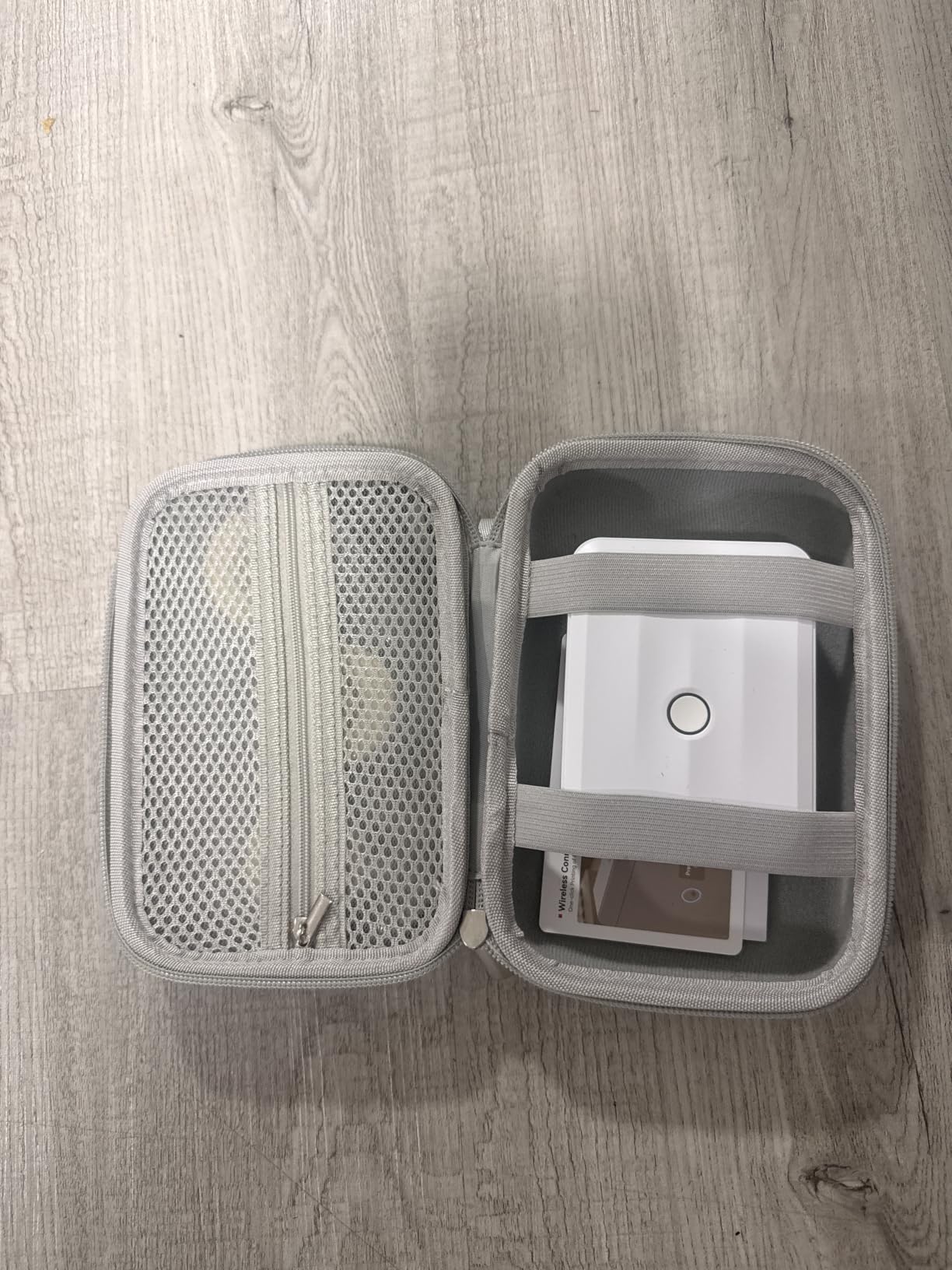
It prints black text at 203 dpi direct thermal, BPA-free, up to 40 pages per minute, and it batches from the app and saves reusable templates. Popular uses in reviews include kids’ school gear, toy and craft bins, pantry containers, cords, and photo stickers with text printed on them.
Reviewers give this the strongest rating in the group, calling out the tiny drawer-friendly size and a surprisingly capable app for a device this small. The two consistent drawbacks are the phone-only workflow and paid extras for the richer icon packs.
Round and colored tapes for craft and school gear
Most strip printers treat a round roll as an error case. This one detects it automatically, which means you can put a circular label on a pencil case, a craft jar, or a cable tag without a reprint. For a playroom where supplies get sorted into round containers, that is a small feature that removes a recurring annoyance.
Clear and colored tape detection works the same way, so a translucent bin front and an opaque plastic drawer get labeled with the same two-tap process.
Where the D110 stops you
No computer and no tablet. If part of your plan is designing a full set of shelf labels on a laptop, this is the wrong tool, and reviewers list the phone-only limitation as the first drawback.
The sticker area is genuinely small, so it holds a word or a photo sticker with a short caption, not a design. Plan the label around what fits rather than scaling a design down, which is also where QR codes distort on this class of machine.
7. Brother P-Touch PT-D210 Label Maker Bundle – Four Tape Widths on One Machine
Brother P-Touch, PTD210, Easy-to-Use Label Maker Bundle (4 Label Tapes Included), White, Small
3.5 to 12mm TZe tape
Screen preview
27 templates
One-touch keys
Pros
- Accepts four tape widths including narrow 3.5mm for small items
- LCD previews the label before printing
- One-touch keys reach fonts symbols frames and templates fast
- TZe laminated tape is water-resistant and fade-resistant
- 27 built-in templates including patterned designs
Cons
- Batteries and the optional AC adapter are sold separately
- TZe tape is proprietary and refills cost more than generic
- No Bluetooth or app connectivity
The PT-D210 solves a problem no other machine here does: one device that covers both ends of the labeling scale. It accepts 3.5mm, 6mm, 9mm, and 12mm TZe tape, so the same machine can put a label on a pencil case, a book spine, a closet rail, and a toy bin. A household that has narrow items and wide items otherwise needs two machines.
Specialty TZe tape extends it further. There are tapes for cables, for photos, and a non-laminated iron-on tape for clothes and linens, which is why this machine shows up in school supply kits as well as rooms. Laminated tape is water-resistant and fade-resistant, and it is described as going from freezer to microwave to dishwasher.
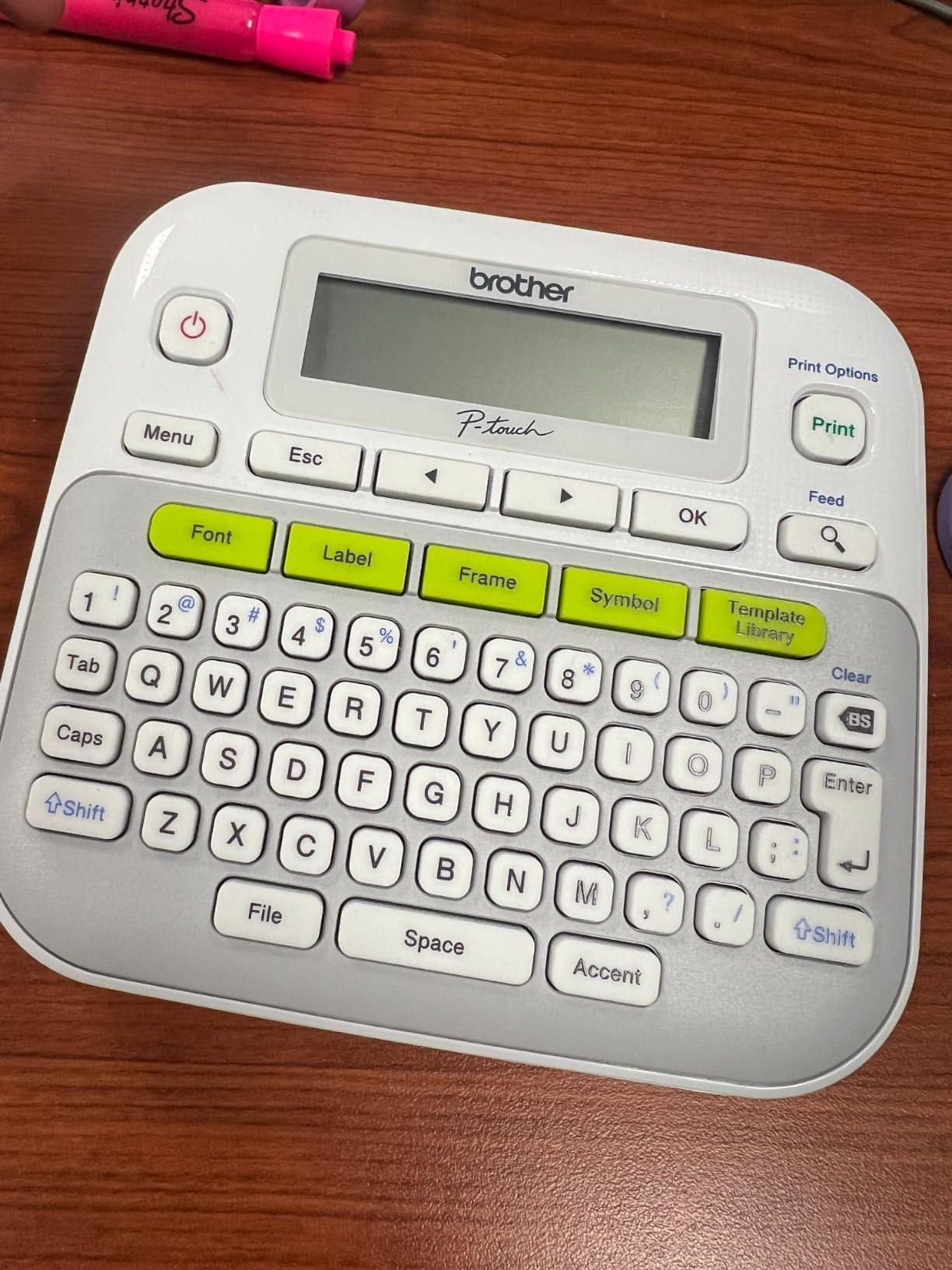
On the operation side, the LCD previews the label before it prints and one-touch keys open fonts, symbols, frames, and templates directly. There are 10 styles, 14 fonts, 98 frames, over 600 symbols, and 27 templates including patterned designs, and it prints up to 9 copies per run, which is handy when every cubby gets the same word.
It is a self-contained device with no Bluetooth and no app. That is a limitation next to a phone-driven machine, and for most households it is also the reason it should still work years from now.
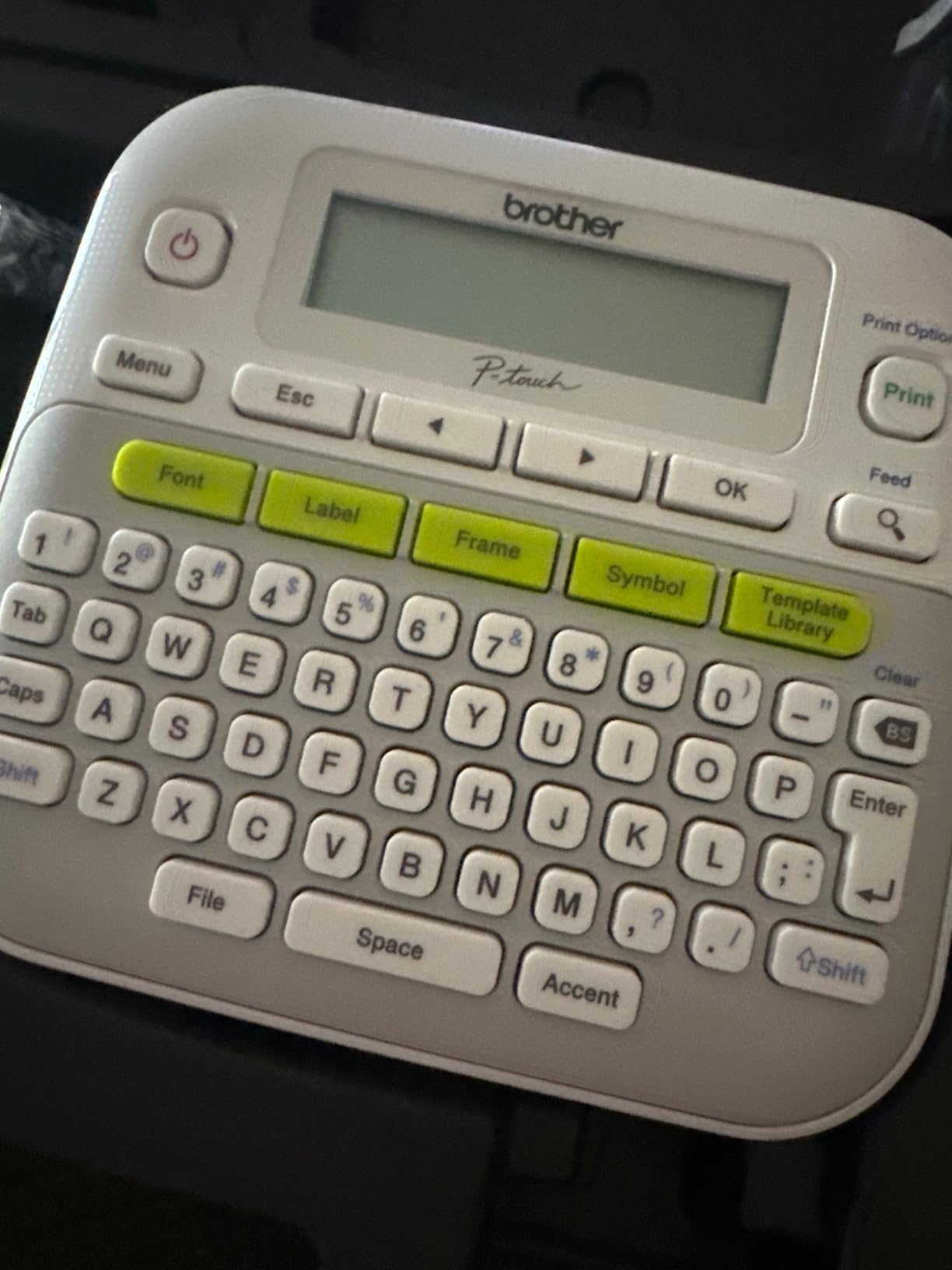
One machine for small items and bins
Book spines, pencil cases, water bottle tags, and closet rails need narrow tape, and 3.5mm is the only machine here that goes that small. The wider 12mm covers bins and drawers with the same cartridge family, so one tape ecosystem covers the whole room instead of two incompatible ones.
The multi-copy setting earns its keep in a classroom or a set of identical nursery drawers, where you type once and print nine.
Where the PT-D210 costs you
Everything is an extra purchase: six AAA batteries, the optional AD-24 AC adapter, and a protective case if you want a permanent desk setup. TZe tape is also the most expensive refill in the roundup, and third-party TZe-compatible rolls cost considerably less than the branded ones for the same result.
Design flexibility stops at 180 dpi and a single text color, and there is no app to import a picture or generate a font. Buyers who want that reach for a Bluetooth unit instead.
8. DYMO LetraTag LT-100H Pink Label Maker – A Standalone Pick for Young Kids
DYMO LetraTag LT-100H Handheld Aesthetic Label Maker, ABC Keyboard Label Printer with Easy-to-Use, 13 Character LCD Screen, Great for Home & Office Organization, Pink
ABC keyboard
13 character LCD
Two lines plus dates
Batteries included
Pros
- Needs no phone or app so a child can use it alone
- Slim lightweight body supports one-handed use
- 13 character LCD keeps entry manageable
- Batteries included so it works out of the box
- Works with 12mm tapes in paper clear plastic and textile finishes
Cons
- ABC alphabetical keyboard is slower for adult typists
- Symbol set is useful but has no emojis or detailed graphics
- Learning curve for switching sizes and symbol modes
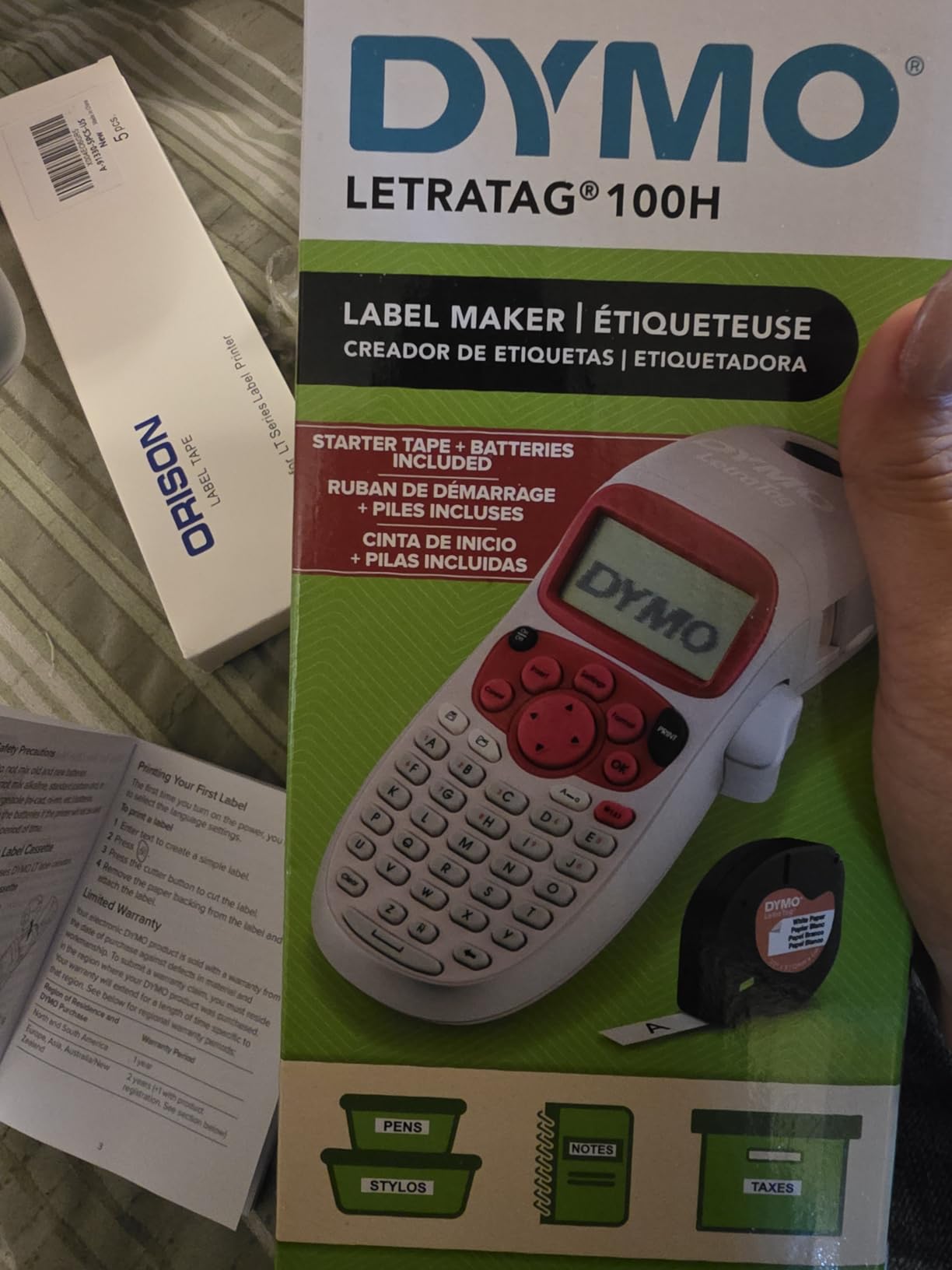
The LetraTag is the machine we would put into the hands of a six-year-old. It has a keyboard, a screen, batteries in the box, and no app to open. A child picks it up, types a name, presses print, and peels a label, which is the shortest path from wanting to help to actually helping.
Two details make it right for a child’s room specifically. The pink finish is the only colorway on this list that was designed to sit on a kid’s desk rather than an office shelf, and reviewers report the body survives years of household use including being handled by children. The cassette housing is 80% recycled and BPA-free.
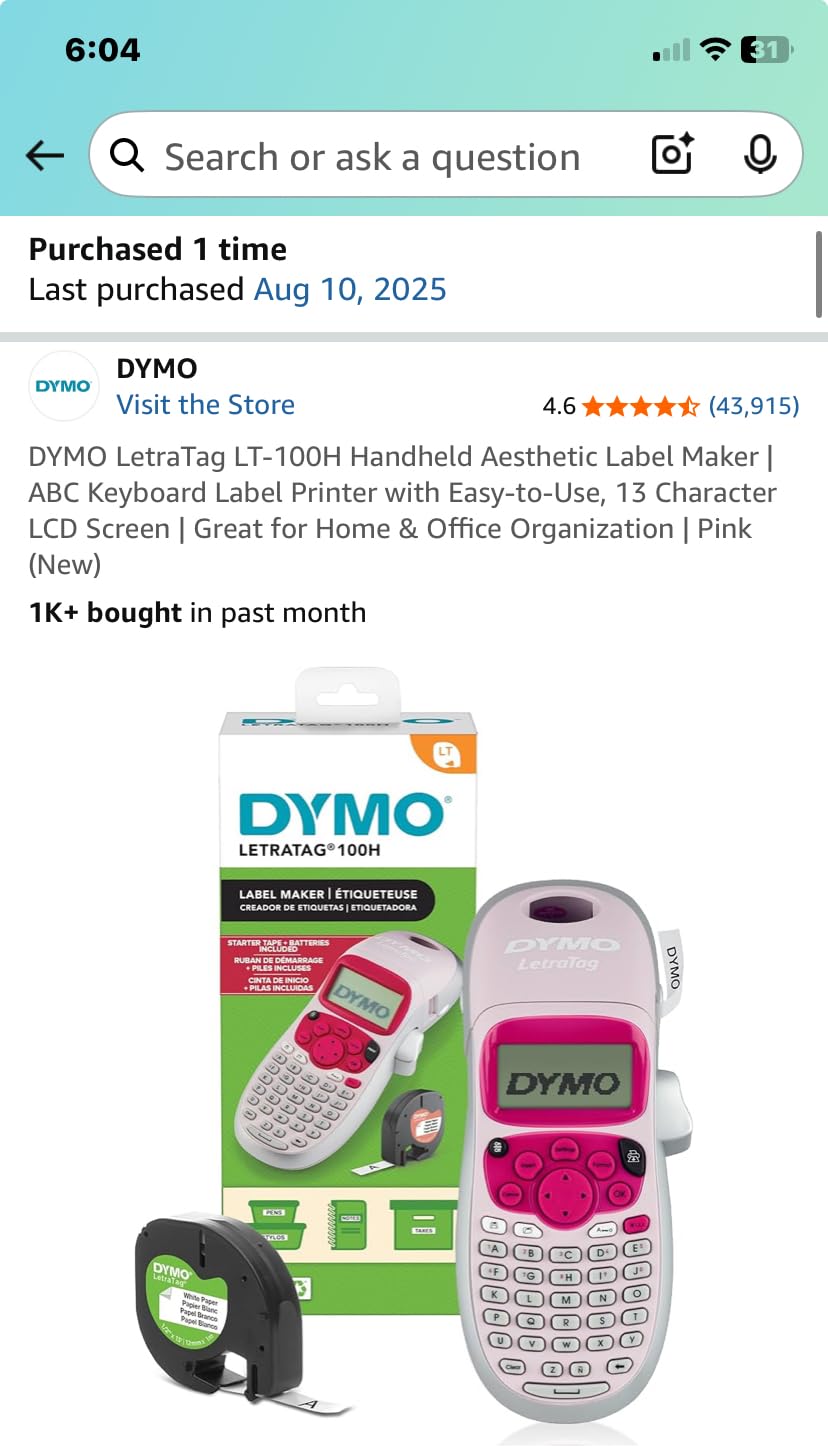
Prints are direct thermal at 7mm per second, described as smudge-free and precise, and it handles one or two lines with date stamping. The 13 character screen keeps entry simple enough for short words, and the easy-peel backing speeds up applying a label to a bin.
It works with 12mm LetraTag tapes in paper, clear, opaque plastic, and textile finishes, and generic tapes in that format are widely available, which keeps refill costs down compared with a proprietary laminated ecosystem.
The shortest path to a child running the machine
There is no account, no pairing, and no menu. The screen shows 13 characters at a time and the machine does one thing, which is the lowest possible barrier between a child and a labeled shelf. Reviewers who deliberately wanted a phone-free label maker describe that trade-off as simple in practice rather than limiting.
Parents and teachers report using it on toy storage, kitchen items, and their children’s own equipment, and several owners bought a second one for another room.
Where the LetraTag is the wrong tool
The ABC keyboard is the adjustment period. Adults used to a QWERTY layout type slowly on it, and a child who has already learned a computer keyboard may find the layout odd too. It is workable for short words, which is most of what a kids’ room needs.
Graphics are limited to a small symbol set with no emojis or detailed pictures, so pre-readers still need a picture label from an app-based machine. It also has the smallest review count on this list, so there is less long-term feedback behind it, and some owners received a unit that arrived scratched or missing tape.
What to Look for in a Label Maker for Kids Rooms
Adhesion beats every other specification. A kids’ bin is textured, cold in winter, and dusty, and the failure you will see first is a label lifting at one corner. Test before you commit: print one label, press it on the bin surface you actually own, wait a day, then wipe it with a wet cloth. The tape that survives that test is the tape you want for the room. Lamination, not resolution, is what decides this.
Tape width sets the scope of a project. 12mm, or about 1/2 inch, is the standard for bins, drawers, and closet shelves and is what most of this list prints. Wider 2 inch formats cover decorative layouts and multi-line content, while narrow 3.5mm exists for pencil cases and book spines. Tape width and label size are different things, and buyers who confuse them end up with labels that are too short for the word.
Thermal technology decides how long the label lasts. Direct thermal printing burns the image into the label, so there is no ink or ribbon and nothing to dry, which is why every Bluetooth mini unit here uses it. Thermal transfer adds a ribbon and, more importantly, a laminate layer over the print, which is the difference between a bin label that reads clearly in two years and one that ghosts. Reddit discussion consistently favors thermal transfer with lamination for any label expected to last, and the laminated Brother TZe machines here are the ones that deliver it.
Cartridge lock-in is the hidden cost. Brother TZe, Brother M, DYMO LetraTag, and the generic 12mm rolls used by the Bluetooth units are four separate tape ecosystems with no cross-compatibility. This is why a Brother machine repopulates at higher prices than a NIIMBOT or SUPVAN, and why the bundled tapes on the PT-M95 and PT-D210 matter more than their headline price suggests. Enthusiasts on buying forums consistently treat third-party tape as the main cost-control lever, and for identical 12mm widths the saving is substantial.
Check what is actually in the box. The DYMO LetraTag includes batteries, the SUPVAN E10 includes three continuous rolls, and the Brother bundles include multiple tapes, while the Brother PTD220 and PT-D210 ship without batteries and the Phomemo D30’s starter roll is short. Several budget machines arrive with neither labels nor batteries, which changes the real cost of getting started.
Decide who does the labeling. This is the criterion nobody in this category treats as central, and it should be the first one. A machine with a keyboard lets a child operate it, and a machine with an app does not. The workable pattern is two-tier: an adult sets up the room and the category labels once, and the child handles the seasonal re-labels for school gear and changing bin contents.
Ignore shipping and office printers. Devices designed for barcoded shipping labels and product packaging solve a different problem at a different scale, and they waste shelf space in a kids’ room. A handheld or Bluetooth unit covers toy bins, shelves, drawers, and school supplies completely.
Consider the non-electrical options before you buy. Chalk write-on tags and bin clips suit bins whose contents change weekly, and printable waterproof labels are cheaper per label and last longer on a flat surface. If most of your bins change every season, spend nothing on a machine until you know how many labels are staying put for years.
Labeling School Supplies, Water Bottles, and Lunchboxes
This is the job most parents search for, and it has different requirements from labeling a room. Everything in a school bag gets washed, crushed, stacked in a locker, and handled by someone who is not your child, so durability outranks decoration. Here is the sequence we recommend.
Water bottles. Curved surfaces are the hardest test of any adhesive. Print a short name on a 12mm label, press it firmly around the curve for several seconds, and give it 24 hours before the bottle goes back in the bag. A laminated tape is worth more here than on a dry shelf, and if adhesion worries you, a second label placed on the bottle’s flat base usually survives when the curved one does not.
Lunchboxes. These are wiped daily, so fade and smear resistance matter most. Laminated stock wins again, and a wide 2 inch label lets you add a name plus an allergy line in a way a narrow strip cannot. Print the allergy information in a plain, non-styled font so it stays readable at a glance.
Backpack tags. The tag goes on the outside, so this is where picture labels earn their keep for a child who cannot yet read. A 2 inch format with an icon plus a name is the practical choice, and a clear or patterned tape helps the tag stand out in a pile of identical bags.
Supply bins and pencil cases. These live in cubbies and drawers, so narrow tape is acceptable and 3.5mm gets you into pencil cases most machines cannot reach. A continuous roll handles long surnames and subject names without wrapping to a second label.
Books and library returns. Spine labels need a narrow strip and a short title, and reviewers report that preview mode on a screen-based machine prevents a misspelled return name. Put a consistent prefix on every book so returns are recognizable at a glance.
One practical note on supplies: name-label tape for clothing, school supplies, and lunch items is a separate purchase from any printer on this list. A standard M tape roll is a separate item from the machine, and dedicated clothing name labels are designed to be removed and reused at the end of a year rather than scraped off.
Also worth planning: the annual relabeling cycle. Every August the school supplies change, the subjects change, and half the names need reprinting. Machines with saved templates and batch printing, like the Phomemo D30, the NIIMBOT D110, and the NIIMBOT B1, turn that job into one sitting instead of a stack of individual reprints.
Frequently Asked Questions
What is the best label maker for kids items?
For a kid’s room, the Phomemo D30 is the best overall choice because it prints clear 203 dpi labels, fits in a 160 g palm-sized body, and its app carries 600+ fonts and 4000+ icons for toy bins, cubbies, and school gear. If your child should operate the machine without you, pick a unit with a physical keyboard instead, such as the Brother PTD220 or the DYMO LetraTag LT-100H.
What is the best way to label school items for kids?
Use one consistent prefix and print in a plain non-styled font. Use laminated tape for water bottles, lunchboxes, and anything wiped regularly, and press curved labels firmly for 24 hours before the item goes back in the bag. Add a picture plus name to backpack tags for pre-readers, and note that clothing name labels are a separate purchase from any printer.
Will label maker tape stick to plastic bins?
Most quality tape will, but textured and curved surfaces are harder than flat ones. Test one label on the actual bin surface, wait a day, then wipe it with a wet cloth. Laminated tape such as Brother TZe holds up better than unlaminated tape, and a split-back liner tape makes repositioning easier if you need to move a label.
Do label maker tapes fade in sunlight?
They can. Direct thermal print is burned into the label and has no protective layer, so bins near a window fade faster than those on a shaded shelf. Laminated tape adds a clear top layer that slows fading considerably. If fading is your main concern, put the sunniest bin on a laminated machine and accept a shorter life on the rest.
Can kids use a label maker by themselves?
Yes, but only a unit with a physical keyboard. A phone-driven machine with no screen cannot be operated independently by a child. The Brother P-Touch PTD220, the PT-M95, the PT-D210, and the DYMO LetraTag LT-100H all have keypads and screens, and the LetraTag is the simplest of them for a young child.
What is the difference between a label printer and a label maker?
A label maker is handheld and prints one short label at a time from a built-in keypad or a phone app, which suits a kid’s room. A label printer is a desktop unit that prints sheets or rolls of many labels from a computer, built for shipping barcodes and product packaging rather than bins and shelves.
Is it worth getting a label maker?
It is worth it when a room has more than about ten bins, drawers, or shelves that need permanent names, because the tape cost over two years is far below the cost of re-sorting a room nobody can read. It is not worth it if most bins change contents weekly, where chalk tags or printable waterproof labels are cheaper and faster.
How much does a label maker for kids cost?
Consumer handheld and Bluetooth units sit in a broad range, with the mini Bluetooth machines at the entry end and the Brother keyboard models higher because of the proprietary TZe tape they use. The running cost is tape, and it varies far more by cartridge ecosystem than the machine, since third-party 12mm rolls cost a fraction of branded laminated tape.
Which Label Maker Should You Buy for 2026?
If you only buy one, buy the Phomemo D30. It has the deepest app library of the group, the largest community behind it, a body small enough to live in the room rather than a drawer elsewhere, and clean 203 dpi output that stays readable on the short words a toy bin actually needs.
Buy the Brother P-Touch PTD220 instead if the goal is to hand labeling over to your child, because a physical keyboard and laminated TZe tape solve independence and durability in one device. Buy the SUPVAN E10 if long names must fit on one label, the NIIMBOT B1 if labels need to be wide and decorative, and the DYMO LetraTag LT-100H if a six-year-old is going to be the main operator.
Whatever you choose, print one label, stick it on the bin you care about most, wipe it, and wait a day. That single test will tell you more about the next three years of labels than any specification on the box.