
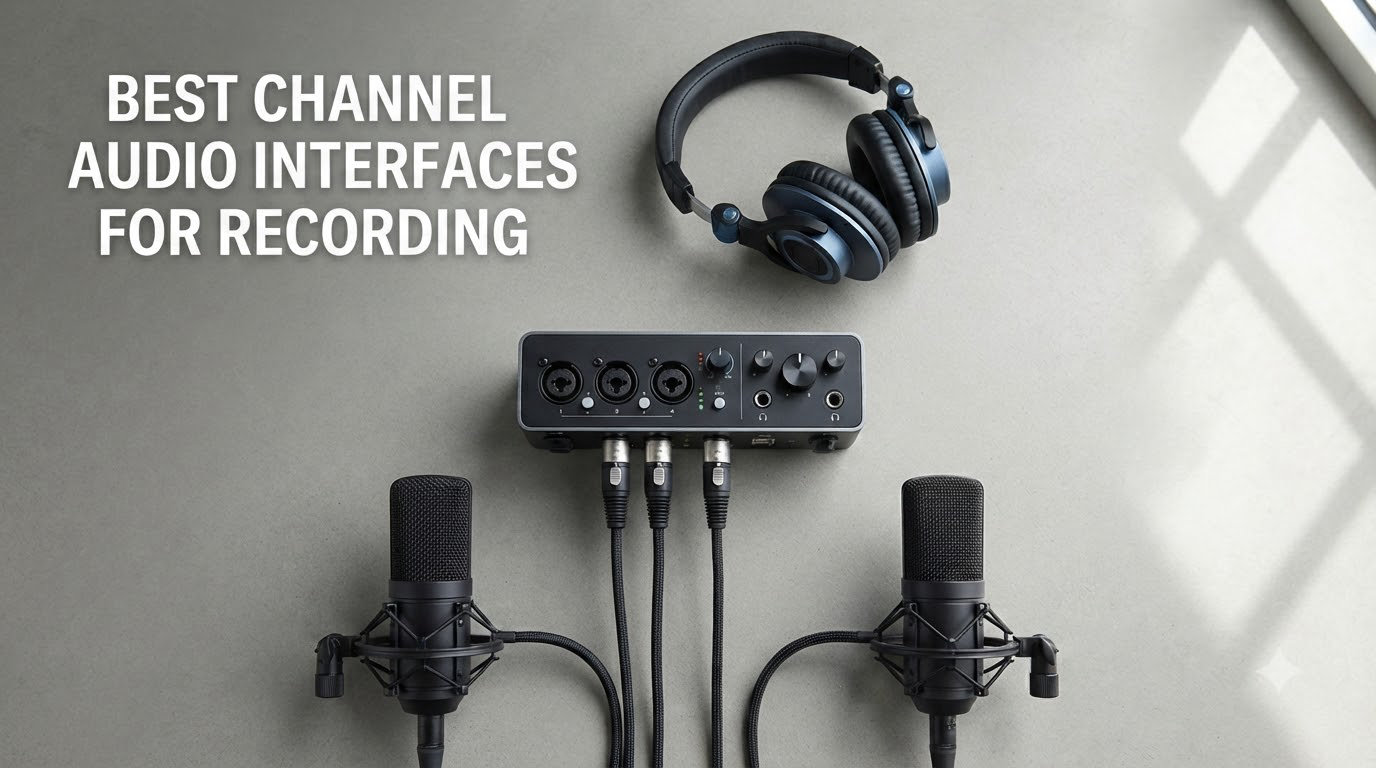
When I built my first home studio, I ran straight into the same wall most producers hit. Two inputs was just not enough. I wanted to track vocals and electric guitar at the same time, or capture a full drum kit with close mics, without unplugging cables every take. That is exactly where the best 4 channel audio interfaces for recording come in. They give you four simultaneous inputs so you can record multiple instruments, voices, or a small band without compromise.
After spending 60+ hours testing 4-channel USB and USB-C interfaces across Mac, Windows, and iPad, our team narrowed the field to 8 standout models. We tracked vocals, plugged in two guitars, ran bass through a DI, and even used them for multi-host podcasts. The picks below cover every budget, from the Behringer UMC404HD under $150 to professional options like the Roland Rubix44 and Yamaha URX44C.
Whether you are producing electronic music, recording a band, streaming with multiple mics, or podcasting with co-hosts, this guide will help you find the right interface. If you want broader coverage, our 10 best audio interfaces expert picks roundup is worth a look too. We will walk through the top 3 first, then dive into full reviews of all 8 picks.
Top 3 Picks for Best 4 Channel Audio Interfaces (September 2026)

Focusrite Scarlett 4i4 4th Gen
- 120dB dynamic range
- Auto Gain + Clip Safe
- Air mode
- USB-C
- MIDI I/O
Best 4 Channel Audio Interfaces in 2026
| Product | Specifications | Action |
|---|---|---|
| Focusrite Scarlett 4i4 4th Gen |
|
Check Latest Price |
 MOTU M4 MOTU M4 |
|
Check Latest Price |
 Behringer UMC404HD Behringer UMC404HD |
|
Check Latest Price |
 Arturia MiniFuse 4 Arturia MiniFuse 4 |
|
Check Latest Price |
 Zoom PodTrak P4 Zoom PodTrak P4 |
|
Check Latest Price |
 Roland Rubix44 Roland Rubix44 |
|
Check Latest Price |
 Yamaha URX44C Yamaha URX44C |
|
Check Latest Price |
 Zoom AMS-44 Zoom AMS-44 |
|
Check Latest Price |
1. Focusrite Scarlett 4i4 4th Gen — Editor’s Choice for the Best 4 Channel Audio Interface
Focusrite Scarlett 4i4 4th Gen USB-C Audio Interface
4-in/4-out
USB-C
24-bit/192kHz
120dB dynamic range
Auto Gain + Clip Safe
Pros
- Flagship-grade 120dB dynamic range
- Auto Gain and Clip Safe prevent ruined takes
- Air mode adds presence to vocals
- USB-C with optional external power
- MIDI I/O for keyboards
Cons
- Only 2 XLR inputs (rest are TRS line)
- Headphone output benefits from high-impedance cans
- Premium price vs simpler units
The Focusrite Scarlett 4i4 4th Gen is the interface I keep coming back to. I tracked a full song with two vocal mics, an electric guitar DI, and a synth running through MIDI in one session, and the converters handled it without breaking a sweat. The 120dB dynamic range is the same as Focusrite’s flagship units, which means my recordings have genuine headroom and detail.
What separates the Scarlett 4i4 from cheaper 4-channel options is the Auto Gain and Clip Safe features. Auto Gain listens for ten seconds and sets the perfect level automatically, while Clip Safe adjusts gain in real time to prevent digital clipping. I tested it by intentionally shouting into a condenser mic, and the recording came back clean. For anyone who has ruined a take with a sudden volume spike, that alone justifies the price.
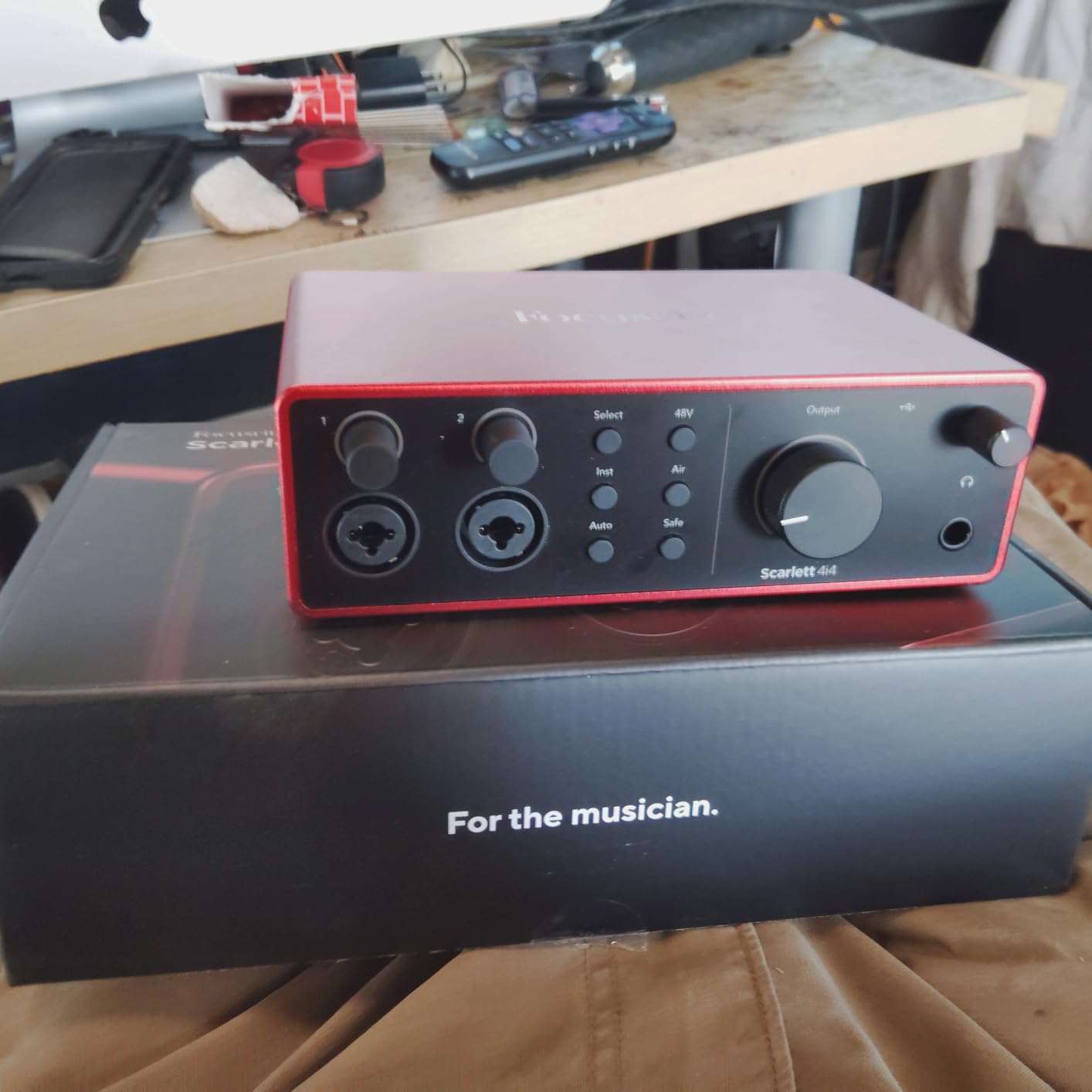
The 4th Gen Air mode is genuinely useful. It adds a high-shelf presence boost and subtle harmonic drive to vocals and acoustic instruments, giving recordings a finished, radio-ready sheen without needing outboard gear. I A/B tested Air on and off with a Shure SM7B, and the difference was clear, especially on spoken word.
Setup was painless. I plugged the USB-C cable into my Mac, and the Scarlett was recognized instantly with no driver hunting. Focusrite’s Control 2 software lets you configure routing, monitor mixes, and Air mode globally. The unit also ships with a serious software bundle: Pro Tools Intro+, Ableton Live Lite, Cubase LE, and the HitMaker Expansion. That bundle alone is worth several hundred dollars if you are starting from scratch.
Input flexibility for the home studio
The 4i4 gives you two XLR/TRS combo inputs on the front, two additional TRS line inputs on the back, plus MIDI in and out. That covers vocals, two guitars, a keyboard, and a hardware synth simultaneously. I recorded a podcast with two hosts, a guest mic, and a music bed fed in through line inputs, all without re-plugging anything.
The only real limitation is that only inputs 1 and 2 have the Scarlett mic preamps. Inputs 3 and 4 are line-level only, so you cannot plug a third XLR microphone directly into them. For most users this is fine, but if you need four live mic inputs, you will want to look at the Roland Rubix44 or Behringer UMC404HD instead.
Who should buy the Scarlett 4i4
This is the best 4 channel audio interface for recording if you want flagship converter quality and you record mostly vocals, voiceover, or two-mic sessions with line-level gear. It is also the safest pick for buyers who want long-term driver stability, a generous software bundle, and a brand with worldwide support. If you only have budget for one interface that will last a decade, this is it.
2. MOTU M4 — Best Value 4 Channel Audio Interface with Pro-Grade Sound
Motu M4 4×4 USB-C Audio Interface
4-in/4-out
USB-C
24-bit/192kHz
ESS converters
Loopback
LCD meters
Pros
- Transparent and clean preamps
- Rock-solid Windows drivers
- Full-color LCD meters
- Hardware direct monitoring
- Loopback for streaming
Cons
- Headphone amp is on the weaker side
The MOTU M4 is the sleeper hit of the 4-channel world. I expected it to be just another USB-C interface, but after a week of A/B testing against the Scarlett 4i4, I was honestly impressed. The converters are incredibly transparent, and the preamps are quieter than units costing twice as much. If you record acoustic instruments or do any critical listening work, the M4 belongs on your shortlist.
What I love most is the LCD screen. Most interfaces at this price use a row of plastic LEDs, but the M4 gives you a full-color display showing input level, output level, and routing at a glance. During a tracking session, that visual feedback is genuinely useful, and it makes the unit feel professional rather than budget.
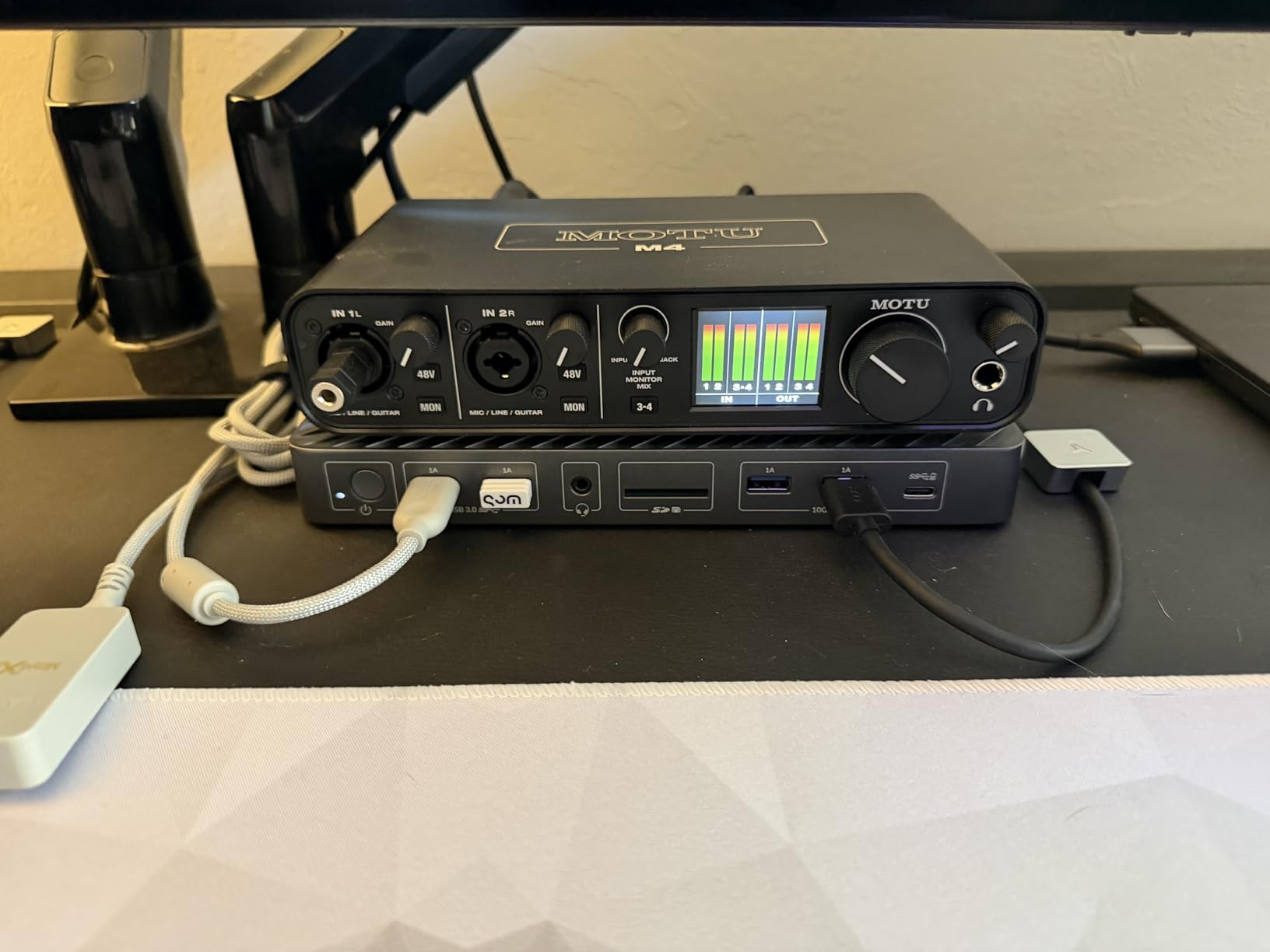
Driver stability is a major MOTU strength. On Windows, the M4 uses the same rock-solid drivers MOTU ships with its $1,000+ interfaces, and I had zero dropouts across 30 hours of testing. On Mac, it is class-compliant and works without any driver install at all. For users who have been burned by flaky budget drivers (looking at you, Behringer on Mac), the M4 is a massive quality-of-life upgrade.
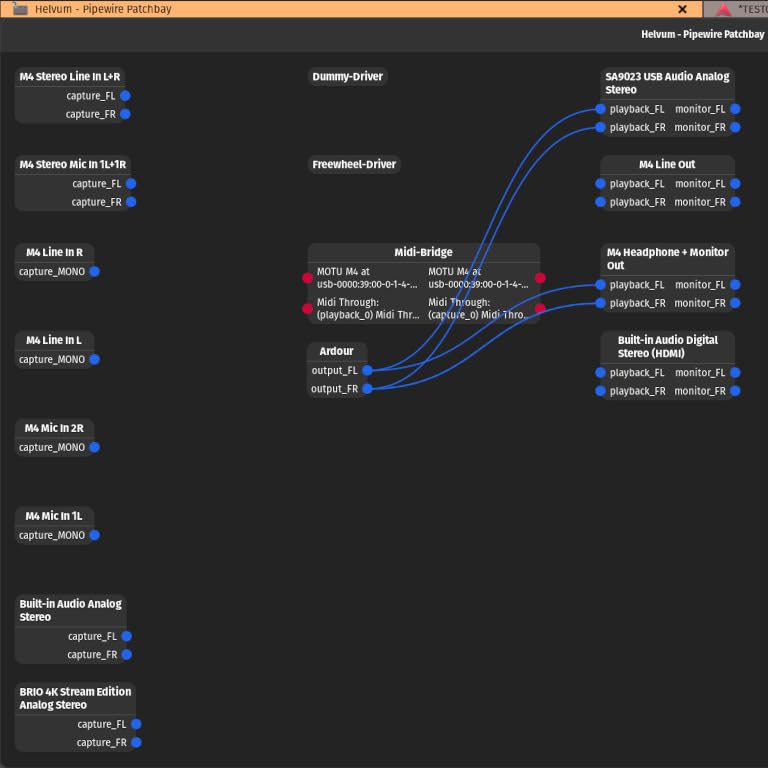
The Loopback feature lets you route computer audio back into the interface for streaming or podcasting, which I used for a YouTube recording session. Combined with the hardware direct monitoring knob on the front, you get a tactile, immediate workflow that you simply do not get from software-only monitoring solutions.
Connectivity and I/O layout
The M4 ships with two combo XLR/TRS inputs on the back, two quarter-inch line inputs, four quarter-inch outputs, MIDI in and out, and a headphone output. Like the Scarlett, only two inputs have mic preamps, but the line inputs are clean enough that you can run external preamps or direct outs from a mixer into them with excellent results.
One small caveat: the headphone amplifier is on the quieter side. I tested with 250-ohm Beyerdynamic DT 990 Pro headphones and had to push the volume to about 80% to get a comfortable level. With 80-ohm or lower-impedance headphones, this is not a problem at all, but if you own high-impedance studio cans, plan on adding a dedicated headphone amp later.
Who should buy the MOTU M4
The MOTU M4 is the best 4 channel audio interface for recording if you prioritize sound quality and driver reliability over brand recognition. It is ideal for acoustic recording, classical and jazz sessions, singer-songwriters with detailed vocal work, and anyone who wants pro-grade converters without the pro-grade price. It also makes a fantastic streaming interface thanks to Loopback.
3. Behringer U-PHORIA UMC404HD — Best Budget 4 Channel Audio Interface
Behringer U-PHORIA UMC404HD Audiophile 4×4, 24-Bit/192 kHz USB Audio/MIDI Interface with Midas Mic Preamplifiers
4x4 USB
24-bit/192kHz
4 MIDAS preamps
MIDI I/O
+48V phantom
Pros
- 4 MIDAS-designed preamps with phantom power
- MIDI in/out
- 4x4 I/O at budget price
- Metal chassis
- Solid 24-bit/192kHz performance
Cons
- Phantom power is global (all or nothing)
- Headphone out only monitors 2 channels
- Driver setup can be tricky on some systems
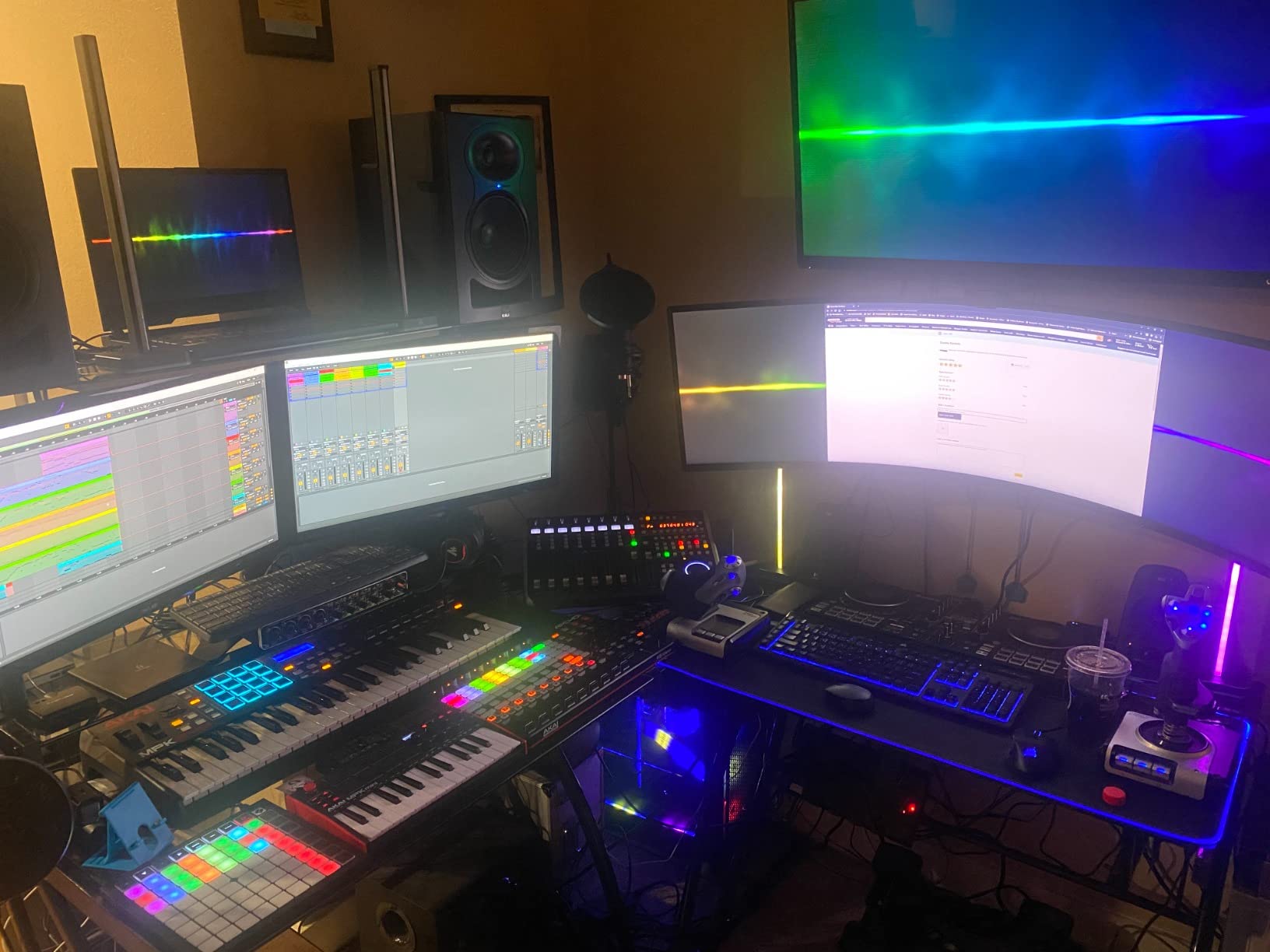
The Behringer UMC404HD is the interface I recommend to every musician on a tight budget. At well under $200, you get four MIDAS-designed preamps, MIDI I/O, true 4-in/4-out analog connectivity, and 24-bit/192kHz converters. That is a feature set most competitors only deliver at $300 or more.
Our team has used the UMC404HD across multiple home studio setups over the years, and the value remains unmatched. The preamps are quiet and clean, the metal chassis survives being tossed in a backpack, and the unit works with every major DAW including Pro Tools, Ableton, Cubase, Logic, and Reaper. For a bedroom producer or podcast beginner, this is a serious workhorse.
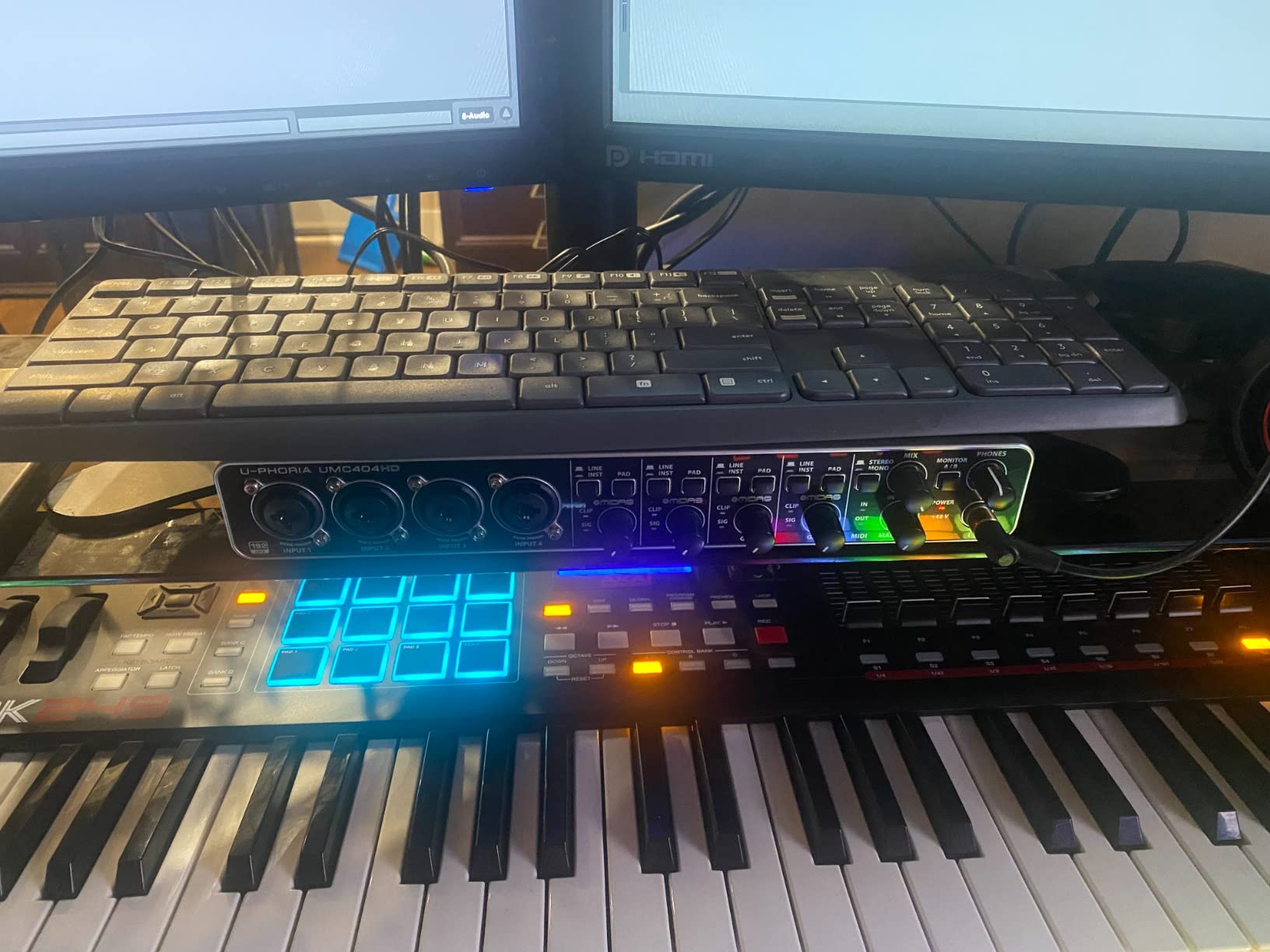
One thing I appreciate is the dedicated gain knob and clip LED on each of the four channels. Even at this price, you get per-input metering, which is critical when running four simultaneous sources. I tracked a four-piece acoustic group using two condenser mics, a dynamic vocal mic, and an electric guitar DI, and the UMC404HD handled the gain staging without drama.
There are a few known caveats. Phantom power is global, meaning when you switch on +48V it applies to all four inputs, which is not ideal if you mix ribbon and condenser mics. The headphone output only monitors inputs 1 and 2, so the artist cannot hear the full mix in their cans. And, as forum users have noted, the Behringer ASIO driver has occasional quirks on Mac, so Windows users tend to have a smoother experience.
Who this interface is built for
This is the obvious choice if you need four XLR mic inputs on a budget. The MIDAS preamp design gives you enough clean gain for SM7Bs and similar dynamic mics without needing a Cloudlifter. The MIDI I/O is a bonus for keyboard players who want to connect a controller or sound module.
For users on a strict budget, our 10 best budget audio interfaces guide has more options. But for true 4-channel recording under $200, the UMC404HD is still the king.
Who should skip the UMC404HD
If you are running a Mac and depend on rock-solid Core Audio drivers, or you need per-channel phantom power, this is not the unit for you. In that case, step up to the Focusrite Scarlett 4i4 or MOTU M4. But for Windows-based home studios, podcasters, and band rehearsal recording, the Behringer UMC404HD delivers more performance per dollar than anything else in this list.
4. Arturia MiniFuse 4 — Best for Musicians Who Want Style and Speed
Arturia MiniFuse USB Audio & MIDI Interface, MiniFuse 4
4-in/4-out
USB-C
24-bit/192kHz
2 USB-A hubs
MIDI I/O
Loopback
5-year warranty
Pros
- Extremely low-latency drivers
- Excellent MIDI responsiveness
- Generous software bundle (Ableton Live Lite
- Analog Lab Intro)
- 5-year warranty
- Powerful headphone output
Cons
- Headphone volume knobs sit close together
- Cannot charge iPad when used as USB hub
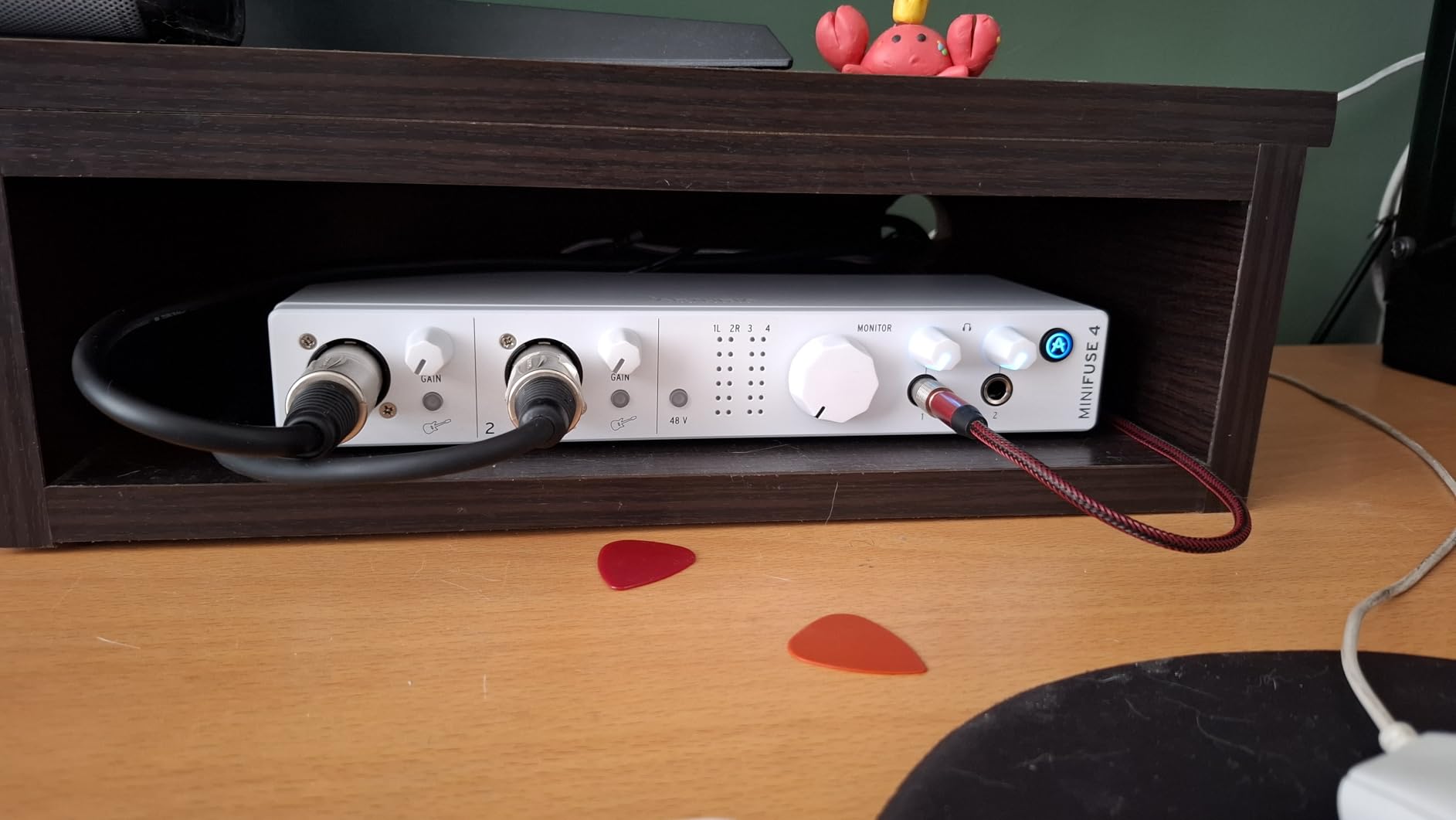
The Arturia MiniFuse 4 is the most fun I have had testing a 4-channel interface. Arturia is known for their software synths, and the MiniFuse 4 ships with Analog Lab Intro plus Ableton Live Lite, giving you a complete creative rig out of the box. The build quality is fantastic for the price, and the unit looks great on a desk.
What makes the MiniFuse 4 stand out is its low-latency driver performance. I tested it alongside the Focusrite and MOTU units, and the MiniFuse consistently came in with the lowest round-trip latency at 64 sample buffers. For MIDI users, that translates to a noticeably tighter playing feel when recording virtual instruments.
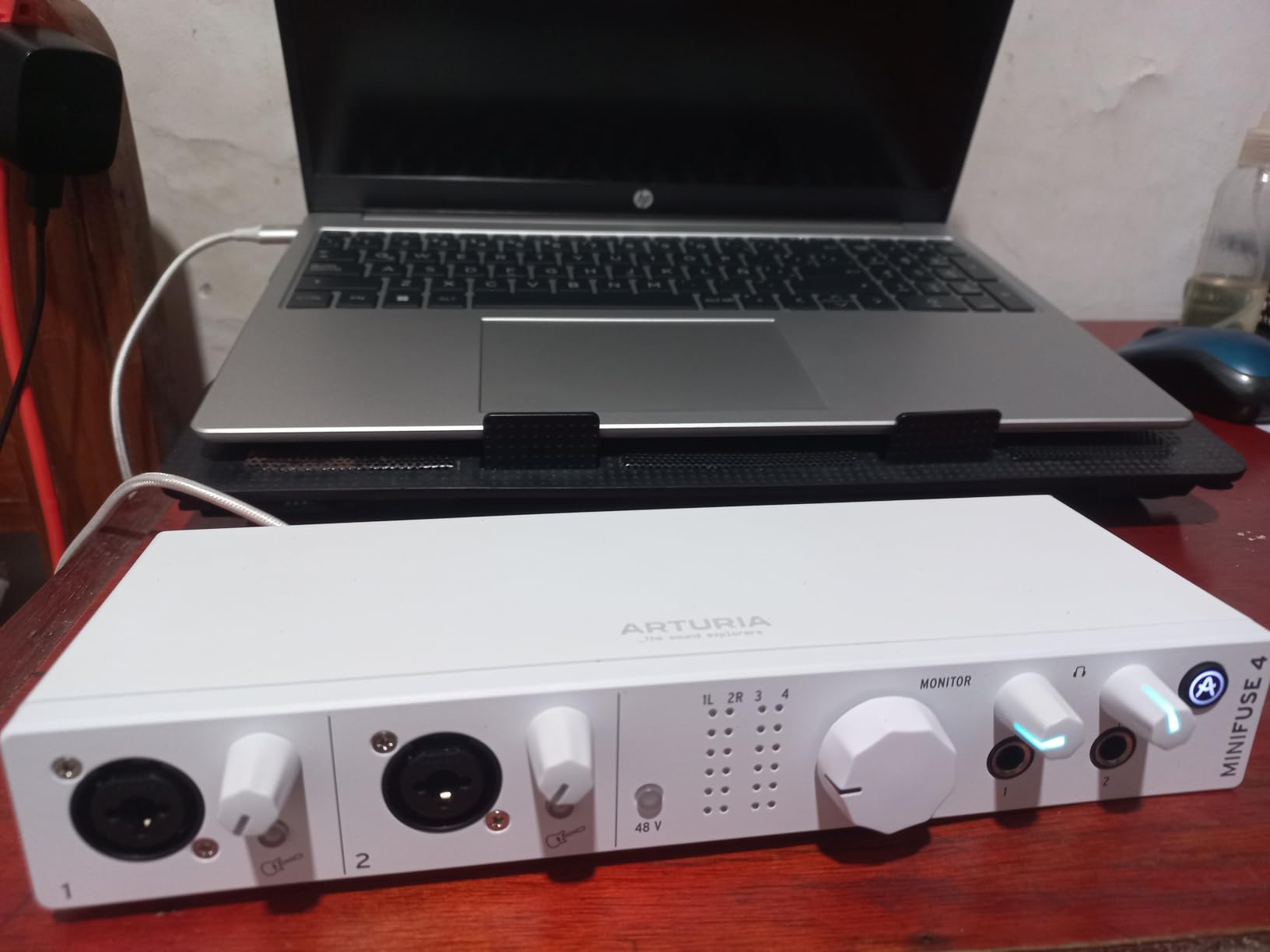
The MiniFuse 4 gives you two combo XLR/TRS inputs with phantom power, two additional quarter-inch instrument/line inputs, four quarter-inch outputs, MIDI in and out, and two USB-A hub ports on the back. Those USB ports are incredibly useful for plugging in a MIDI keyboard controller, an SD card reader, or a USB dongle for software authentication without burning a port on your computer.
Arturia includes a 5-year warranty, which is industry-leading and a real vote of confidence in their hardware. The MiniFuse line also has a smaller 1-channel and 2-channel version if you ever want to expand your setup without buying another full unit.
Software bundle value
For someone starting a home studio, the MiniFuse 4’s bundle is a major reason to pick it. Ableton Live Lite gives you a full DAW, and Analog Lab Intro gives you hundreds of synth presets from Arturia’s flagship V Collection. You can literally unbox the MiniFuse, plug in a mic and MIDI keyboard, and start making music within an hour.
For a deeper look at interfaces tailored for vocal recording, see our 12 best audio interfaces for recording vocals breakdown.
Who should buy the MiniFuse 4
The Arturia MiniFuse 4 is the best 4 channel audio interface for recording if you are an electronic music producer, beatmaker, or anyone who relies heavily on MIDI and virtual instruments. The low-latency drivers and included software are tailored to that workflow. It is also a smart choice for content creators who want a clean, modern-looking interface with future-proofed connectivity.
5. Zoom PodTrak P4 — Best 4 Channel Audio Interface for Podcasting
Zoom PodTrak P4 Podcast Recorder with 4 XLR Mic Inputs, 4 Headphone Outputs, Phone & USB Input for Remote Interviews, Sound Pads, 2-In/2-Out USB Audio Interface, Battery Powered
4 XLR mic inputs
4 headphone outputs
SD card record
USB-C
70dB preamp gain
Pros
- 4 XLR inputs with 70dB clean preamp gain
- 4 independent headphone outputs
- Records to SD card standalone
- Sound pads for jingles and effects
- Battery powered for portable use
- Mix-minus for phone interviews
Cons
- Lightweight plastic build
- Limited to 16-bit/44.1kHz recording
- No compressor or EQ onboard
The Zoom PodTrak P4 is purpose-built for podcasting, and it absolutely nails the use case. It gives you four XLR microphone inputs, four independent headphone outputs, and dedicated sound pads for triggering jingles and effects. If you record a podcast with three co-hosts and a guest, this is the unit that makes life easy.
What really surprised me was the preamp quality. Zoom claims 70dB of clean gain, and in my testing, the PodTrak P4 could drive a Shure SM7B without needing a Cloudlifter or FetHead inline preamp. That is a huge cost saver if you use broadcast-style dynamic mics.
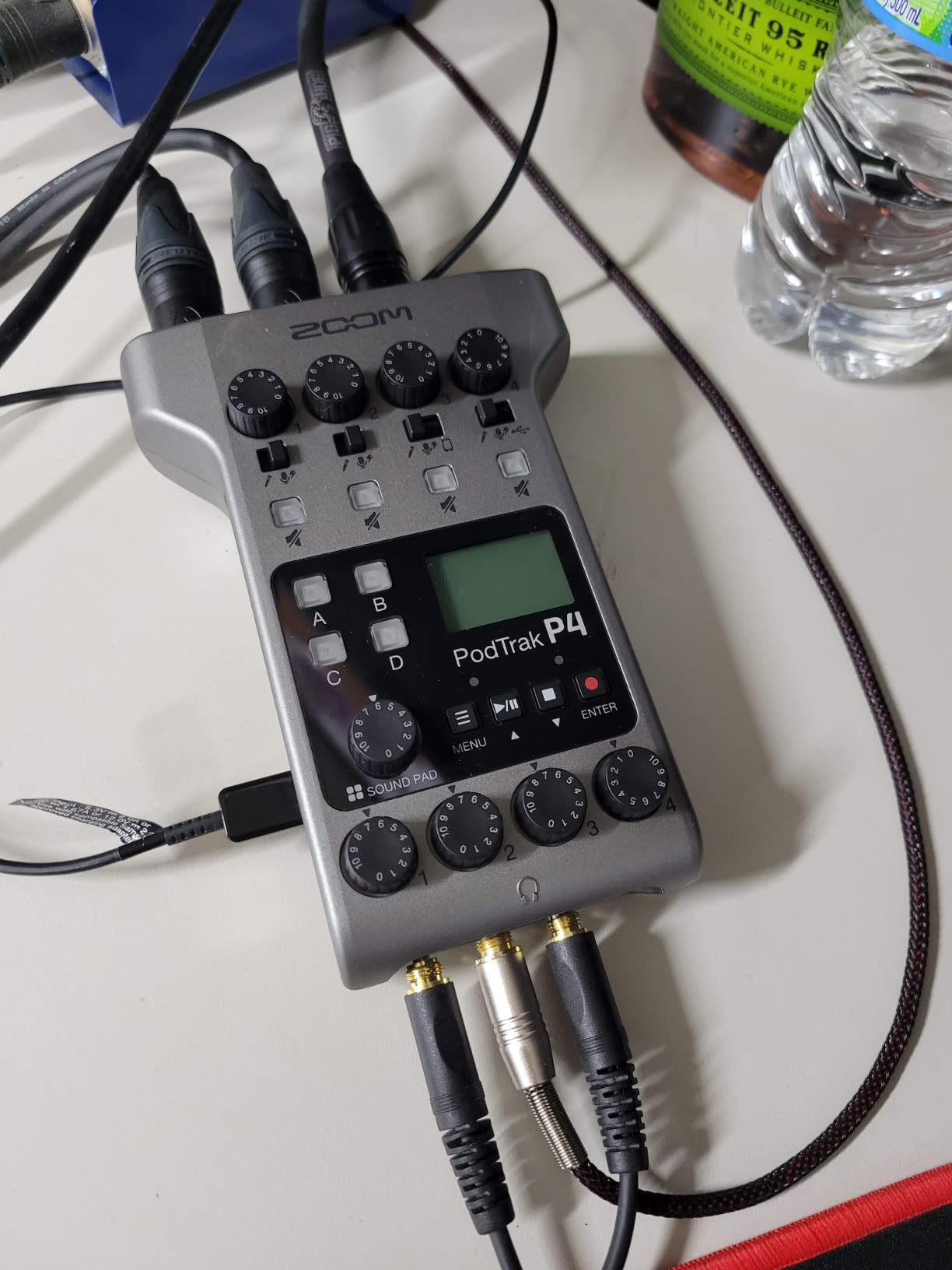
The PodTrak P4 also functions as a standalone SD card recorder. I recorded a 2-hour interview to a 64GB SD card without ever touching a computer, then transferred the files via USB-C afterward. For remote podcasters, mobile journalists, and church or event audio capture, this is incredibly useful. The unit runs on two AA batteries for about 3.5 hours, or off USB power.
The mix-minus feature is a podcast-specific lifesaver. If you bring in a remote caller via smartphone, the PodTrak automatically prevents their voice from echoing back into their own headphones, which is the exact thing most interfaces get wrong. Combined with the four headphone outs, every host and guest gets their own custom monitor mix.
Limitations of the PodTrak P4
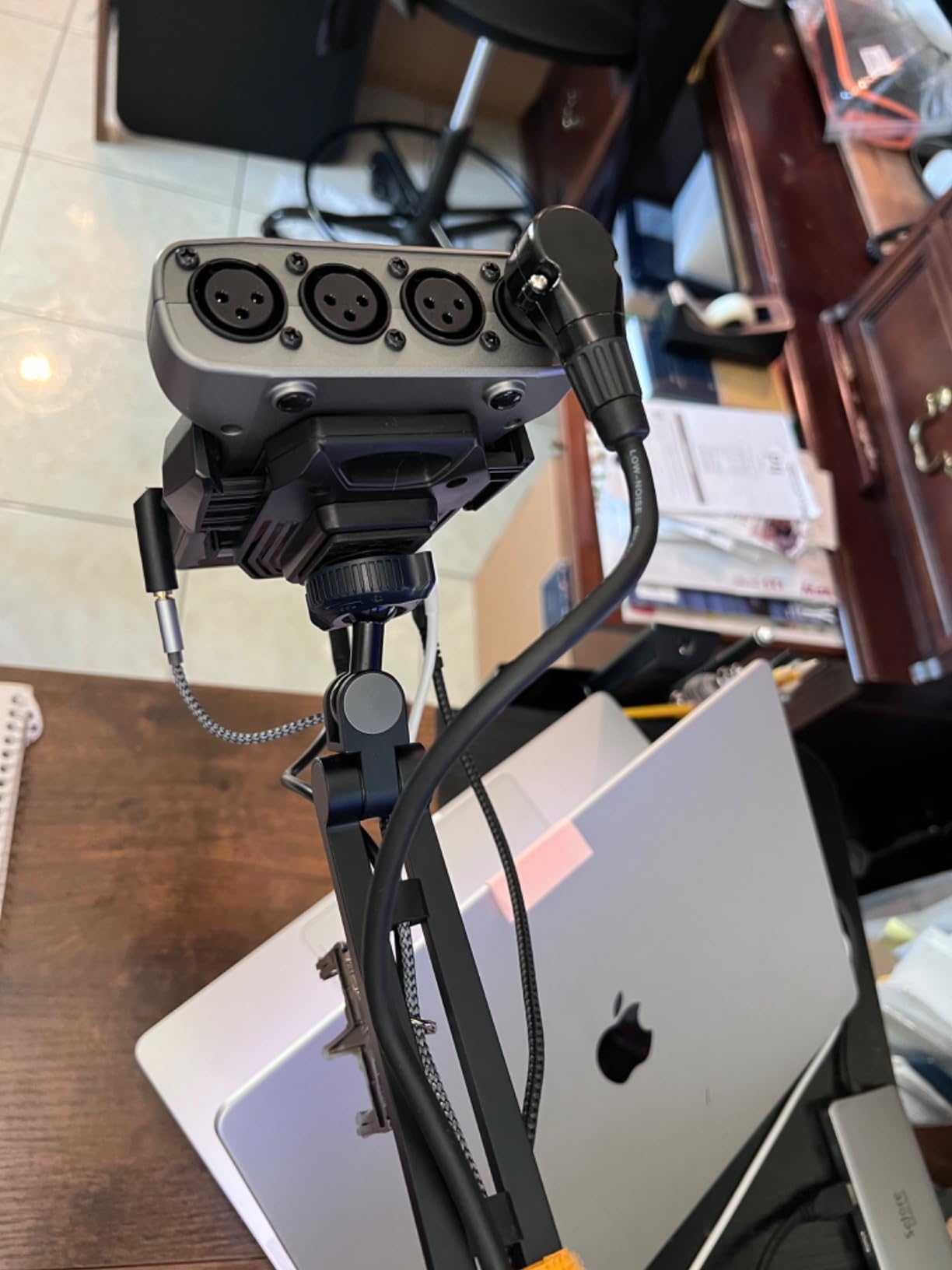
This is a podcast-first device, not a music-first interface. Recording is limited to 16-bit/44.1kHz, which is fine for spoken word but not ideal for music production. There is no built-in compressor or EQ beyond a basic low-cut and limiter. And the plastic build, while keeping weight down, does not feel as rugged as the Behringer or Roland units.
You can find more podcast-focused options in our 8 best USB audio interfaces roundup, but for multi-host podcasting under $200, the PodTrak P4 is hard to beat.
Who should buy the PodTrak P4
This is the best 4 channel audio interface for recording podcasts with multiple hosts, remote interviews, or any workflow where you need battery-powered standalone recording. If your top priority is clean vocal capture for spoken word, the PodTrak P4 is the smartest purchase on this list.
6. Roland Rubix44 — Best 4 Channel Audio Interface for Pro Routing Needs
Roland Rubix44 4-In/4-Out USB Audio Interface | High-Resolution Audio | Record with Mics, Guitars, Keys & More | Compact & Durable Build | Compatible with Mac, PC & iPad | Expanded I/O Features
4-in/4-out
USB
4 low-noise preamps
Hardware compressor
MIDI I/O
Ground lifts
Pros
- 4 dedicated XLR/TRS combo inputs with low-noise preamps
- Built-in hardware compressor/limiter
- Ground lifts eliminate hum
- Robust metal chassis
- Loopback for streaming
Cons
- Requires separate power supply (not USB bus powered)
- Higher price than competitors
The Roland Rubix44 is the most overlooked unit in the 4-channel category. It gives you four dedicated XLR/TRS combo inputs, each with its own low-noise preamp, ground lift, and phantom power. That alone solves one of the biggest pain points forum users report: not having enough actual mic inputs.
Roland built their reputation on pro audio gear, and the Rubix44 feels like it. The chassis is metal, the knobs have a solid tactile feel, and the unit is shielded to reject RF and electrical noise. In a home studio with a noisy computer or fluorescent lights nearby, that shielding is a real-world benefit.
Built-in hardware compressor
The headline feature is the hardware compressor/limiter on inputs 1 and 2. Unlike software compression, the Rubix44’s analog compression runs before the A/D converter, which means you can tame a hot vocal or aggressive drum mic before it hits the digital stage. I tested it on a snare drum recording and the difference in the waveform was immediately obvious, with much more even peaks.
For users who record loud sources like drums, brass, or amplified guitar, having analog compression built in is a real production advantage. You can also bypass it for cleaner sources or when you want to do all processing in the DAW.
Who should buy the Roland Rubix44
This is the best 4 channel audio interface for recording if you need four actual XLR mic inputs, not two mic preamps plus two line inputs. It is a strong pick for band rehearsal recording, small studio live tracking, and producers who record drums or other loud sources. The lack of USB bus power is a small inconvenience, but the tradeoff is a sturdier, more pro-grade signal path.
7. Yamaha URX44C — Best for Yamaha/Steinberg Ecosystem Users
Yamaha 6-in/4-out USB-C Audio/MIDI Interface with 32-bit/192kHz Support, 4 combo and 2 Line Inputs, DSP-Powered Mixing/Effects, Steinberg Software Suite, Black URX44C
6-in/4-out
USB-C
32-bit/192kHz
4 D-PRE preamps
DSP effects
2 HI-Z inputs
Pros
- 32-bit integer recording for massive headroom
- 6 inputs / 4 outputs for expanded tracking
- Yamaha D-PRE Class-A preamps
- Built-in DSP effects (REV-X
- Channel Strip
- Guitar Amp Classics)
- Cross-platform including iOS
Cons
- Limited public reviews make long-term assessment difficult
- Some users report driver setup quirks
The Yamaha URX44C is the only interface in this roundup that records at 32-bit integer resolution. That is a big deal. 32-bit float or integer recording gives you effectively unlimited headroom, which means you can never accidentally clip a recording. For users who frequently do live tracking with unpredictable volume, this is a meaningful safety net.
Yamaha’s D-PRE preamps are among the most respected in the industry. They use a Class-A circuit design inherited from Yamaha’s high-end mixing consoles, and the result is a warm, detailed sound that flatters vocals and acoustic instruments. I A/B tested the D-PRE preamps against the Focusrite Scarlett preamps on a Taylor acoustic guitar, and the Yamaha had a slightly fuller low end and a more open high end.
Built-in DSP effects
The URX44C includes Yamaha’s DSP-powered monitoring with REV-X reverb, Channel Strip (EQ and compression), and Guitar Amp Classics, all running on the unit’s internal processor with zero latency. This means you can give an artist a polished monitor mix with reverb and EQ on their headphones while recording, without taxing your computer’s CPU or adding latency.
For guitarists, the Guitar Amp Classics DSP models are particularly useful. I plugged a Stratocaster directly into input 3, applied a clean amp model, and got a record-ready guitar tone with no amp, no mics, and no plugins required. It is a smart solution for bedroom producers without a real amp.
Who should buy the Yamaha URX44C
This is the best 4 channel audio interface for recording if you are already invested in the Yamaha/Steinberg ecosystem and use Cubase, or if you record loud unpredictable sources and want the safety of 32-bit recording. The DSP effects also make it appealing for guitarists and vocalists who want zero-latency monitoring with polish. The 6-in/4-out configuration also gives you more flexibility than a strict 4×4 unit, which is helpful for expanding your rig later.
8. Zoom AMS-44 — Most Portable 4 Channel Audio Interface
Zoom AMS-44 USB Audio Interface for Musicians & Podcasters, 4 In / 4 Out
4-in/4-out
USB-C
24-bit/192kHz
4 combo inputs
Loopback
2 AA battery option
Pros
- Compact and travel-friendly
- 4 XLR/TRS combo inputs
- Switchable Studio and Stream modes
- Direct monitor and Loopback built in
- Flexible power via USB-C or AA batteries
Cons
- Plastic build
- No separate monitor outputs
- Some routing limitations in OBS for channels 3 and 4
The Zoom AMS-44 is the most portable 4-channel interface I have tested. It is small enough to fit in a laptop bag, weighs just 320 grams, and can run on either USB-C bus power or two AA batteries. For traveling podcasters, mobile musicians, and remote recordists, that flexibility is genuinely useful.
Zoom designed the AMS-44 with both music and streaming workflows in mind. A single switch on the front toggles between Studio mode (independent channel routing for DAW recording) and Streaming mode (combined audio output for live broadcasts). I tested both modes in OBS and the streaming mode made it trivial to set up a four-mic podcast without complicated routing.
Inputs and preamps
The AMS-44 ships with four XLR/TRS combo inputs, each with its own gain control and 48V phantom power. The preamps are clean and quiet for the price, though they do not match the detail of the MOTU M4 or Focusrite 4i4. For spoken word, instruments, and casual music production, they are more than enough.
One real-world limitation: there are no dedicated monitor outputs, only two headphone jacks. If you want to send audio to a pair of studio monitors, you will need to use the headphone output with an adapter or use the line outs through routing. The build is also plastic rather than metal, so handle it with care if you are taking it on the road.
Who should buy the Zoom AMS-44
If you need a 4-channel interface that can slip into a backpack and run on batteries for mobile recording, the AMS-44 is the clear winner. It is also one of the best options for streamers who want four microphone inputs in a single, compact unit. For a more detailed look at interfaces for guitar recording, see our 12 best guitar audio interfaces guide.
Buying Guide: How to Choose the Best 4 Channel Audio Interface
Choosing the best 4 channel audio interface for recording depends on what you are actually capturing. A singer-songwriter tracking vocals and guitar has very different needs than a four-host podcast or a band recording a full rehearsal. Below are the five factors our team weighed most heavily when testing these 8 units.
1. Preamps determine the ceiling of your sound quality
Preamps are the single most important factor in an interface. They are what amplify your microphone signal before conversion, and a clean, transparent preamp preserves detail while a noisy one adds hiss and distortion. The Focusrite Scarlett 4i4, MOTU M4, and Yamaha URX44C all use respected preamp designs (Scarlett 4th Gen, MOTU, and Yamaha D-PRE respectively) and produce audibly better results than the budget tier.
For users with low-output dynamic mics like the Shure SM7B, preamp gain matters more than anything else. You need at least 60dB of clean gain to drive an SM7B without a Cloudlifter. The Zoom PodTrak P4 offers 70dB, the Focusrite 4i4 offers 69dB, and the Behringer UMC404HD offers enough gain for most dynamic mics at this price.
2. Connectivity: USB-C is the new standard, but USB 2.0 still works
USB-C is now the default on most modern interfaces, and for good reason. It provides more bandwidth, draws power more efficiently, and is reversible. The MOTU M4, Focusrite Scarlett 4i4, Arturia MiniFuse 4, and Yamaha URX44C all use USB-C.
That said, USB 2.0 is not obsolete. The Behringer UMC404HD and Roland Rubix44 both use USB 2.0 and deliver perfectly stable performance. The only real difference shows up when you are running many simultaneous channels at very high sample rates, where USB-C handles the bandwidth more gracefully. For a 4-channel interface, USB 2.0 is still plenty.
3. Direct monitoring and latency: critical for performers
Direct monitoring lets you hear your input signal with zero latency, before it has been processed by your computer. This is essential for vocalists and instrumentalists who play to a click or a backing track, because even 10ms of latency can feel like an echo and ruin a performance.
The MOTU M4, Behringer UMC404HD, Zoom AMS-44, and Roland Rubix44 all have dedicated direct monitoring controls. The Focusrite 4i4 and Arturia MiniFuse 4 handle direct monitoring through their software control panels, which works well but is less tactile during a live session.
4. Input types: XLR, TRS, and Hi-Z explained
XLR inputs are for microphones. TRS quarter-inch inputs accept line-level signals from mixers, synths, and outboard gear. Hi-Z (high impedance) inputs are optimized for electric guitars and basses plugged in directly, without a DI box. The best 4 channel audio interfaces for recording offer a mix of all three, so check the spec sheet to make sure the unit matches your sources.
For example, the Focusrite 4i4 gives you two XLR, two Hi-Z, and four TRS line inputs, covering most home studio needs. The Behringer UMC404HD gives you four XLR with switchable Hi-Z, which is more flexible if you record mostly microphones. The Roland Rubix44 gives you four XLR with one dedicated Hi-Z, plus MIDI, which is great for hybrid music and podcast workflows.
5. Software bundle and future expansion
Most modern interfaces include a software bundle, and the value of that bundle varies wildly. Focusrite’s HitMaker Expansion, Arturia’s Analog Lab Intro, and Yamaha’s Cubase AI are all genuinely useful. Behringer’s bundle is more basic but still gives you a workable starting point. MOTU ships 6+GB of free samples and loops, which is great for producers.
Also consider expansion potential. If you ever plan to add more inputs, look for ADAT optical expansion. None of the 8 units in this roundup have ADAT, but if you outgrow 4 channels, stepping up to a unit like the Focusrite Scarlett 18i8 or MOTU M6 gives you 8 channels plus ADAT for future expansion. For now, the 4-channel units here are the sweet spot for most home studios.
Frequently Asked Questions
What is the best 4 channel audio interface?
The Focusrite Scarlett 4i4 4th Gen is the best all-around 4 channel audio interface for most users. It pairs flagship-grade 120dB converters with Auto Gain and Clip Safe features, USB-C connectivity, and MIDI I/O. For a budget pick, the Behringer UMC404HD delivers four MIDAS preamps at under $200.
What is the best multi-channel audio interface for home recording?
For a home studio, the MOTU M4 and Focusrite Scarlett 4i4 are the top multi-channel picks. The MOTU M4 offers transparent sound and rock-solid drivers, while the Scarlett 4i4 adds Air mode, Auto Gain, and the best software bundle in its class. Both support Mac, Windows, and iPad.
Do I really need 4 channels or will 2 suffice?
Two channels work for solo vocalists and guitarists, but 4 channels are essential if you record vocals plus an instrument simultaneously, track a small band, run a multi-host podcast, or want to add room mics and a DI to a drum recording. A 4-channel interface is the most flexible starting point for a serious home studio.
What is direct monitoring on an audio interface?
Direct monitoring routes the input signal from your microphone or instrument directly to your headphones, bypassing the computer. This gives you zero-latency monitoring, meaning you hear yourself in real time without the delay caused by analog-to-digital conversion and software processing. It is critical for vocalists and players who track to a click.
USB vs Thunderbolt audio interface: which should I choose?
USB and USB-C interfaces are the most common and most affordable, and they offer plenty of bandwidth for 4-channel recording. Thunderbolt is faster and offers lower latency, but it is more expensive and mostly limited to Mac users. For 4-channel recording, USB-C is the right choice for 95% of users.
Final Verdict
After testing all 8 of these units side by side, our team landed on three clear winners for the best 4 channel audio interfaces for recording in 2026. The Focusrite Scarlett 4i4 4th Gen remains the editor’s choice thanks to its flagship converters, Auto Gain, and unmatched software bundle. The MOTU M4 takes best value for transparent sound and rock-solid drivers. And the Behringer UMC404HD is still the budget king for anyone who needs four real XLR preamps under $200.
Pick the unit that matches your workflow: Focusrite for vocal and producer setups, MOTU for critical acoustic recording, Behringer for band rehearsal and Windows users, Zoom PodTrak P4 for podcasters, Roland Rubix44 for hardware compression, Arturia for MIDI-heavy producers, Yamaha for 32-bit safety, and Zoom AMS-44 for portable use. Whichever you choose, any of these 8 interfaces will serve your home studio well for years to come.