
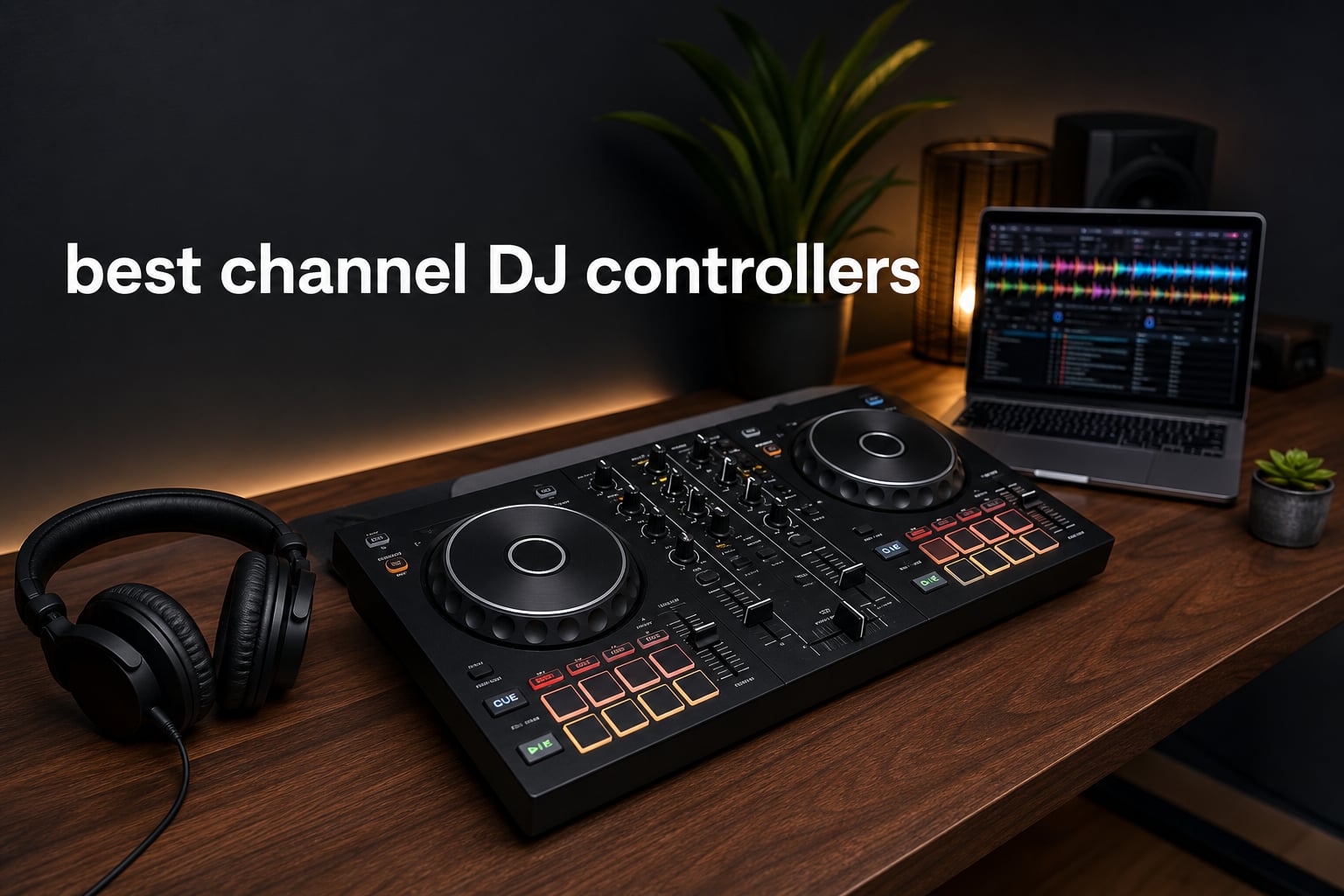
The best 2 channel DJ controllers give you two full decks to mix, cue, blend, loop, and perform without the extra size and mental load of a four-deck unit. For most new DJs, home practice, parties, mobile sets, and even focused open-format work, two channels are enough because the core skill is making two tracks work together cleanly.
I built this shortlist around the decisions that actually change your day-to-day experience: software, deck feel, portability, outputs, learning help, and whether you want a laptop-free setup. These seven picks are all verified two-deck controllers, ranging from compact software controllers to a battery-powered standalone unit and motorized-platter options.
My quick advice is simple: choose the Pioneer DJ DDJ-FLX4 if you want a familiar club-style starting point, the Denon DJ PRIME GO+ if playing without a laptop matters most, and the Pioneer DJ DDJ-REV5 or Hercules DJControl Inpulse T7 if your sets revolve around scratch-oriented control. A controller is only half the setup, though, so pick the software path before getting attached to a feature list.
Table of Contents
The top 3 picks answer most two-channel DJ needs
These are the three quickest answers for readers who want a category-first decision. The cards below summarize the models I would narrow down first based on the supplied specifications, supported software, and intended use.
- Best overall: Pioneer DJ DDJ-FLX4. It combines rekordbox and Serato DJ Lite compatibility with a portable, professional-style layout.
- Best standalone: Denon DJ PRIME GO+. Its battery power, screen, Wi-Fi streaming, and Engine DJ OS remove the laptop from the performance setup.
- Best for scratching: Pioneer DJ DDJ-REV5. It has a scratch-style layout, long tempo sliders, Lever FX, dedicated stems buttons, and support for Serato DJ Pro and rekordbox.

Ratings are useful context, not a substitute for fit. The DDJ-FLX4 has the broadest review base here, while the PRIME GO+ has the highest supplied rating but a much smaller review count, so I would weigh each signal accordingly.
The best 2 channel DJ controllers in 2026 cover seven distinct workflows
A two-channel DJ controller normally connects to DJ software and gives each deck its own jog wheel, transport controls, EQ knobs, channel fader, and performance pads. The exception on this list is the PRIME GO+, which can run Engine DJ OS directly from its screen with media inputs and battery power.
| Product | Specifications | Action |
|---|---|---|
 Denon DJ PRIME GO+ Denon DJ PRIME GO+ |
|
Check Latest Price |
 Hercules Inpulse 200 MK3 Hercules Inpulse 200 MK3 |
|
Check Latest Price |
| Pioneer DJ DDJ-FLX4 |
|
Check Latest Price |
 Hercules Inpulse 300 MK2 Hercules Inpulse 300 MK2 |
|
Check Latest Price |
 AlphaTheta DDJ-FLX2 AlphaTheta DDJ-FLX2 |
|
Check Latest Price |
 Pioneer DJ DDJ-REV5 Pioneer DJ DDJ-REV5 |
|
Check Latest Price |
 Hercules Inpulse T7 Hercules Inpulse T7 |
|
Check Latest Price |
There is no one right layout for every DJ. Compact controllers make a laptop or tablet setup easier to carry, while the larger REV5 and T7 give your hands more room for performance work and a more substantial mixer section.
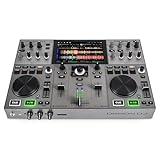
1. The Denon DJ PRIME GO+ is the laptop-free portable pick
Denon DJ PRIME GO+ Standalone Portable DJ Controller
2 decks
Battery powered
Wi-Fi streaming
Pros
- Battery powered
- Engine DJ standalone mode
- Wi-Fi streaming
- balanced XLR outputs
- stem separation
Cons
- Stem feature uses a one-time license
- Small review base
The PRIME GO+ is the unusual choice here because it is not waiting on a computer to become a DJ rig. Engine DJ OS, a seven-inch screen, an SD slot, USB input, built-in Wi-Fi, and battery power make it the clear option when a laptop is the thing you most want to leave behind.
That matters for a small party, a travel set, or a location where finding space for a computer feels awkward. I also like that Denon includes Bluetooth input and output, two microphone combo inputs, balanced XLR outs, booth outs, RCA main output, and AUX input; those connections give a compact unit more ways to join a real setup.
Its self-contained workflow suits DJs who need to play away from a desk
The onboard screen and Engine DJ workflow make this a standalone controller rather than simply a portable DJ controller for a laptop. It can access streaming services through Wi-Fi, subject to the device’s DRM support, and its battery is supplied as part of the unit.
For performance texture, the PRIME GO+ lists 26 main effects, two sweep effects, Fader Echo FX, and 10 touch effects. Stem separation covers vocal, melody, bass, and drum parts, which can be useful for quick transitions and live rearrangement.
Its compact format fits mobile sets but not every full-booth preference
The 16.2 by 10.8 inch footprint and 8.11-pound weight make packing easier than with the bigger scratch controllers. The trade-off is physical space: DJs who prefer large jog wheels, long pitch faders, or a wide mixer will probably feel more at home elsewhere.
The supplied listing also notes that the stems feature requires a one-time software license. If live stems are central to your style, check that requirement before building your routine around it.
2. The Hercules DJControl Inpulse 200 MK3 is the guided first-step choice
Hercules DJControl Inpulse 200 MK3 – Ideal DJ Controller with Serato Lite
2 decks
Beatmatch LEDs
DJ Academy tutorials
Pros
- DJ Academy tutorials
- Beatmatch Guide LEDs
- compact body
- stem controls
- streaming support
Cons
- Beginner-focused control depth
- Four pads per deck
The DJControl Inpulse 200 MK3 is aimed squarely at a first controller purchase. Hercules pairs touch-sensitive jog wheels and four performance pads per deck with its Beatmatch Guide LEDs, Intelligent Music Assistant, and preloaded DJ Academy tutorials.
That combination answers a common beginner worry: how do you get past the first few frustrating sessions? The visual beatmatching prompts can make the relationship between tempo and beat alignment easier to see, while the tutorials offer a route from pressing sync to understanding what the controls do.
Its learning tools help a new DJ build basic timing habits
The guidance features are aids, not a replacement for listening. I would use the LEDs to understand where a track is drifting, then practice bringing it back with the pitch fader and jog wheel rather than treating the lights as the final judge.
There are also stem separation controls and a virtual sound card for streaming. That is a notably broad feature set for an entry-level controller, especially for someone who wants to try simple vocal or instrumental transitions while learning.
Its small control layout suits practice more than dense performance routines
At 2.2 pounds, it is easy to move between a bedroom desk and a friend’s place. The smaller footprint is useful for that, but four pads per deck leave less direct access for hot cues, loops, and effects than the 16-pad Inpulse 300 MK2.
The product is best read as a teaching-oriented DJ controller for beginners, not a promise that you will never want a larger controller. It makes sense if compact size and structured learning matter more than a pro-style mixer layout today.
3. The Pioneer DJ DDJ-FLX4 is the balanced rekordbox and Serato starter
Pioneer DJ DDJ-FLX4 2-Channel DJ Controller, 16 Pads, Graphite
2 decks
rekordbox
Serato DJ Lite
Pros
- rekordbox compatibility
- Serato DJ Lite included
- works with phones and computers
- portable layout
- streaming support
Cons
- Entry-level control depth
- No standalone playback
The DDJ-FLX4 is my strongest all-round answer because it gives a beginner a recognizable two-deck layout without locking them into a narrow device setup. It works with PC, Mac, iPhone, iPad, and Android devices, supports rekordbox, and includes Serato DJ Lite.
That flexibility is useful when your music and practice habits are still changing. The supplied data also lists TIDAL, Beatport Streaming, Beatsource Streaming, and SoundCloud Go+ support, so you can look at a streaming-based workflow without treating a local collection as the only route.
Its familiar control arrangement makes progression less intimidating
Experienced DJs in the forum research repeatedly describe the FLX4 style of muscle memory as useful preparation for CDJ-based booths. It is not a substitute for using every club setup, but the professional-style layout gives you sensible places to learn cueing, EQ blending, channel faders, and basic beatmatching.
At 2.8 kilograms, it remains portable enough for regular practice outside one fixed room. The product’s broad device compatibility also makes it more forgiving if you switch from computer practice to a tablet or phone later.
Its software flexibility makes it a safer choice for undecided beginners
Software is the decision I would make first, and the DDJ-FLX4 has a clear advantage if you are debating rekordbox versus Serato. You can start in Serato DJ Lite or use rekordbox rather than buying a controller that pushes you toward only one ecosystem.
This is still a laptop or mobile-device controller, not a standalone deck. DJs who require a display, onboard media playback, or battery-powered operation should look at the PRIME GO+ instead.
4. The Hercules DJControl Inpulse 300 MK2 is the padded practice upgrade
Hercules DJControl Inpulse 300 MK2-2-Deck DJ Controller Serato & DJUCED
2 decks
16 RGB pads
Built-in sound card
Pros
- Built-in sound card
- 16 RGB pads
- Beatmatch Guide
- Serato DJ Lite
- DJUCED included
Cons
- PC and Mac focus
- No motorized platters
The Inpulse 300 MK2 adds more hands-on performance control to Hercules’ learning-focused approach. Its built-in sound card means the controller handles audio without an extra audio device, and its 16 RGB pads give each deck more room for pad-led routines.
It includes Serato DJ Lite and DJUCED, with support listed for Serato DJ Pro. For a DJ who wants to learn the basics but also wants more immediate access to cues and performance functions, that is a meaningful step up from the Inpulse 200 MK3.
Its audio interface and pad count support a fuller desk setup
The built-in sound card is practical when you are connecting headphones and speakers for home DJ practice. It removes one piece of extra equipment from the chain and lets the controller act as the audio center of a computer-based setup.
Sixteen RGB pads are a better match for someone who enjoys triggering hot cues, loops, and pad modes rather than only mixing track-to-track. The touch-sensitive jog wheels and Beatmatch Guide retain the teaching focus while the control surface gives you more to grow into.
Its software route fits computer DJs who want room to develop
The official specification names Mac and PC compatibility, plus USB connectivity, so this is a conventional computer-based controller. It also lists Beatport, SoundCloud Go+, and TIDAL support, which may matter if your music source is not limited to downloaded files.
If you know you want a mobile phone or tablet workflow, the DDJ-FLX4 and DDJ-FLX2 state broader device support. If you want moving platters for scratch technique, the Inpulse T7 is the more relevant Hercules option.
5. The AlphaTheta DDJ-FLX2 is the smallest multi-app controller
AlphaTheta Pioneer DJ DDJ-FLX2 2-Channel DJ Controller, Smart Fader, USB-C
2 channels
Four DJ apps
Smart Fader
Pros
- Works with four DJ apps
- Smart Fader
- USB-C powered
- Bluetooth
- very compact
Cons
- Compact controls
- Lower supplied rating
The DDJ-FLX2 is for the person who wants to start with the gear they already own. AlphaTheta lists compatibility with rekordbox, djay, Serato DJ Lite, and Traktor Play, along with phone, tablet, PC, and Mac use.
It is also the most compact AlphaTheta controller in the supplied product information, measuring 8.19 by 15.09 by 1.9 inches and weighing 2.65 pounds. USB-C power and Bluetooth connectivity make it especially appealing for a lightweight mobile bag.
Its app support gives casual and first-time DJs more entry points
Choosing a controller can feel like choosing a permanent software camp, and the DDJ-FLX2 lowers that pressure. Four named app options mean you can learn with the platform that suits your device and music source rather than reshaping your setup around one program on day one.
It also supports mixing from streaming services according to the listing. That is helpful for exploration, but a serious set still benefits from preparing your library, cue points, and backup music before you play for other people.
Its Smart Fader is helpful when clean transitions matter more than manual control
Smart Fader adjusts BPM, volume, and bass to help make transitions, while Smart CFX adds transition effects. These tools can make early mixes feel less abrupt and let a beginner focus on track selection and phrasing.
I would still spend part of every practice session using normal EQ knobs, channel faders, and tempo control. Assistance can get a mix moving, but manual habits are what transfer when you later use a different Pioneer DJ controller or a club mixer.
6. The Pioneer DJ DDJ-REV5 is the serious scratch-style controller
Pioneer DJ DDJ-REV5 2-Channel Scratch DJ Controller, On-Jog Display
2 channels
Scratch layout
Dual USB-C
Pros
- Long tempo sliders
- Lever FX
- dedicated stems controls
- Serato DJ Pro and rekordbox
- dual USB-C
Cons
- Large 14 pound chassis
- Some low ratings reported
The DDJ-REV5 is built for a different kind of performance from the compact starter controllers. Its scratch-style layout places long tempo sliders above the deck sections and combines Performance Pads, Lever FX, dedicated stems controls, Auto BPM Transition, and Piano Play mode.
That control scheme is a better fit for open-format routines, quick cuts, and creative transitions than for someone who only needs two small decks for basic blending. The supplied listing names both Serato DJ Pro and rekordbox as plug-and-play compatible.
Its battle-oriented layout puts tempo and effect moves within easy reach
Long pitch faders matter when you want more precise tempo movement, and the placement above the deck sections follows the scratch-style concept. Lever FX gives effect performance a physical, momentary action instead of burying it in software menus.
The dedicated stems buttons can split tracks into vocals, melody, bass, and drums. Auto BPM Transition is another purposeful tool for moving between tracks without an abrupt tempo clash, while Piano Play offers a musical pad-performance mode.
Its dual USB-C ports help handoffs in two-DJ situations
The two USB Type-C ports are a practical feature for smoother DJ changes. Rather than treating a handoff as a scramble around one cable, two compatible computers can be part of the transition process.
At 14 pounds, this is not the controller I would choose for the lightest possible backpack. It is the stronger fit when the layout and performance tools are the reason for buying, and when you accept a larger footprint as part of that choice.
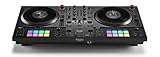
7. The Hercules DJControl Inpulse T7 is the motorized-platter alternative
Hercules DJControl Inpulse T7, 2 Deck Motorized DJ Controller with built in STEMS Control, Serato DJ and DJUCED included
2 decks
Motorized 7 inch platters
Built-in audio
Pros
- Motorized platters
- Built-in audio interface
- 16 RGB pads
- Serato and DJUCED
- handles and retractable feet
Cons
- 11 pound body
- More mixed review feedback
The DJControl Inpulse T7 is the pick for DJs who want actual moving platters without leaving the two-deck format. It has two motorized platters for seven-inch discs with touch detection, a central mixer, a microphone input, 16 backlit RGB pads, loop controls, and dedicated stems controls.
It includes Serato DJ Lite with real-time stems technology and DJUCED, and the listing says it is compatible with Serato DJ Pro. Its genuine mixer layout gives each deck three EQ knobs, a gain knob, and a filter knob, which is more satisfying for hands-on mixing than a stripped-down surface.
Its spinning discs give scratch practice a different physical response
A motorized DJ controller changes the feel of cueing and scratch movements because the platter is moving under your hand. That does not automatically make anyone a better scratch DJ, but it gives turntable-minded players a closer tactile reference than static jog wheels.
The 3.9-inch tempo faders, central mixer controls, and dedicated loop controls also support deliberate practice. I would choose the T7 over the REV5 when motorized platters are non-negotiable, not merely because the feature list is longer.
Its 11-pound build remains transportable with a more substantial footprint
Hercules describes the unit as easy to carry at 11 pounds because it has built-in handles and retractable feet. That is transportable, though it is clearly less casual to pack than the Inpulse 200 MK3 or DDJ-FLX2.
The supplied review data is more mixed than for the other Hercules picks, including a 4.1 rating from 131 reviews and a reported 14 percent one-star share. I would read recent owner feedback closely and test the control feel where possible before committing to this more specialized design.
The right buying checklist starts with software and intended use
Start by deciding where you expect to DJ. A controller connected to a laptop offers a large library and software-led features, while the Denon DJ PRIME GO+ is built for standalone playback from Engine DJ OS with a screen, media inputs, Wi-Fi, and battery power.
Neither route is automatically better. Laptop DJing makes sense if you already have a computer and want the screen space of rekordbox, Serato, djay, Traktor, or DJUCED; standalone playback makes sense if you value fewer devices in the performance area.
Two channels are enough when you mix one track into another
Two channels are enough for DJing when your normal work is cueing one track while another plays, then blending, cutting, looping, or swapping between them. That describes a huge share of beginner, bar, party, mobile, and club-style mixing.
Four channels add room for extra decks, samples, live inputs, or layered routines. Buy four channels when you already know you will use those sources regularly, not because having unused faders looks more professional.
The software ecosystem should match your learning plan
rekordbox is the logical route for DJs who want to practice within the Pioneer DJ ecosystem, and the DDJ-FLX4, DDJ-FLX2, and DDJ-REV5 list rekordbox compatibility. Serato-focused DJs can look at the FLX4’s included Serato DJ Lite, the Inpulse models, or the REV5 and T7, which list Serato DJ Pro compatibility.
The DDJ-FLX2 is the broadest app-flexibility option because it lists rekordbox, djay, Serato DJ Lite, and Traktor Play. The Inpulse 300 MK2 and T7 include DJUCED, while the PRIME GO+ runs Engine DJ OS; write those names down before you compare any other feature.
The jog wheels and faders should suit the way you actually perform
For standard beatmatching and cueing, touch-sensitive jog wheels are enough to learn solid habits. The Inpulse 200 MK3 and 300 MK2 use that approach, while the FLX4 and FLX2 favor portability and familiar two-deck control.
For a DJ controller for scratching, look for more than a big jog wheel. The DDJ-REV5 brings long tempo faders, a scratch-style layout, and Lever FX, while the Inpulse T7 adds motorized seven-inch platters and a mixer-focused layout.
The audio connections should fit your speakers, headphones, and microphones
A DJ controller with audio interface capabilities is simpler for a home setup because it can manage speaker and headphone audio directly. The Inpulse 300 MK2 and Inpulse T7 explicitly list built-in audio interfaces or sound cards, and the PRIME GO+ adds a broad connection set with balanced XLR, booth, RCA, AUX, and mic inputs.
Think about the next place you will play, not just your desk. A mic input can matter for a mobile DJ, balanced outputs can matter for longer cable runs, and a booth output can matter when you need separate monitor control.
The growth path should be realistic rather than hypothetical
Forum discussions often circle the fear of outgrowing a first controller. The answer is to learn the basics on a controller that makes you want to practice, then move up when your actual routines prove you need more pads, motorized platters, standalone playback, or different I/O.
The DDJ-FLX4 is the sensible broad-growth choice, the Inpulse 200 MK3 is the most guided learning choice, and the DDJ-FLX2 is the easiest compact multi-app entry. If you already know your style is scratch-heavy, skipping straight to the REV5 or T7 can make more sense than buying a small controller and trying to force it into a role it was not designed for.
The most common two-channel controller questions have clear answers
Is 2 channels enough for DJing?
Yes. Two channels are enough for the core DJ task of cueing one track while another plays, then beatmatching, blending, looping, and transitioning. Choose four channels only if you already use extra decks, samples, live inputs, or layered routines regularly.
What controller do most DJs use?
DJs use many controller and standalone systems, but Pioneer DJ-style layouts are widely familiar in club settings. The Pioneer DJ DDJ-FLX4 is a practical two-channel starting point because it supports rekordbox and Serato DJ Lite with a professional-style layout.
What are the top-rated DJ controllers?
In this seven-product roundup, the supplied ratings are led by the Denon DJ PRIME GO+ and Hercules DJControl Inpulse 200 MK3 at 4.8, followed by the Pioneer DJ DDJ-FLX4 at 4.7. Review count and intended workflow should also guide the decision.
What is the best 2-channel DJ controller for 2026?
The Pioneer DJ DDJ-FLX4 is the best all-round two-channel pick for most people because it combines a familiar layout, portability, rekordbox compatibility, and included Serato DJ Lite. Choose the Denon DJ PRIME GO+ instead when battery-powered standalone DJing is your priority.
The Pioneer DJ DDJ-FLX4 is the all-round recommendation for 2026
Among the best 2 channel DJ controllers, the DDJ-FLX4 is the easy recommendation for most first-time buyers because it keeps software options open while teaching a familiar two-deck layout. Pick the PRIME GO+ for standalone mobility, the Inpulse 200 MK3 for guided learning, the REV5 for a scratch-style layout, or the T7 for motorized platters.
Choose the controller whose software and physical workflow you will genuinely practice on each week. Two capable channels and good timing will take a DJ much further than extra controls that never become part of a set.