
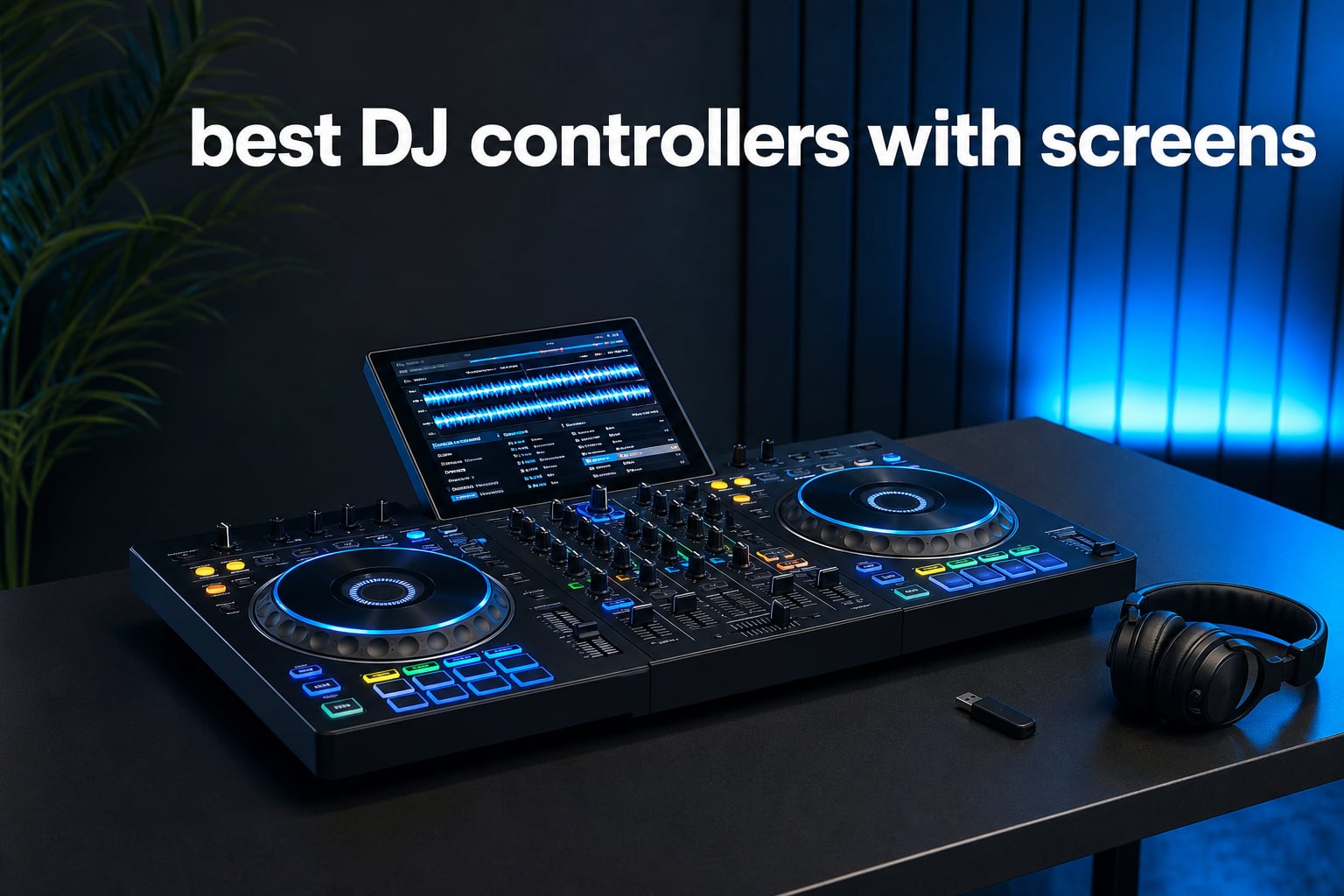
The best DJ controllers with screens let you keep waveform, cue, loop, and track information where your hands already are. That shift matters when you are preparing a transition, watching a room, or simply trying to practice without turning toward a laptop every few seconds.
There are two very different kinds of screen-led setups in this guide. Standalone DJ systems have a central display and can play music from USB media, SD cards, or supported streaming services, while laptop controllers such as the RANE models put track data in the jog wheels and work with Serato DJ Pro.
I ranked eight current options using the product specifications, verified customer feedback, screen approach, deck count, connectivity, and portability details available for each model. In 2026, my short answer is simple: choose a standalone unit when laptop-free play is the point, and choose a jog-display controller when tactile Serato performance is the point.
The top 3 picks answer three different DJ needs in 2026
Denon DJ PRIME GO+ is the small, battery-powered choice for mobile sets. RANE PERFORMER is the tactile four-channel pick for a Serato-focused scratch workflow, while AlphaTheta XDJ-AZ is the big four-deck standalone choice for a fixed home booth or professional setup.
These DJ controllers with screens cover every workflow in September 2026
The table below is the fastest way to separate a true all-in-one DJ system from a laptop controller with displays in its jog wheels. Screen size alone does not decide the experience: media sources, software, outputs, weight, and whether the unit runs from a battery shape the real decision.
| Product | Specifications | Action |
|---|---|---|
 Denon DJ PRIME GO+ Denon DJ PRIME GO+ |
|
View on Amazon |
 RANE PERFORMER RANE PERFORMER |
|
View on Amazon |
 AlphaTheta XDJ-AZ AlphaTheta XDJ-AZ |
|
View on Amazon |
 Numark Mixstream Pro Go Numark Mixstream Pro Go |
|
View on Amazon |
 Denon DJ SC LIVE 4 Denon DJ SC LIVE 4 |
|
View on Amazon |
 Numark Mixstream Pro+ Numark Mixstream Pro+ |
|
View on Amazon |
 RANE FOUR RANE FOUR |
|
View on Amazon |
 AlphaTheta OMNIS-DUO AlphaTheta OMNIS-DUO |
|
View on Amazon |
1. Denon DJ PRIME GO+ is the best portable standalone screen system
Denon DJ PRIME GO+ Standalone Portable DJ Controller
7 inch screen
Battery powered
Engine DJ OS
Pros
- Battery-powered standalone use
- Wi-Fi streaming
- RGB waveforms
- balanced XLR outputs
Cons
- Stems needs a separate license
- Battery runtime varies
The PRIME GO+ earns the top spot because its specification is unusually focused: a battery-powered, laptop-free Engine DJ controller in a 16.2 by 10.8 inch body that weighs 8.11 pounds. I would choose it when packing light matters as much as having a proper screen, not when a four-channel mixer is non-negotiable.
Its 7-inch display carries RGB waveforms and a star rating system, while USB and SD media inputs support prepared playlists. Built-in Wi-Fi and a DRM chip add supported streaming access, and Bluetooth I/O gives this compact setup another way to accept or send audio.
The effects list is strong for a portable unit: 26 Main FX, two knob-controlled Sweep FX, Fader Echo, and 10 Touch FX. Standalone Stems can separate vocal, melody, bass, and drums through Engine DJ Desktop, though the product information says that feature needs a one-time software license.
For connections, Denon lists balanced XLR outputs, quarter-inch booth outputs, RCA main output, and an auxiliary input. That is enough to make a small screen-led system feel credible at a mobile setup, and Engine Lighting can control DMX, Philips Hue, and Nanoleaf-compatible lighting.
The PRIME GO+ works best when portability outranks deck count
This is the right direction for DJs who want a battery-capable practice and performance rig with no computer in the booth. Its two-deck format is intentional: you trade extra channels for a body that travels far more easily than a large four-deck console.
The 4.8 rating comes from 35 reviews, so it is a positive but still relatively small feedback pool. Charge the unit before a set and treat stated battery duration as variable, particularly if Wi-Fi, display brightness, Bluetooth, and effects are all in use.
The PRIME GO+ screen suits prepared standalone sets
The screen makes the most sense when your library and playlists are organized before the event. It gives you waveforms and ratings directly on the controller, but it does not change the value of clean tagging, beat grids, and well-named crates.
Forum discussions repeatedly bring up glare at bright outdoor events. I would rehearse the screen angle and brightness at the venue when possible, then protect the display during travel rather than tossing the controller loose into a bag.
2. RANE PERFORMER is the best motorized Serato controller with screens
RANE PERFORMER 4-Channel DJ Controller
7 inch motorized platters
Four channels
Serato DJ Pro
Pros
- Motorized aluminum platters
- Jog waveform displays
- MAG Four crossfader
- Serato DJ Pro included
Cons
- Corded only
- Large and heavy
The RANE PERFORMER takes a different route from a standalone deck: its screens sit in two 7-inch motorized aluminum platters and show song information and waveforms. It is for DJs who want to work in Serato DJ Pro with a laptop while looking down at the decks less often.
RANE specifies high-torque platters with magnetic acrylic discs, OLED pad-mode displays, four channels, and a 29-pound-ish physical commitment at 12.8 kilograms. Its large chassis, corded power requirement, and serious connection panel make it a performance fixture rather than a casual carry-on controller.
The mixer is built around a MAG Four crossfader with adjustable tension and Precision Feel faders. You also get 29 paddle-triggered Main FX, four knob-controlled Channel FX, Stem Split and Stem Level controls, plus Serato Pitch ‘n Time with Serato DJ Pro included.
Inputs include two combo XLR and quarter-inch TRS mic inputs plus switchable RCA line/phono inputs on channels three and four. XLR, quarter-inch TRS, and RCA outputs make this a more flexible choice for a DJ who needs microphones or outside media sources in the same rig.
The PERFORMER is built for hands-on open-format and scratch work
The motorized platter feel, adjustable crossfader tension, instant Stem controls, and paddle FX all point toward active, tactile performance. It is a strong fit for DJs who cut, juggle, layer acapellas, and need a controller that behaves more like a turntable-led setup.
Its jog displays give immediate deck information, but this is not a laptop-free all-in-one. Your Serato library remains central to the workflow, which is a good thing for DJs who prefer a full laptop view for search, crate management, and detailed track metadata.
The PERFORMER needs a dedicated booth position
At 30.84 inches wide and 12.8 kilograms, the PERFORMER needs a stable surface and a transport case that can handle its footprint. It makes sense for regular gigs, a home performance room, or a resident setup, not for someone moving by public transport with minimal gear.
The customer rating is 4.7 from 88 reviews. That feedback and RANE’s metal construction are encouraging, but a display controller still benefits from ordinary gig discipline: secure cables, a dry work area, and a backup plan for the laptop that runs the software.
3. AlphaTheta XDJ-AZ is the best four-deck standalone system with a large screen
Pioneer DJ XDJ-AZ Professional 4-Deck All-in-One DJ System, 10.1-Inch Touchscreen, Built-in Wi-Fi, SonicLink Wireless Tech, Performance Pads & Beat FX – XDJAZ
10.1 inch touchscreen
Four-deck standalone
SonicLink
Pros
- Large capacitive display
- Four-deck USB playback
- Full-size jog wheels
- high-quality audio
Cons
- 30 pound chassis
- Large footprint
The AlphaTheta XDJ-AZ is the pick for a DJ who wants the largest central display in this list and four-deck standalone playback from USB media. Its 10.1-inch high-resolution capacitive touchscreen can show up to 13 tracks at once, which directly answers the concern that smaller screens leave too little room for browsing.
AlphaTheta lists Playlist Bank and Touch Preview alongside the screen, then adds 206 mm full-size jog wheels with adjustable Jog Feeling. The result is a professional, club-standard layout that lets a DJ browse, preview, and perform from the hardware instead of relying on laptop visuals.
Its audio specifications list a 115 dB signal-to-noise ratio, 0.0018% total harmonic distortion, and a 20 Hz to 20 kHz frequency range. Six Sound Color FX and 14 Beat FX, including Helix and Mobius, give the four-deck layout a broad performance palette.
Wi-Fi 5.3 and Bluetooth 5.3 are built in, and SonicLink supports compatible wireless headphones. Those features are useful tools, but I would still think through signal and monitoring needs at a demanding event before replacing a dependable wired cue path.
The XDJ-AZ is best when a big touchscreen is your main workflow tool
For long library browsing and multi-deck preparation, the 10.1-inch screen is the clearest answer in this roundup. It offers a more spacious visual working area than the 7-inch touchscreen systems, and viewing 13 tracks at a time can speed up selection in a prepared playlist.
Screen size does not remove the need to analyze music properly. Build reliable beat grids, set hot cues, use meaningful playlist names, and test USB media ahead of time so the display is helping a disciplined system instead of covering for an untidy library.
The XDJ-AZ is best kept in a stable setup
This is a 30-pound unit with listed dimensions of 47.01 by 24.02 by 14.02 inches. A home booth, studio, event company, or venue installation is a more natural setting than a DJ who needs to carry a controller one-handed after every set.
The 4.7 rating from 47 reviews is promising, though the feedback sample remains modest. For outdoor or high-glare locations, set up the display out of direct light where possible; users in DJ communities consistently flag sunlight and bright lighting as practical screen issues.
4. Numark Mixstream Pro Go is the best battery-and-speaker standalone pick
Numark Mixstream Pro Go Portable DJ Controller
7 inch touchscreen
Battery and speakers
Engine DJ
Pros
- Battery-powered
- Integrated speakers
- adjustable-brightness screen
- Serato and VirtualDJ support
Cons
- Two channels only
- Speakers cannot replace PA
The Mixstream Pro Go makes a simple promise: take a two-deck standalone DJ controller, add battery power, a 7-inch adjustable-brightness touchscreen, built-in speakers, Wi-Fi, and 6-inch jog wheels. It is an appealing unit for practicing in different rooms, casual outdoor sessions, or a compact mobile setup.
Engine DJ OS supports laptop-free performance, and the screen shows RGB waveforms and star ratings. The unit also supports streaming from Amazon Music Unlimited, Apple Music, TIDAL, Beatport, Beatsource, and SoundCloud Go+, subject to the relevant service access and a working network.
Numark also lists standalone Stems for vocal, melody, bass, and drum separation, plus lighting control for Philips Hue, Nanoleaf, and DMX. When you do want a computer, it has one-to-one hardware integration with Serato DJ and VirtualDJ.
Connectivity includes Bluetooth, Wi-Fi, USB, SD card, XLR, RCA, and quarter-inch connections, while the chassis measures 22.3 by 11.2 by 2.9 inches and weighs 4.2 kilograms. That combination is why it lands above the fixed-power Mixstream Pro+ for anyone who needs true battery portability.
The Mixstream Pro Go is ideal for learning and low-footprint events
Built-in speakers make it easy to hear a blend during private practice without wiring a separate monitor system. They are useful for checking timing and basic balance, but an external sound system remains the appropriate choice when you need room coverage and reliable low end.
Its 4.5 rating is based on 312 reviews, a much larger body of feedback than several systems above. Customers and forum users often like the speaker-and-screen combination, which makes sense for a self-contained practice station, but you should still judge it by your planned performance context.
The Mixstream Pro Go needs realistic streaming expectations
Streaming can expand a library quickly, yet a connection-dependent set deserves a backup USB or SD card with your core music. That small preparation step protects you if venue Wi-Fi is unreliable or a streaming service is unavailable when you need it.
The adjustable screen brightness is useful, though no small touchscreen is immune to hard sun. Keep a soft microfiber cloth in the case, avoid pressing the display with wet hands, and do not mistake touch controls for a replacement for buttons when speed matters.
5. Denon DJ SC LIVE 4 is the best four-deck all-in-one for flexible media
Denon DJ SC LIVE 4 Standalone DJ Controller Black
7 inch touchscreen
Four-deck Engine DJ
Built-in speakers
Pros
- Four-deck standalone use
- Wi-Fi streaming
- Built-in speakers
- Serato DJ Pro included
Cons
- Corded power
- Heavier than portable options
The SC LIVE 4 is a true four-deck standalone DJ controller with a 7-inch multi-gesture touchscreen and Engine DJ OS. It offers a sensible middle route for DJs who need more than two decks but do not need the massive display and physical scale of the XDJ-AZ.
Its touchscreen presents RGB waveforms, and the system supports Wi-Fi streaming from Amazon Music Unlimited, Apple Music, TIDAL, Beatsource, Beatport, and SoundCloud Go+. It also has two USB inputs, SD media input, Bluetooth audio input, and standalone Stems support.
Built-in speakers are included, and the controller comes with Serato DJ Pro for one-to-one hardware integration. That means a DJ can stay in the Engine DJ standalone environment for one event, then use a Serato laptop workflow when that better matches the library or venue setup.
The connection layout includes two mic inputs, two RCA main outputs, a quarter-inch booth output, and an XLR main output. At 13.6 pounds and 28.3 inches wide, it is clearly transportable, but it belongs in a case and on a proper table rather than in an ultra-light travel bag.
The SC LIVE 4 fits DJs who want four decks without a laptop
Four-deck playback helps when you build longer transitions, layer percussion, keep an acapella ready, or dedicate decks to stems. The key is having a workflow that can actually use those extra decks; a two-deck DJ does not become more creative simply because more channels are available.
The multi-gesture display gives practical access to library and waveform information, but its smaller panel demands deliberate organization. Prepare playlists by mood, tempo range, and event moment so browsing takes seconds rather than becoming a menu-navigation task during a mix.
The SC LIVE 4 covers mobile-event connections well
The XLR main output, booth output, mic inputs, USB, SD, and RCA connections support the kinds of routing a mobile DJ may encounter. Check the venue’s inputs before arrival and carry the right cable adapters rather than relying on the controller alone to solve every connection problem.
The 4.5 rating comes from 168 reviews. Denon product feedback praises the big feature set, while forum commentary on larger standalone systems also warns that menu depth can feel complex, so spend real practice time navigating the display before using it in public.
6. Numark Mixstream Pro+ is the best straightforward two-deck home standalone
Numark Mixstream Pro+ DJ Controller
7 inch touchscreen
Built-in speakers
Engine DJ OS
Pros
- Laptop-free Engine DJ
- Adjustable-brightness screen
- Wi-Fi streaming
- Serato and VirtualDJ support
Cons
- Two decks only
- Corded power
The Mixstream Pro+ shares the accessible all-in-one idea of the Pro Go but uses corded power. Its 7-inch adjustable-brightness touchscreen, two 6-inch jog wheels, built-in speakers, and Engine DJ OS create a compact station for a home DJ setup that does not require a laptop.
It supports streaming from Amazon Music Unlimited, Apple Music, TIDAL, Beatport, Beatsource, and SoundCloud Go+, plus USB drives and an SD card. The screen shows RGB waveforms and a star rating system, useful details when quickly checking where a track is going.
Numark lists balanced XLR main outputs, RCA main outputs, Bluetooth input, dual USB ports, and a mic input. Serato DJ and VirtualDJ compatibility extend its life beyond Engine DJ, while standalone Stems support is listed with the separate license requirement.
At 8.2 pounds, it is still manageable for moving around the house or bringing to a small gathering. I would see it as a focused two-deck unit, not a substitute for a four-channel mixer, turntable inputs, or a motorized platter rig.
The Mixstream Pro+ is a good screen-first practice platform
The display and speakers keep basic practice self-contained, helping a newer DJ focus on phrasing, beatmatching, loop timing, EQ, and hot cues rather than a complicated computer setup. That is especially helpful for someone deciding whether standalone performance feels more natural than laptop DJing.
Its 4.3 rating from 373 reviews supplies the biggest review count in this roundup. That volume is useful context, but read the rating alongside your needs: the product’s two channels and corded design are clear constraints, not hidden tradeoffs.
The Mixstream Pro+ is best for prepared music and external outputs
With XLR and RCA main outputs, the controller can connect beyond its onboard speakers. Use the speakers for private cueing or casual listening, then feed a proper PA or monitor system when you need enough level and bass for guests.
Like other streaming-capable units, it works best with a fallback library. Download or carry core material on approved media, refresh your library analysis beforehand, and keep your screen clean so brightness and waveform detail stay as readable as possible.
7. RANE FOUR is the best large-jog display controller for Serato Stems
RANE FOUR Professional Stems DJ Controller
8.5 inch jog displays
Four channels
Serato Stems
Pros
- Large jog displays
- STEM-SPLIT controls
- MAG FOUR crossfader
- Serato software included
Cons
- Corded only
- Needs laptop workflow
The RANE FOUR is a four-channel Serato controller with two 8.5-inch high-resolution jog wheels, each with a central color display. Rather than offering one browser-style touchscreen, it puts BPM, waveform, deck number, loop size, pitch range, and status data within the platter area.
This is useful for DJs who want hands and eyes close together when cueing, scratching, or controlling four decks. The controller adds 24 paddle-triggered Main FX, four knob-controlled Channel FX, dedicated Serato Stems functions, and STEM-SPLIT for immediate acapella or instrumental changes.
RANE includes Serato DJ Pro and Serato Pitch ‘n Time, and it lists support for Apple Music, TIDAL, and Spotify integrations for a large streaming library. It is DVS-enabled, has two USB laptop connections, switchable phono/line input, dual combo mic inputs, and both RCA and XLR main outputs.
The 18.25-pound, 30.8-inch-wide body is meant for a substantial workstation. Its MAG FOUR crossfader and four-channel mixer layout support a DJ who wants to perform actively rather than use a minimal two-deck controller.
The RANE FOUR serves DJs who want screen data under the platter
A jog display is different from a touchscreen browser. It keeps performance information close to the deck but does not replace the laptop screen for file search, crate maintenance, or deep inspection of a library.
That distinction is a strength if you already like Serato and simply want less eye travel while mixing. It is a mismatch if your goal is to leave a computer at home, because the FOUR is a software controller rather than a standalone playback system.
The RANE FOUR supports layered stem performance
Dedicated Stem controls, four channels, and a wide effects inventory make sense for DJs who create edits in real time. You can prepare a vocal or drum layer for a transition, but good musical phrasing still matters more than pressing every available control.
The 4.1 rating from 201 reviews is lower than the top entries, though it has a useful amount of feedback. Its reported strengths are build quality, Stems, and displays; its fixed-power, laptop-based nature should be accepted upfront rather than treated as a compromise after purchase.
8. AlphaTheta OMNIS-DUO is the best compact wireless all-in-one option
AlphaTheta OMNIS-Duo Portable All-in-One DJ System, Bult-in Battery
Battery power
Light and Dark touchscreen
Bluetooth output
Pros
- Up to five hours battery use
- Compact body
- Light and Dark display modes
- Bluetooth audio output
Cons
- Limited review history
- Three-channel layout
The AlphaTheta OMNIS-DUO is for the DJ who wants an unusually compact, battery-powered all-in-one with a touchscreen and Bluetooth audio output. It is listed at 12.09 by 19.69 by 2.8 inches and five kilograms, which makes it one of the easiest screen-equipped systems here to move around.
AlphaTheta states up to five hours of wireless DJing from its battery and provides Light and Dark mode touchscreen options. The latter is particularly relevant to screen visibility: a display mode choice can help you tailor the view to your room, although a direct-light setup still deserves a physical shade or position change.
It includes XLR and RCA outputs, a 3.5 mm smartphone input, and Bluetooth output. It also works with AlphaTheta’s battery-powered WAVE-EIGHT speaker, a pairing that speaks to portable, cable-light event setups rather than a traditional club booth.
The controller has three channels, an unusual middle point between compact two-channel gear and broad four-channel consoles. That can suit a DJ who wants flexibility for an extra source without taking on the scale of a full professional four-deck layout.
The OMNIS-DUO is best for small, mobile, wireless-minded setups
If your event is a backyard session, a creative pop-up, a friend’s party, or a small room where transport is a major concern, the OMNIS-DUO’s size and battery operation are its strongest arguments. Its XLR and RCA outputs also leave room to move beyond a wireless speaker if needed.
The touchscreen and wireless features are appealing, but carry a power plan and test Bluetooth behavior with the exact speaker or headphones you will use. Wireless convenience should never surprise you at the moment when cue timing matters.
The OMNIS-DUO needs extra scrutiny from prospective owners
It has a 4.0 rating from 16 reviews, the smallest customer-feedback group in this article. Early feedback notes the portability and wireless capability, but that small sample means I would put more weight on hands-on workflow preference, connection needs, and return terms than on the rating alone.
Its product listing names a one-year warranty. Keep the touchscreen protected during transport, allow a wet or humid setup to dry before packing, and update system software deliberately after confirming that your music media and normal workflow still behave as expected.
The right screen controller depends on how you play, prepare, and travel
Start by choosing between standalone playback and laptop control. A standalone DJ controller reads prepared USB or SD media and, on certain models, works with supported Wi-Fi streaming, while a software controller connects to a laptop and presents its performance information on jog displays or pad displays.
Neither approach is automatically better. A laptop gives a bigger library view, familiar search tools, and software-specific workflows; hardware playback reduces laptop dependence and puts the core information on the unit. Community discussions are divided for exactly this reason.
A screen should match your performance information, not distract from it
A 7-inch touchscreen is enough for waveforms, browsing, and loaded-deck information when playlists are tidy. The XDJ-AZ’s 10.1-inch screen offers more visual room, while the RANE PERFORMER and RANE FOUR screens are best understood as deck-status displays rather than library screens.
For outdoor gigs, brightness and placement are just as important as diagonal measurement. Avoid direct sun, clean fingerprints with a suitable soft cloth, and learn the physical controls so one patch of glare cannot stop a transition.
A standalone system is best when your media preparation is solid
Before relying on USB or SD playback, analyze tracks in the appropriate ecosystem, check beat grids, set hot cues, and test the exact media device. Have a second prepared drive with essential music, because a screen can only display what your media and library preparation make available.
Streaming expands choice but depends on service availability and network conditions. For event work, treat streaming as an addition to a prepared offline collection, not the only source of music.
A laptop controller is best when Serato is already your home base
RANE PERFORMER and RANE FOUR make the case for retaining a laptop while reducing the amount of time you must look at it. Their motorized or large jog wheels, central displays, stem controls, and effects are geared toward physical performance in Serato DJ Pro.
That arrangement is especially compelling for scratch DJs and open-format performers who value platter response, a reliable crossfader, and detailed laptop-based crates. It does require a computer, cables, software updates, and a sensible backup procedure.
Connections and channels should be chosen for your actual events
Two channels work well for straightforward mixing and learning. Four decks are useful for layered tracks, longer blends, stems, and extra inputs, but they add size and complexity that do not help every DJ.
For event use, look for the outputs and inputs you need: balanced XLR main outputs, a booth output, microphones, RCA, phono or line inputs, and USB media ports. Confirm compatibility with the sound system before the day of the event.
Portability is more than a number on a specification sheet
Battery-powered units such as PRIME GO+, Mixstream Pro Go, and OMNIS-DUO remove the immediate need for wall power, while their listed weights and dimensions make them more realistic for one-person transport. Larger consoles reward you with deck count or a larger display but need a durable case, a stable table, and more setup time.
Also account for speakers, cables, power adapters, backup media, headphones, and protective cases. A compact controller is only truly portable when the rest of the system can travel with it safely.
These common DJ controller questions have short, practical answers
What controller do most DJs use?
Most DJs use the controller or media-player ecosystem that matches their software, venue, and performance style. Laptop DJs commonly choose controllers compatible with Serato or rekordbox, while laptop-free DJs choose standalone systems that read prepared USB or SD media. There is no single controller used by every DJ.
What is the rule of 32 in DJing?
The rule of 32 is a phrasing guide: many dance tracks change noticeably after 32 beats, often eight bars in 4/4 time. DJs count these phrases so they can begin a new track, loop, effect, or transition at a musical change instead of in the middle of a section.
Which is the best DJ controller in the world?
There is no universal best DJ controller because the right choice changes with workflow. The AlphaTheta XDJ-AZ is a strong choice for a large four-deck standalone screen workflow, while RANE PERFORMER suits motorized Serato performance and Denon DJ PRIME GO+ suits compact battery-powered standalone sets.
The best choice is the controller whose screen supports your established workflow
For most mobile DJs who want genuine laptop-free flexibility, I would start with the Denon DJ PRIME GO+; its battery power, compact size, screen, and pro outputs are a focused combination. Choose the Mixstream Pro Go when integrated speakers matter, the SC LIVE 4 for four-deck Engine DJ performance, or the XDJ-AZ for the largest standalone touchscreen and full-size layout.
For a Serato setup, RANE PERFORMER is the more tactile motorized choice, while RANE FOUR gives you large jog displays, four channels, and dedicated Stems performance. The best DJ controllers with screens in 2026 do not merely add a display: they put the information you need close to the way you actually mix.