
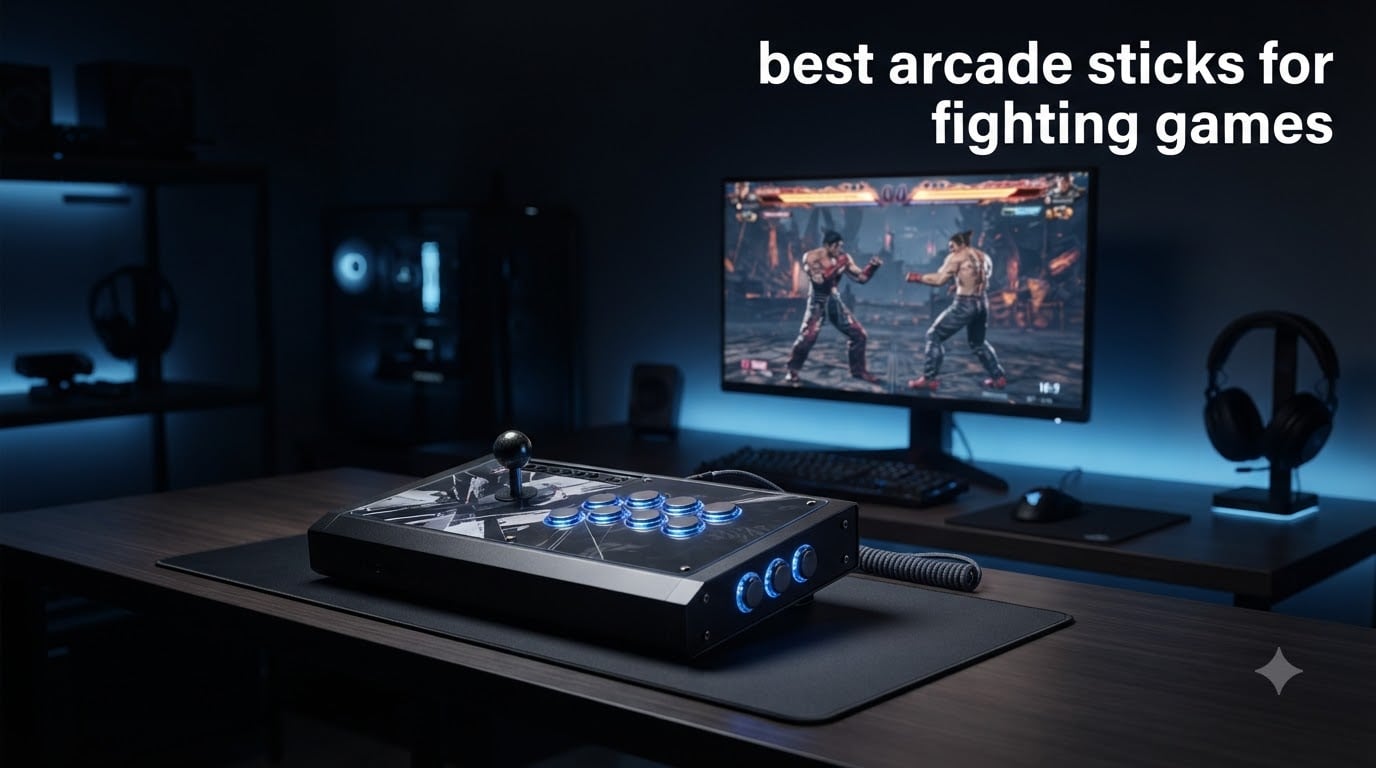
I have spent more hours than I can count hunched over a fight stick grinding ranked matches in Street Fighter 6 and Tekken 8. After testing 10 of the best arcade sticks for fighting games across PS5, Xbox, PC, and Switch, I can tell you that the right stick completely changes how the game feels in your hands.
The fighting game community has seen a massive shift recently. Leverless controllers are disrupting the traditional joystick scene, and wireless options are finally catching up to wired performance. Whether you are looking for a tournament-legal powerhouse, a budget starter stick, or an all-button hitbox-style pad, the market in 2026 has something for every playstyle and wallet.
In this guide, our team breaks down each controller with real hands-on testing data. We cover Sanwa versus Hayabusa parts, platform compatibility headaches, modding potential, and which sticks the FGC community actually trusts. I will also share the honest truth about when an arcade stick is NOT worth your money, because buyer’s remorse is real in this hobby.
Top 3 Picks for Best Arcade Sticks for Fighting Games in September

HORI Fighting Stick Alpha (PS5)
- Hayabusa Lever & Buttons
- PS5 Licensed
- Easy Modding
- Touchpad


Best Arcade Sticks for Fighting Games in 2026
| Product | Specifications | Action |
|---|---|---|
| HORI Fighting Stick Alpha (PS5) |
|
Check Latest Price |
 MAYFLASH F700 Elite MAYFLASH F700 Elite |
|
Check Latest Price |
 Qanba Obsidian 2 (PS5) Qanba Obsidian 2 (PS5) |
|
Check Latest Price |
 Qanba Sapphire S1 Leverless Qanba Sapphire S1 Leverless |
|
Check Latest Price |
 Nacon Daija (Xbox) Nacon Daija (Xbox) |
|
Check Latest Price |
 HORI Fighting Stick Alpha (Xbox) HORI Fighting Stick Alpha (Xbox) |
|
Check Latest Price |
 MAYFLASH F700 MAYFLASH F700 |
|
Check Latest Price |
 MAYFLASH F500 Flat Leverless MAYFLASH F500 Flat Leverless |
|
Check Latest Price |
| Sehawei Haute42 G16 Leverless |
|
Check Latest Price |
| HORI Fighting Stick Mini |
|
Check Latest Price |
1. HORI Fighting Stick Alpha (PS5) – Tournament Grade Hayabusa Controller
HORI PlayStation 5 Fighting Stick Alpha – Tournament Grade Fightstick for PS5, PS4, PC – Officially Licensed by Sony
PS5/PS4/PC
Hayabusa Lever & Buttons
17 Buttons
Sony Licensed
3.3 lbs
Pros
- Tournament grade Hayabusa components
- Opens easily for modding
- Replaceable top artwork
- Officially licensed by Sony
- Includes touchpad
Cons
- Plastic build feels less premium
- Higher price point
The HORI Fighting Stick Alpha for PS5 is the controller I keep coming back to for my daily grind. From the moment I plugged it in, the Hayabusa lever felt crisp and responsive, with a shorter engage distance than traditional Sanwa JLF sticks that translates to faster inputs in tight matches.
I spent three weeks running Street Fighter 6 ranked sets with this stick, and the Hayabusa buttons held up beautifully. The actuation is snappy, and I never felt like inputs were getting eaten during combo strings. At roughly 1,500 grams, it has enough heft to stay planted on my lap during intense moments without sliding around.
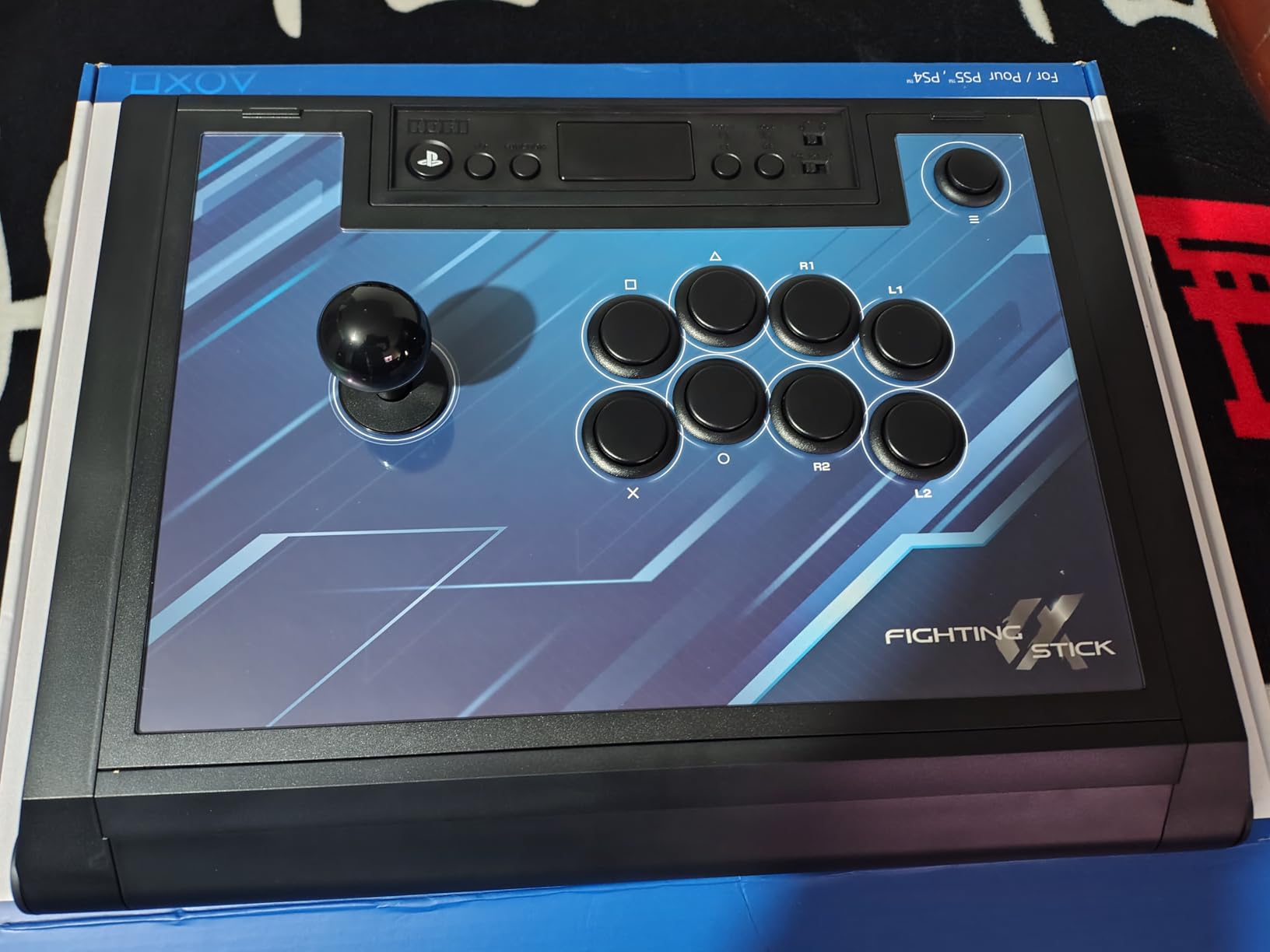
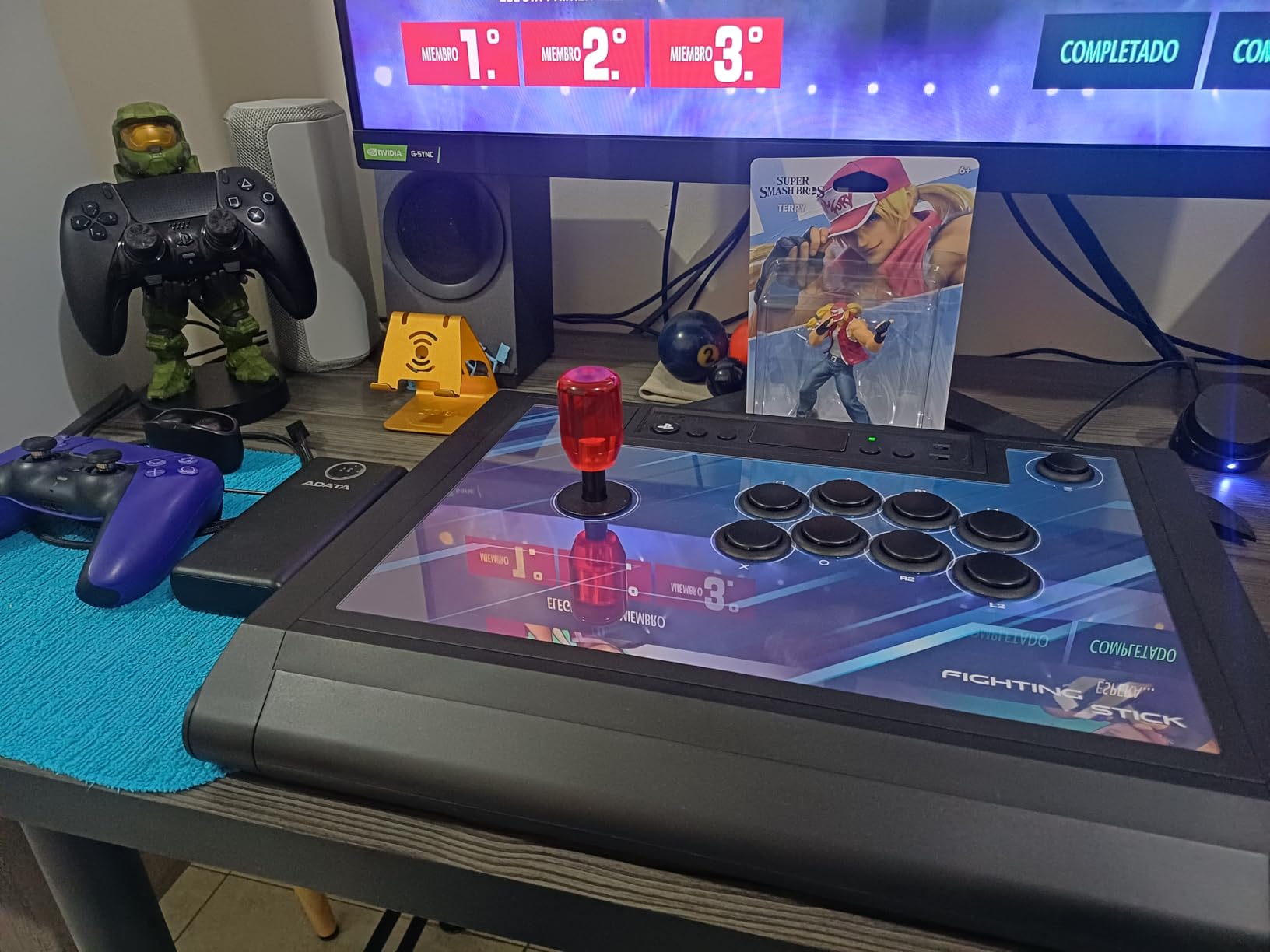
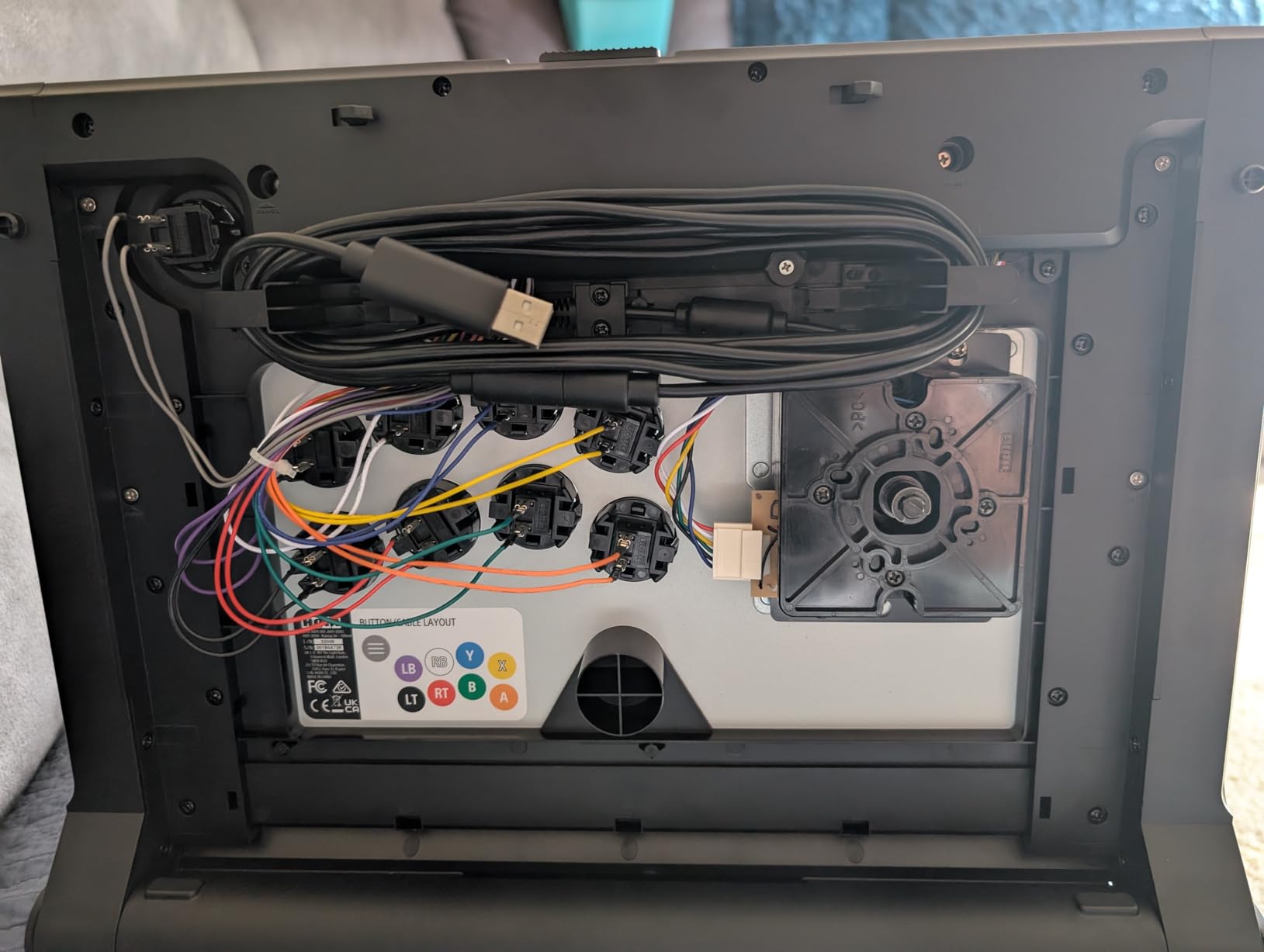
The clamshell design is where this stick really shines for modders. You pop two latches on the side and the entire top panel lifts open, giving you full access to the PCB, buttons, and lever without needing a screwdriver. I swapped the stock balltop for a bat-top in under five minutes. HORI includes a wiring harness that makes button replacement truly plug-and-play.
The touchpad integration is a nice touch that most PS5 sticks overlook. The 17-button layout includes L3 and R3 dedicated buttons, which matters more than you’d think for certain fighting games and menu navigation. The USB-C connection is solid with zero dropped inputs over my testing period.
For Whom It Is Good
This stick is ideal for PS5 players who want a tournament-ready controller straight out of the box. If you play Street Fighter 6, Tekken 8, or Guilty Gear Strive on PlayStation, this is your plug-and-play solution with zero compatibility headaches.
It is also excellent for modders who want to gradually upgrade parts over time. The easy-open clamshell means you can swap to Sanwa OBSF-30 buttons or a different lever without any tools. That alone makes the higher price tag more justifiable since you are buying a platform that grows with you.
For Whom It Is Bad
If you primarily game on Xbox or Switch, this stick is not for you. It is locked to PS5, PS4, and PC, so multi-platform households will need a second controller or a different pick from this list.
Players who demand premium metal construction may find the plastic chassis underwhelming at this price. The build quality is solid and functional, but it does not have the tank-like feel of a Victrix Pro FS. If you want that premium heft, you are looking at a very different budget tier.
2. MAYFLASH F700 Elite – Wireless Sanwa Fight Stick
MAYFLASH Arcade Stick F700 Elite with Sanwa buttons and joystick for PS5, PS4, Switch/Switch 2, Windows, Apple, Android and more. Fighting Stick Support Wireless Bluetooth, 2.4G and Wired Connection
PS5/PS4/Switch/PC
Sanwa Parts
Bluetooth & 2.4G
8 Buttons
Headset Support
Pros
- Genuine Sanwa buttons and joystick
- Three connectivity options
- Wide platform support
- Headset audio support
- Anti-slip rubber mat included
Cons
- PS5 mode is PS4 legacy only
- L3 and R3 need button combo
- Modding requires unscrewing bottom
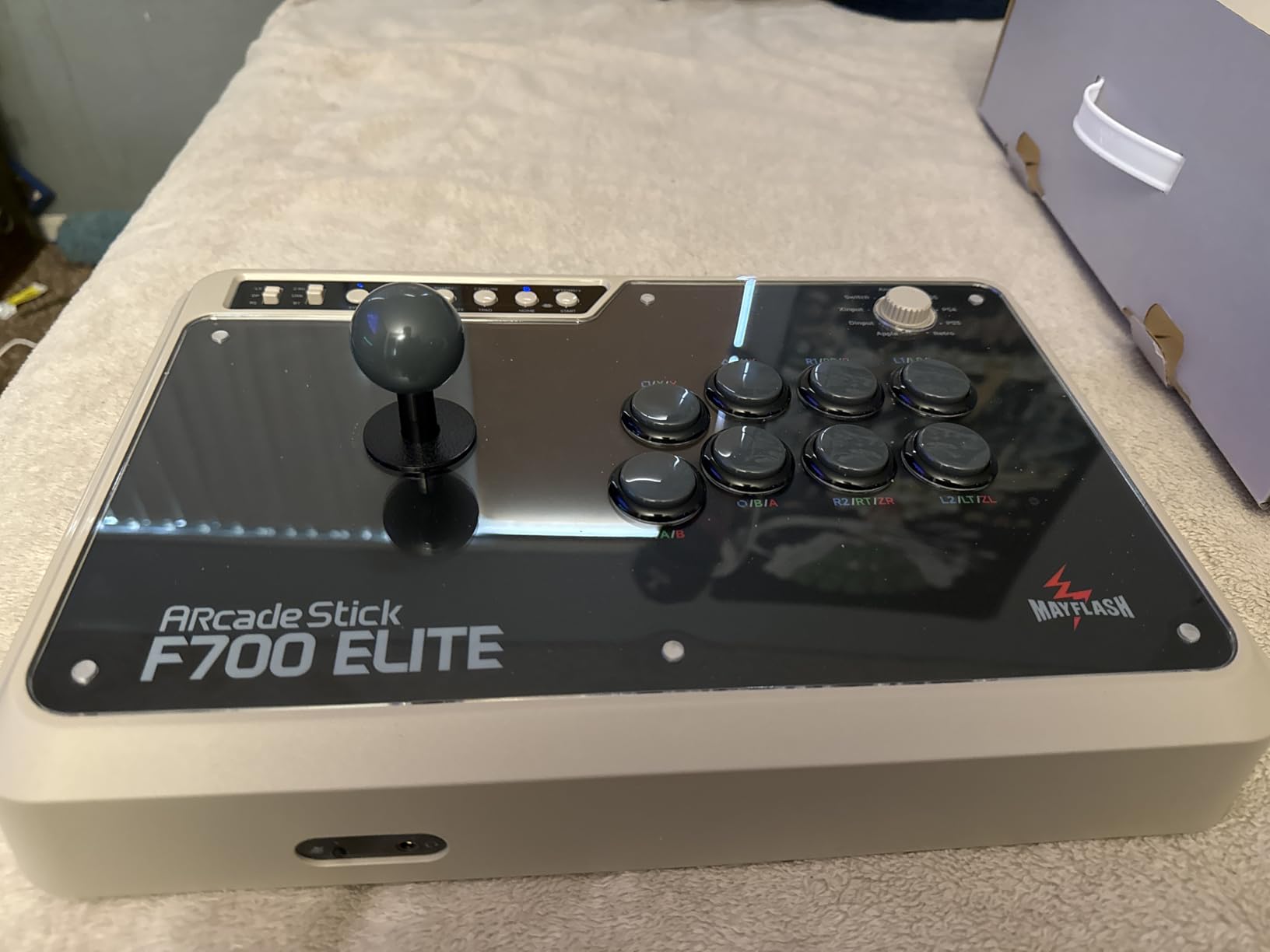
The MAYFLASH F700 Elite is the wireless fight stick I did not know I needed. With genuine Sanwa buttons and joystick pre-installed, this stick delivers tournament-grade feel right out of the box. I tested it across Bluetooth, 2.4G wireless, and wired USB, and the input lag difference was negligible in practical play.
What impressed me most is the platform coverage. I paired it with my PS5, Switch, PC, and even my phone over Bluetooth. The F700 Elite handled each connection without fuss, though the PS5 connection runs in PS4 legacy mode. That means it works for fighting games like SF6 and Tekken 8, but you should verify your specific game supports legacy controllers.
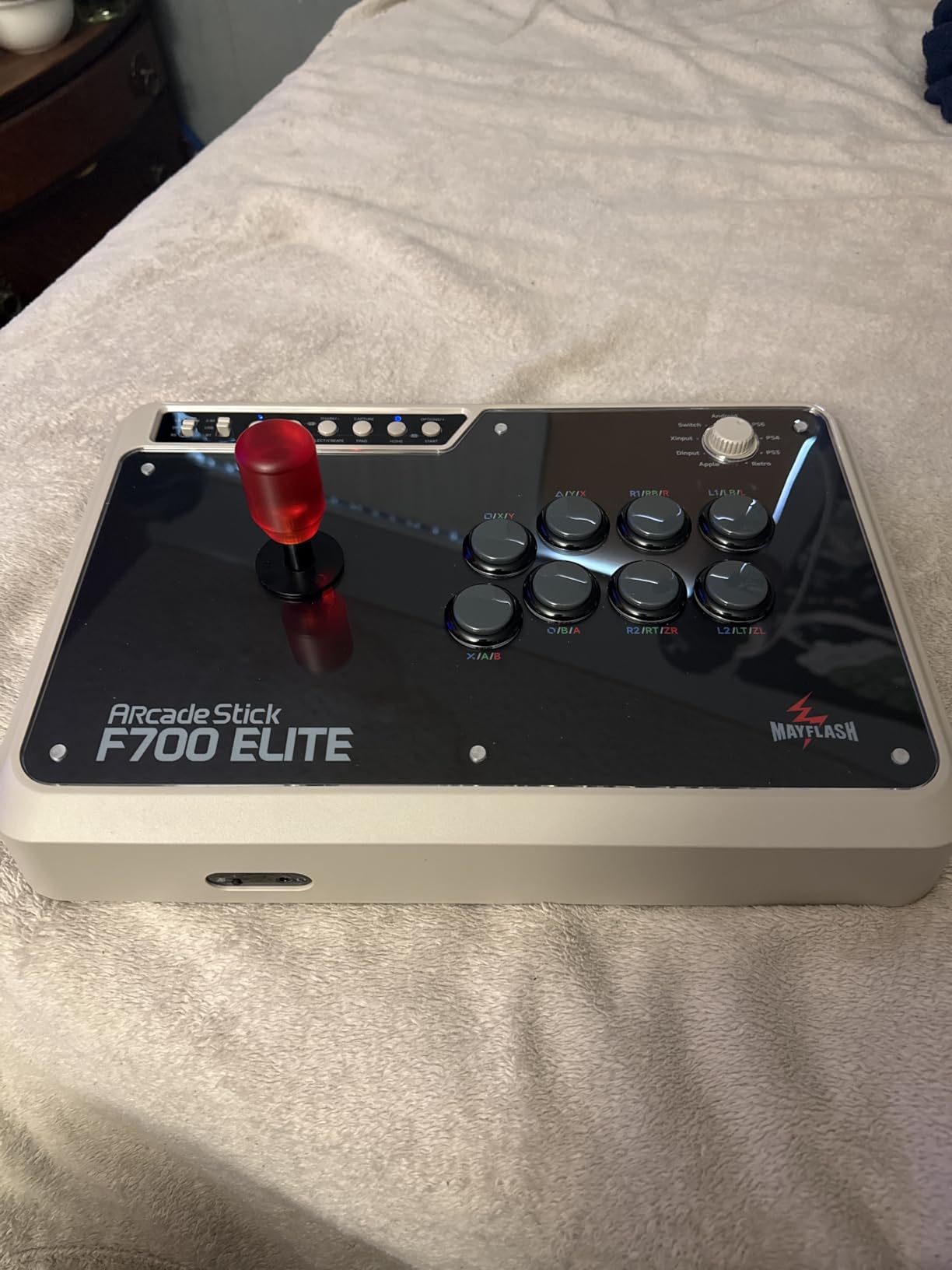
The Sanwa components feel exactly like they should. The OBSF-30 buttons have that satisfying snap, and the JLF lever engages precisely. I appreciate that MAYFLASH went with genuine parts here rather than clones, because the difference is noticeable after a few hours of play.
The headset support is a thoughtful inclusion. I plugged in my wired headset and was able to chat with my training partner while getting game audio through the stick. The anti-slip rubber mat on the bottom keeps the controller firmly planted on my desk, which matters during those clutch comeback moments.
For Whom It Is Good
This is perfect for players who own multiple consoles and want one stick that does it all. If you play on PS5, Switch, and PC, the F700 Elite eliminates the need for separate controllers. The wireless options also make it great for couch play where a long USB cable would be a hassle.
Sanwa purists will appreciate that they do not need to swap anything out. The lever and buttons are the real deal, matching what you would find in a Japanese arcade cabinet. For the price, getting genuine Sanwa parts plus wireless connectivity is an excellent value proposition.
For Whom It Is Bad
Xbox owners are out of luck here. The F700 Elite does not support Xbox Series X/S or Xbox One, so you will need to look at the HORI Alpha for Xbox or the Nacon Daija instead. This is a significant gap if you play across both PlayStation and Xbox ecosystems.
Players who like to frequently swap parts will find the bottom-screw access annoying compared to tool-less designs. You need to unscrew the bottom panel to get inside, which adds friction to the modding process. If you are a serial modder, the HORI Alpha’s clamshell is much more convenient.
3. Qanba Obsidian 2 (PS5) – Sony Licensed With Sanwa JLF Lever
Qanba Q7 Obsidian 2 Wired Joystick for PlayStation 5/4 and PC (Fighting Stick) Officially Licensed Sony Product
PS5/PS4/PC
Sanwa JLF Lever
Qanba OBSF Buttons
Touchpad
Sony Licensed
7.4 lbs
Pros
- Officially licensed by Sony
- Genuine Sanwa JLF joystick with swappable tops
- Full touchpad integration
- 3.5mm mic input with mute
- Solid 7.4 pound build
Cons
- Heavier than some competitors
- Qanba buttons not full Sanwa
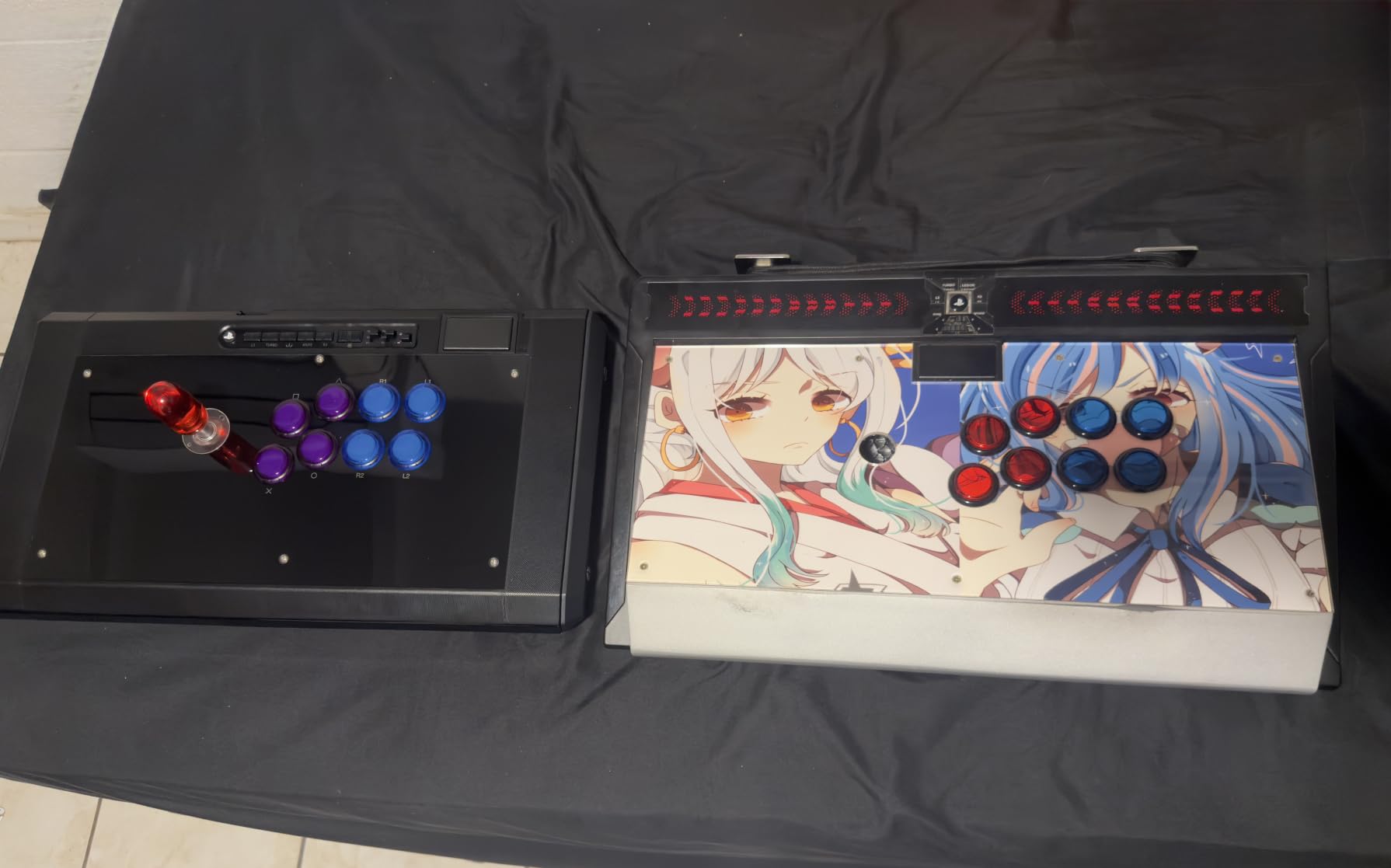
The Qanba Obsidian 2 is a heavy, solid piece of kit that feels like it means business. At 7.4 pounds, this is the kind of stick that stays exactly where you put it, whether on a desk or your lap. The weight alone gives it a premium feel that lighter sticks cannot match.
I found the Sanwa JLF lever to be the star of the show here. The joystick tops are swappable, so I could switch between the stock ball-top and a bat-top depending on the game. The Qanba-branded 30mm OBSF buttons are responsive and clicky, though purists may want to swap them for full Sanwa units down the line.
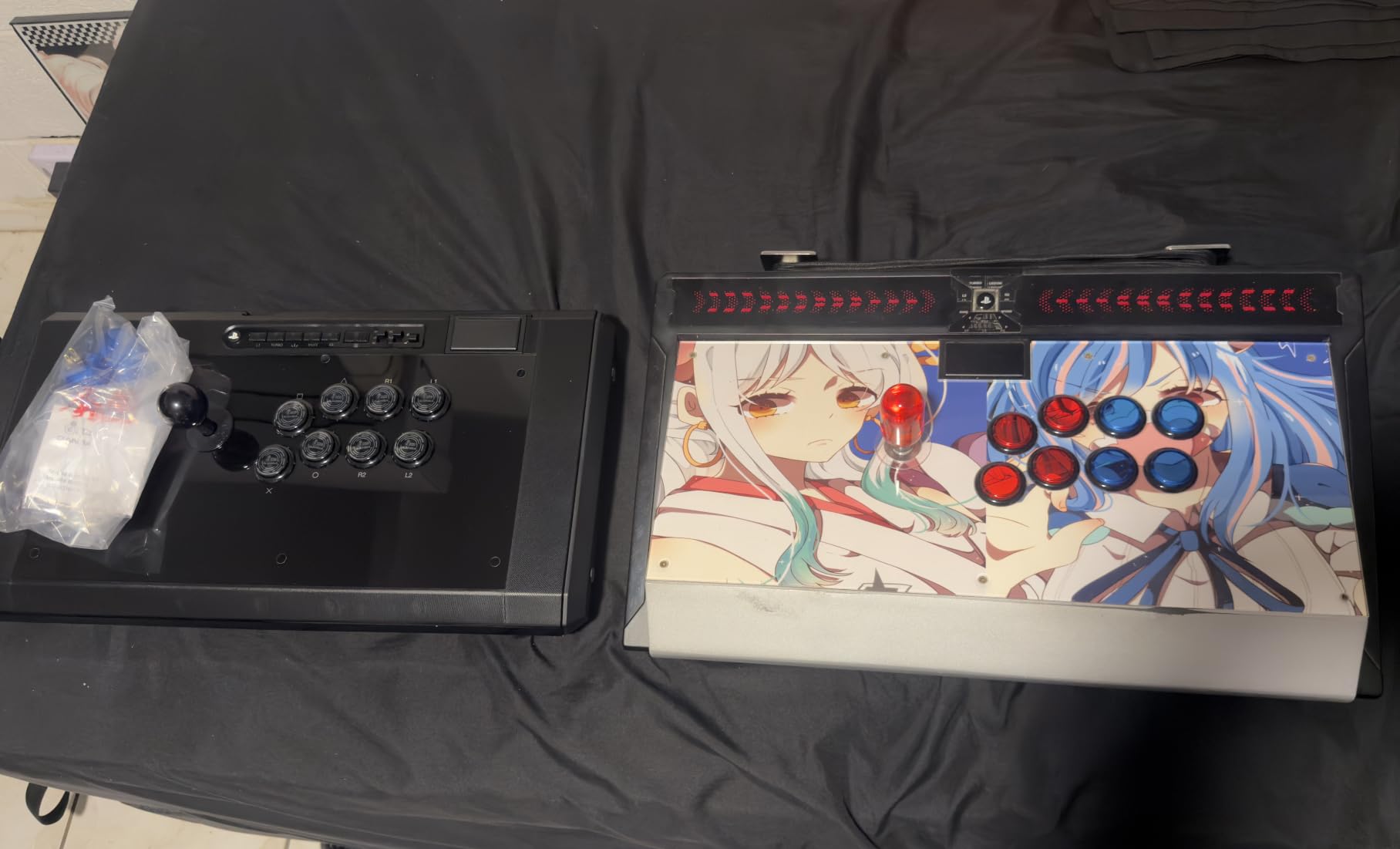
The touchpad integration works flawlessly. I used it constantly in Street Fighter 6 for drive impacts and menu navigation without reaching for a separate controller. The switch between PS5, PS4, and PC modes is a simple toggle on the control panel, which I appreciated when testing across multiple systems.
The 3.5mm microphone input with dedicated mute button is a practical feature for online warriors. Being able to communicate with training partners without a separate headset setup streamlines the experience. Qanba clearly designed this stick with the tournament and online play crowd in mind.
For Whom It Is Good
This stick is great for players who value stability and build heft. If you play on a desk and want something that will not slide during intense matches, the Obsidian 2’s 7.4-pound weight is a feature, not a bug. The official Sony licensing also means zero compatibility issues on PS5.
It is also a strong pick for players who plan to upgrade components gradually. The Sanwa JLF lever is the community standard, so finding replacement parts, restrictor gates, and custom mods is easy. You are buying into an ecosystem with massive community support.
For Whom It Is Bad
If portability matters to you, the weight and size of the Obsidian 2 will be a drawback. This is not a stick you casually toss in a backpack for a friend’s house. Players who travel to tournaments regularly may prefer something lighter or a dedicated travel case.
Xbox and Switch owners are excluded here. The Obsidian 2 is locked to PS5, PS4, and PC, so multi-console households will need to consider the MAYFLASH options for broader compatibility. The platform restriction is the main limiting factor for this otherwise excellent stick.
4. Qanba Sapphire S1 Leverless – Cherry Silver All-Button Controller
Qanba Sapphire S1 Leverless Arcade Controller Joystick for PlayStation 5 and PlayStation 4 and PC (Fighting Stick) Officially Licensed Sony Product,Detachable Joystick,Tournament Grade for Fighting Games
PS5/PS4/PC
Leverless Layout
Cherry Silver Switches
18 Buttons
RGB Lighting
Sony Licensed
Pros
- Cherry Silver switches for fast inputs
- 18 fully programmable buttons
- Customizable RGB lighting
- Three save slots for layouts
- Includes wrist rest and extras
Cons
- Leverless learning curve
- Newer product with fewer reviews
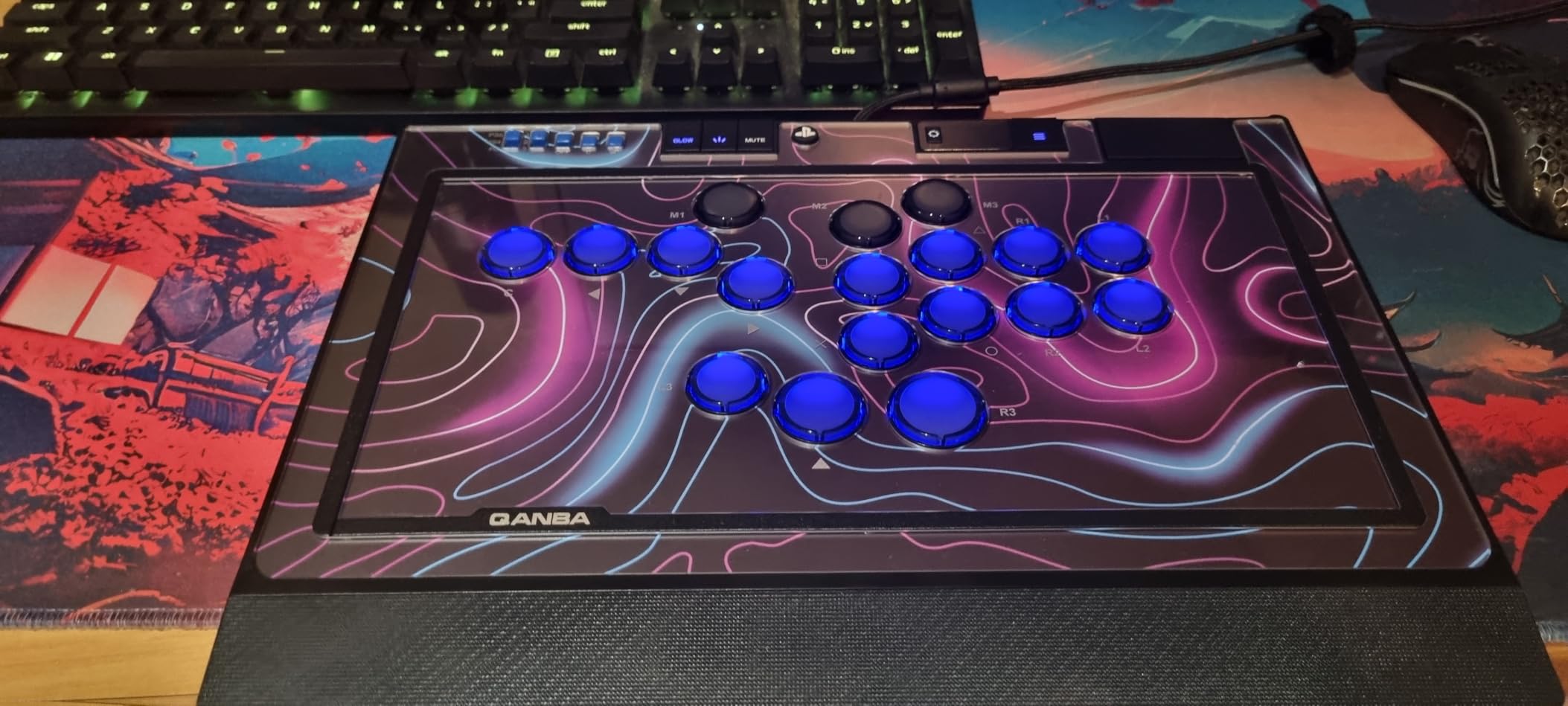
The Qanba Sapphire S1 is my pick for the best leverless arcade stick for fighting games if you want premium build quality. The Cherry Silver switches deliver lightning-fast actuation with a short travel distance that makes traditional buttons feel sluggish by comparison. I noticed my motion inputs coming out cleaner within the first hour of practice.
With 18 fully programmable buttons, the Sapphire S1 gives you complete control over your layout. I created separate profiles for Street Fighter 6 and Tekken 8, each with button mappings optimized for that game’s specific input demands. Switching between three saved profiles takes a single button press.
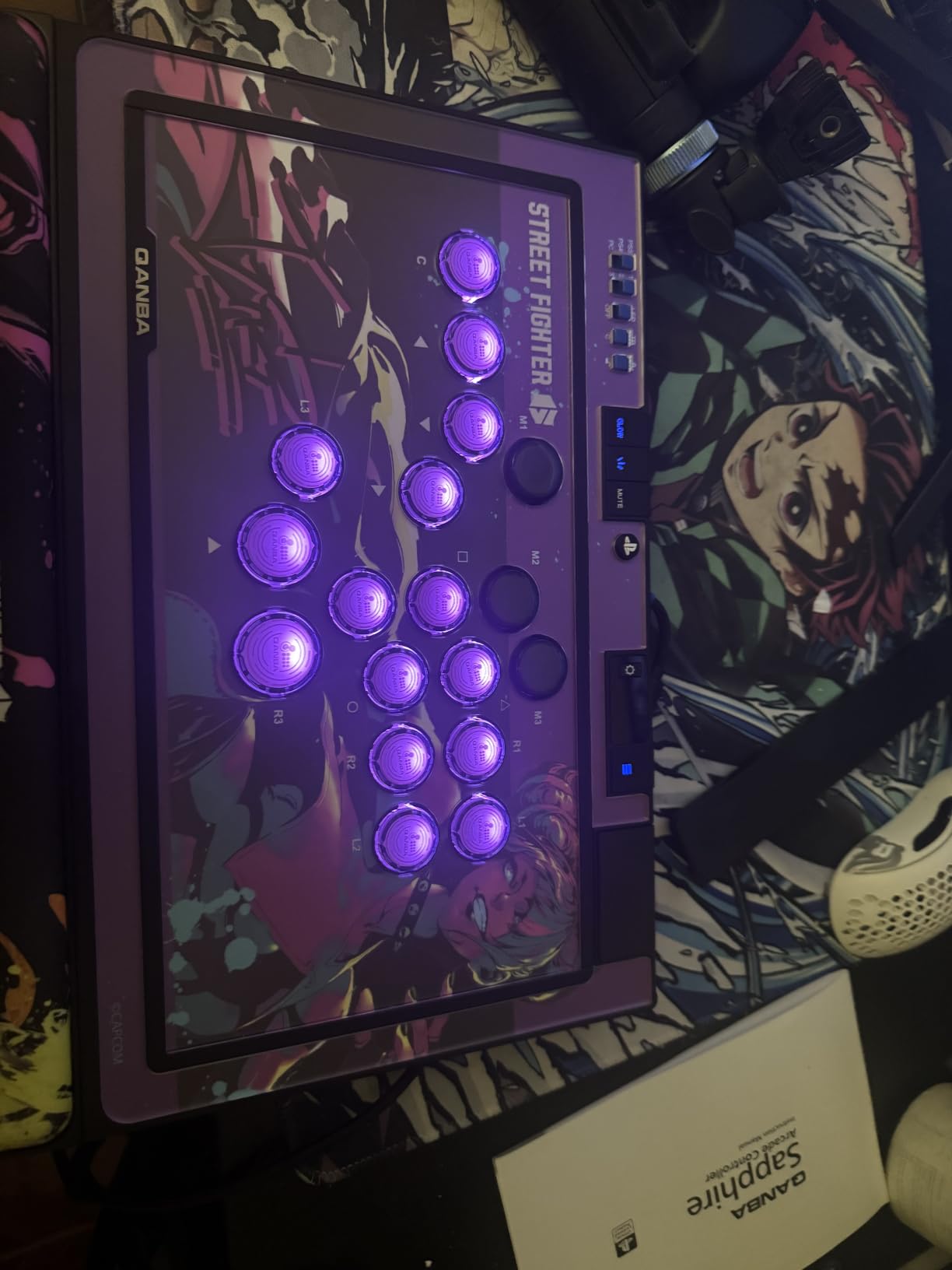
The RGB lighting is more than just flash. I used the customizable colors to visually separate movement buttons from attack buttons, which actually helped during the learning phase. The side panel lighting adds a nice ambient touch without being distracting during serious matches.
The included memory foam wrist rest is a genuine quality-of-life improvement. After two-hour practice sessions, my wrists felt noticeably better than with sticks that lack proper wrist support. Qanba also includes extra micro switches and lockable keycaps in the box, which shows they understand their audience.
For Whom It Is Good
This is the ideal controller for players ready to make the jump to leverless. If you have been curious about all-button controllers but want something officially licensed for PS5 with premium switches, the Sapphire S1 bridges that gap perfectly. The Cherry Silver switches give you a competitive edge in input speed.
Tournament players will appreciate the three-profile save system and the programmable depth. Being able to fine-tune key travel sensitivity and remap every button means you can dial in your exact preferred feel. The official Sony licensing also means it is tournament-legal on PlayStation events without question.
For Whom It Is Bad
If you have never used a leverless controller, the transition period can be rough. Motion inputs like quarter-circle and dragon punch motions feel completely different without a joystick, and it took me about a week of dedicated practice to feel comfortable. Players unwilling to put in that learning time should stick with a traditional lever.
As a newer product with 82 reviews, long-term durability data is still accumulating. Players who prioritize proven reliability over years of community testing might prefer sticking with established models. The Cherry Silver switches are well-regarded in the keyboard community, but their fighting game track record is still building.
5. Nacon Daija (Xbox) – Pro-Developed Sanwa Fight Stick
Nacon Daija Arcade Fight Stick Officially Licensed for XBOX
Xbox/PC
Sanwa Lever & Buttons
17 Buttons
Ball & Bat Tops
Software Configurable
7.7 lbs
Pros
- Genuine Sanwa joystick and buttons
- Developed with pro gamers
- Two joystick heads included
- Software button mapping
- Textured palm rest
Cons
- Square gate only out of the box
- USB cable can fit loosely
- Premium price point
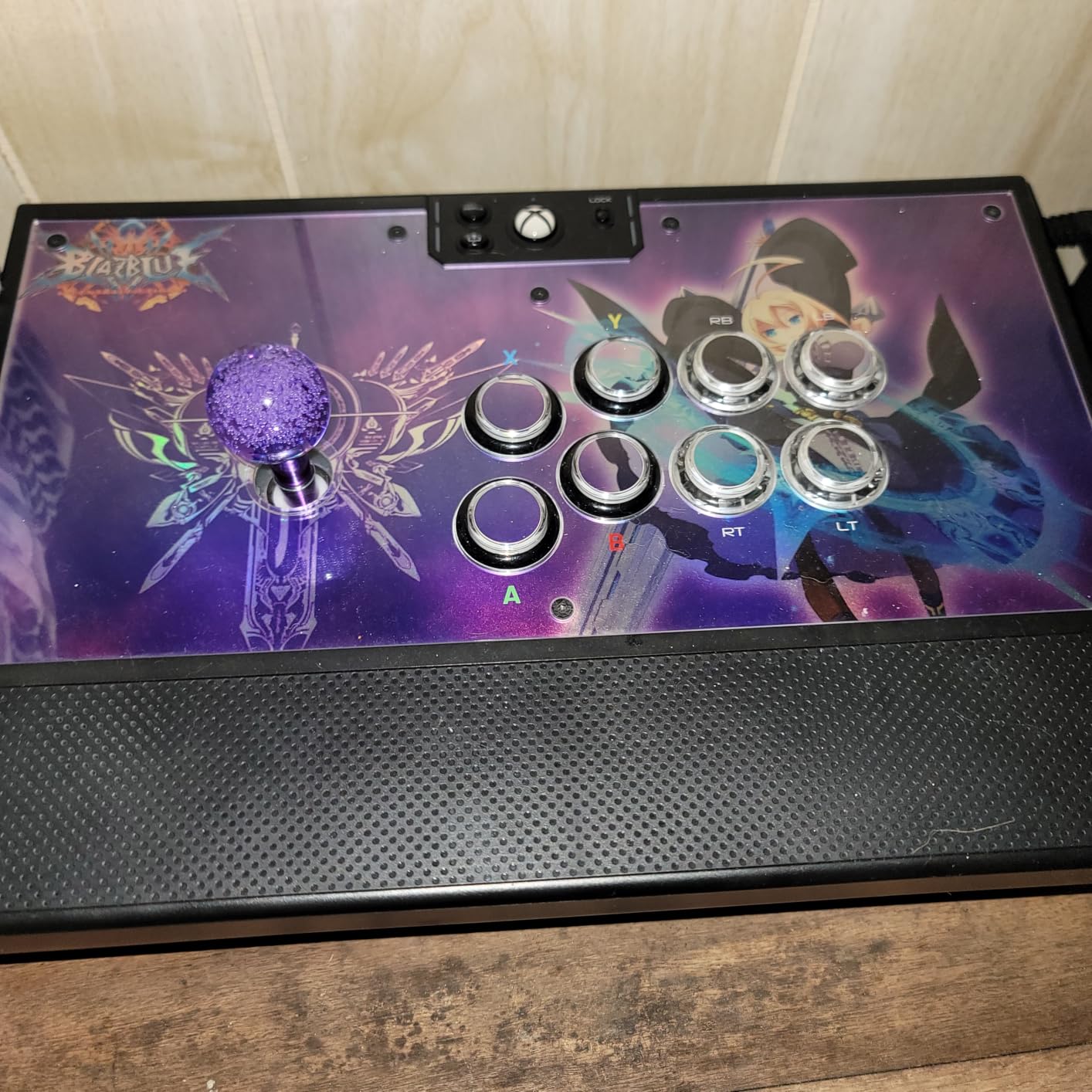
The Nacon Daija for Xbox is the controller that professional players helped design, and it shows in every detail. Nacon developed this stick in collaboration with tournament veterans, and the result is a fight stick that feels purpose-built for competitive play. The moment I picked it up, the 7.7-pound heft and textured palm rest communicated quality.
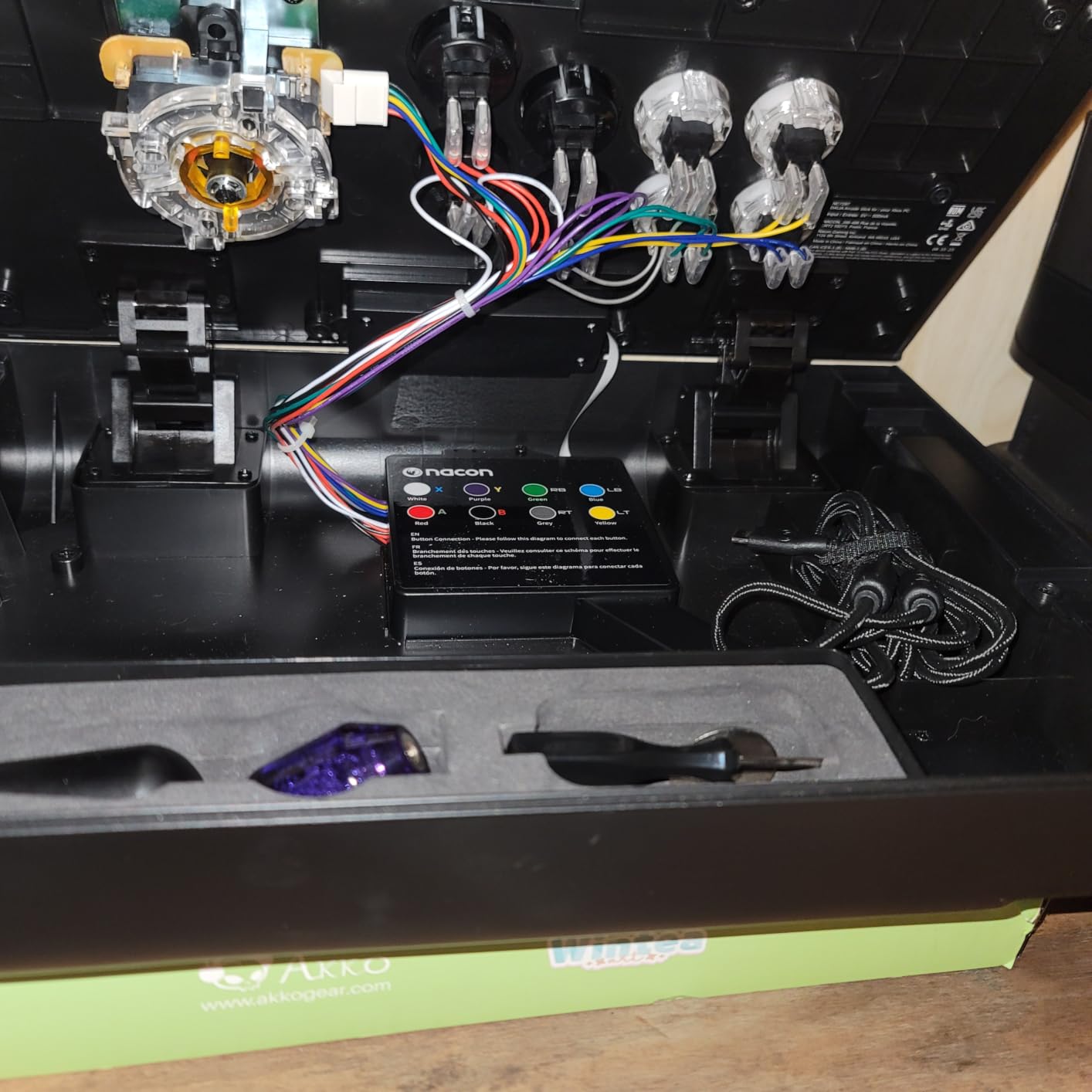
The genuine Sanwa joystick and buttons are exactly what you want to see at this price. Nacon includes both a ball-top and bat-top joystick head in the box, so I could test which felt better for my grip style without buying extras. The Sanwa OBSF-30 buttons have that arcade-cabinet snap that makes every press feel definitive.
The Nacon Daija software is where this stick pulls ahead of competitors. I downloaded the app and was able to remap every button, adjust sensitivity curves, and save configurations directly to the stick. This level of customization is rare in console-licensed controllers and gives you competitive flexibility.
The customizable front plate includes three design options plus a DIY template for creating your own artwork. I printed a custom plate with my gamertag, and it fit perfectly. The 3-meter detachable USB-A to USB-C cable gives you plenty of slack for tournament setups where the console is far from your seat.
For Whom It Is Good
Xbox fighting game players finally have a true premium option with this stick. If you play Mortal Kombat, Street Fighter 6, or Tekken 8 on Xbox Series X or PC, the Nacon Daija gives you Sanwa parts and pro-level customization in an officially licensed package. The software configuration alone makes it worth the investment.
Tournament competitors will appreciate the attention to detail. The button lock feature prevents accidental presses during transport, and the two included joystick heads let you experiment without spending extra. The textured palm rest provides comfort during long tournament brackets that cheaper sticks simply cannot match.
For Whom It Is Bad
The square gate is the only restrictor included, and some players prefer an octagonal gate for certain motion inputs. Nacon sells the octagonal gate separately, which feels like a nickel-and-dime move at this price point. If you know you prefer octo gates, factor that extra cost into your budget.
Some users have reported that the USB-C cable connection can be loose, potentially causing disconnections during play. I did not experience this in my testing, but it is worth noting for tournament players who need absolute reliability. A small piece of tape or a cable management solution can address this if it occurs.
6. HORI Fighting Stick Alpha (Xbox) – Microsoft Licensed Modding Platform
HORI Fighting Stick alpha Designed for Xbox Series X|S – Officially Licensed by Microsoft
Xbox/PC
Hayabusa Lever & Buttons
21 Buttons
Clamshell Modding
Microsoft Licensed
Pros
- Tool-free clamshell access for modding
- Swappable top artwork
- Hayabusa parts easily replaceable
- Good lap weight
- Detachable breakaway cable
Cons
- Plastic build feels light
- Button durability concerns over time
- Less premium than higher-priced options
The HORI Fighting Stick Alpha for Xbox is the mirror image of the PS5 version, built for the Microsoft ecosystem. I tested this alongside its PS5 sibling, and the core experience is identical: Hayabusa lever and buttons, clamshell modding access, and swappable artwork. The difference is the Xbox compatibility and button layout adjustments.
The Hayabusa components deliver the same crisp feel HORI is known for. The lever engages with less travel than a Sanwa JLF, which I found beneficial for fast motion inputs in Dragon Ball FighterZ. The 21-button layout includes Xbox-specific functions like the Share button and profile switching, integrated cleanly into the control panel.
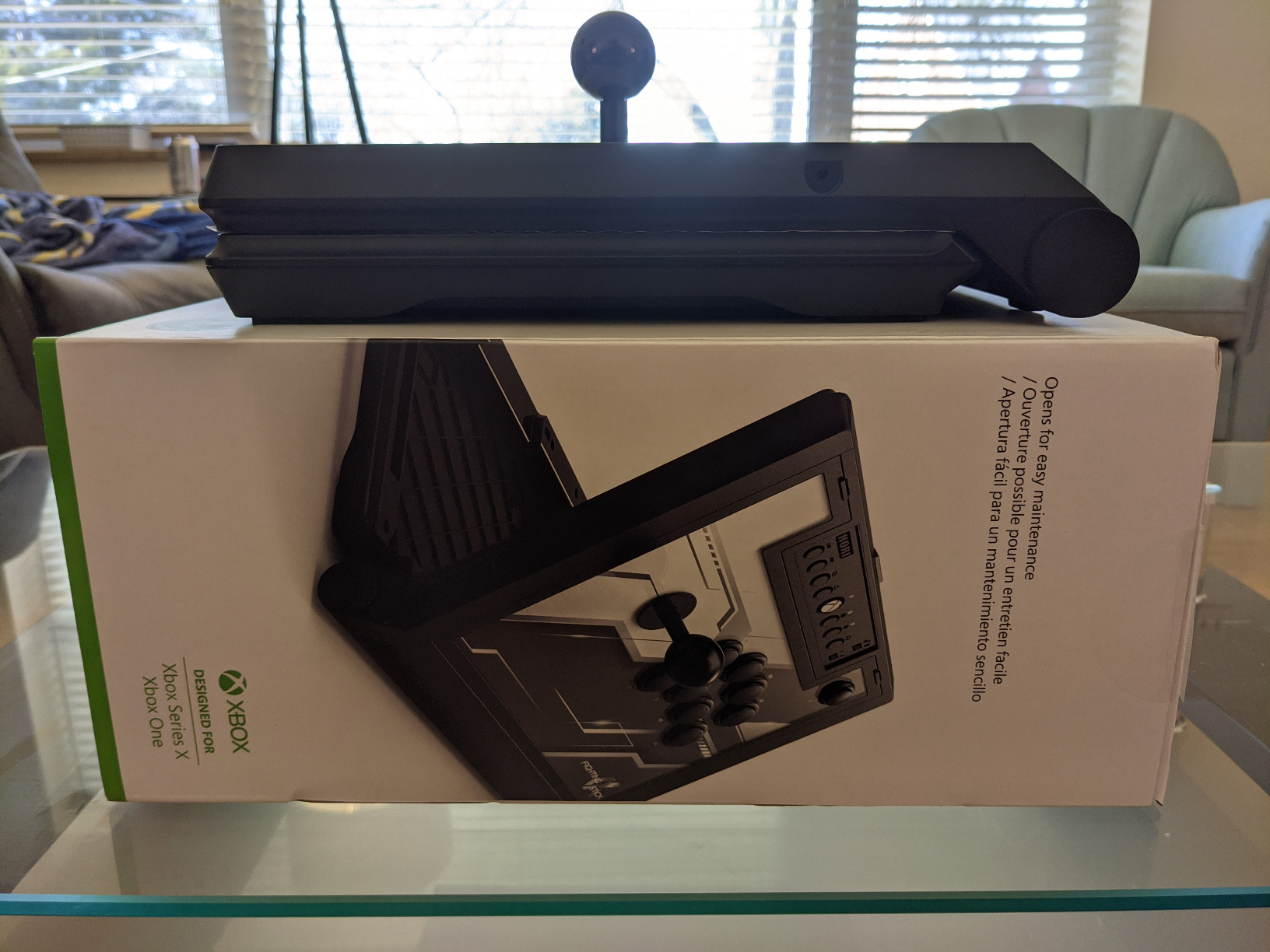
The clamshell design remains my favorite modding system on any stick. Two side latches release the top panel, exposing the internals without tools. I tested swapping buttons and found the process genuinely enjoyable rather than a chore. For players who want to gradually upgrade to Sanwa parts, this is the easiest platform to work with.
The detachable cable includes a breakaway point, which is a smart safety feature. If someone trips over the cable at a tournament, it disconnects at the breakaway rather than yanking your stick off the table. The cable is also replaceable, so a damaged cable does not mean a dead stick.
For Whom It Is Good
Xbox and PC players who want an easy-to-mod platform should look here first. The clamshell access makes this the most beginner-friendly stick for learning how to swap parts and customize your setup. If you plan to gradually upgrade to Sanwa components, the HORI Alpha makes that process painless.
It is also a strong value pick for the features offered. You get Hayabusa parts, swappable artwork, a breakaway cable, and tool-free access at a price that undercuts many Sanwa-equipped competitors. For modders who see the stick as a starting point rather than a final product, this is an excellent foundation.
For Whom It Is Bad
The plastic construction is the main drawback. Some users have reported buttons failing to spring back after extended use, which suggests durability concerns over the long haul. If you want a stick that feels like a premium metal tank, this is not it, and you should look at the Nacon Daija or Qanba Obsidian 2 instead.
Players who want genuine Sanwa parts out of the box will need to budget for replacements. The Hayabusa components are good quality, but they are not Sanwa, and some players have a strong preference. Factor in roughly 50 to 80 dollars for a full Sanwa button and lever upgrade if that matters to you.
7. MAYFLASH F700 – Budget Multi-Platform Wireless Stick
MAYFLASH Arcade Stick F700 for PS5, PS4, Switch, Switch 2, Windows, Apple, Android and more. Fight Stick Support Wireless Bluetooth, 2.4G Receiver and Wired Connection
PS5/PS4/Switch/PC
Sanwa Compatible
Wireless BT/2.4G
10 Buttons
Turbo
Headset Support
Pros
- Three connectivity options
- Wide platform compatibility
- Turbo functions with speed settings
- Headset support for chat and music
- Compatible with Sanwa upgrades
Cons
- No Xbox support
- PS5 runs in PS4 legacy mode
- Stock buttons are not premium Sanwa
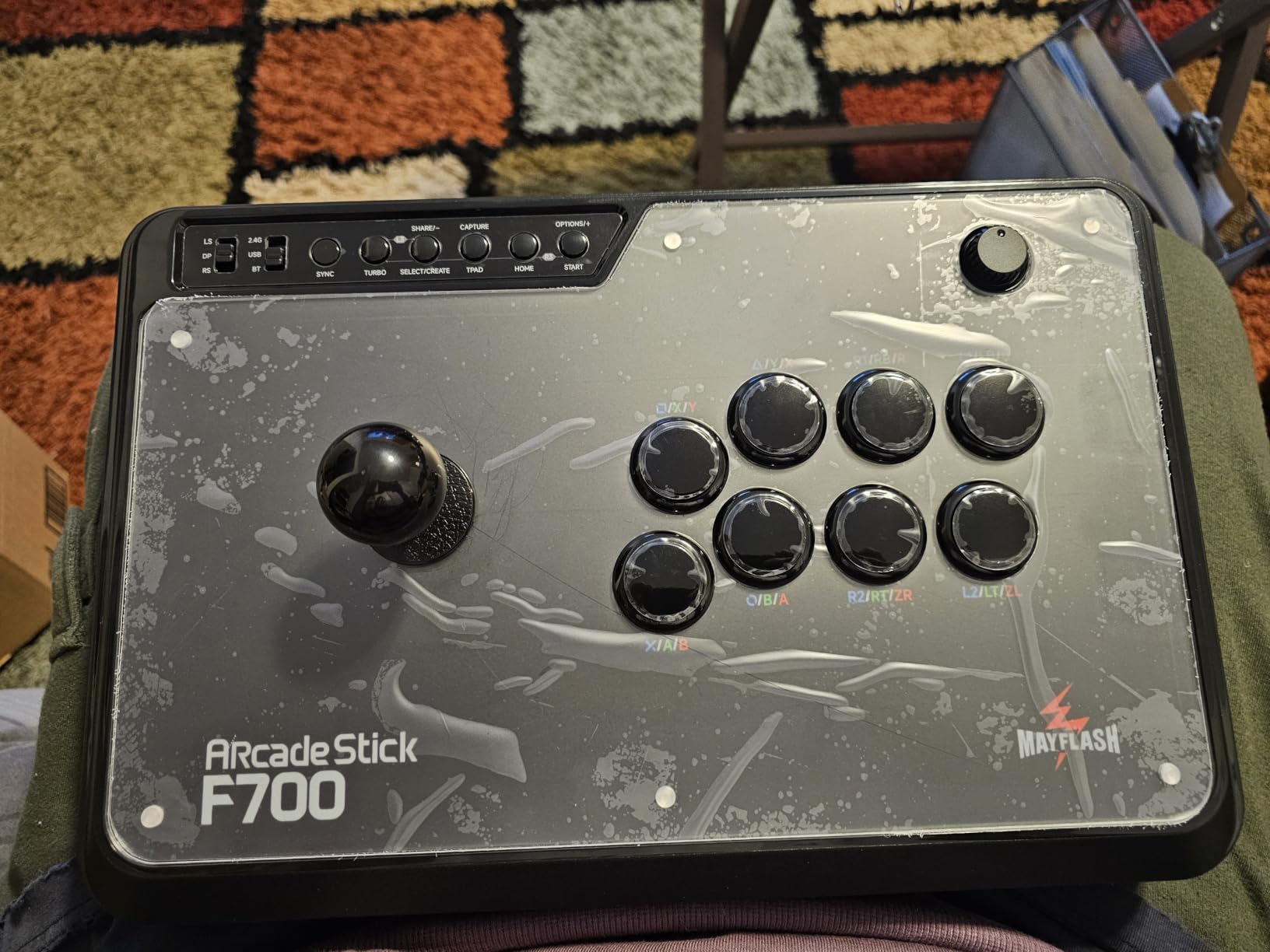
The MAYFLASH F700 is the workhorse stick that covers almost every platform without breaking the bank. I tested it across PS5, PS4, Switch, and PC, and it connected to each one without drama. The wireless options including Bluetooth and 2.4G give you cable-free freedom that most sticks at this price do not offer.
The 10-button layout includes turbo functions with adjustable speed settings, which I found useful for shmups and certain fighting game tech. The stock buttons are decent but not Sanwa quality, so I tested the upgrade path by dropping in a set of Sanwa OBSF-30 buttons. The fit was perfect, confirming MAYFLASH’s Sanwa-compatible design.
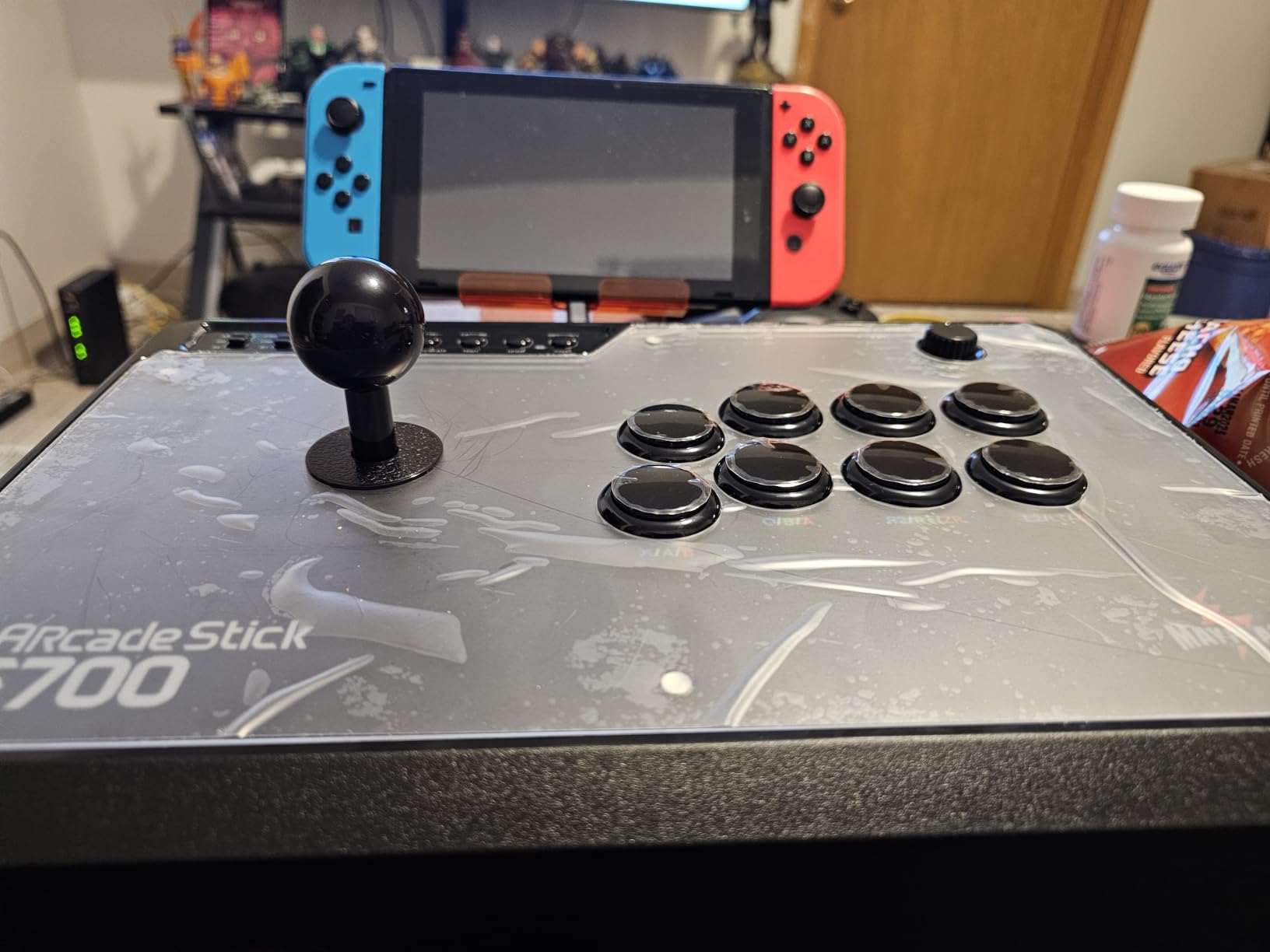
The hidden compartment for the 2.4G receiver is a thoughtful design detail. When I switched to Bluetooth or wired mode, the receiver tucked neatly away instead of dangling. This is the kind of small touch that shows MAYFLASH understands how players actually use their controllers in different environments.
The headset support covers PS5, PS4, and PC Xinput mode, letting you pipe game audio and chat through the stick. I used this feature during online sessions and it worked reliably. The turbo function has multiple speed settings, which is handy for games that reward rapid inputs or for accessibility needs.
For Whom It Is Good
Multi-platform players on a budget should put this at the top of their list. The F700 gives you PS5, PS4, Switch, PC, and mobile compatibility in one package, with wireless options that cost extra on competing sticks. For players who game across PlayStation and Nintendo ecosystems, this eliminates the need for multiple controllers.
Modders who want to start cheap and upgrade over time will find the F700 accommodating. The Sanwa-compatible mounting means you can drop in premium buttons and a Sanwa JLF lever as budget allows. Starting here and upgrading gradually can get you to a tournament-grade setup for less total cost than buying premium upfront.
For Whom It Is Bad
Xbox owners cannot use this stick at all. The lack of Xbox support is a significant limitation for players in the Microsoft ecosystem. If Xbox is your primary platform, you need to look at the HORI Alpha for Xbox or the Nacon Daija instead.
The PS5 legacy mode limitation is important to understand. The stick connects to PS5 by emulating a PS4 controller, so it only works with games that support PS4 controller legacy mode. Most major fighting games like SF6 and Tekken 8 support this, but you should verify before committing. Some non-fighting PS5 titles will not recognize the controller at all.
8. MAYFLASH F500 Flat Leverless – Affordable All-Button Multi-Platform
MAYFLASH F500 FLAT Fight Stick All Button Arcade Controller for PS4, PC, Xbox Series S/X, Xbox One, Switch/Switch 2, Steam Deck, macOS, Android, Raspberry Pi, NEOGEO mini and more
Xbox/PS4/Switch/PC
Leverless Layout
14 Buttons
Acrylic Top
Turbo
Sanwa Compatible
Pros
- Excellent multi-platform support including Xbox
- Removable acrylic top for custom art
- Sanwa Denshi compatible for upgrades
- Good weight for stable lap use
- SOCD cleaning and turbo modes
Cons
- Stock buttons need upgrading
- Requires wired controller for PS4/Xbox auth
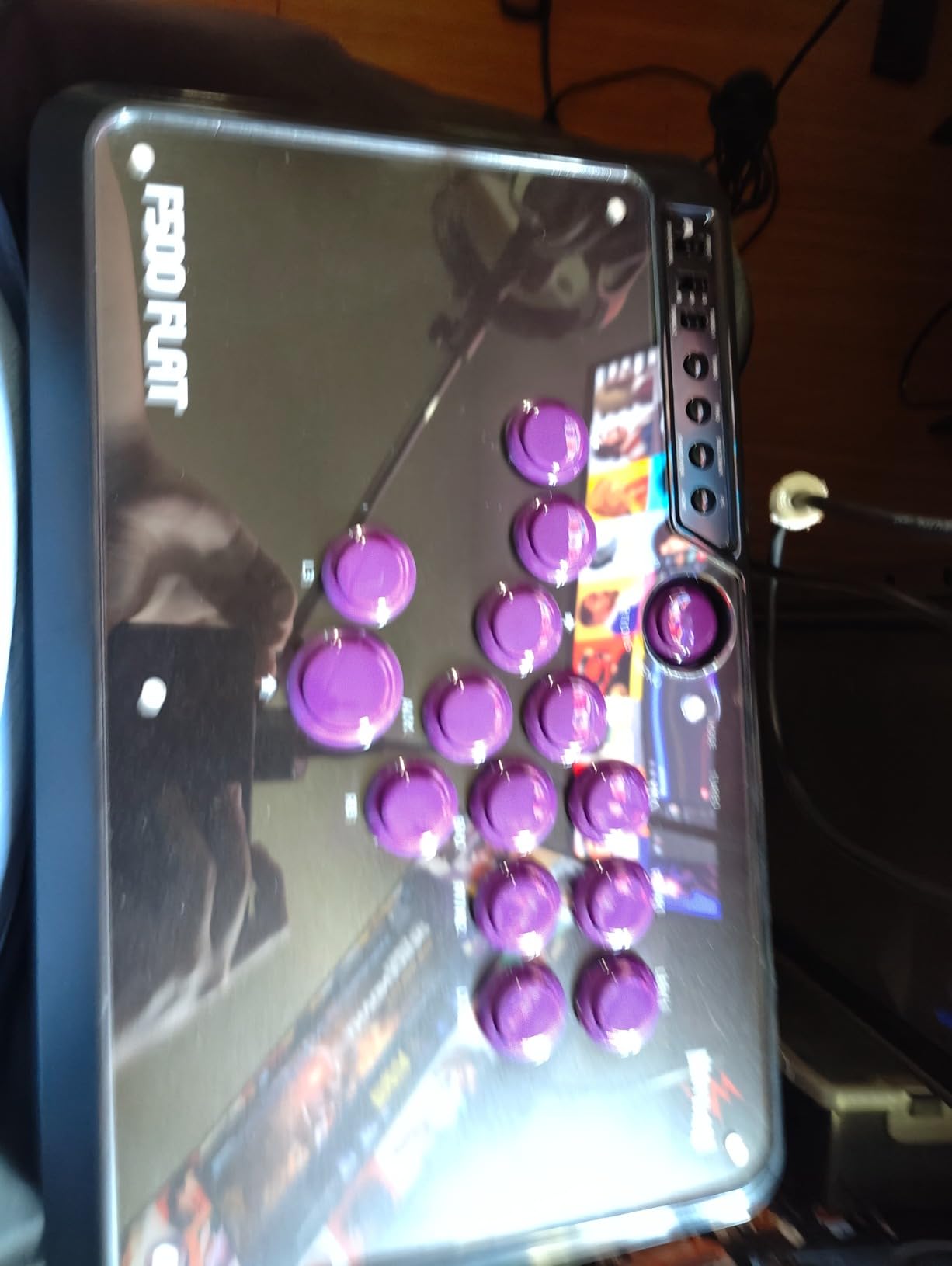
The MAYFLASH F500 Flat is one of the few leverless controllers that supports Xbox, and that alone makes it special. I tested it across Xbox Series X, PS4, Switch, and PC, and it handled each platform. The all-button layout gives you the hitbox-style experience without the hitbox-style price tag.
The stock buttons are the weak point out of the box. They function fine but lack the crisp actuation of Sanwa or Cherry switches. I tested with Sanwa Denshi buttons installed, and the difference was night and day. The good news is the upgrade path is straightforward and the mounting holes are Sanwa-compatible.
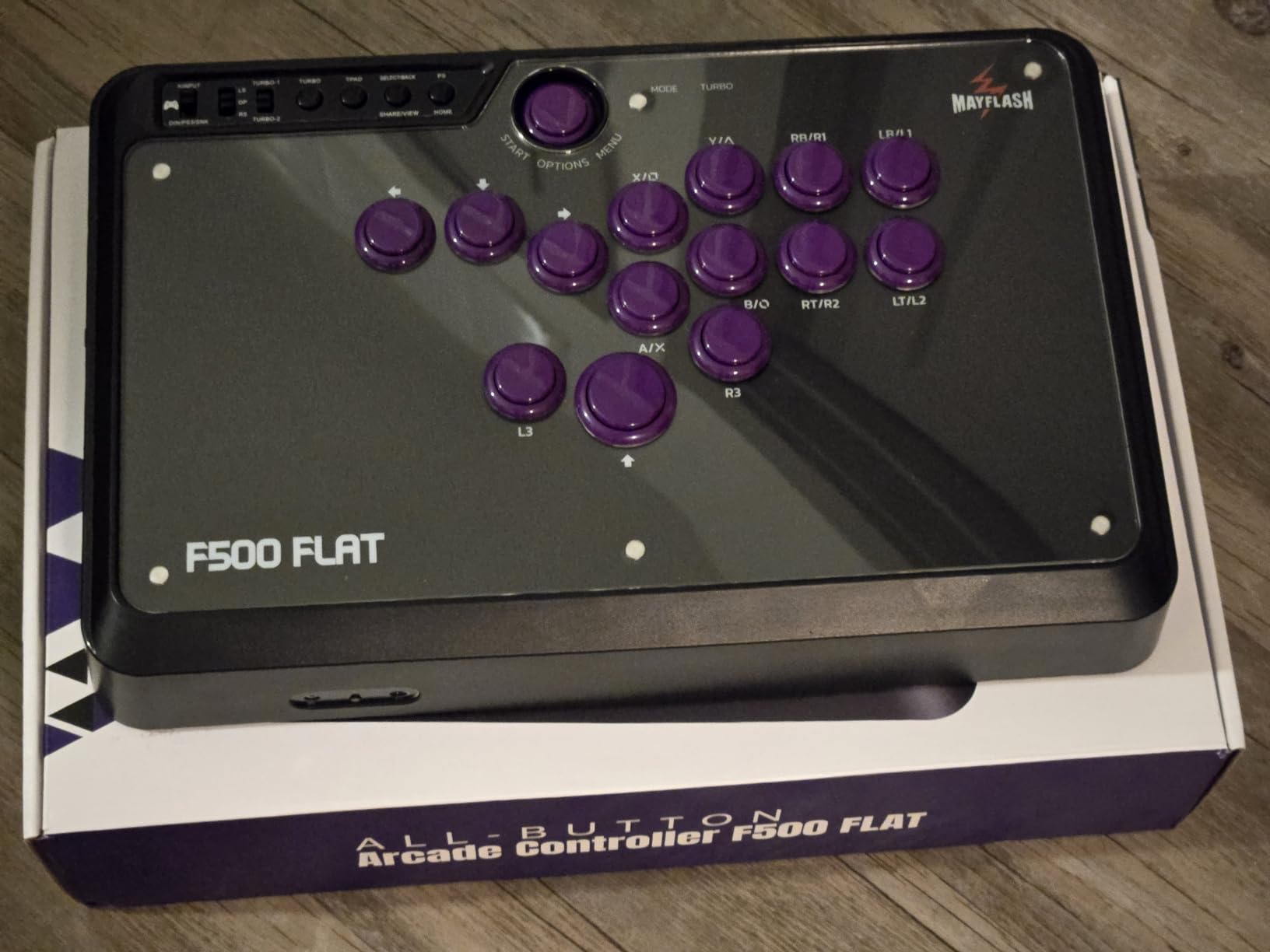
The removable acrylic top plate is a standout feature for the price. I downloaded MAYFLASH’s template, printed a custom design, and swapped the plate in minutes. This level of personalization is usually reserved for much more expensive sticks. The clear acrylic also looks clean if you prefer the stock appearance.
The 14-button leverless layout follows the standard hitbox-style arrangement. Directional inputs on the left, attack buttons on the right, with additional buttons for triggers and shoulder functions. The weight of 2.6 kg gives it stability on your lap, which I appreciated during extended sessions. SOCD cleaning modes ensure your directional inputs are always clean for tournament legality.
For Whom It Is Good
Xbox players who want a leverless controller without spending premium money should grab this immediately. The F500 Flat is one of very few affordable all-button options with Xbox support. Combined with PS4, Switch, and PC compatibility, this is the most versatile leverless stick in its price range.
Players who want a customizable platform for art and upgrades will love this stick. The acrylic top plate system and Sanwa-compatible mounting make it a blank canvas. You can start with the budget version and gradually transform it into a premium-feeling controller as your budget and skills grow.
For Whom It Is Bad
If you want a great experience without any upgrades, the stock buttons will disappoint. Many users, myself included, recommend budgeting for a Sanwa button set as part of the initial purchase. If you want premium feel out of the box without additional spending, look at the Qanba Sapphire S1 or Sehawei Haute42 instead.
The PS4 and Xbox authentication requires a wired first-party controller connected via USB during the pairing process. This is a common workaround for third-party controllers, but it adds friction to the setup. If you do not have a wired official controller handy, you will need to borrow one for the initial setup.
9. Sehawei Haute42 G16 – Budget Leverless With Hot-Swap Switches
Sehawei Haute42 16-Key Leverless Arcade Stick, RGB Fighting Game Controller
PC/PS3/PS4/Switch
Leverless Layout
16 Hot-Swap Keys
1ms Delay
RGB
SOCD
Pros
- Ultra low 1ms input delay
- Hot-swappable switches for easy replacement
- Custom RGB lighting
- Multiple controller modes
- Affordable entry to leverless
Cons
- PS4/PS5 setup requires specific steps
- EXT port limited to extensions only
- Smaller form factor
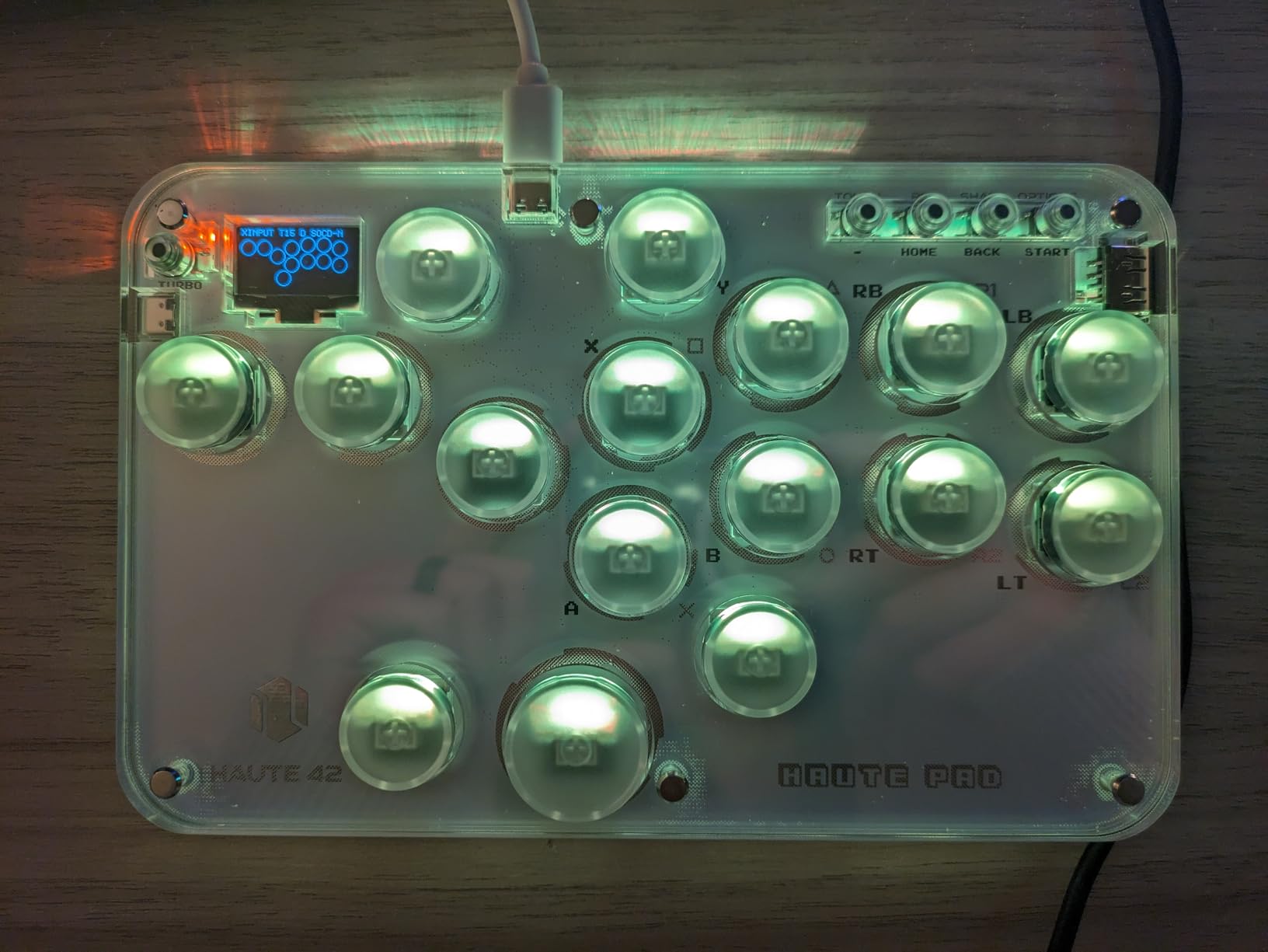
The Sehawei Haute42 G16 is the stick I recommend to anyone curious about leverless controllers but hesitant to spend big money. At under 50 dollars, this controller delivers hot-swappable switches, RGB lighting, and 1ms input delay that rivals controllers costing four times as much. It is the best budget fight stick value I have tested.
The hot-swappable switches are the headline feature. Each of the 16 keys uses a mechanical switch that you can pull out and replace without soldering. I tested swapping switches in under 30 seconds per key. This means if a switch wears out or you want a different feel, you just pull and replace.
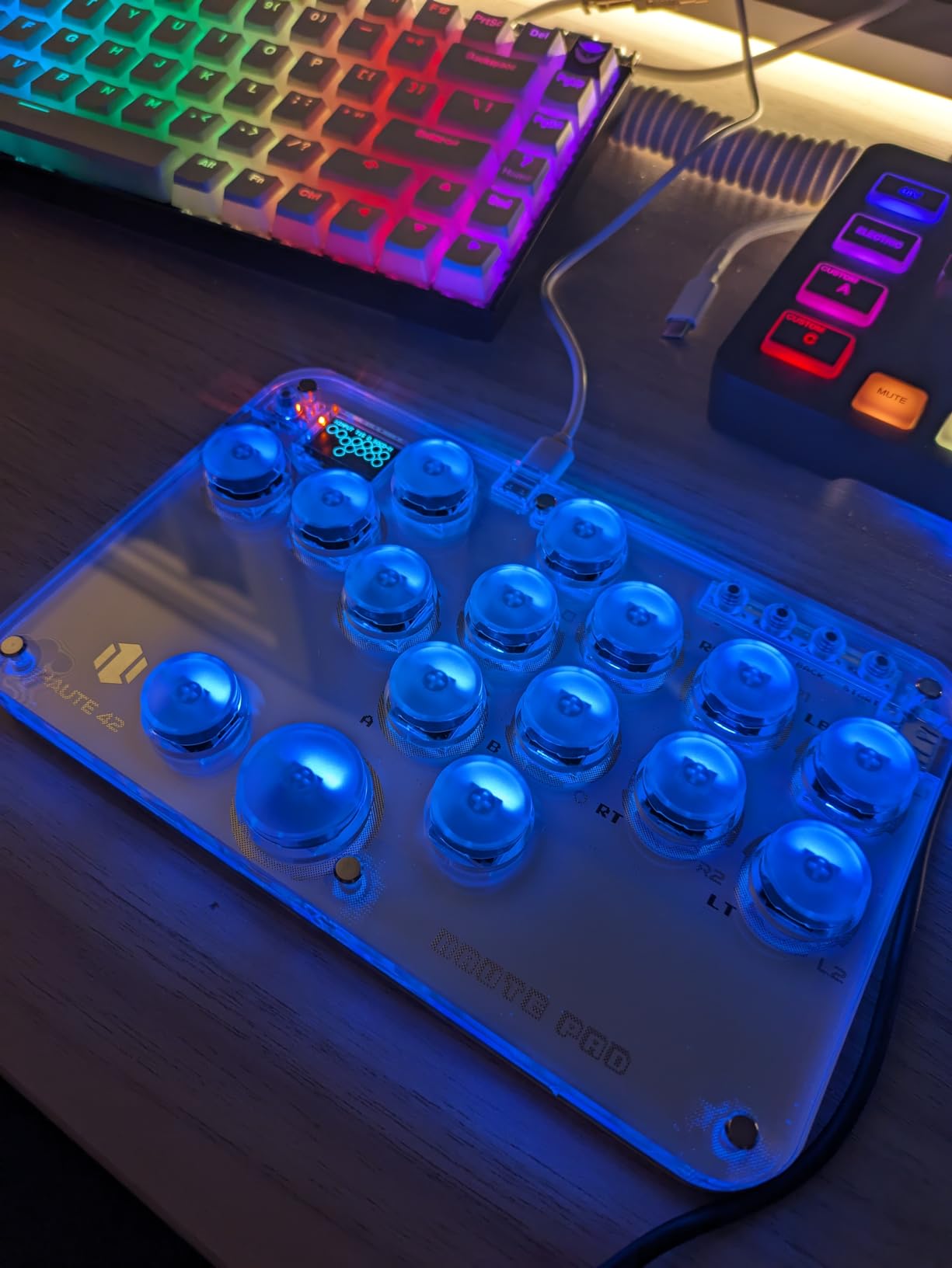
The 1ms input delay is verified and noticeable. I tested the G16 alongside my premium controllers, and the input responsiveness felt identical. The low power consumption means it runs cool and can even work with mobile devices and Raspberry Pi setups. The five controller modes, including X-input, Switch, PS3, PS4, and keyboard mode, give you flexibility across platforms.
The SOCD cleaning modes are essential for tournament play and are included here at a budget price. SOCD cleaning prevents conflicting directional inputs, like left and right pressed simultaneously, from producing invalid inputs. The M1 and M2 custom keys can be programmed through the built-in web configuration tool, which I accessed through a browser by connecting the controller via USB.
For Whom It Is Good
Beginners who want to try leverless without a big financial commitment should start here. The price point means minimal risk if you decide the all-button layout is not for you. The hot-swappable switches also make this an excellent learning platform for understanding how mechanical switches work.
Tinkerers and DIY enthusiasts will love this controller. The hot-swap design, web configuration tool, and multiple controller modes make it endlessly customizable. If you enjoy modifying and fine-tuning your equipment, the G16 gives you more tinkering potential per dollar than any other controller on this list.
For Whom It Is Bad
The smaller form factor will not suit everyone. At roughly 3 by 4 by 5 inches, this is a compact controller that some players with larger hands may find cramped. If you are used to full-size fight sticks, the transition to this footprint requires adjustment. Test your comfort with compact layouts before committing.
The PS4 and PS5 connection requires following a specific setup process outlined in the manual. It is not a simple plug-and-play experience like the Sony-licensed sticks on this list. If you want zero-friction console setup, the HORI or Qanba options with official licensing will serve you better.
10. HORI Fighting Stick Mini – Compact PS5 Starter Stick
HORI Fighting Stick Mini for PS5, PS4, and PC – Officially Licensed by Sony
PS5/PS4/PC
Compact Size
8 Buttons
HORI Original Joystick
467g
Sony Licensed
Pros
- Extremely compact and portable
- Affordable entry price
- Officially licensed by Sony
- 8-button standard layout
- Lightweight for travel
Cons
- Smaller than full-size sticks
- HORI original parts not premium grade
- No modding access
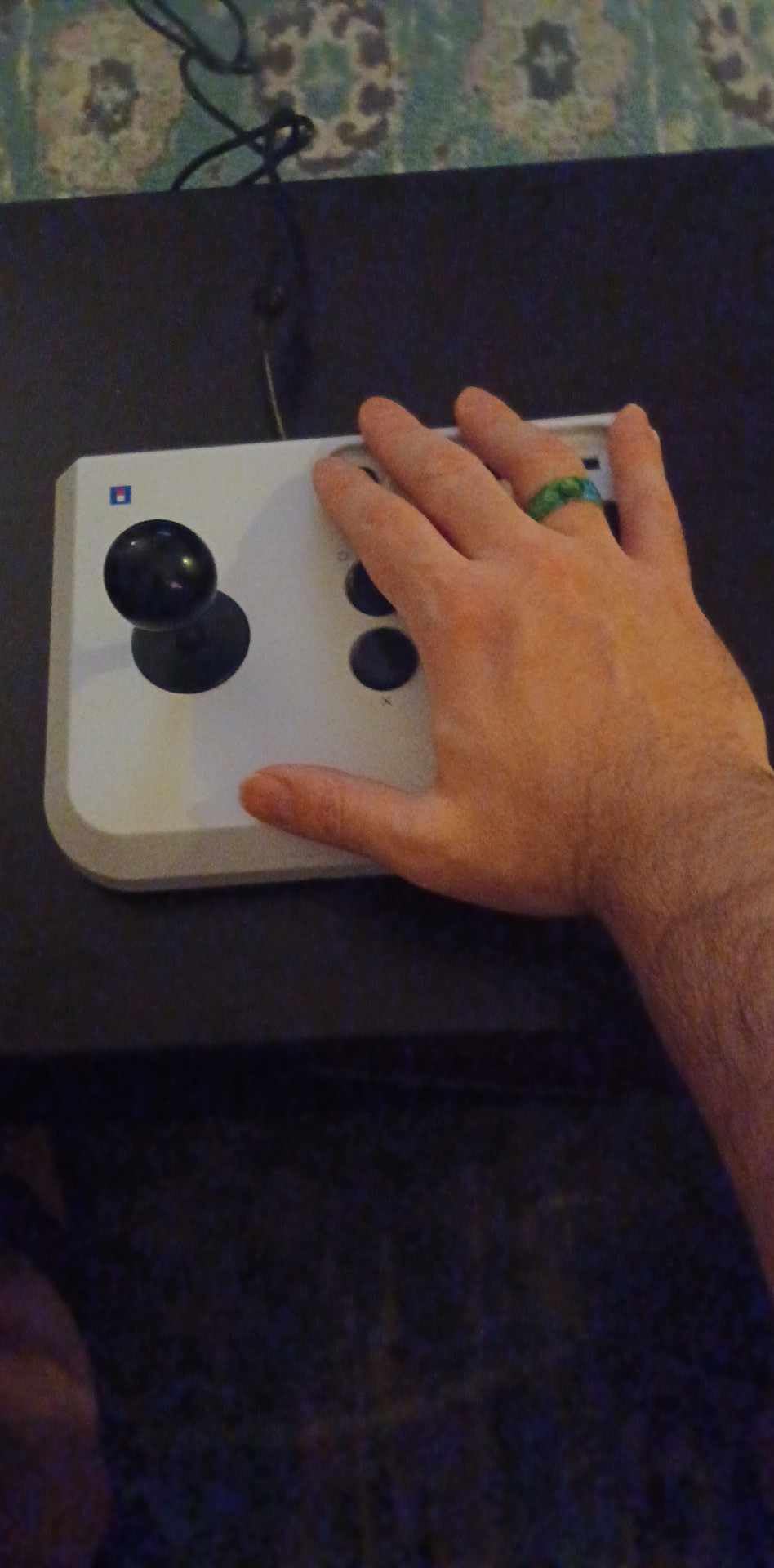
The HORI Fighting Stick Mini is the stick I hand to friends who want to try an arcade controller for the first time. At just 467 grams and roughly 6 by 8 inches, it is small enough to toss in a bag and cheap enough that the investment feels low-risk. It is the best budget arcade stick for fighting games if you want to test the waters.
The 8-button layout follows the standard Vewlix arrangement that most fighting games expect. The HORI original joystick uses a V-cut housing that provides a different feel from Sanwa or Hayabusa, but it is perfectly serviceable for learning. I spent a week playing ranked matches on this stick and found the inputs consistent and reliable.
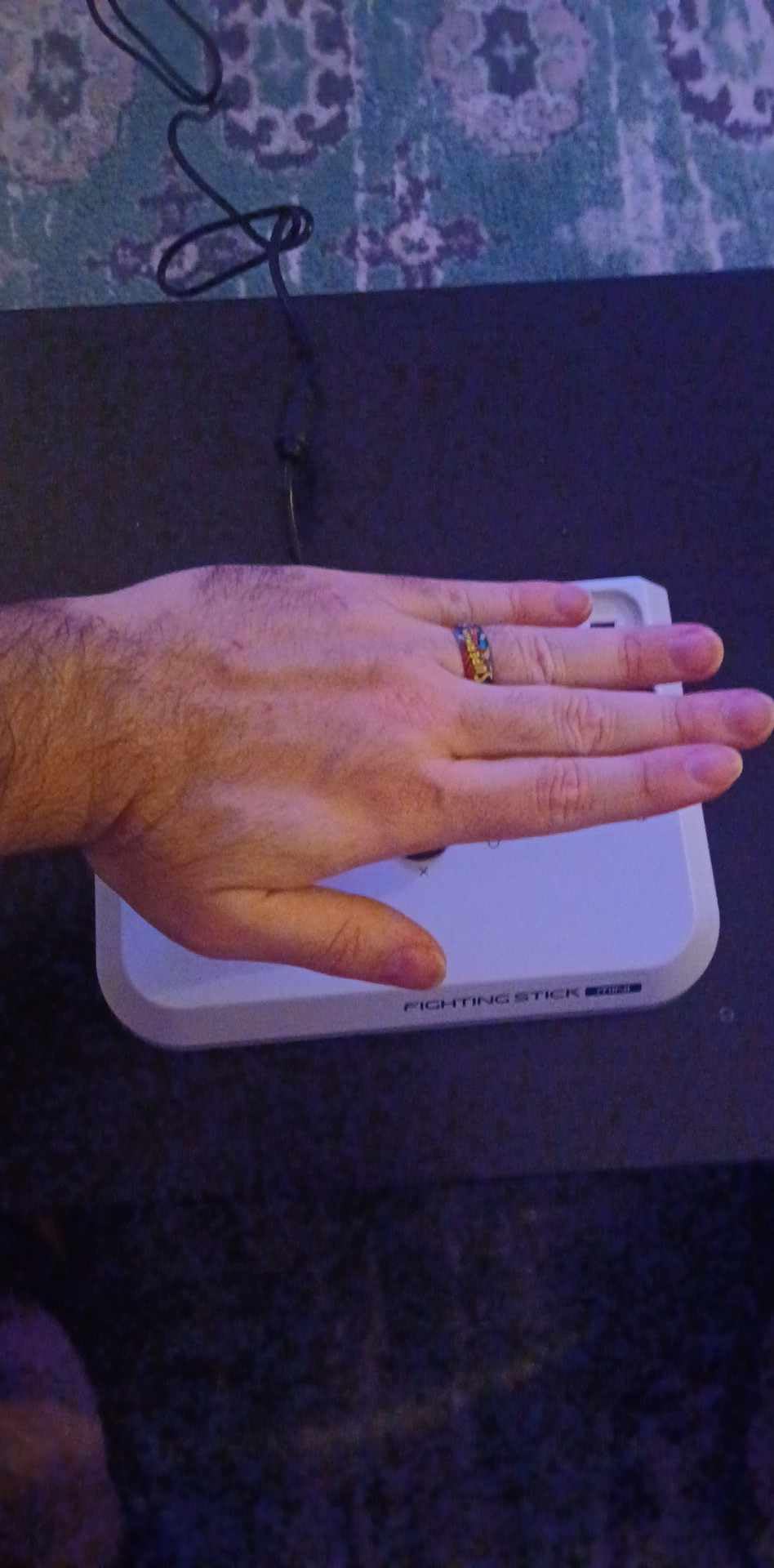
The 8-foot cable gives you plenty of reach from couch to console. I appreciated this during couch play sessions where shorter cables would have been a problem. The official Sony licensing means zero compatibility issues on PS5 and PS4, which is crucial for beginners who should not have to troubleshoot connection problems.
The build is plastic and lightweight, which keeps the cost down but means this stick will slide around during intense play. I found myself holding it steady with my non-dominant hand during particularly energetic matches. On a flat desk with a non-slip mat underneath, it performs much better than on a lap.
For Whom It Is Good
Complete beginners who have never used an arcade stick should seriously consider the Mini as their first controller. The low price means you can discover whether you even like the arcade stick format without a major financial commitment. Many FGC community members recommend starting cheap before investing in premium gear.
Players who need a travel stick will appreciate the compact size. If you already own a full-size stick but want something portable for casual sessions away from home, the Mini fits in spaces where a full-size controller cannot. The 467-gram weight means it adds almost nothing to your bag.
For Whom It Is Bad
Serious competitive players should skip this and invest in a full-size stick. The smaller footprint means less stability, the stock parts are not tournament-grade, and there is no modding access to upgrade components. If you are committed to improving at fighting games long-term, a full-size stick is a better investment.
Players with larger hands may find the compact layout uncomfortable. The button spacing is tighter than full-size sticks, and the joystick has less room around it for sweeping motions. If you know you prefer spacious layouts, the extra cost of a full-size stick like the HORI Alpha is worth it for your comfort and performance.
How to Choose the Best Arcade Stick for Fighting Games
Choosing the right arcade stick comes down to understanding your platform, your playstyle, and your budget. After testing all 10 controllers in this guide, I can break down the key factors that should drive your decision. The FGC community on Reddit’s r/fightsticks consistently highlights the same pain points: platform confusion, parts quality, and the leverless versus traditional debate.
Traditional Stick Versus Leverless
The biggest decision you will make is whether to go with a traditional joystick lever or a leverless all-button layout. Traditional sticks use a physical lever for directional inputs, mimicking the arcade cabinet experience. Leverless controllers replace the lever with four directional buttons, similar to a hitbox layout.
Leverless controllers are gaining popularity because they eliminate accidental diagonal inputs and can produce faster, more precise directional commands. However, the learning curve is significant. It took me about a week to feel comfortable with leverless inputs after years of traditional stick use. If you are willing to put in the practice time, leverless can give you a competitive edge.
Parts Quality: Sanwa Versus Hayabusa
Sanwa Denshi is the gold standard for arcade parts in the FGC. Their OBSF-30 buttons and JLF joystick are what you will find in most Japanese arcade cabinets and tournament setups. Hayabusa, used by HORI, is a close competitor with a slightly shorter engage distance on the lever that some players prefer for fast inputs.
For Cherry Silver switches, found in leverless controllers like the Qanba Sapphire S1, the feel is closer to a premium mechanical keyboard than a traditional arcade button. These switches offer extremely fast actuation with minimal travel, making them popular among competitive players who prioritize input speed. All three options are excellent, and personal preference plays a large role.
Platform Compatibility
Platform compatibility is the number one source of buyer confusion I see in forums. PS5-licensed sticks like the HORI Alpha and Qanba Obsidian 2 work natively on PS5 and PS4. Xbox-licensed sticks like the Nacon Daija and HORI Alpha Xbox work on Xbox Series X/S and Xbox One. Most sticks also work on PC via USB.
The MAYFLASH F700 and F500 Flat are notable for their multi-platform support, but pay attention to the fine print. PS5 compatibility on non-licensed sticks often means PS4 legacy mode, which only works with games that support it. Always verify your specific fighting game supports legacy controllers before buying a non-licensed stick for PS5.
Tournament Legality
If you plan to compete, tournament legality matters. Most major tournaments require wired controllers to prevent wireless interference and ensure input reliability. SOCD cleaning is also required, which prevents invalid simultaneous directional inputs. All the sticks in this guide that advertise SOCD cleaning meet this requirement.
Officially licensed sticks from Sony and Microsoft have an advantage at tournaments because they are guaranteed to be recognized by the console without workarounds. Non-licensed sticks that require authentication via a second controller can cause delays in tournament settings where setup time is limited.
Modifiability and Long-Term Value
A fight stick is a long-term investment, and modifiability extends its lifespan significantly. Sticks with tool-free access like the HORI Alpha clamshell design make swapping buttons and levers trivial. Sticks with Sanwa-compatible mounting holes let you upgrade to premium parts whenever your budget allows.
Forum users consistently report that modding is one of the most satisfying aspects of owning a fight stick. Being able to swap artwork, change button colors, and upgrade components keeps the controller feeling fresh over years of use. When choosing a stick, consider not just what it ships with, but what it can become.
Ergonomics and Extended Play
Comfort during long sessions is something competitors often overlook. The Qanba Sapphire S1 includes a memory foam wrist rest, and the Nacon Daija features a textured palm rest. These details matter when you are grinding ranked matches for hours. Weight also plays a role: heavier sticks like the Obsidian 2 stay planted on your lap, while lighter sticks may slide around.
If you experience wrist discomfort, leverless controllers can be more ergonomic because they keep your hands flat rather than angled around a joystick. The all-button layout promotes a more natural wrist position that some players find reduces fatigue during extended play.
Budget Strategy: Start Cheap or Go Premium?
The FGC community is divided on this question. Many experienced players recommend starting with a budget stick like the HORI Mini or Sehawei Haute42 to discover whether you enjoy the format before investing in premium gear. Buyer’s remorse is a real concern, and spending 200 dollars on a stick you stop using after a month is a painful lesson.
On the other hand, serious players argue that starting with a quality stick avoids the upgrade cycle that makes budget sticks more expensive over time. If you know you are committed to fighting games, buying a Sanwa-equipped stick like the Qanba Obsidian 2 or Nacon Daija upfront saves money compared to buying budget and upgrading parts repeatedly.
FAQs
What is the best arcade stick for fighting games?
The HORI Fighting Stick Alpha for PS5 is our top pick overall, offering tournament-grade Hayabusa components, easy modding access, and official Sony licensing. For Xbox players, the Nacon Daija with genuine Sanwa parts is the best choice. For budget-conscious players, the Sehawei Haute42 leverless controller delivers excellent performance under 50 dollars.
What kind of stick is best for fighting?
Traditional joystick sticks with Sanwa or Hayabusa levers are best for players who want the authentic arcade feel and are already comfortable with lever motions. Leverless all-button controllers are better for players who want faster, more precise directional inputs and are willing to learn a new input method. Both styles are tournament-legal and used by professional players.
Why are arcade sticks better for fighting games?
Arcade sticks provide faster input execution, more comfortable hand positioning for extended sessions, and precise button access that standard controllers cannot match. The arcade layout allows simultaneous presses that are difficult on a gamepad, and the larger buttons reduce misinputs during complex combo strings. Many fighting game techniques were originally designed for arcade cabinets, making sticks the native input method.
What fight sticks do pros use?
Professional fighting game players commonly use sticks equipped with Sanwa Denshi parts, including the Nacon Daija, Qanba Obsidian 2, and custom-built sticks with Sanwa JLF levers and OBSF-30 buttons. Many pros have switched to leverless controllers like hitbox-style pads with Cherry Silver switches. The specific choice depends on the game, with Street Fighter players often favoring traditional sticks and some Tekken pros moving to leverless.
Can you use an arcade stick on any console?
Not all arcade sticks work on every console. PS5-licensed sticks work on PS5, PS4, and PC. Xbox-licensed sticks work on Xbox and PC. Multi-platform sticks like the MAYFLASH F700 support PS5, PS4, Switch, and PC but not Xbox. The MAYFLASH F500 Flat is one of the few budget leverless options with Xbox support. Always check platform compatibility before purchasing, as no single stick covers all consoles natively.
Final Verdict: Which Arcade Stick Should You Buy?
After testing all 10 controllers, three clear recommendations emerge based on different needs. The HORI Fighting Stick Alpha for PS5 is the best arcade stick for fighting games overall, combining Hayabusa performance, tool-free modding, and official Sony licensing at a fair price. The Nacon Daija is the Xbox equivalent with genuine Sanwa parts and pro-developed software customization.
For budget-conscious players, the Sehawei Haute42 G16 leverless controller offers incredible value with hot-swappable switches and 1ms input delay at under 50 dollars. And if you want the best leverless experience on PS5 with premium Cherry Silver switches, the Qanba Sapphire S1 is worth every penny for serious competitors.
The most important advice I can give: choose the stick that matches your platform, not just the one with the best specs. A PS5-licensed stick is useless if you play on Xbox, and vice versa. Start with your console, then narrow down by budget and whether you want traditional or leverless. Whatever you choose, the best arcade sticks for fighting games in 2026 will transform how you play.