
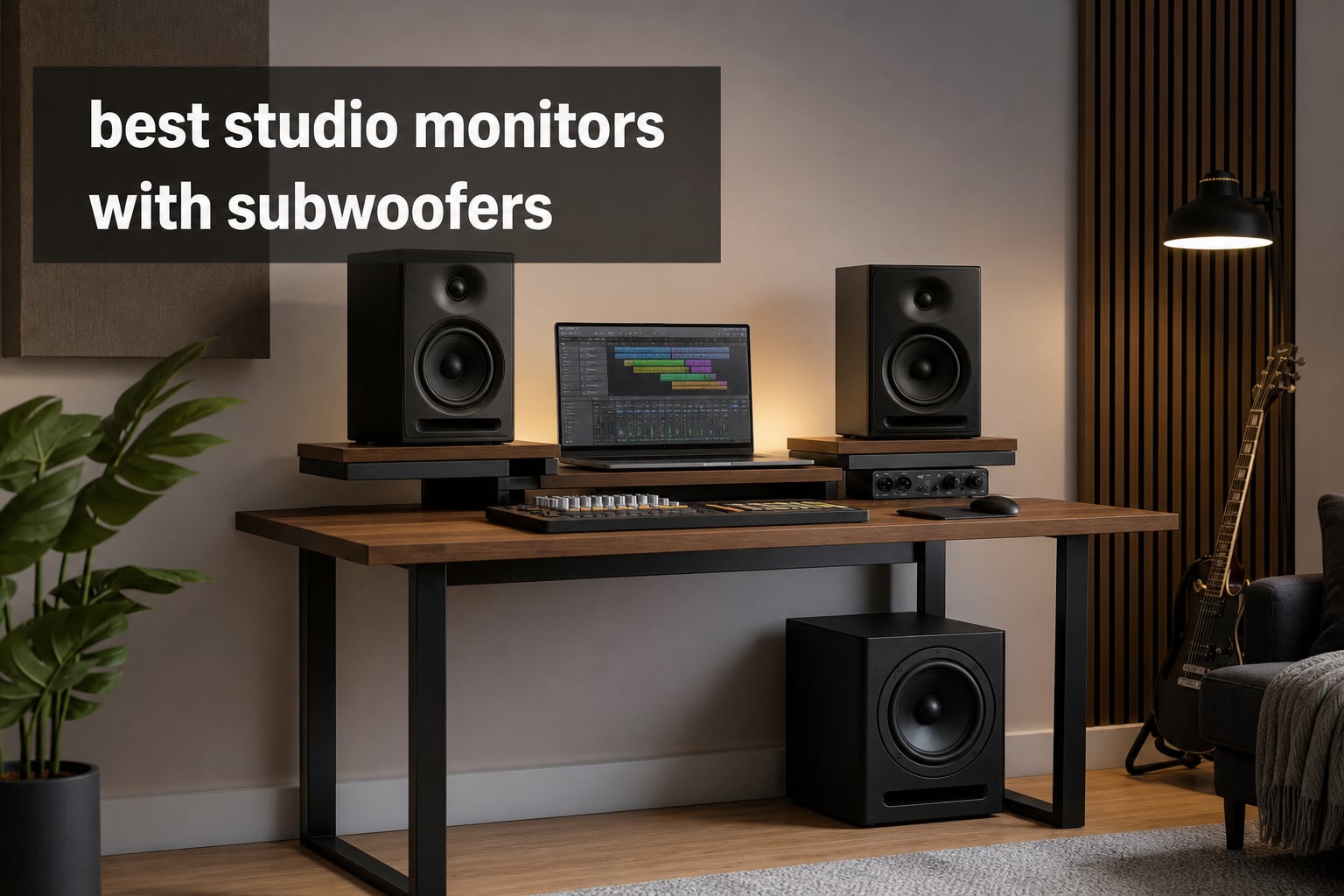
The best studio monitors with subwoofers do more than make a kick drum sound bigger. They let you judge the bottom octave of a mix with more context, so bass notes, low synths, and the relationship between kick and bass are less of a guess.
That benefit comes with a catch: a sub can exaggerate a bad room. Producers in small rooms often report bass buildup or disappearing notes between parallel walls, so I would put basic placement and room behavior ahead of a bigger driver every time.
This guide separates the choices into monitor pairs that can join a separate sub, standalone studio subwoofers, and one complete 2.1 system. I focused on the published driver size, output, frequency response, controls, and connection details, rather than treating any extra bass as automatically better for mixing.
The top 3 picks answer three different studio needs in 2026
My first choice is the Edifier S355DB when a ready-made monitor subwoofer system is the priority. The KRK S10.4 is the deeper standalone sub option for a monitor setup, while the PreSonus Eris Sub 8BT is a flexible standalone pick with highpass and lowpass controls.

Think of these badges as starting points, not a substitute for matching equipment to a room. A compact desk setup has different demands from a space where a 10 inch driver and 117 dB maximum SPL can be used responsibly.
This 2026 overview shows every monitor and subwoofer candidate
The list includes powered monitor pairs and standalone subs because a useful studio monitor and sub combo can be built either way. The Edifier S355DB is the complete 2.1 entry; every separate sub below needs compatible monitors and a sensible signal-routing plan.
| Product | Specifications | Action |
|---|---|---|
 Yamaha HS4 Pair Yamaha HS4 Pair |
|
Check Latest Price |
 KRK ROKIT 5 Generation Five KRK ROKIT 5 Generation Five |
|
Check Latest Price |
 Edifier R2750DB MKII Edifier R2750DB MKII |
|
Check Latest Price |
| Edifier S355DB |
|
Check Latest Price |
 Edifier MR3 Edifier MR3 |
|
Check Latest Price |
 Edifier T5s Subwoofer Edifier T5s Subwoofer |
|
Check Latest Price |
 PreSonus Eris Sub 8BT PreSonus Eris Sub 8BT |
|
Check Latest Price |
 KRK S10.4 Subwoofer KRK S10.4 Subwoofer |
|
Check Latest Price |
 PreSonus Eris 5BT Pair PreSonus Eris 5BT Pair |
|
Check Latest Price |
 PreSonus Eris 3.5 Pair PreSonus Eris 3.5 Pair |
|
Check Latest Price |
 Edifier MR5 Edifier MR5 |
|
Check Latest Price |
 IK Multimedia iLoud Sub IK Multimedia iLoud Sub |
|
Check Latest Price |
Ratings shown in the cards reflect the analyzed listing data, while the text below explains where each specification matters. No customer-image placeholders are included because the product data confirms no customer images for these 12 items.
1. Yamaha HS4 is the compact nearfield choice with practical room controls
Yamaha HS4 Powered Studio Monitor in Black, Pair (HS4 B)
4.5 inch woofer
60 Hz to 22 kHz
XLR TRS RCA
Pros
- Room and high trim controls
- Several input types
- 4.7 rating
- Compact pair
Cons
- Response reaches 60 Hz at -10 dB
- No separate subwoofer included
- 26W per speaker
The Yamaha HS4 pair makes sense when desk space is tight and the goal is a clear starting point for nearfield work. Its 4.5 inch cone woofer, 1 inch dome tweeter, and stated 60 Hz to 22 kHz response describe a monitor that benefits from carefully added low-end support rather than pretending to be a full-range system.
I like the inclusion of room control and high trim because placement near a wall can change what reaches the listening position. The pair supports XLR/TRS combo, RCA, and stereo mini inputs, which gives a home studio several straightforward source options.
The listed output is 26 watts per speaker, so I would view the HS4 as a close-listening monitor rather than a large-room solution. If a separate sub joins it, start with restrained sub level and check familiar reference tracks before trusting the new bass extension.
Its close-range layout suits a compact workstation
This is a natural fit for producers working at a desk who want the monitor pair to occupy little space. The compact enclosure does not remove the need to form an equal-sided listening triangle or to keep the tweeters near ear height.
The key decision is whether a 60 Hz lower figure covers the material you make. For bass-heavy genres, pairing the HS4 with a controllable sub can reveal information below that range, but only after the room is checked.
Its input flexibility helps mixed-source home studios
XLR/TRS, RCA, and stereo mini connectivity is useful when an audio interface, computer, or simple playback source share a workspace. I would still use the balanced connection from an interface when that option is available, then keep levels consistent while comparing mixes.
The monitor pair itself has no included subwoofer, so it is not a complete monitor subwoofer system. Plan the routing and crossover before buying a standalone bass unit.
2. KRK ROKIT 5 Generation Five is the monitor pair with DSP room tuning
KRK RP5G5 ROKIT 5 Generation Five 5″ Powered Studio Monitor Pair
5 inch driver
82W output
DSP room tuning
Pros
- DSP room tuning
- Class D amplifiers
- Isolation pads included
- Three-year warranty
Cons
- No standalone subwoofer included
- 5 inch driver limits low-end reach
- No response figure listed
The KRK ROKIT 5 Generation Five puts room tuning directly into the monitor-pair decision. Its custom Class D power amplification, 5 inch driver, new 1 inch silk dome tweeter, and DSP-driven room tuning make it a feature-focused option before a sub is added.
Its listed 82 watt output gives this pair more stated power than the smallest monitors in this roundup. The acoustic foam wedge isolation pads are a meaningful inclusion because a desk can transfer vibration and color what a producer hears.
I would not treat DSP tuning as a replacement for positioning or acoustic treatment. It is a way to refine a placement that is already sensible, especially when the monitors must sit on a desk rather than dedicated stands.
Its DSP tuning helps when placement choices are limited
A producer in a small room may have no perfect location for nearfield monitors. The DSP-driven room tuning gives the ROKIT 5 a published adjustment feature that can help shape the response around an unavoidable setup constraint.
Keep the process simple: position the pair symmetrically, listen to familiar material, change one control at a time, and recheck at normal mixing level. That sequence makes it easier to hear what the adjustment actually changed.
Its 5 inch format needs a separate plan for sub-bass
A 5 inch monitor can be a practical fit on a modest desk, but this listing does not include a separate subwoofer or publish a frequency-response figure. Anyone mixing material with sustained sub-bass should decide whether a separate sub and room setup are within scope.
For a KRK-centered monitor and sub combo, the KRK S10.4 later in this list is a standalone 10 inch option with published deep extension. Matching brands is not required by the data, but compatible routing and calibration are.
3. Edifier R2750DB MKII is the three-way monitor with a dedicated sub output
Edifier R2750DB MKII 3-Way Powered Bookshelf Speakers, 144W RMS, Black
144W three-way
7 inch woofer
sub out
HDMI eARC
Pros
- Three-way speaker system
- Sub output provided
- Hi-Res certified
- Many wired inputs
Cons
- No separate subwoofer included
- Bookshelf format
- No balanced input listed
The Edifier R2750DB MKII is notable because its published specification includes a sub output. That makes it unusually direct for someone who wants active speakers now and the ability to add a separate bass unit later without starting from a monitor pair that lacks an obvious expansion point.
The system is listed as a 144 watt RMS three-way design with a 7 inch woofer, 24-bit/96 kHz DSP, and Hi-Res Audio certification. HDMI eARC, optical, coaxial, and line-in connectivity point to a broad desktop or media-room role in addition to music playback.
Bluetooth 6.0 with multipoint adds convenience, but I would not let wireless playback be the deciding factor for mixing. The more important detail for this topic is that the published sub out creates a path to an expandable setup.
Its sub output makes gradual system building straightforward
A sub output is the clearest functional reason to consider the R2750DB MKII for a studio monitor subwoofer combo. It offers a stated connection path to an external sub rather than asking the buyer to improvise a split after the source.
Before adding one, learn whether the selected sub provides the filtering and controls needed for the system. Crossover frequency, level, and phase must still be set by listening, not assumed from a connection alone.
Its connectivity favors studios that share entertainment duties
HDMI eARC, optical, coaxial, line-in, and Bluetooth make this a flexible speaker system around computers and other playback devices. That breadth is attractive if the same room handles production, casual listening, and screen audio.
For interface-based work, verify the required cable path from the actual output on your equipment. The analyzed specification lists several inputs, but it does not list balanced TRS or XLR for this model.
4. Edifier S355DB is the complete 2.1 pick with a wireless 8 inch subwoofer
Edifier S355DB 2.1 Powered Bookshelf Speakers, 150W Hi-Res Audio, Black
150W 2.1 system
8 inch wireless sub
Hi-Res certified
Pros
- Complete 2.1 system
- Wireless 8 inch subwoofer
- 150W output
- Hi-Res Audio
Cons
- Designed as a 2.1 package
- No balanced connections listed
- Only 26 listed reviews
The Edifier S355DB is the simplest answer for someone who wants speakers and a subwoofer as one published system. It is a 2.1 home-theater-style setup rated at 150 watts, with an 8 inch subwoofer that uses a 5.8 GHz wireless connection.
Hi-Res Audio certification, 24-bit/96 kHz DSP, and Bluetooth 6.0 with multipoint are part of the stated package. I would put its main advantage in practical terms: it arrives as a system, so there is no separate question of which standalone sub to pair with which monitor set.
That convenience does not remove setup work. A wireless sub gives more placement flexibility than a cable run might, but the sound at the listening position still depends on room position, level, and the behavior of the room.
Its integrated 2.1 format suits a first full system
This is the clear pick for a buyer who does not already own monitor speakers and wants an included subwoofer from the start. The 8 inch subwoofer is part of the product rather than a later matching exercise.
For general listening and a home studio where simple integration matters, that can be a useful advantage. For serious mix decisions, use reference tracks and cross-check headphones or another playback system instead of relying on added low end alone.
Its wireless subwoofer changes placement convenience, not acoustics
The 5.8 GHz wireless subwoofer can reduce cable-routing hassle. It does not mean the sub should automatically go in the first open corner, where bass buildup can become more obvious.
Move the sub in small increments, then listen from the mixing chair for bass notes that become too loud or disappear. This is a more reliable method than judging the system from beside the subwoofer.
5. Edifier MR3 is the compact monitor pair with a stated flat response
Edifier MR3 Powered Studio Monitor, Speaker Hi-Res Active Bluetooth Speaker
52 Hz to 40 kHz
Balanced TRS
42W output
Pros
- Stated flat response
- Balanced TRS included
- Hi-Res certified
- Bluetooth multipoint
Cons
- No standalone subwoofer included
- 3.5 inch woofer
- 42W maximum output
The Edifier MR3 gives small-room producers a compact monitor with a published flat response from 52 Hz to 40 kHz. Its 3.5 inch woofer, 42 watt maximum output, and Hi-Res Audio certification point toward nearfield listening where distance and volume are kept sensible.
Balanced TRS, RCA, and AUX inputs are a helpful mix for an audio interface and everyday sources. Bluetooth 5.4 with multipoint is another convenience feature, but a wired balanced interface path is the more relevant connection for critical work.
The MR3 does not include a subwoofer, so it belongs in this guide as the monitor half of a future system. I would choose it when compact size and a low 52 Hz published starting point matter, then assess the room before adding bass below that.
Its balanced TRS input suits interface-centered desks
Balanced TRS means the MR3 can connect directly to the balanced outputs commonly found on audio interfaces. That is a practical advantage in a small studio where the monitors are close to computer gear and cable runs.
RCA and AUX expand source options, yet a producer should keep one calibrated monitoring path for mix decisions. Switching between many sources without level matching can create misleading comparisons.
Its compact driver calls for realistic low-end expectations
The specified 3.5 inch woofer keeps the cabinet compact. Its stated response reaches 52 Hz, which is lower than the HS4 figure in this list, but a separate sub is still the route to dedicated low bass monitoring.
Use a sub only when the room and placement let you distinguish bass notes rather than merely hear more energy. Small rooms can magnify the hardest frequencies to judge.
6. Edifier T5s is the compact standalone sub with phase and filter controls
Edifier T5s Powered Subwoofer, 70W RMS, 8″ Woofer, 35Hz Deep Bass, Black
8 inch long-throw woofer
35 Hz bass
70W Class D
Pros
- 35 Hz bass extension
- Adjustable low-pass filter
- Phase selector
- Auto standby
Cons
- Requires separate monitors
- 70W RMS output
- No Prime eligibility listed
The Edifier T5s is a standalone active subwoofer built around an 8 inch long-throw woofer and 70 watt RMS Class D amplifier. Its published 35 Hz figure puts the focus squarely on extending a monitor pair into frequencies smaller drivers may not show clearly.
What makes it useful for a monitor setup is control. The low-pass filter spans 30 Hz to 160 Hz, and the phase selector offers 0 or 180 degrees, so the sub can be adjusted around the monitors instead of simply turned up.
Auto-standby after 15 minutes may help in a desktop system that is not always playing audio. The more important part for mixing is the discipline to set a modest level and compare the result with the sub bypassed whenever possible.
Its adjustable crossover supports careful pairing with monitors
A low-pass control lets the sub hand off bass below a chosen point rather than playing too much upper bass. The right setting depends on the monitors, their placement, and how the combined system sounds at the chair.
Start near the monitor’s low-frequency limits, then make small changes. A crossover that is too high can make the sub easy to locate; one that is too low can leave a gap in the system.
Its phase switch helps when bass arrives out of step
The 0 and 180 degree phase options are a basic but important setup tool. With sustained bass material, choose the setting that gives the most even and solid low end at the listening position, not the one that seems loudest beside the cabinet.
The T5s is not a complete speaker system. It needs monitors and routing that allow the source, sub, and speakers to work together.
7. PreSonus Eris Sub 8BT is the flexible 8 inch studio sub with filter controls
PreSonus Eris Sub 8BT — 8″ Inch Powered Subwoofer, Powered Sub, Active Subwoofer, Wireless, Bluetooth, Home Audio, Bass Speaker, Home Theater, Music Production, Gaming
8 inch subwoofer
30 Hz response
100W Class AB
Pros
- Reaches 30 Hz
- Highpass and lowpass controls
- 100W Class AB
- Bluetooth 5.0
Cons
- Requires separate monitors
- 8 inch driver
- 10 meter Bluetooth range
The PreSonus Eris Sub 8BT is a front-firing 8 inch studio subwoofer with a stated response down to 30 Hz and 100 watt Class AB amplification. On paper, that places it below the 35 Hz Edifier T5s and gives it more stated output power.
Its highpass and lowpass filter controls are the reason I would prioritize it over a sub that offers bass but little integration control. Highpass filtering can direct the monitor side away from the deepest frequencies, while lowpass filtering shapes what the sub handles.
Bluetooth 5.0 has a published 10 meter range, which is convenient for wireless playback. For mixing and mastering, the filters and the wired monitoring path deserve more attention than the Bluetooth feature.
Its highpass and lowpass controls support system integration
A monitor-and-sub system works when both parts cover their assigned range without a hump or a hole around the crossover. The Eris Sub 8BT provides published highpass and lowpass controls that give the owner a way to work toward that goal.
Keep the adjustment process slow. Set a starting crossover, use a familiar bass line that crosses the region, then change only level or crossover before listening again.
Its 30 Hz extension fits producers who need deeper checks
The stated 30 Hz response is relevant for music with deep synthesized bass, film scoring effects, and mixes where sub-bass translation matters. It does not make a small untreated room accurate at 30 Hz by itself.
In a tight home studio, a disciplined level setting may be more valuable than maximum depth. The goal is to hear errors in the low end, not to turn the room into an exaggerated bass demo.
8. KRK S10.4 is the high-output standalone sub for deep low-end checks
KRK S10.4 S10 Generation 4 10″ 160 Watt Powered Studio Subwoofer
10 inch woofer
28 Hz extension
160W Class D
Pros
- 28 Hz bass extension
- 160W Class D power
- 117 dB maximum SPL
- Footswitch enabled
Cons
- Requires separate monitors
- Footswitch not included
- Large 10 inch driver
The KRK S10.4 is the most substantial conventional subwoofer in this roundup by listed driver size and output. It uses a 10 inch glass aramid composite woofer, a 160 watt Class D amplifier, and publishes extension to 28 Hz with a maximum SPL of 117 dB.
Those figures make it a serious candidate for a studio that needs to inspect deep low end, rather than a casual add-on to a cramped desk. The published footswitch capability can be useful for checking a mix with and without the sub, although the footswitch itself is not included.
I would be especially cautious about room scale with this model. Deep extension and output are useful only if bass modes are managed well enough that the listening position does not lie about what is in the session.
Its deep extension serves bass-heavy production checks
The published 28 Hz bass extension reaches lower than the other conventional 8 inch and 10 inch standalone subs listed here. That may be valuable for EDM, hip-hop, cinematic work, or any arrangement with information at the low end of the spectrum.
Use that range to identify rumble, overly long sub notes, and kick-to-bass masking. Do not equate a bigger low-frequency reading with a better mix without checking translation on another system.
Its size asks for a room that can support it
A 10 inch subwoofer is not automatically the best studio subwoofer 2026 for every room. In a small untreated space, its output can excite room modes that make notes boom at one spot and vanish a short distance away.
Place it away from the most obvious corner-first impulse, test several locations, and listen from the actual working seat. If the response remains uneven, room treatment or a smaller setup may be the smarter next step.
9. PreSonus Eris 5BT is the 5.25 inch monitor pair for flexible playback
PreSonus Eris 5BT Bluetooth Studio Monitors, Pair — 5.25″ Inch Powered Bookshelf Speakers, Stereo, Desktop Computer, Near Field Music Production, Audio Mixing Recording
5.25 inch woofers
100W Class AB
Bluetooth 5.0
Pros
- 100W Class AB amplification
- Woven composite woofers
- Silk dome tweeters
- Bluetooth 5.0
Cons
- No standalone subwoofer included
- 5.25 inch woofer
- No response figure listed
The PreSonus Eris 5BT is a powered monitor pair with 5.25 inch woven-composite woofers, 1 inch silk-dome tweeters, and 100 watts of Class AB dual amplification. It is a monitor-first option for a producer who may decide to add a sub later.
Bluetooth 5.0 is part of the published specification and has a 10 meter stated range. For a workspace that switches between production and casual playback, that feature adds flexibility without changing the core fact that the pair has no included bass module.
Because no frequency-response range is published in the analyzed data, I would not make assumptions about where its low end ends. Listen to its native bass response in the actual room before deciding whether a dedicated subwoofer is needed.
Its Class AB power suits a monitor-first setup
The 100 watt Class AB dual amplification gives the Eris 5BT a published power figure for a typical powered-pair arrangement. The woven-composite woofer and silk-dome tweeter combination describe a familiar two-way monitor layout.
This pair is for listeners who want monitors first, not a ready-made 2.1 package. A separate sub can follow once the room, routing, and type of work show that more low-frequency information is required.
Its Bluetooth feature is convenient outside critical decisions
Bluetooth is useful for reference listening and easy playback from another device. For mix judgments, keep the signal path consistent and use a wired audio interface connection where the studio supports it.
That division keeps convenience playback from confusing a calibrated monitoring routine. It is especially helpful when comparing revisions of a mix at matched level.
10. PreSonus Eris 3.5 is the smallest monitor pair for a compact desktop
PreSonus Eris 3.5 Powered Studio Monitors, Pair — 3.5” Active Near
3.5 inch woofers
50W amplification
80 Hz to 20 kHz
Pros
- Compact 3.5 inch woofers
- 50W built-in amplification
- High and low tuning controls
- 4.5 rating
Cons
- Response begins at 80 Hz
- No standalone subwoofer included
- Small driver size
The PreSonus Eris 3.5 is the smallest monitor pair here, with 3.5 inch woven-composite woofers, 1 inch silk-dome tweeters, and 50 watts of built-in amplification. Its published frequency response is 80 Hz to 20 kHz, which is a clear signal that it is not intended to reveal deep bass on its own.
That limitation can actually make the subwoofer decision easier. If a producer starts with a very small desktop monitor, a separate subwoofer can extend the low end, provided the room and controls are good enough to make the added information useful.
The high- and low-frequency tuning controls offer a way to adjust the pair around a workspace. I would begin with the speakers alone, position them carefully, then add a sub only after understanding what the room does with bass.
Its 80 Hz starting point clarifies why a sub may be needed
The stated response begins at 80 Hz, so deep bass is outside the published range of the monitor pair. For podcasts, editing, and general work this may be fine; for bass monitoring in studios, it leaves a region that a dedicated sub can cover.
Set the crossover thoughtfully rather than trying to make the sub reproduce upper bass that the monitors already handle. The handoff should sound continuous at the chair.
Its small size fits desks that cannot host larger monitors
The 3.5 inch format keeps the Eris 3.5 approachable for a small desktop. That same small format makes placement and listening distance more important, because the pair is designed for close use.
A compact monitor plus sub combination is not automatically compact once sub placement is included. Measure the available floor area and leave room to test more than one sub position.
11. Edifier MR5 is the three-way monitor pair with room acoustic tuning
Edifier MR5 2.0 Studio Monitor Bookshelf Speakers, 110W RMS, Black
Three-way active
5 inch woofer
110W RMS
room tuning
Pros
- Three-way active crossover
- Room acoustic tuning
- 110W RMS
- Hi-Res support
Cons
- No standalone subwoofer included
- 5 inch woofer
- No response figure listed
The Edifier MR5 combines a three-way active crossover system, 5 inch long-throw woofer, 110 watt RMS specification, and room acoustic tuning. Those features make it one of the more monitor-focused pairs in the list before a standalone sub is considered.
It supports Hi-Res Audio at 24-bit/96 kHz on wired and wireless connections, including LDAC, and Bluetooth 6.0 with multi-connectivity. I would consider those useful extras, while putting the three-way layout and room adjustment feature at the center of a mixing decision.
The product data does not publish a frequency-response figure, so I would avoid guessing how far it reaches. Start by hearing what the monitors do in the room at a normal level, then decide whether the lowest octave still needs dedicated support.
Its three-way design separates driver duties within the pair
A three-way active crossover system assigns different frequency ranges across more than two driver sections. In a monitor pair, that design can be attractive for listeners who want a more divided approach to bass, mids, and highs before introducing a subwoofer.
It does not replace a dedicated sub for the lowest frequencies. A standalone sub remains the route to published extension below the monitor pair’s native operating range.
Its room tuning belongs in a careful placement routine
Room Acoustic Tuning is a stated feature, not a substitute for a symmetric listening position and sensible speaker spacing. Use it after initial placement, then compare changes with familiar vocal, kick, and bass material.
That order makes the setting a refinement rather than a way to mask a speaker placed against a wall or on a resonant surface. Isolation and basic treatment can be just as important.
12. IK Multimedia iLoud Sub is the compact calibrated sub with 25 Hz extension
IK Multimedia iLoud Sub – Compact 25Hz Studio Subwoofer with ARC X Automatic Calibration, 6.5″ Driver, Dual Passive Radiators, USB/Bluetooth, Perfect for Small Studios & Any Monitor Setup
25 Hz bass
200W output
ARC X calibration
6.5 inch driver
Pros
- 25 Hz bass extension
- ARC X auto calibration
- 200W power
- Low-end alignment
Cons
- Requires separate monitors
- 6.5 inch driver
- Only 16 listed reviews
The IK Multimedia iLoud Sub stands out because it combines a stated 25 Hz bass figure and 200 watt output with a compact 6.5 inch aluminum driver and dual passive radiators. The published design is specifically focused on getting deep bass from a smaller footprint.
ARC X Auto Calibration and Intelligent Low-End Alignment are the features that make this more than a basic bass box on paper. I would look at it when limited physical space and a more guided calibration approach matter as much as raw driver diameter.
It is still a standalone subwoofer, so it must be matched to separate monitors and the actual room. The low-end correction feature can help the integration process, but physical placement remains part of the result.
Its calibration features suit space-conscious monitoring systems
ARC X Auto Calibration and Intelligent Low-End Alignment are published tools aimed at shaping how the sub works in a monitor system. That focus is useful when the listening environment has constraints that cannot be solved simply by moving to a larger room.
Run calibration as part of a wider method: position the monitor pair correctly, establish a listening seat, then check calibration results with familiar material. Automated adjustment should be verified by listening.
Its 25 Hz specification offers the deepest stated extension here
Of the listed products, the iLoud Sub has the lowest stated bass figure at 25 Hz. That makes it relevant for producers who need to check the very bottom of electronic arrangements, effects, and cinematic low-frequency content.
Deeper extension also makes room modes more obvious. If low notes are inconsistent across the chair, the right response may be treatment, placement changes, or lower sub level rather than more output.
Choose the system by room behavior, routing, and the bass range you need
The first decision is whether you need a complete system or are building around monitors you already own. The Edifier S355DB is the only analyzed product sold as a 2.1 speaker system with its 8 inch wireless subwoofer included; the other subs require a monitor pair and a compatible signal path.
For a monitor-first route, the Yamaha HS4, KRK ROKIT 5 Generation Five, Edifier MR3, PreSonus Eris 5BT, PreSonus Eris 3.5, and Edifier MR5 are the monitor candidates. The T5s, Eris Sub 8BT, KRK S10.4, and iLoud Sub are dedicated bass units that can be considered after the monitor role is clear.
Small rooms need placement and treatment before more bass
A subwoofer produces low frequencies that interact strongly with room dimensions. In a small room with parallel walls, some notes can build up while others cancel at the mix position, which is why forum discussions repeatedly warn against buying a sub before addressing room behavior.
Start with the monitor pair placed symmetrically and away from immediate wall contact where possible. Use stands or isolation pads if a desk vibrates, then play slow bass notes or a familiar bass line while listening from the chair for notes that change dramatically.
Basic treatment and placement changes can do more for trustworthy bass monitoring than turning a subwoofer up. If your room is very small and the bass already feels uneven, a sub may expose the problem rather than solve it.
Frequency response and driver size tell different parts of the story
Frequency response describes the range a product states it can reproduce; driver size describes a physical part of the system. Neither number alone tells you how accurate the bass will be in your particular room, but both help set expectations.
For example, the PreSonus Eris 3.5 is specified from 80 Hz to 20 kHz, while the Yamaha HS4 reaches 60 Hz to 22 kHz at -10 dB and the Edifier MR3 states 52 Hz to 40 kHz. Those monitor figures make a separate sub more relevant for material below their published low-frequency range.
Dedicated subs in this list publish lower figures: 35 Hz for the Edifier T5s, 30 Hz for the PreSonus Eris Sub 8BT, 28 Hz for the KRK S10.4, and 25 Hz for the IK Multimedia iLoud Sub. Deeper is not automatically more useful unless the room can be calibrated well enough to hear the difference honestly.
Controls and connections determine whether the pair can work together
Look for a signal path before choosing a sub. A source normally feeds the subwoofer, and the sub feeds the monitors when its connections and filtering support that arrangement; some systems may instead need routing through an interface or monitor controller.
The product data shows useful control features on the standalone subs. The T5s has a 30 Hz to 160 Hz low-pass filter and 0 or 180 degree phase selector, while the Eris Sub 8BT lists both highpass and lowpass controls.
Balanced XLR or TRS inputs can matter in an interface-based studio. The HS4 lists XLR/TRS combo, RCA, and stereo mini inputs, and the MR3 lists balanced TRS, RCA, and AUX; always confirm the actual outputs and inputs on every component before committing to a cable plan.
Set crossover, level, and phase with repeated listening checks
Begin with the subwoofer level low. Set a starting crossover close to the lower operating region of the monitor pair, then play music you know well with bass notes that pass through the handoff area.
Raise the sub level only until the system sounds more complete, not obviously bass-heavy. A properly integrated sub often feels less dramatic than expected because it supports the monitors rather than announcing its own location.
Test both phase positions when the sub provides them, such as the T5s. From the listening chair, choose the setting that gives the most even bass around the crossover region, then revisit level after the phase change.
Place the sub where the listening chair hears an even response
Corner placement may increase bass output, but it can also make room modes more severe. Start with a practical position near the front of the room, listen, then move the sub in small steps and repeat the same reference material.
Keep the monitor pair and chair position fixed while testing the sub. Changing everything at once makes it difficult to know what helped and what caused a problem.
A wireless connection, such as the one in the Edifier S355DB, makes physical moves easier. It does not change the acoustic rule: the position must be judged from where you mix.
A separate sub is not always better than larger monitors alone
This is the question behind the common HS5-plus-sub versus HS8-style decision discussed by producers. A smaller monitor plus sub can extend lower, but it creates an extra crossover, level, phase, routing, and placement job.
A larger monitor keeps the system simpler, though its low-frequency reach may still not equal a dedicated sub. Choose the separate sub route when you have a clear need to check deep bass and enough room-control options to integrate it responsibly.
For beginners, I would put accuracy and repeatable setup above maximum bass. Clear monitoring that translates to headphones, cars, and ordinary speakers is more useful than impressive low end that leads to under-mixed bass elsewhere.
These direct answers cover the monitor and subwoofer setup questions
What monitors and subwoofer combo should I buy?
Choose the Edifier S355DB when you want a complete 2.1 package with an included 8 inch wireless subwoofer. Choose a separate pair and sub when you need more control: the Yamaha HS4, KRK ROKIT 5, Edifier MR3, PreSonus Eris pairs, or Edifier MR5 can be matched with a standalone sub after you confirm routing, crossover controls, and room behavior.
Do I need a subwoofer separately if I get studio monitors?
No. Start with the monitors alone and learn their response in your room. Add a subwoofer when you need to check bass below the monitor pair’s published low-frequency range and can place, level, crossover, and phase-align it without making room modes worse.
Do you use a subwoofer with your monitor setup in a home studio?
Use one when it provides clearer low-end information at the listening position, not just more bass. In a small untreated room, placement and acoustic issues can make a subwoofer less reliable, so test the monitor pair first and treat obvious problems before adding one.
What is the best studio monitor subwoofer combo?
The Edifier S355DB is the direct complete-system choice because it includes an 8 inch wireless subwoofer in a 150 watt 2.1 package. For a separate setup, the best match depends on monitor inputs, room size, and needed extension; the KRK S10.4 reaches 28 Hz, the Eris Sub 8BT reaches 30 Hz, the T5s reaches 35 Hz, and the iLoud Sub reaches 25 Hz.
How do you connect a subwoofer to studio monitors?
First, confirm the outputs on your interface and the inputs and outputs on both the subwoofer and monitors. Route the source through the subwoofer when its connections support it, connect the sub to the monitors, set a low starting level and crossover, test phase, and listen from the mix position with familiar tracks.
The right 2026 choice is the one your room lets you trust
For an all-in-one monitor subwoofer system, the Edifier S355DB is the most direct pick. For a separate deep-bass solution, the KRK S10.4 offers a 10 inch woofer, 160 watt Class D amplification, and a stated 28 Hz extension; the IK Multimedia iLoud Sub adds a compact footprint, ARC X Auto Calibration, and a stated 25 Hz figure.
If you are beginning with compact monitors, the HS4, MR3, or Eris 3.5 make the tradeoff obvious: learn the native monitor response first, then add bass only if it improves decisions. The best studio monitors with subwoofers are not the ones with the most bass; they are the system you can place, calibrate, and check with confidence.