
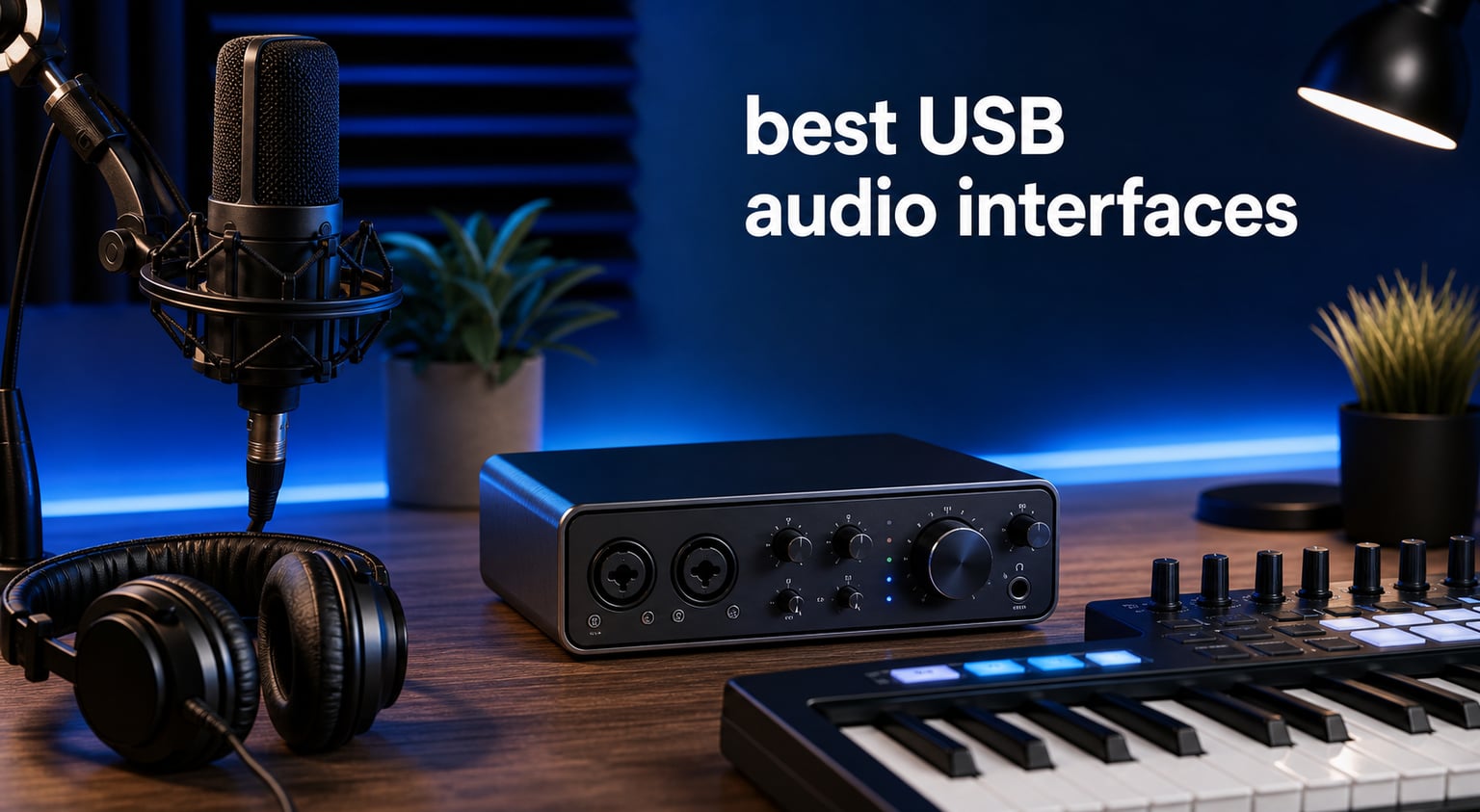
The best USB audio interfaces turn an XLR microphone, guitar, or line-level source into clean digital audio your computer can record. They also give you practical controls a laptop cannot: microphone gain, 48V phantom power for a condenser microphone, a proper headphone output, monitor outputs, and a way to hear yourself while tracking.
This guide compares eight USB audio interface options for a first vocal setup, guitar recording, podcasts, streaming, and a home studio that is starting to need more connections. I focused on the supplied specifications, feature lists, ratings, and review counts rather than repeating vague claims about sound.
An interface is not automatically better because it records at 192 kHz or has a long feature list. The useful choice is the one with enough inputs for the session you actually make, a monitoring path you understand, and supported computer or mobile devices. Our picks range from compact one-mic designs to interfaces with ADAT expansion and onboard UAD processing.
For a simple songwriting desk, one microphone input and one instrument input can be enough. For two vocalists, a podcast with guests, or stereo hardware, two mic preamps and extra outputs remove immediate limits. If you are producing bass music after tracking, this how to make a dubstep track tutorial is a useful next read.
Top 3 picks answer the most common recording needs in September 2026
The SSL 2 Plus MKII is our editor’s choice because its two SSL preamps, two independent headphone outputs, four balanced DC-coupled outputs, MIDI, loopback, and 32-bit/192 kHz conversion cover more real desktop workflows than a basic two-channel box. The Scarlett Solo 4th Gen makes more sense for one creator who needs one mic and one guitar input, while the MOTU M2 keeps a focused 2-in/2-out design with hardware monitoring.
Best USB audio interfaces in September 2026 are compared below
Use this overview to narrow the field by I/O, conversion format, monitoring, and workflow. A listed operating system is not proof of support for every version or phone, so confirm the manufacturer’s current compatibility details before buying.
| Product | Specifications | Action |
|---|---|---|
 SSL 2 Plus MKII SSL 2 Plus MKII |
|
Check Latest Price |
 Scarlett Solo 4th Gen Scarlett Solo 4th Gen |
|
Check Latest Price |
 MOTU M2 MOTU M2 |
|
Check Latest Price |
 Audient iD4 MKII Audient iD4 MKII |
|
Check Latest Price |
 MOTU M4 MOTU M4 |
|
Check Latest Price |
 Universal Audio Volt 2 Universal Audio Volt 2 |
|
Check Latest Price |
 SSL 12 SSL 12 |
|
Check Latest Price |
 Apollo Twin X Duo Apollo Twin X Duo |
|
Check Latest Price |
1. SSL 2 Plus MKII is the best all-round desktop interface
Solid State Logic 2 MKII Plus USB-C Audio Interface 2×4
2 SSL preamps
32-bit 192kHz
Dual headphones
MIDI and loopback
Pros
- Legacy 4K enhancement
- Four balanced DC-coupled outputs
- Two discrete headphone outputs
- MIDI I/O
- Bus powered
Cons
- Larger desktop footprint
- iOS compatibility is not listed
The SSL 2 Plus MKII is the most complete pick here for a producer recording vocals and instruments while also using hardware or streaming. Its two SSL mic preamps share front-panel space with two line/Hi-Z inputs, and its 4.8 rating comes from 358 supplied reviews.
I would put its connection layout ahead of a basic starter interface for a creator who shares headphones with a collaborator. Two discrete headphone outputs let two people listen without a splitter, while four balanced DC-coupled TRS line outputs create room for monitor pairs, external gear, or control-voltage work.
The 32-bit/192 kHz converter specification is strong on paper, but the more everyday feature is zero-latency monitoring with high-pass filters. You can monitor an incoming vocal or guitar directly rather than waiting for it to travel through a DAW buffer and return to the headphones.
SSL’s Legacy 4K Analog Enhancement is for people who want the supplied analog warmth option, not a substitute for correct microphone placement or gain staging. Stereo loopback is also useful when a stream or remote guest needs computer audio included in the recording.
The SSL 2 Plus MKII fits two-person sessions and hardware desks
Choose this model when two mics or instruments need to be ready at once and a second listener needs their own headphone connection. MIDI I/O on five-pin DIN jacks is another practical benefit for a MIDI controller or older synthesizer with DIN ports.
Its bus-powered USB-C connection keeps cabling simple for a desktop rig. At 6.18 by 9.21 by 2.76 inches and 1.94 pounds, it is still portable, but it asks for more desk room than the smallest interfaces.
The SSL 2 Plus MKII needs compatibility confirmation for mobile work
The supplied listing identifies Windows and macOS but does not list iOS compatibility. If an iPad or iPhone is part of your plan, do not assume that a USB-C connector alone settles the question.
It is also more interface than a solo narrator with a single microphone may need. A one-preamp unit can be simpler if your recording never involves another source or listener.
2. Focusrite Scarlett Solo 4th Gen is the best first interface for one creator
Focusrite Scarlett Solo 4th Gen USB-C Audio Interface
1 mic preamp
1 Hi-Z input
24-bit 192kHz
Air and loopback
Pros
- 120dB dynamic range
- Air mode
- USB-C bus power
- Loopback
- Three-year warranty
Cons
- One mic preamp only
- One instrument input only
- Air may not suit quiet sources
The Focusrite Scarlett Solo 4th Gen is the cleanest answer for a singer-songwriter, guitarist, or voiceover artist working alone. It provides one microphone preamp and one Hi-Z instrument input, records at 24-bit/192 kHz, and has a 4.6 rating from 2,570 supplied reviews.
That review base is the largest in this list, which gives a buyer more customer feedback to read than with the niche interfaces. Focusrite also lists a 120 dB dynamic range through its flagship-grade converters and includes a three-year manufacturer warranty.
Air mode is its standout recording control. Focusrite describes it as adding musical presence and harmonic drive, so use it as an intentional tone choice rather than leaving it on for every quiet spoken-word take.
The bundled software includes Pro Tools Intro+, Ableton Live Lite, Cubase LE, and the Hitmaker Expansion. For a beginner, that means the interface arrives with multiple recorded-music starting points instead of just hardware and a cable.
The Scarlett Solo suits a single vocal and guitar workflow
Pick the Solo when your normal session is one XLR microphone or one instrument at a time. Its USB-C bus-powered design makes it a compact home studio audio interface, and the listing names Mac OS, Windows OS, and iOS support.
Loopback gives streaming and podcast work a route for computer audio. That can be more helpful than extra analog connections when one person records a voice and needs to capture a call, music bed, or software sound.
The Scarlett Solo cannot record two microphones at once
One mic preamp means a two-host podcast, two-vocalist performance, or stereo microphone technique requires a different interface. Planning around this limitation is better than buying extra adapters that cannot create a second preamp.
Keep gain staging simple: set the input so normal performance has room before clipping, then decide whether Air helps the source. A dynamic microphone with low output may need more gain than a loud condenser mic, regardless of the interface.
3. MOTU M2 is the best focused two-preamp recording interface
MOTU M2 USB-C Audio Interface
2 preamps
24-bit 192kHz
2-in 2-out
Hardware monitoring
Pros
- Two preamps
- 192kHz recording
- Hardware monitoring
- USB-C
- Production software included
Cons
- 2-in 2-out only
- Only Windows is listed
The MOTU M2 is a straightforward 2-in/2-out USB-C audio interface for a pair of sources without moving into an expanded I/O setup. Its listed 24-bit/192 kHz recording, two preamps, and hardware monitoring cover the core of vocal, guitar, and small podcast sessions.
It has a 4.6 rating from 1,548 reviews, and the supplied review summary calls out clean MOTU preamps and a reliable USB-C connection. Those data points explain why it stays a common value-oriented alternative in community discussions.
Hardware monitoring matters when recording to a DAW because it lets you hear the live source without relying entirely on a low software buffer. That does not remove DAW latency from virtual instruments or plug-in processing, but it can make tracking a vocal more comfortable.
MOTU includes Performer Lite, Live Lite, and more than 6 GB of content. Software is not the reason to select an interface, yet it gives a new recording setup enough tools to make an actual first session.
The MOTU M2 works when two sources are the practical maximum
This is a good fit for two people on microphones, a vocal plus guitar, or one stereo source when the recording plan fits a 2-in/2-out configuration. Its compact 7.5 by 4.25 by 1.75 inch case is easy to place beside a laptop.
For a podcast with a co-host, two preamps are a real step up from a Solo-style interface. For streaming, decide first whether the available routing meets your computer-audio needs; loopback is not listed in the provided M2 specifications.
The MOTU M2 has a listed operating-system limitation to check
The supplied product data names Windows only, unlike some other models that explicitly list Mac or iOS. Verify current support and driver availability for your exact computer before basing a studio around it.
It also has no extra analog I/O for a growing outboard rig. If you expect to add external synths, separate monitor feeds, or more recording channels, the MOTU M4 or SSL 12 provides a clearer expansion path.
4. Audient iD4 MKII is the best compact interface for a Class-A preamp
Audient Audio Interface iD4 MKII, Class A Console Microphone Preamp (High Speed USB-C, Monitor Mix and Monitor Panning Function, 2 Headphone Outputs, Mac/PC/iOS Compatible), Black
Class-A console preamp
96kHz
Two headphone outputs
USB-C
Pros
- Console-derived Class-A preamp
- All-metal housing
- Two headphone outputs
- Monitor panning
- iOS support listed
Cons
- 96kHz maximum sample rate
- Windows is not explicitly listed
The Audient iD4 MKII brings a Class-A console microphone preamp derived from Audient’s ASP8024 HE console into a small USB-C box. That preamp pedigree is its clearest reason to choose it, paired with a 4.6 rating across 1,442 reviews.
The maximum listed sample rate is 96 kHz rather than 192 kHz. For most vocals, voiceover, and guitar recording, the more meaningful question is whether the interface offers the inputs, monitoring, and preamp behavior you want, not whether the headline sample rate is largest.
Audient gives this model two headphone outputs plus monitor mix and monitor panning functions. That makes it appealing where a vocalist and engineer need to listen together, even if the recording itself is centered on one microphone source.
The all-metal desktop housing is a practical durability detail for a unit moved between a desk, rehearsal room, and bag. Cubase LE and Retrologue 2 Synth are included for users who want bundled DAW and instrument options.
The iD4 MKII favors a preamp-led solo recording setup
Choose the iD4 MKII if your priority is a stated Class-A console-derived preamp and a compact physical format. It is particularly sensible for vocalists, voiceover work, and guitarists who do not need multiple mic preamps at once.
Its listing explicitly names iOS and macOS compatibility, while USB-C supports a tidy modern desktop connection. Monitor outputs and two headphone outputs offer better listening flexibility than the smallest one-headphone designs.
The iD4 MKII requires a platform check before a Windows purchase
The provided operating-system field lists iOS and macOS but does not explicitly list Windows, despite product copy mentioning Mac/PC/iOS. Confirm the current driver page and your Windows version before selecting it for a PC studio.
It also stops at 96 kHz. That is not a recording-quality verdict, but buyers who specifically require 192 kHz should select a model whose supplied specifications state that format.
5. MOTU M4 is the best desktop choice when you need four I/O channels
Motu M4 4×4 USB-C Audio Interface
4-in 4-out
2 mic preamps
192kHz
LCD and loopback
Pros
- Four-in four-out routing
- LCD feedback
- Two mic preamps
- Loopback
- Hardware monitoring
Cons
- Two-year warranty
- Only two mic preamps
The MOTU M4 expands the basic two-channel formula into a 4-in/4-out USB-C interface while keeping two microphone preamps on the front end. That extra I/O is the reason to choose it over the M2 when a home studio includes more than one recurring source.
It records up to 192 kHz, has an LCD for visual feedback, hardware monitoring, and loopback. With a 4.6 rating from 894 reviews, it is a well-regarded option for creators who want more routing without jumping to a larger rack-style system.
The M4 is listed as Mac, PC, and iOS compatible, which is useful for musicians who move between a computer and an iPad. Compatibility still depends on current operating-system versions and the full connection chain, so treat that list as a starting point for checking your devices.
Loopback makes the M4 a natural candidate for streaming or remote content because it can bring computer playback into the workflow. For a live performance or podcast, map the channels in your software before recording so system audio does not end up on a track unexpectedly.
The MOTU M4 gives a growing home studio useful connection headroom
Four total inputs and four total outputs make space for a second pair of sources beyond the two microphone preamps. That helps with a vocal-and-guitar session plus a stereo keyboard, or with separate connections for studio monitors and other gear.
The LCD is a convenience feature with a real workflow payoff: it gives you visual feedback while setting a source level. Good gain staging still begins at the source, but a clear meter makes it easier to spot a problem before a take ends.
The MOTU M4 is not a four-microphone interface
Its four inputs do not mean four microphone preamps; the supplied product data states two microphone preamps. A four-person podcast or full drum session needs an interface with more mic inputs or an expandable system.
The manufacturer warranty listed here is two years, while some competing products in this guide list three years. That difference may matter if warranty length is a deciding factor for your studio purchase.
6. Universal Audio Volt 2 is the best choice for Vintage mode recording
Universal Audio Volt 2 USB Audio Interface
Vintage preamp mode
24-bit 192kHz
LUNA DAW
Mac PC iPad support
Pros
- Vintage mode
- 192kHz converters
- LUNA included
- UAD software access
- Mobile support listed
Cons
- External power needed for iOS
- Lightning adapter needed for many iOS devices
The Universal Audio Volt 2 is for a creator drawn to the supplied Vintage mode, which Universal Audio describes as bringing the rich, full character of its classic 610 preamps. It pairs that tonal option with 24-bit/192 kHz conversion and a 4.6 rating from 734 reviews.
Vintage mode is a creative choice, not a guarantee that every source improves. I would record a quick comparison with it on and off, then keep the version that works in the song; a clean recording can always receive processing later.
The Volt 2 includes LUNA Digital Audio Workstation and access to UAD plug-ins and instruments. That makes it a music production interface with a defined software ecosystem for producers who want to start with UA’s tools.
The supplied compatibility notes name macOS, Windows, iPad, and iPhone. Its mobile setup has more conditions than a simple laptop setup, however, because iOS recording requires the external Volt power supply and, except for USB-C iPads, an Apple Lightning to USB Camera Adapter.
The Volt 2 suits creators who want a tone option before the DAW
Pick the Volt 2 for vocals, guitar, or electronic music sources where the Vintage preamp mode is part of the appeal. It is a sensible two-channel option for a solo producer or a two-source session that does not demand expanded outputs.
Its customer feedback is positive in the supplied data, with 83 percent of the 734 reviews rated five stars. Read that alongside the actual feature set: the mode and software are the differentiators, while your source count still sets the limit.
The Volt 2 needs extra planning for iPhone and iPad recording
Mobile recording is supported in the supplied product information, but it is not necessarily cable-only. Build the required external power and adapter into your setup plan before turning up to record a rehearsal or interview.
If your main need is computer streaming, compare routing and loopback needs first; the provided Volt 2 details do not list loopback. An interface should match the signal path you need, rather than a brand preference alone.
7. SSL 12 is the best USB interface for expandable multi-source recording
Solid State Logic SSL 12 12-In and 8-Out USB Audio Interface
4 SSL preamps
32-bit 192kHz
ADAT expansion
Talkback
Pros
- Four SSL preamps
- 62dB gain
- ADAT input
- Four headphone mixes
- Built-in talkback
Cons
- Windows-only support is listed
- One-year warranty
- Limited review base
The SSL 12 is the step-up selection for producers who need four SSL microphone preamps now and ADAT optical expansion later. It is a 12-in/8-out USB-C bus-powered interface with 32-bit/192 kHz conversion, 62 dB of mic gain, and 4.5 stars from 114 supplied reviews.
Its stated dynamic range is greater than 120 dB, and the preamp EIN is listed as -130.5 dBu. Those technical numbers matter most when you are matching the interface to quieter microphones, clean sources, and a recording process that benefits from low-noise gain.
ADAT optical input is the major expansion feature. It lets the interface accept additional digital channels from compatible external gear, offering an upgrade route that the compact 2-in/2-out models do not have.
SSL also includes a built-in talkback microphone and up to four independent near-zero-latency headphone mixes. Those are session-management features: they help an engineer communicate with performers and send different monitor balances to several people.
The SSL 12 supports sessions that have outgrown basic two-preamp hardware
Choose the SSL 12 for four-mic recording, multiple performers, or an electronic setup that may expand through ADAT. MIDI I/O and eight outputs add useful connections for external instruments, monitoring arrangements, and larger desktop systems.
The supplied bundle includes three months of the SSL Complete plug-in suite. Treat that as an added benefit, while keeping the decision centered on preamp count, gain needs, routing, and the required operating system.
The SSL 12 needs a careful platform and warranty decision
The product specifications provided for this guide note Windows-only operating-system support. Confirm present-day support for your own computer before purchase, especially if you use macOS or mobile devices.
It also lists a one-year warranty and has a smaller review base than the beginner choices. Its added I/O makes sense only when your session plan needs it; a simpler two-preamp interface is easier to run for a single performer.
8. Apollo Twin X Duo is the best upgrade for UAD plug-in processing
Universal Audio Apollo Twin X Duo USB Heritage Edition Audio Interface
UAD DUO Core
Unison modeling
10x6 I/O
USB 3
Pros
- DUO Core processing
- Unison modeling
- Heritage plug-in bundle
- Major DAW formats
- Near-zero latency recording
Cons
- 4.0 rating from 49 reviews
- USB 3 not USB-C
- One-year warranty
The Universal Audio Apollo Twin X Duo USB Heritage Edition is the specialist choice for a producer who wants UAD-2 DUO Core processing and Unison preamp or amp modeling as part of the tracking workflow. It is listed as a 10×6 USB 3 interface with 24-bit/192 kHz capability.
Its Heritage Edition bundle includes the Teletronix LA-2A and 1176 compressors, the 610-B Tube Preamp and EQ Collection, Pultec Passive EQ Collection, and Pure Plate Reverb. The headline appeal is being able to work with those UAD tools while recording with near-zero latency, as stated in the supplied data.
This is not the automatic top pick for everyone. Its 4.0 rating from 49 reviews is lower and based on far fewer reviews than the other interfaces in this set, so I would weigh its specialized processing system against that lighter customer record.
The Apollo works with VST, Audio Units, and AAX in major DAWs according to the listing. That broad format statement is helpful for people who change DAWs, but confirm each current DAW and operating-system configuration before committing to a plug-in platform.
The Apollo Twin X Duo fits a UAD-centered production workflow
Choose this interface when Unison modeling and onboard UAD processing are core reasons for the purchase, not merely bonus features. It makes the most sense for a producer who will actively use the supplied Heritage plug-ins and wants their recording workflow built around that ecosystem.
USB 3 is the specified connection rather than USB-C. Check your computer’s available ports and cable plan, and do not confuse connector shape with a full compatibility answer.
The Apollo Twin X Duo requires more buyer scrutiny than the other picks
With only 49 reviews and an 18 percent one-star share in the supplied rating distribution, this model deserves more careful reading of recent compatibility and workflow feedback. It also carries a one-year listed warranty.
If you simply need two inputs for clean recording, one of the less specialized models above is likely the clearer fit. The Apollo’s case rests on its particular processing and plug-in package, not on being the most universally simple interface.
The right USB audio interface starts with your sources and monitoring
Start by counting simultaneous sources, not by counting future ideas. One vocalist or one guitar can work with a single preamp; two hosts, two singers, or a vocal-and-guitar performance needs two mic-capable inputs; four performers need four preamps or an expandable interface such as the SSL 12.
A combo input can accept different connector types, but the input mode still matters. An XLR input is for a microphone signal, a Hi-Z instrument input is designed for a guitar or bass, and line level is for gear that already outputs a stronger signal.
Phantom power is the switch that powers many condenser microphones
48V phantom power runs through an XLR cable to power many condenser microphones. Turn it on only when the microphone requires it, and lower monitoring volume before making connection changes.
Dynamic microphones usually do not need phantom power, yet the larger decision is gain. Quiet sources and lower-output dynamic microphones need more clean preamp gain, whereas loud vocals or a close guitar amp may need far less.
Direct monitoring solves one kind of latency, not every delay
Latency is the delay between speaking or playing and hearing the result. Direct or hardware monitoring lets you hear the live input before the DAW’s round trip, which is why the SSL 2 Plus MKII, M2, and M4 monitoring features matter when tracking.
Software buffer size still affects virtual instruments and plug-ins heard through the DAW. Lower buffers generally reduce delay but demand more from the computer, so begin at a stable setting and avoid random generic ASIO-driver changes when an interface manufacturer supplies a driver.
Headphone outputs and monitor routing shape the daily experience
Forum discussions repeatedly raise headphone-power and routing concerns because these are felt every session. Consider whether you need one listener, two listeners, separate headphone mixes, or simply a monitor mix knob for balancing your live source against the DAW.
The SSL 2 Plus MKII and Audient iD4 MKII list two headphone outputs. The SSL 12 goes further with up to four independent near-zero-latency headphone mixes, which is useful only when several performers genuinely need different monitoring balances.
USB 2.0 has enough bandwidth for normal interface recording
Yes, USB 2.0 is fast enough for typical audio-interface work because multichannel audio uses far less bandwidth than video. Actual recording stability depends on the interface driver, computer, cable, operating system, buffer configuration, and any hubs in the chain.
USB-C describes a connector style, not a single performance standard. The M2, M4, SSL units, Scarlett Solo, and Audient use USB-C in the supplied data, while the Apollo Twin X Duo lists USB 3; check the exact port and support requirements rather than choosing by connector name.
Mobile and streaming setups need a full signal-path check
For iOS, explicit compatibility and power requirements matter more than a product photo showing USB-C. The Scarlett Solo lists iOS, the iD4 MKII lists iOS, the M4 lists iOS, and the Volt 2 lists iPad and iPhone with the stated power and adapter requirements.
For streaming, look for loopback if you need computer playback captured with the microphone. The SSL 2 Plus MKII, Scarlett Solo, and MOTU M4 list loopback, but set up a test recording first so you know exactly which sources reach the stream.
Frequently asked questions answer the remaining interface choices
What’s the best USB audio interface?
The SSL 2 Plus MKII is the best all-round pick here because it combines two SSL preamps, dual headphone outputs, four balanced outputs, MIDI, loopback, and 32-bit/192 kHz conversion. The best choice changes if you only record one source, need four preamps, or want UAD processing.
What audio interface is better than Focusrite?
No interface is simply better for every user. The MOTU M2 adds two preamps, the SSL 2 Plus MKII adds expanded outputs and MIDI, and the Audient iD4 MKII offers a stated Class-A console-derived preamp. The Scarlett Solo remains the more direct choice for one mic or one guitar input with iOS support listed.
Is USB 2.0 fast enough for audio interface?
Yes. USB 2.0 has enough bandwidth for normal multichannel audio recording. Driver quality, computer performance, buffer settings, cables, and hubs affect real-world stability more than the USB 2.0 label alone.
What is the best audio interface for home recording on a budget?
The Focusrite Scarlett Solo 4th Gen is a strong home-recording choice for one creator because it has one mic preamp, one Hi-Z input, Air mode, loopback, 24-bit/192 kHz recording, and a large supplied review base. Choose the MOTU M2 instead when two preamps are required.
What is the best audio interface for streaming?
The SSL 2 Plus MKII is the strongest streaming option in this group for creators who also record music because it lists stereo loopback, two headphone outputs, four balanced outputs, and two preamps. The Scarlett Solo 4th Gen and MOTU M4 also list loopback for less complex streaming signal paths.
The best USB audio interfaces match the session you will record
The SSL 2 Plus MKII is the broadest pick for a two-person production desk, the Scarlett Solo 4th Gen is the easiest start for a single creator, and the MOTU M4 is the sensible move when you need more I/O. The SSL 12 and Apollo Twin X Duo are specialist upgrades for expansion or UAD-powered processing.
Before selecting from these best USB audio interfaces in 2026, write down your microphone count, instruments, headphones, monitors, computer, and streaming route. That short list will tell you whether a compact USB preamp is enough or whether additional I/O will save you from replacing the interface early.