
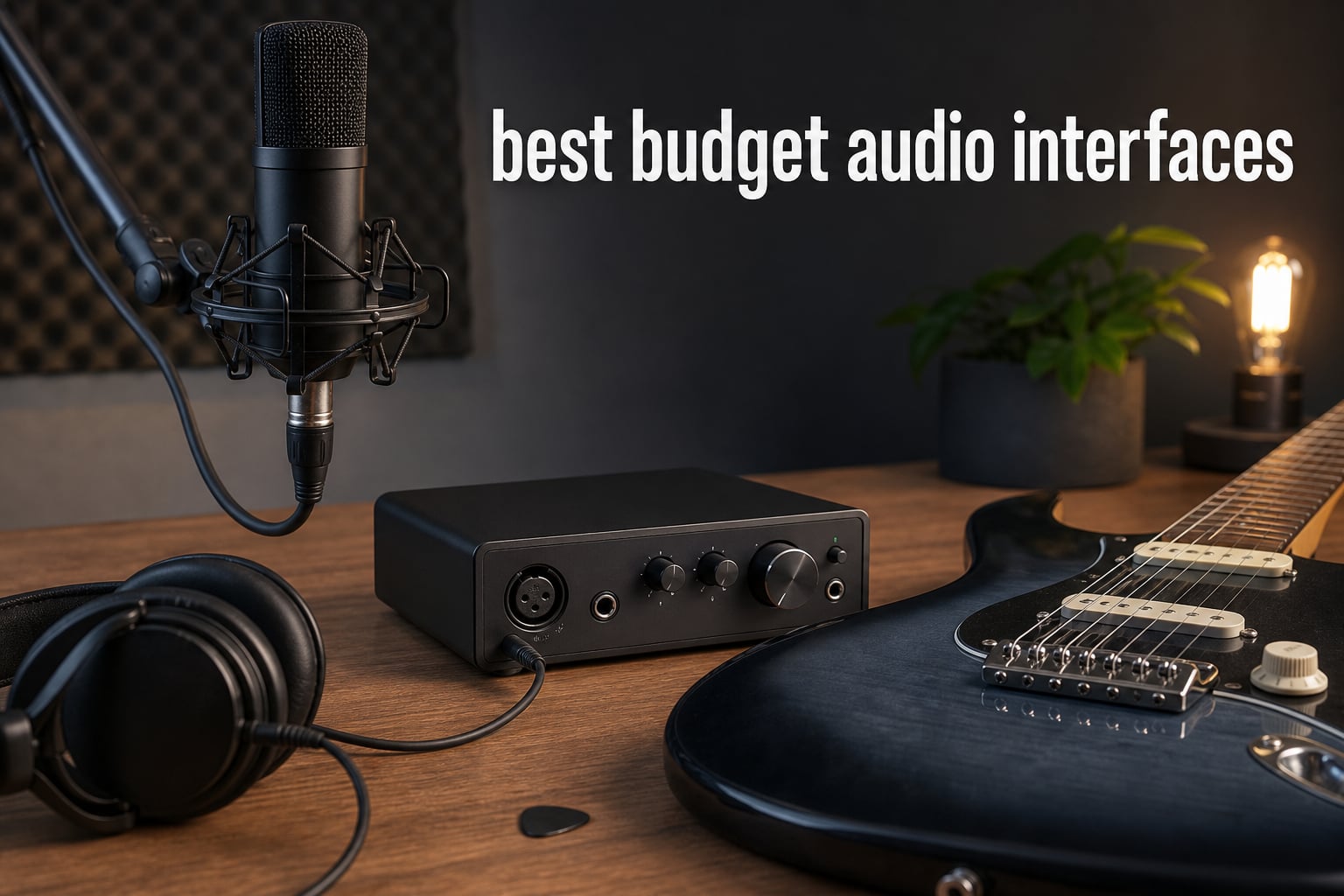
The best budget audio interfaces make a laptop, microphone, guitar, and pair of headphones work like a small recording setup rather than a collection of adapters. For a first home studio, the right choice is usually less about chasing a giant specification number and more about matching the inputs, monitoring controls, software, and computer or mobile device you already use.
An audio interface converts an analog microphone or instrument signal into digital audio for a DAW, then converts playback back for headphones or monitors. It also gives you an XLR microphone input, a proper instrument input where included, 48V phantom power for condenser microphones, and direct monitoring so you can hear yourself without waiting for computer processing.
We reviewed the ten products in the supplied catalog as a practical shortlist for vocals, guitar direct injection, podcasting, streaming, and music production. The listing information shows that a compact unit can be entirely capable for a beginner, but input count, gain, operating-system support, and warranty matter more than a headline resolution alone; see our guide to quality audio interfaces for music production when you are ready to turn recorded parts into a finished track.
One important limit: this is a data-led roundup, not a claim of laboratory latency testing. Community discussions repeatedly point to driver stability and long-term reliability as bigger day-to-day concerns than subtle sonic differences, especially on Windows, so the recommendations below call out the compatibility and support details actually stated for each product.
The top 3 picks answer most beginner recording needs in September 2026
Focusrite Scarlett 2i2 4th Gen is the broadest choice for a two-source home setup, MAONO P2 suits creators who need a computer and phone or iPad connection, and Focusrite Scarlett Solo 4th Gen keeps the familiar singer-guitarist workflow compact. Pick from these first when you want a clear starting point, then use the full list if a dedicated guitar or ultra-simple interface fits your work better.


These budget audio interfaces in 2026 cover ten distinct workflows
The comparison below includes every interface in this guide. Start with the number and type of sources you must capture at once: a solo voice or guitar part needs different connections from a two-person podcast, a stereo keyboard, or a stream with computer and mobile audio.
Resolution labels such as 24-bit/192kHz describe supported recording formats, not a guarantee that every recording will sound better. A quiet room, workable microphone placement, sensible gain staging, and direct monitoring generally have a larger effect on a first recording session.
| Product | Specifications | Action |
|---|---|---|
 MAONO P2 Hybrid MAONO P2 Hybrid |
|
Check Latest Price |
| Focusrite Scarlett 2i2 4th Gen |
|
Check Latest Price |
| Focusrite Scarlett Solo 4th Gen |
|
Check Latest Price |
 FIFINE SC1 FIFINE SC1 |
|
Check Latest Price |
 IK Multimedia iRig USB IK Multimedia iRig USB |
|
Check Latest Price |
 Pyle PMUX9 Pyle PMUX9 |
|
Check Latest Price |
 Synido Solo Silver Synido Solo Silver |
|
Check Latest Price |
 Fender AudioBox GO Fender AudioBox GO |
|
Check Latest Price |
 BOMGE Mini 22M BOMGE Mini 22M |
|
Check Latest Price |
 BOMGE BGM22 BOMGE BGM22 |
|
Check Latest Price |
1. Focusrite Scarlett 2i2 4th Gen is the strongest all-round two-input choice
Focusrite Scarlett 2i2 4th Gen USB-C Audio Interface
2 preamps
120dB range
24-bit 192kHz
Pros
- Two ultra-low-noise preamps
- Air mode
- Auto Gain and Clip Safe
- Extensive software bundle
- Three-year warranty
Cons
- Two-channel limit
- More involved than a single-input unit
The Scarlett 2i2 4th Gen is the sensible home studio audio interface when you need to record two microphones, two line sources, or a vocal and guitar at the same time. Its listing specifies two ultra-low-noise mic preamps, two instrument and line inputs, 24-bit/192kHz operation, and 120dB dynamic range.
I would put it at the top for a singer-songwriter who wants room to grow without adding a mixer. The 4.6 rating across more than 2.5k reviews is meaningful compared with the smaller review counts on several alternatives, though reviews remain customer opinion rather than a substitute for checking your own connection needs.
Its Auto Gain tools make level setting easier for new recordists
Auto Gain can set a starting recording level, while Clip Safe is designed to prevent overloads during a take. Those features address a common beginner problem: setting the gain too low and raising noise later, or setting it too high and clipping a loud vocal or guitar chord.
Air mode is the sound-shaping option here, adding vocal presence and harmonic drive according to Focusrite. Treat it as an option to audition, not a setting that every voice needs; record a brief comparison and keep the version that sits better in your track.
Its bundled software and device support suit a complete computer workflow
The supplied data lists Pro Tools Intro+, Ableton Live Lite, Cubase LE, and the Hitmaker Expansion, so it has a useful path from first recording through basic mixing. It supports Mac OS, Windows OS, and iOS, and the three-year manufacturer warranty is longer than the limited durations listed on a few lower-cost models.
For Windows users, install the current manufacturer driver and test a conservative buffer before a session rather than assuming any interface is plug-and-play under every DAW. Direct monitoring is still the simplest way to hear a vocal comfortably when a small buffer creates glitches.
2. MAONO P2 Hybrid is the best fit for computer-and-mobile creators
MAONO P2 Hybrid USB Audio Interface Dual XLR for PC Phone iPad Guitar
Dual XLR
56dB gain
24-bit 192kHz
Pros
- Computer and phone connectivity
- 56dB gain
- Direct monitoring
- Loopback
- Auto Gain and Clip Safe
Cons
- Two-channel limit
- One-year warranty
MAONO’s P2 Hybrid stands apart because its listed dual USB arrangement is made for simultaneous computer and phone or iPad work. That makes it an especially relevant budget USB audio interface for a creator who records a podcast, sends audio to a stream, or needs a mobile device in the signal chain.
The product details specify dual XLR capability, 56dB gain, direct low-latency monitoring, ASIO support, routing software, and 24-bit/192kHz recording. Its operating-system listing is unusually broad, naming Android, ChromeOS, Windows, iOS, and macOS.
Its routing and loopback features support broadcasts and recorded clips
Loopback mixes computer playback with an interface input for a compatible recording or streaming application. That is useful for tutorials, remote guests, or a live stream where you need game, music, or call audio alongside a microphone, but confirm the routing inside the MAONO ProStudio 2 software before going live.
The P2 also lists Auto Gain and Clip Safe, plus an Air mode for vocal presence. These tools reduce setup friction, yet a few test lines at normal and loud speaking volume are still wise because distance from the microphone changes the input level dramatically.
Its mobile support is better for creators than for a large multi-source studio
Use the P2 when mobile recording and creator controls matter as much as a DAW session. A musician who needs several microphones, MIDI connections, or many monitor feeds should look beyond its two-channel design.
Its 4.8 average comes from 41 reviews, which is encouraging but a much smaller sample than the Focusrite entries. The listing gives a one-year manufacturer warranty, so retain purchase and support information if reliability is the deciding concern.
3. Focusrite Scarlett Solo 4th Gen is the cleanest single-creator choice
Focusrite Scarlett Solo 4th Gen USB-C Audio Interface
1 preamp
120dB range
24-bit 192kHz
Pros
- 120dB dynamic range
- Improved Air mode
- Small bus-powered build
- Hitmaker bundle
- Three-year warranty
Cons
- One mic preamp
- Not for two microphones at once
The Scarlett Solo 4th Gen is the best budget audio interface for a solo vocalist, guitarist, or producer who records one microphone and one Hi-Z instrument at a time. Its data lists one mic preamp, an instrument input, USB-C bus power, 24-bit/192kHz resolution, and the same 120dB dynamic-range figure used for the 2i2.
I like the clarity of this workflow: plug in the vocal microphone or guitar, select the Solo in the DAW, set gain, and monitor through headphones. It avoids paying attention to controls you will not use, while still leaving the recording format and software support suitable for serious demos and finished releases.
Its compact layout works when you record one source at a time
The limitation is literal, not hidden: there is one microphone preamp. If you expect to record a conversation with two XLR microphones, capture a stereo acoustic setup, or track voice and guitar from two microphones together, select a two-preamp unit instead.
For overdubbing, that constraint disappears. Record a guitar direct injection pass, then add vocal takes one at a time, and use the instrument input rather than forcing a guitar through a microphone connection.
Its support period and software bundle add confidence for a first setup
The Solo includes the Hitmaker Plus DAW bundle according to the listing and supports Mac OS, Windows OS, and iOS. Its three-year manufacturer warranty is a concrete advantage for someone who expects this small interface to remain the center of a basic desk setup.
Improved Air mode is positioned for vocals and guitars. Compare it with the mode off through the same headphones, because the right choice depends on the microphone, player, and arrangement rather than the label on the button.
4. FIFINE SC1 is a simple entry point for one XLR mic and guitar
Pros
- 48V phantom power
- Guitar input
- Direct monitoring
- Plug-and-play operation
- Three channels
Cons
- 4.4 customer rating
- One-year warranty
The FIFINE SC1 is aimed at beginners who need an XLR microphone input, 48V phantom power, an instrument input, and direct monitoring without a complicated control surface. Its listing calls it a three-channel USB mixer/interface and gives 192kHz as the maximum sample rate.
That connection set makes it practical for a basic spoken-word setup, a condenser microphone, or guitar practice and capture. The product data reports a 4.4 average across 465 reviews, with 69% five-star reviews, so I would regard it as a basic tool with a reasonable amount of buyer feedback rather than a premium-studio replacement.
Its phantom power makes condenser microphones possible
48V phantom power supplies compatible condenser microphones through an XLR cable. Do not switch it on for every device by habit: consult the microphone documentation, turn gain down first, then connect and power the microphone in a calm sequence.
Dynamic microphones normally do not require phantom power. The common forum concern about insufficient gain for low-output broadcast dynamic mics also applies here: the listing does not state a gain figure, so users of demanding microphones should not assume headroom from the presence of an XLR input alone.
Its direct monitoring matters more than its maximum sample rate
Direct monitoring routes the live source to your headphones before the computer processes it. For a vocalist, that prevents the distracting delay known as round-trip latency even when a DAW project has many tracks or the computer must use a larger buffer.
The SC1 is described as plug-and-play and works with software that supports USB audio devices. Still, Windows users should check the device in their actual DAW and recording app before a client call or first stream.
5. IK Multimedia iRig USB is the focused pick for guitar and bass
IK Multimedia iRig USB Guitar Audio Interface – 24-bit 48 kHz Music Recording Studio Equipment Include USB C Cable For iPad, Mac And PC, Guitar Accessories, Recording Device
Guitar input
24-bit 48kHz
Amp out
Pros
- Dedicated instrument input
- Headphone direct monitoring
- Amp output
- Mac PC and iPad support
- AmpliTube and Tonex software
Cons
- No XLR microphone input
- 48kHz maximum sample rate
- 4.3 customer rating
The iRig USB is not trying to be a general-purpose two-microphone recording interface. It is a compact 24-bit/48kHz guitar and bass interface with a 1/4-inch instrument input, headphone output, direct monitoring, dedicated amp output, and a selectable FX/THRU function.
That narrow focus is a strength when the goal is silent practice, capture of a guitar direct signal, or use with amp-modeling software. The listing identifies AmpliTube and Tonex as supported software, which makes this a distinct choice for players who want tones without miking a loud cabinet.
Its amp output connects a digital practice workflow to an existing rig
The selectable FX/THRU amp output can send a processed or through signal to an amp and pedal setup. Read the product directions before connecting, especially when moving between headphones, software monitoring, and an amplifier, so that level and routing do not surprise you.
The 1.9-ounce weight also makes it easier to keep in a gig bag or laptop pouch. It includes a USB-C cable and lists compatibility with Mac, Windows, iPadOS, and iOS, which is useful for a mobile guitar practice setup.
Its one-purpose connection set is wrong for XLR vocal recording
Choose another recording interface if vocals through an XLR microphone are part of your plan, because the iRig USB is specified with a 1/4-inch instrument input rather than an XLR mic preamp. It is also limited to 48kHz maximum sampling, though that format is fully usable for many songs, videos, and practice recordings.
The 4.3 rating across 482 reviews and 71% five-star share suggest more mixed customer feedback than the Focusrite models. For guitarists, the useful question is not whether it has every studio connection, but whether its direct instrument path and software match the way you actually play.
6. Pyle PMUX9 is the feature-heavy option for varied wired sources
Pyle USB Audio Interface – MIC/LINE – Guitar – AUX Stereo & RCA Inputs – Preset 24 Digital Effects – Phantom Power – Phone/Stereo/Monitor/Headphone Outputs – For Computer Playing & Recording – PMUX9
Two combo inputs
24 effects
48V power
Pros
- Two combo inputs
- 24 preset effects
- RCA and auxiliary inputs
- 48V phantom power
- Multiple output types
Cons
- 48kHz maximum sample rate
- Windows listed as operating system
- 4.2 customer rating
The Pyle PMUX9 brings more types of wired connections into one compact unit: two combo XLR/6.35 mm inputs, an auxiliary 3.5 mm input, RCA stereo input, microphone and guitar support, plus phone, stereo, monitor, and headphone outputs. It also lists 24 preset effects, including reverb, delay, echo, chorus, tremolo, and pitch change.
This is the choice for a creator who wants to experiment with an external source or basic effects during a simple session. It is not the pick I would make solely because it offers many labels; each extra input and effect needs a clear job in your setup.
Its mixer-style inputs suit a multi-source desktop arrangement
RCA and auxiliary inputs can be convenient for bringing in playback devices or a stereo source. Plan signal flow before recording: decide which source goes to the computer, which one you hear in headphones, and whether any effect is printed into the take.
The stated maximum sample rate is 48kHz, which is a conventional recording format for video and many music projects. The presence of 24 digital effects is a creative extra, not evidence of stronger preamps or lower latency than a simpler interface.
Its listed operating-system information needs extra checking before purchase
The product details state Windows as the operating system and Windows audio software as supported software, while one feature line mentions Mac or PC connection. That conflict is a reason to verify current compatibility with the seller or manufacturer before choosing it for a Mac workflow.
Its 4.2 average from 172 reviews is also a reminder to test every input during the return period. Forum users often report that reliability and drivers affect their experience more than an effect list, so stability should come before extra controls.
7. Synido Solo Silver is the basic mobile-friendly monitoring choice
USB C Audio Interface for Recording Music, Streaming, Podcasting, Silver
24-bit 48kHz
48V power
three monitor modes
Pros
- PC Mac iOS and Android compatibility
- Three monitoring modes
- 48V phantom power
- Portable housing
- Level LEDs
Cons
- 48kHz maximum sample rate
- Thirty-day warranty
- 4.2 customer rating
The Synido Solo Silver is a compact two-channel audio interface with a stated 24-bit/48kHz format, microphone input, 48V phantom power, and compatibility listed for Windows, Mac, iOS, and Android. It weighs 0.41 kilograms in the supplied product details, so it can fit a portable recording kit without much trouble.
Its most distinctive feature is three monitoring modes: Stereo for separate left and right channels, Mix for live input and computer audio, and USB for computer audio only. That separation can make basic troubleshooting easier because it lets you isolate what you are hearing.
Its monitoring modes help diagnose common recording problems
Use Mix to hear both your live microphone and the DAW playback while tracking. If you hear a doubled or delayed voice, review the DAW input-monitoring switch as well as the interface mode; hearing both software monitoring and direct monitoring at once can produce that effect.
The green, orange, and red LEDs provide an at-a-glance level display. Keep recordings out of the red rather than treating it as a target, because headroom gives you a cleaner chance to adjust volume later.
Its short warranty is a meaningful trade-off against longer-supported models
The listing gives a 30-day warranty, markedly shorter than the multi-year coverage listed for the Focusrite and Fender units. If this is your only interface for regular work, document compatibility tests early and keep the included USB-C to USB-A cable and adapter together.
Its 4.2 average across 160 reviews offers a modest base of feedback. It fits a low-complexity podcast interface or travel setup, but the data does not identify a published gain figure for demanding microphones.
8. Fender AudioBox GO is the compact choice for guitar with Fender software
Fender AudioBox GO USB Audio Interface, for Guitarist, Vocalist, or Producer. Includes easy to use software, Fender Studio app, Amp and FX pack to create Studio Quality recordings. PC/Mac
24-bit 96kHz
Hi-Z input
48V power
Pros
- Dedicated guitar input
- Zero-latency mix control
- Fender Amp and FX Pack
- Bus-powered
- Two-year warranty
Cons
- One XLR combo input
- Small customer-review sample
The Fender AudioBox GO is an ultra-compact 2×2 USB-C unit for a guitarist, vocalist, or producer who records one XLR source and one dedicated TS instrument source. Its supplied data specifies 24-bit/96kHz converters, switchable 48V phantom power, balanced main outputs, and bus-powered operation.
It earns a place here because the connection layout makes sense for guitar-led song ideas: a guitar can use the Hi-Z input while a vocal microphone uses the XLR combo input. The listing says it includes access to the Fender Amp and FX Pack inside the Fender Studio app and a six-month Fender Studio Pro trial.
Its separate instrument input keeps guitar recording straightforward
A dedicated Hi-Z input is designed for the electrical output of guitar and bass pickups. Connect directly there, then use amp and effects software if desired, instead of running the instrument through a microphone input and struggling with mismatched gain.
The unit’s zero-latency headphone monitoring with mix control lets you blend live playing with computer playback. That is a useful practical control for recording guitar to a backing track, where timing feels much harder if monitoring is delayed.
Its software pack appeals most to players who want a guided start
The Fender Studio software path makes this more than a generic USB audio interface for a player who wants accessible amp and effects options. It supports Windows and macOS according to the product details and carries a two-year manufacturer warranty.
There are only 29 customer reviews in the supplied data, compared with thousands for the Scarletts. The 4.2 average is therefore a smaller signal, so prioritize the verified inputs and software fit rather than treating the score as a final verdict.
9. BOMGE Mini 22M is the simple two-combo-input starter
BOMGE mini 2 Channel USB Audio Interface for Recording, Streaming and Podcasting, with XLR/48V Phantom Power,Studio Quality Audio Interface for Guitarist, Vocalist, Podcaster or Producer
Two combo inputs
48V power
48kHz
Pros
- Two combo microphone inputs
- 48V phantom power
- RCA outputs
- USB Direct monitoring switch
- Plug-and-play listing
Cons
- 48kHz maximum sample rate
- One-year warranty
- 4.1 customer rating
The BOMGE Mini 22M offers a direct answer for someone who needs two combo XLR/mic/line inputs and 48V phantom power in a small interface. It lists 2-in/2-out operation, independent RCA stereo jacks, a 1/4-inch headphone connection, stereo 1/4-inch outputs, and a USB/Direct switch for zero-latency monitoring.
That I/O arrangement is more flexible than a one-input box for recording two voices or pairing a microphone with a line-level source. The listed maximum format is 48kHz, which is sufficient for many introductory music, voice, and online-video projects.
Its two combo inputs matter when a single-input unit would block a session
A combo input accepts XLR microphones and 6.35 mm line or instrument plugs, depending on the source and the interface’s input design. Two of them allow two connected sources, but always check whether phantom power is needed and whether both people can monitor comfortably.
The RCA outputs can connect to compatible speakers, monitors, or amplifiers. Keep monitor volume low before first playback because interface output levels can be far louder than laptop headphone audio.
Its generic-driver claim should still be checked in the actual DAW
The listing says the Mini 22M is plug-and-play without drivers on Mac OS and Windows XP or later, and names Ableton, Auria Pro, FL Studio, GarageBand, Live Lite, and Pro Tools First. A device being recognized is not the same as every software routing preference working perfectly, so do a short record-and-playback check first.
It has a 4.1 average across 566 reviews and a one-year warranty. That relatively large review sample is useful context, but a user who needs documented professional support or long coverage may prefer the interfaces with longer stated warranties.
10. BOMGE BGM22 is the feature-led option for loopback and stereo-mono work
BOMGE USB Audio Interface(32bit/192 kHz) with XLR,phantom power,Direct Monitoring,Loopback for PC Recording,Streaming,Guitarist,Vocalist and Podcasting
Two combo inputs
32-bit 192kHz
loopback
Pros
- Two gain-controlled combo inputs
- Loopback function
- Direct monitoring
- Stereo mono output switch
- External iPad power option
Cons
- Ninety-day warranty
- 4.1 customer rating
- Windows Vista and Mac OSX listing
The BOMGE BGM22 is a two-channel USB interface whose listing claims 32-bit/192kHz audio, Class A mic preamps, two gain-controlled combo inputs, 48V phantom power on input 1, loopback, zero-latency direct monitoring, and a stereo/mono output switch. It also names a 5V DC port for iPad power supply.
That feature set places it near the creator and streaming end of the list rather than the absolute bare-bones end. Loopback is particularly relevant for a streaming audio interface because it can mix interface input with computer playback for recording or broadcast.
Its loopback and output-mode controls give solo creators more routing options
Use loopback only after checking the level of both microphone and computer sound. A system alert, browser tab, or DAW playback can become part of the recorded stream if it is included in the selected computer output.
The stereo/mono switch can be helpful when a single microphone should appear centered in a recording. It does not turn two different sources into a polished mix by itself, so balance gain and monitor the recording before beginning a longer take.
Its abbreviated warranty calls for early real-world testing
The data gives a 90-day manufacturer warranty, making it sensible to test the two inputs, phantom power, direct monitoring, loopback, and chosen DAW well before that period ends. Its listed operating systems are Windows Vista and Mac OSX, so check current operating-system compatibility directly before relying on it with a new computer.
The 4.1 average comes from 251 reviews, with 58% five-star ratings in the supplied review summary. It is an appealing specification-led option, but buyers who put long-term support first have clearer warranty coverage in the Focusrite and Fender listings.
The right interface starts with the sources you need to record
Count simultaneous sources before comparing converter figures. One vocalist or guitarist can work well with a single microphone preamp and instrument input, while two hosts, two performers, or a stereo source call for two usable inputs at the same time.
Also separate microphone, instrument, and line-level signals in your plan. XLR is the normal connection for a studio microphone; Hi-Z instrument inputs are intended for guitar or bass; line inputs accept sources such as keyboards and external gear at a different level.
Gain and phantom power answer different microphone questions
Gain is how much an interface boosts a microphone signal before digitizing it. A low-output dynamic microphone can require substantial clean gain, so a stated 56dB figure on the MAONO P2 is relevant, while listings that omit a gain specification should not be assumed to suit every difficult microphone.
Phantom power is 48V power sent through an XLR cable for compatible condenser microphones. It is not a sound-quality switch, and it will not fix an underpowered dynamic mic; read the microphone instructions and connect carefully.
Direct monitoring is the simplest answer to audible recording delay
Latency is the delay between speaking or playing and hearing the sound in headphones. Round-trip latency includes the trip into the computer and back out, and it rises when the computer needs a larger buffer to handle plugins or a busy project.
Direct or zero-latency monitoring sends the live input to headphones at the interface, bypassing that computer round trip. Turn off duplicate software input monitoring when necessary, then use the DAW only for playback and recording.
Driver stability and operating-system support should come before extra features
Forum conversations consistently flag Windows driver setup, ASIO configuration, and reliability as real frustrations. On Windows, install the interface maker’s driver if one is provided, select its ASIO device inside the DAW, begin with a stable buffer setting, and lower that setting only if the computer remains free of clicks or dropouts.
On Mac, many USB interfaces appear without a separate driver, but input permissions, DAW device selection, and sample-rate mismatch can still stop a session. The Pyle and BGM22 listings have especially narrow or inconsistent operating-system language, so confirm current support before buying.
Mobile recording depends on both listed support and the whole connection chain
MAONO P2 lists Android, ChromeOS, Windows, iOS, and macOS, while Synido lists PC, Mac, iOS, and Android. The iRig USB lists Mac, Windows, iPadOS, and iOS; the Focusrite 2i2 and Solo list iOS alongside Mac and Windows.
Compatibility is not only the interface. Confirm the correct cable, available device power, recording app input selection, and whether the mobile device needs an adapter before planning an on-location session.
Software and warranty can change the long-term usefulness of an interface
Software bundles create a starting workspace: the Scarlett 2i2 lists Pro Tools Intro+, Ableton Live Lite, Cubase LE, and Hitmaker Expansion; the Solo lists Hitmaker Plus; the Fender includes Fender Studio app access and an Amp and FX Pack. Claim included software promptly, save account details, and check whether a trial has a time limit.
Warranty length is equally concrete. The data lists three years for both Scarlett models, two years for Fender AudioBox GO, one year for MAONO, FIFINE, and BOMGE Mini 22M, 90 days for BGM22, and 30 days for Synido; the iRig entry lists standard warranty terms. Keep serial numbers and test all core functions early.
The most common budget audio interface questions have practical answers
What is the best budget audio interface for beginners?
The Focusrite Scarlett Solo 4th Gen is the clearest beginner choice when you record one microphone or guitar at a time because it combines a single mic preamp, Hi-Z instrument input, direct USB-C power, a software bundle, and a three-year manufacturer warranty. Choose the Scarlett 2i2 4th Gen instead when you need two microphones or two sources at once.
How much should I spend on an audio interface?
Choose an interface by the recording job rather than a fixed spending target. A basic single-input unit can suit solo voice or guitar work, while two inputs are necessary for two microphones or simultaneous sources. Put money toward the right microphone connection, dependable driver support, direct monitoring, and the software or warranty that you will actually use.
Do expensive audio interfaces make a difference?
More advanced interfaces can add inputs, routing, driver support, monitoring, and conversion performance, but they do not replace good mic technique, a quiet room, or sensible gain staging. For a first home setup, an interface with the right inputs and direct monitoring often makes a larger practical difference than features you will not use.
Which audio interface is best for home recording?
For two-source home recording, choose the Focusrite Scarlett 2i2 4th Gen. For one singer or guitarist, the Scarlett Solo 4th Gen is a compact alternative. Guitarists who want amp-modeling workflow can consider the IK Multimedia iRig USB or Fender AudioBox GO, while mobile creators can look at the MAONO P2 Hybrid.
Are cheap audio interfaces good enough for recording?
Yes, a basic interface can record useful vocals, guitars, podcasts, and demos when it has the connections your source needs, correct gain, and direct monitoring. Check the stated operating-system support and warranty, then make a short test recording before an important session. Budget interfaces vary most in inputs, driver experience, support, and workflow features rather than whether they can record audio at all.
The best budget audio interfaces depend on your recording path
For most two-input home studios, I would begin with the Focusrite Scarlett 2i2 4th Gen; the Scarlett Solo 4th Gen is the cleaner choice for one-person recording. The MAONO P2 Hybrid deserves attention for computer-and-mobile creator workflows, while the iRig USB and Fender AudioBox GO make more sense when guitar is the main source.
The best budget audio interfaces in 2026 are the ones that connect every source you use, let you monitor without delay, and work reliably with your recording device. Recheck inputs, operating-system support, included software, and warranty, then make a brief test session the day the interface arrives.